WorkspaceAutomation canvas
Built by DesignMe, free to use under the MIT licence.
Expert design and dev support for startups and enterprises.
Book a callAutomation canvas
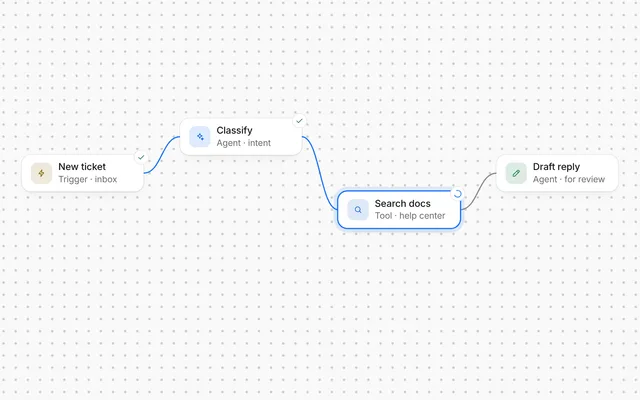
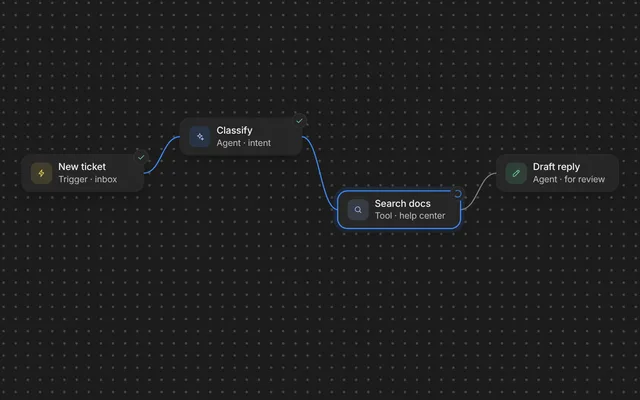
A trigger, a few agent steps, and a run you can watch flow through. Free and MIT licensed, as HTML or a typed React component, in two styles with light and dark mode.
Install
Add it to your project with the CLI.
HTML, CSS and JavaScript
npx designme add automation-canvasReact
npx designme add automation-canvas --reactThe CLI copies the source into your project, so you own it and can change anything. The HTML version lands in ./designme with the shared core and a demo.html. The React version lands in src/components/designme and needs React 19; it works in Next.js, Vite and Astro.
About
What it is for and what it does.
Automation canvas draws an agent automation as cards joined by wires: a trigger, a few agent steps and where the result goes. People can add steps from a small + on the last step, or give the agent a model and tools from the connectors under it, pan and zoom round the canvas, select and drag the cards, click one to change its setting, and press Test run to watch the run light up each step and wire in turn.
- When people set up recurring agent workflows, like a weekly design check that posts to Slack.
- When a short flow is easier to understand as a picture than as a form.
- When people build the flow themselves, a step at a time, from a short list of step types.
- When each step has one main setting that people should be able to change in place.
- When you want to show a test run moving through the steps before the automation goes live.
- Each node has an icon, a colour, a
titleand adetailline, placed byxandyas fractions of the canvas, withycounted between the name over its top and Test run over its foot.edgeswire nodes together by id. - With
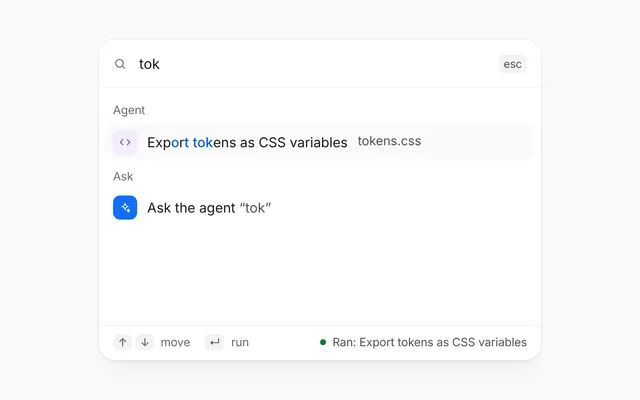
catalog, a step whose output leads nowhere yet gets a small + on its right (under it when the canvas stacks, or when there is no room to its right). A node'sconnectorsadd labelled + Model and + Tools buttons under it, with dashed stubs. - A + or a connector opens the step picker beside it: a search over a short list of step types in groups (after a step, the
stepgroups, such as Tools, Logic and Actions; from a connector, its own group). Each type has an icon and a one-line description, shown at the foot of the picker for the type under the pointer or the arrows. - Picking a type calls
onAddNode(type, from, via, group). Add a node withattach: { to: from, via }and its edge, and the canvas places it next to what it hangs from (to the right, or under it), clear of the other steps, their + buttons and their wires, and keeps that place in each layout. Models and tools are drawn as smaller steps on dashed wires. The wire to a new step draws itself in. - The + buttons go once the canvas holds
maxNodessteps: 9, or 6 when the canvas stacks. - With
balancedon (the default), nodes that share anxform a column and the columns spread evenly across the width. - Cards can be dragged; dragging a selected card moves every selected card. Dropping calls
onNodeMovewith each moved card's new centre. Below 560px wide the nodes stack down the canvas, using each node'snarrowposition if set; there a step with connectors sends its wire to a step on its left from its left side, so it passes clear of what hangs under it. - The canvas pans and zooms. Drag the empty canvas (one finger on a touch screen), scroll, or swipe a trackpad to pan; Ctrl or ⌘ with the wheel, or a pinch, zooms at the pointer, from 50% to 200%. The dots move with the cards, and panning stops before the cards' area leaves the middle of the canvas. The canvas never traps the page: the wheel and touch pan it only once someone has clicked or tapped in the component, or moved the keyboard focus into it. Until then the wheel and a finger scroll the page as usual, and a pinch does what the browser does. Ctrl or ⌘ with the wheel zooms the canvas at any time.
- Small zoom buttons sit in the bottom right corner: zoom out, the zoom level (press it for 100%), zoom in, and fit, which centres every step and its + in view at 100% or less. New steps are placed clear of the buttons where there is room.
view,defaultViewandonViewChangehold where the canvas looks, as{ panX, panY, zoom }. It starts with the whole canvas at 100%, and goes back to that when the canvas switches between wide and stacked. - Click a card to select it: its white card gets a light grey edge. Shift and a click adds a card to the selection or takes it out, Shift and a drag on the empty canvas draws a box that selects every card it touches, and a click on the empty canvas or Escape clears the selection.
selection,defaultSelectionandonSelectionChangehold it, as a list of ids. - The cursor is an open hand on the empty canvas, a closed hand while it pans, and a pointer on the cards.
- Clicking a node selects it and opens a popover with its
field, a menu of options. Picking one updates the node's detail and callsonValuesChange. onRunadds a Test run button. Set each node'sstatetorunordoneand add wires toflowingas your run goes, and a soft light passes along each new wire.- The canvas is the whole component, edge to edge, with its dots all the way out. The automation's
nameand an optional greentaglike "On" sit over its top left, and Test run with astatusline that crossfades over its bottom left. The steps are laid out and fitted in the band between them, so neither covers a step at rest. The canvas fills the height it is given, or is 560px tall (640px when it stacks) when nothing gives it one.
- Each node is a button with
aria-expandedthat shows whether its popover is open. - Each + is a button labelled with the step it adds after, like "Add a step after Post summary", and each connector is labelled like "Add a tool to Agent: audit". Both have
aria-haspopup="dialog"andaria-expanded. - The picker is a dialog labelled the same way. Its search is a
comboboxthat controls alistboxof options in labelled groups, and points at the current option witharia-activedescendant; each option is described by its one-line description. - Opening the picker puts the focus in its search. The up and down arrows move through the options and wrap, typing filters them, Enter adds the current one and moves the focus to the new step, and Escape closes the picker and gives the focus back to its +.
- An
aria-live="polite"region says which step was added and where. - The popover has
role="dialog", labelled with the node's title, and isinertwhile closed. - Enter or Space on a node opens its popover with the focus in it, and Escape or Done closes it and gives the focus back to the node.
- Setting options use
role="menuitemradio"witharia-checked, and the dropdown is a menu button witharia-expanded: the arrows open it and move through the options and wrap, Home and End jump, Enter or Space picks, and Escape closes it back to the button. - The canvas is a focusable
groupwitharia-roledescription="canvas", labelled bylabel("Automation canvas" by default) and described by a hidden line that lists its controls. While the canvas has the focus, the arrow keys pan it (with Shift, in bigger steps). While the canvas, a card or a zoom button has the focus, plus and minus zoom, 0 or 1 fits, and Escape clears the selection. - Its focus ring is the quiet grey, shown only from the keyboard: a click gives the canvas the focus without a ring. Tab goes from the canvas through the cards and their + buttons, and a card that takes the focus out of view glides into view.
- The zoom buttons are a
toolbarlabelled "Zoom". The level reads like "Zoom 125%, reset to 100%", and zoom out and zoom in turnaria-disabledat 50% and 200%. - The
aria-liveregion also says the zoom level after the buttons and keys, and how many steps are selected after a Shift click, a box or a clear. - The wires are
aria-hidden. With reduced motion on, the light along a wire and a new wire's draw are skipped, and the view jumps to where the buttons and keys send it instead of gliding.
Usage
Import it and drive it from your own state.
Import
import { AutomationCanvas } from '@/components/designme/automation-canvas/AutomationCanvas';Example
The demo above as a React component, 101 lines you can copy.
'use client';
// The animated preview from designme.dev, rebuilt from the React component: an example of driving it from your own state.
import { useRef, useState } from 'react';
import { AutomationCanvas, type AutomationCatalog, type AutomationEdge, type AutomationNode, type AutomationStepGroup } from './AutomationCanvas';
import { useStory, useWait } from '../lib/useScript';

const NODES: AutomationNode[] = [
  { id: 't', icon: 'clock', color: 'var(--dm-py)', title: 'Schedule', detail: 'Mondays 9:00', x: .14, y: .4, narrow: { x: .27, y: .07 }, field: { label: 'When', options: ['Mondays 9:00', 'Every weekday', 'On new Figma version'] } },
  { id: 'a', icon: 'figma', color: 'var(--dm-pl)', title: 'Read frames', detail: 'Pricing, Checkout', x: .4, y: .22, narrow: { x: .27, y: .2 }, field: { label: 'Frames', options: ['Pricing, Checkout', 'All frames', 'Changed this week'] } },
  { id: 'b', icon: 'spark', color: 'var(--dm-accent)', title: 'Agent: audit', detail: 'Contrast, tokens', x: .4, y: .58, narrow: { x: .73, y: .33 }, field: { label: 'Checks', options: ['Contrast, tokens', 'Everything', 'Accessibility only'] }, connectors: ['model', 'tools'] },
  { id: 'c', icon: 'send', color: 'var(--dm-pm)', title: 'Post summary', detail: '#design in Slack', x: .78, y: .4, narrow: { x: .27, y: .64 }, field: { label: 'Channel', options: ['#design in Slack', 'Email the team', 'Linear ticket'] } }
];
const EDGES: AutomationEdge[] = [['t', 'a'], ['t', 'b'], ['a', 'c'], ['b', 'c']];

// the steps the picker offers: a + after a step offers tools, logic and actions; the agent's connectors offer their own
const TOOLS: AutomationStepGroup = { id: 'tools', label: 'Tools', color: 'var(--dm-pt)', items: [
  { id: 'web', icon: 'globe', title: 'Search the web', description: 'Looks things up and keeps the top results', detail: 'Top results', field: { label: 'Sources', options: ['Top results', 'News only', 'Our docs site'] } },
  { id: 'doc', icon: 'file-text', title: 'Read a doc', description: 'Pulls the text out of a doc or a PDF', detail: 'Brand guidelines', field: { label: 'Doc', options: ['Brand guidelines', 'Release notes', 'Any shared doc'] } },
  { id: 'contrast', icon: 'eye', title: 'Check contrast', description: 'Measures each text colour against its fill', detail: 'WCAG AA', field: { label: 'Level', options: ['WCAG AA', 'WCAG AAA', 'APCA'] } }
] };
const CATALOG: AutomationCatalog = {
  step: [
    TOOLS,
    { id: 'logic', label: 'Logic', color: 'var(--dm-py)', items: [
      { id: 'if', icon: 'branch', title: 'If / else', description: 'Sends the run one way or the other', detail: 'Any check fails', field: { label: 'When', options: ['Any check fails', 'Over 5 issues', 'Always'] } },
      { id: 'wait', icon: 'clock', title: 'Wait', description: 'Pauses the run for a while', detail: '1 hour', field: { label: 'For', options: ['1 hour', 'Until 9:00', '1 day'] } },
      { id: 'ask', icon: 'user', title: 'Ask a person', description: 'Holds the run until someone approves', detail: 'Design lead', field: { label: 'Who', options: ['Design lead', 'Anyone on #design', 'The run owner'] } }
    ] },
    { id: 'actions', label: 'Actions', color: 'var(--dm-pm)', items: [
      { id: 'ticket', icon: 'flag', title: 'Create ticket', description: 'Files an issue with what the agent found', detail: 'Design QA board', field: { label: 'Tracker', options: ['Design QA board', 'Linear, Web team', 'GitHub issues'] } },
      { id: 'email', icon: 'mail', title: 'Send email', description: 'Emails a short summary to a list', detail: 'Design team', field: { label: 'To', options: ['Design team', 'Product leads', 'Just me'] } },
      { id: 'doc-out', icon: 'edit', title: 'Update doc', description: 'Writes the results into a shared doc', detail: 'QA log', field: { label: 'Doc', options: ['QA log', 'Weekly notes', 'Release checklist'] } }
    ] }
  ],
  model: [{ id: 'models', label: 'Models', color: 'var(--dm-pl)', items: [
    { id: 'fast', icon: 'bolt', title: 'Fast model', description: 'Quick and cheap, for simple checks', detail: 'Fast', field: { label: 'Model', options: ['Fast', 'Fast, low cost'] } },
    { id: 'reason', icon: 'brain', title: 'Reasoning model', description: 'Slower, thinks harder audits through', detail: 'Reasoning', field: { label: 'Model', options: ['Reasoning', 'Reasoning, long context'] } },
    { id: 'vision', icon: 'image', title: 'Vision model', description: 'Reads screenshots and frames', detail: 'Vision', field: { label: 'Model', options: ['Vision', 'Vision, high detail'] } }
  ] }],
  tools: [TOOLS]
};

/* ---------- Automation canvas: add steps, drag them, change their settings, and test run the flow ---------- */
export default function AutomationCanvasDemo() {
  const [nodes, setNodes] = useState(NODES);
  const [edges, setEdges] = useState(EDGES);
  const [states, setStates] = useState<Record<string, AutomationNode['state']>>({});
  const [flowing, setFlowing] = useState<AutomationEdge[]>([]);
  const [status, setStatus] = useState('Every Monday, 9:00');
  // picking a new schedule rewrites the line in the corner
  const [trigger, setTrigger] = useState('Mondays 9:00');
  const seq = useRef(0), runId = useRef(0), now = useRef({ nodes, edges });
  now.current = { nodes, edges };
  const wait = useWait();

  // Test run lights each step in turn; a soft light passes along each wire the run reaches, and the wire stays lit. The
  // agent's model and tools light with it, and the steps added after the last one run in turn
  const run = async () => {
    const id = ++runId.current, w = async (ms: number) => { await wait(ms); if (id !== runId.current) throw 'stop'; };
    const mark = (k: string, s: AutomationNode['state']) => setStates(x => ({ ...x, [k]: s }));
    const { edges: E } = now.current, subs = E.filter(e => e[0] === 'b' && e[2]);
    try {
      setStates({}); setFlowing([]); setStatus('Running test');
      await w(220); mark('t', 'run'); await w(600); mark('t', 'done');
      setFlowing([['t', 'a'], ['t', 'b']]); await w(620);
      mark('a', 'run'); mark('b', 'run'); subs.forEach(e => mark(e[1], 'run')); setFlowing(f => [...f, ...subs]); await w(1100);
      mark('a', 'done'); subs.forEach(e => mark(e[1], 'done')); await w(400); mark('b', 'done');
      setFlowing(f => [...f, ['a', 'c'], ['b', 'c']]); await w(620);
      mark('c', 'run'); await w(700); mark('c', 'done');
      let at = 'c', s = 3.4, nx: AutomationEdge | undefined;
      while ((nx = E.find(e => e[0] === at && !e[2]))) { const e = nx; setFlowing(f => [...f, e]); await w(620); mark(e[1], 'run'); await w(700); mark(e[1], 'done'); at = e[1]; s += 1.3; }
      setStatus(`Test passed in ${s.toFixed(1)}s`);
    } catch (e) { if (e !== 'stop') throw e; }
  };

  // the preview's story: one test run, then the person adds a step after the last one from its +, zooms in a step and fits
  // the whole automation back in view
  const ref = useRef<HTMLDivElement>(null);
  useStory(ref, async ({ wait: sw, press }) => {
    await sw(1600); press('.dm-acx-run');
    await sw(6200); press('.dm-acx-h');
    await sw(1500); press('.dm-acx-o[data-id="ticket"]');
    await sw(1500); press('.dm-acx-zi');
    await sw(1000); press('.dm-acx-fit');
  });

  return (
    <div ref={ref} style={{ width: '100%' }}>
      <AutomationCanvas name="Weekly design QA" tag="On" status={status}
        nodes={nodes.map(n => ({ ...n, state: states[n.id] }))} edges={edges} flowing={flowing} catalog={CATALOG}
        onAddNode={(type, from, via, group) => {
          const id = 'n' + ++seq.current;
          setNodes(ns => [...ns, { id, icon: type.icon, color: group.color, title: type.title, detail: type.detail, field: type.field, attach: { to: from, via } }]);
          setEdges(es => [...es, via === 'out' ? [from, id] : [from, id, via]]);
        }}
        onValuesChange={v => { if (v.t !== trigger) { setTrigger(v.t); setStatus(v.t.replace('Mondays', 'Every Monday,')); } }}
        onRun={run} />
    </div>
  );
}
Props
Everything AutomationCanvas takes.
| Prop | Type | What it does |
|---|---|---|
namerequired | string | The automation's name, like "Weekly design QA" |
tag | string | The green tag after the name, like "On". Leave it out to hide it |
status | string | The quiet line beside Test run, like "Every Monday, 9:00". Crossfades when it changes |
nodesrequired | AutomationNode[] | |
edgesrequired | AutomationEdge[] | |
flowing | AutomationEdge[] | The wires a run has reached. A soft light passes along each one as it is added, and it stays lit while it is listed; clear the list when a new run starts |
balanced | boolean | Spread the columns of cards evenly, with the first and last the same distance in from each side, so the wires on the left and right match at any width. Set false to place every card exactly at its x. Defaults to true |
selected | string | null | The node whose popover is open. Leave it out to let clicks pick it |
defaultSelected | string | null | |
onSelectedChange | (id: string | null) => void | |
selection | string[] | The selected steps, by id. A click selects one, Shift and a click adds one or takes it out, Shift and a drag on the empty canvas boxes them, and a click on the empty canvas or Escape clears them. Leave it out to let the canvas keep it |
defaultSelection | string[] | |
onSelectionChange | (ids: string[]) => void | |
view | AutomationView | Where the canvas looks. Defaults to the whole board at 100%, and goes back to that when the canvas switches between wide and stacked. Leave it out to let a drag on the empty canvas, the wheel, a pinch, the zoom buttons and the keys move it |
defaultView | AutomationView | |
onViewChange | (view: AutomationView) => void | |
label | string | The canvas's accessible name |
values | Record<string, string> | Each node's setting, by id. Leave it out to let the popovers keep them, starting from each node's detail |
defaultValues | Record<string, string> | |
onValuesChange | (values: Record<string, string>) => void | |
onNodeMove | (id: string, at: AutomationPoint, narrow: boolean) => void | Called when a node is dropped after a drag, with where its centre ended up and whether the canvas was narrow |
catalog | AutomationCatalog | The step types to add. With it, a step whose output leads nowhere gets a +, and each connector opens the picker too |
onAddNode | (type: AutomationStepType, from: string, via: AutomationVia, group: AutomationStepGroup) => void | Called with the type picked and where it hangs from. Add a node with `attach: { to: from, via }` and its edge (`[from, id]`, or `[from, id, via]` for a connector) |
maxNodes | number | The most steps the canvas takes before the + handles go: 9, or 6 when it stacks |
onRun | () => void | Adds the Test run button. The run itself is yours: drive it with each node's state and `flowing` |
runLabel | string | |
doneLabel | string | The button that closes a popover |
searchLabel | string | The picker's search |
className | string |
Code
The full source, as the CLI installs it.
AutomationCanvas.tsxReact · 811 lines
'use client';
import { useEffect, useRef, useState, type FocusEvent as ReactFocusEvent, type KeyboardEvent as ReactKeyboardEvent, type MouseEvent as ReactMouseEvent, type PointerEvent as ReactPointerEvent } from 'react';
import { cx } from '../lib/cx';
import { useControllable, useIsoLayoutEffect, useReducedMotion } from '../lib/hooks';
import { Icon, type IconName } from '../lib/icons';
import { Swap, Tip } from '../lib/motion';
import '../designme.css';
import './automation-canvas.css';

/** A spot on the canvas, as fractions of its width and height */
export interface AutomationPoint {
  x: number;
  y: number;
}

/** Where the canvas looks: a point at (x, y) on the board, in pixels at 100%, shows at x * zoom + panX, y * zoom + panY.
 * { panX: 0, panY: 0, zoom: 1 } shows the whole board, as laid out, at 100% */
export interface AutomationView {
  panX: number;
  panY: number;
  /** 1 is 100%; kept between 0.5 and 2 */
  zoom: number;
}

/** Where a new step hangs from: after a step (`out`), or from one of a step's connectors */
export type AutomationVia = 'out' | 'model' | 'tools';

/** One step of the automation, drawn as a card on the canvas */
export interface AutomationNode {
  id: string;
  icon: IconName;
  /** The icon's colour, like 'var(--dm-pl)'. Its tile is a light tint of it */
  color: string;
  /** Like "Read frames" */
  title: string;
  /** The setting shown under the title, like "Pricing, Checkout". The popover changes it */
  detail: string;
  /** Where the centre of the card sits, as fractions of the canvas width and of the height between the name over its top
   * and Test run over its foot, so neither covers a card. With `balanced` (the default), cards
   * that share an x form a column, and the columns spread evenly from one side to the other. Leave x and y out for a step
   * with `attach`: the canvas finds it a place */
  x?: number;
  y?: number;
  /** Where it sits when the canvas is narrower than 560px, measured the same way. Defaults to a column down the middle */
  narrow?: AutomationPoint;
  /** What its popover edits: a label and the choices, like { label: 'Frames', options: ['Pricing, Checkout', 'All frames'] } */
  field?: { label: string; options: string[] };
  /** 'run' rings it with a spinner, 'done' ticks it. Leave it out before a run */
  state?: 'run' | 'done';
  /** Labelled connectors under the step, for the model an agent thinks with and the tools it may use. With `catalog`, each
   * opens the step picker on that group */
  connectors?: ('model' | 'tools')[];
  /** A step added from a + or a connector: the step it hangs from and how. The canvas places it next to that step, clear
   * of the others and their wires, and keeps that place in each layout. A model or a tool is drawn as a smaller step */
  attach?: { to: string; via: AutomationVia };
}

/** A wire from one node to another, by id. A third value hangs it from that connector of the first node, dashed */
export type AutomationEdge = [from: string, to: string, via?: 'model' | 'tools'];

/** A kind of step the picker offers */
export interface AutomationStepType {
  id: string;
  icon: IconName;
  title: string;
  /** One line on what it does, shown at the foot of the picker while it is under the pointer or the arrows */
  description: string;
  /** The setting a new step of this kind starts with */
  detail: string;
  field?: { label: string; options: string[] };
}
export interface AutomationStepGroup {
  id: string;
  label: string;
  /** The colour of its icons, like 'var(--dm-pt)' */
  color: string;
  items: AutomationStepType[];
}
/** What the picker offers: after a step, and from the model and tools connectors */
export interface AutomationCatalog {
  step: AutomationStepGroup[];
  model?: AutomationStepGroup[];
  tools?: AutomationStepGroup[];
}

export interface AutomationCanvasProps {
  /** The automation's name, like "Weekly design QA" */
  name: string;
  /** The green tag after the name, like "On". Leave it out to hide it */
  tag?: string;
  /** The quiet line beside Test run, like "Every Monday, 9:00". Crossfades when it changes */
  status?: string;
  nodes: AutomationNode[];
  edges: AutomationEdge[];
  /** The wires a run has reached. A soft light passes along each one as it is added, and it stays lit while it is listed;
   * clear the list when a new run starts */
  flowing?: AutomationEdge[];
  /** Spread the columns of cards evenly, with the first and last the same distance in from each side, so the wires on
   * the left and right match at any width. Set false to place every card exactly at its x. Defaults to true */
  balanced?: boolean;
  /** The node whose popover is open. Leave it out to let clicks pick it */
  selected?: string | null;
  defaultSelected?: string | null;
  onSelectedChange?: (id: string | null) => void;
  /** The selected steps, by id. A click selects one, Shift and a click adds one or takes it out, Shift and a drag on the
   * empty canvas boxes them, and a click on the empty canvas or Escape clears them. Leave it out to let the canvas keep it */
  selection?: string[];
  defaultSelection?: string[];
  onSelectionChange?: (ids: string[]) => void;
  /** Where the canvas looks. Defaults to the whole board at 100%, and goes back to that when the canvas switches between
   * wide and stacked. Leave it out to let a drag on the empty canvas, the wheel, a pinch, the zoom buttons and the keys move it */
  view?: AutomationView;
  defaultView?: AutomationView;
  onViewChange?: (view: AutomationView) => void;
  /** The canvas's accessible name */
  label?: string;
  /** Each node's setting, by id. Leave it out to let the popovers keep them, starting from each node's detail */
  values?: Record<string, string>;
  defaultValues?: Record<string, string>;
  onValuesChange?: (values: Record<string, string>) => void;
  /** Called when a node is dropped after a drag, with where its centre ended up and whether the canvas was narrow */
  onNodeMove?: (id: string, at: AutomationPoint, narrow: boolean) => void;
  /** The step types to add. With it, a step whose output leads nowhere gets a +, and each connector opens the picker too */
  catalog?: AutomationCatalog;
  /** Called with the type picked and where it hangs from. Add a node with `attach: { to: from, via }` and its edge
   * (`[from, id]`, or `[from, id, via]` for a connector) */
  onAddNode?: (type: AutomationStepType, from: string, via: AutomationVia, group: AutomationStepGroup) => void;
  /** The most steps the canvas takes before the + handles go: 9, or 6 when it stacks */
  maxNodes?: number;
  /** Adds the Test run button. The run itself is yours: drive it with each node's state and `flowing` */
  onRun?: () => void;
  runLabel?: string;
  /** The button that closes a popover */
  doneLabel?: string;
  /** The picker's search */
  searchLabel?: string;
  className?: string;
}

type Box = { l: number; t: number; r: number; b: number; w: number; h: number };
type Anchor = { x: number; y: number; d: 'r' | 'l' | 'd' };
type Bez = [number, number][];
// under this width the nodes stack down the canvas and wire top to bottom
const NARROW = 560;
const clamp = (v: number, lo: number, hi: number) => Math.max(lo, Math.min(hi, v));
const same = (a: AutomationEdge, b: AutomationEdge) => a[0] === b[0] && a[1] === b[1];
const ek = (e: AutomationEdge) => e[0] + '-' + e[1];
const KIND = { model: 'Model', tools: 'Tools' } as const;
const mk = (l: number, t: number, w: number, h: number): Box => ({ l, t, w, h, r: l + w, b: t + h });
// the view: the whole board at 100% to start with, and the zoom levels the buttons and keys step through
const HOME: AutomationView = { panX: 0, panY: 0, zoom: 1 };
const ZOOMS = [.5, .67, .75, .9, 1, 1.25, 1.5, 2], ZMIN = ZOOMS[0], ZMAX = ZOOMS[ZOOMS.length - 1];
const NONE: string[] = [];

// a wire from a step's output (or a connector's foot) into the side of the next step that faces it
function link(a: Anchor, B: Box): Bez {
  let p: [number, number], e: 'l' | 'r' | 't' | 'b';
  if (a.d === 'l') { if (B.t >= a.y + 8) { p = [B.l + B.w / 2, B.t]; e = 't'; } else if (B.r <= a.x - 8) { p = [B.r, B.t + B.h / 2]; e = 'r'; } else { p = [B.l + B.w / 2, B.b]; e = 'b'; } }
  else if (a.d === 'r') { if (B.l >= a.x + 8) { p = [B.l, B.t + B.h / 2]; e = 'l'; } else if (B.t >= a.y) { p = [B.l + B.w / 2, B.t]; e = 't'; } else { p = [B.l + B.w / 2, B.b]; e = 'b'; } }
  else { if (B.t >= a.y + 8) { p = [B.l + B.w / 2, B.t]; e = 't'; } else if (B.l >= a.x) { p = [B.l, B.t + B.h / 2]; e = 'l'; } else { p = [B.r, B.t + B.h / 2]; e = 'r'; } }
  const dx = p[0] - a.x, dy = p[1] - a.y, k0 = Math.max(24, Math.abs(a.d === 'd' ? dy : dx) / 2), k1 = Math.max(24, Math.abs(e === 'l' || e === 'r' ? dx : dy) / 2);
  const c1: [number, number] = a.d === 'r' ? [a.x + k0, a.y] : a.d === 'l' ? [a.x - k0, a.y] : [a.x, a.y + k0];
  const c2: [number, number] = { l: [p[0] - k1, p[1]], r: [p[0] + k1, p[1]], t: [p[0], p[1] - k1], b: [p[0], p[1] + k1] }[e] as [number, number];
  return [[a.x, a.y], c1, c2, p];
}
const bez = (q: Bez, t: number): [number, number] => { const u = 1 - t; return [0, 1].map(i => u * u * u * q[0][i] + 3 * u * u * t * q[1][i] + 3 * u * t * t * q[2][i] + t * t * t * q[3][i]) as [number, number]; };
const dOf = (q: Bez) => `M${q[0].join(' ')} C${q[1].join(' ')} ${q[2].join(' ')} ${q[3].join(' ')}`;

/* where a new step goes: as near as it can to just after what it hangs from (to the right of a step, under a connector, or
   under a step when the canvas stacks), clear of every step, + and connector, keeping off the wires already drawn, with its
   own wire crossing no step, and with room for its own + inside the canvas */
function spot(W: number, H: number, w: number, h: number, a: Anchor, hasOut: boolean, narrow: boolean, others: Box[], knobs: Box[], wires: Bez[]): AutomationPoint {
  const M = 8, obst = [...others, ...knobs];
  const samples = wires.flatMap(q => Array.from({ length: 15 }, (_, i) => bez(q, (i + 1) / 16)));
  const want = a.d === 'r' ? [a.x + 56 + w / 2, a.y] : [a.x, a.y + 40 + h / 2];
  const inside = (p: [number, number], b: Box, m: number) => p[0] > b.l - m && p[0] < b.r + m && p[1] > b.t - m && p[1] < b.b + m;
  const ov = (A: Box, B: Box, m: number) => Math.max(0, Math.min(A.r, B.r + m) - Math.max(A.l, B.l - m)) * Math.max(0, Math.min(A.b, B.b + m) - Math.max(A.t, B.t - m));
  let best: Box | null = null, bs = Infinity, soft: Box | null = null, ss = Infinity;
  // room to spare first; on a crowded canvas, just clear of the rest
  for (const G of [14, 4]) {
    if (best) break;
    for (let y = M; y + h <= H - M; y += 8) for (let x = M; x + w <= W - M; x += 8) {
      const B = mk(x, y, w, h);
      if (hasOut && (narrow ? B.b + 34 > H - 4 : B.r + 34 > W - 4)) continue;
      let sc = Math.hypot(x + w / 2 - want[0], y + h / 2 - want[1]);
      if (a.d === 'r' ? B.l < a.x + 24 : B.t < a.y + 24) sc += 250;
      sc += samples.filter(p => inside(p, B, 6)).length * 60;
      const q = link(a, B); for (let i = 1; i < 12; i++) { const p = bez(q, i / 12); if (others.some(o => inside(p, o, 4))) sc += 30; }
      const hit = obst.reduce((s, o) => s + ov(B, o, G), 0);
      if (!hit) { if (sc < bs) { bs = sc; best = B; } }
      else if (hit * 10 + sc < ss) { ss = hit * 10 + sc; soft = B; }
    }
  }
  const B = best ?? soft ?? mk(M, M, w, h);
  return { x: (B.l + w / 2) / W, y: (B.t + h / 2) / H };
}

/** An automation as cards and wires: drag the cards, click one to change its setting, add steps from a + or a connector,
 * pan and zoom round the board, select steps, and watch a run flow through it. The canvas is the whole component: its name
 * sits over the top left, Test run and the status over the bottom left, and the zoom in the bottom right. It fills the
 * height it is given (560px, or 640px below 560px wide, when nothing gives it one). */
export function AutomationCanvas({
  name, tag, status, nodes, edges, flowing = [], selected, defaultSelected = null, onSelectedChange, values, defaultValues, onValuesChange,
  selection, defaultSelection = NONE, onSelectionChange, view: viewProp, defaultView = HOME, onViewChange, label = 'Automation canvas',
  balanced = true, onNodeMove, catalog, onAddNode, maxNodes, onRun, runLabel = 'Test run', doneLabel = 'Done', searchLabel = 'Search steps', className
}: AutomationCanvasProps) {
  const [sel, setSel] = useControllable(selected, defaultSelected, onSelectedChange);
  const [picked, setPicked] = useControllable(selection, defaultSelection, onSelectionChange);
  const [view, setView] = useControllable(viewProp, defaultView, onViewChange);
  const [vals, setVals] = useControllable(values, defaultValues ?? Object.fromEntries(nodes.map(n => [n.id, n.detail])), onValuesChange);
  const valueOf = (n: AutomationNode) => vals[n.id] ?? n.detail;

  const cv = useRef<HTMLDivElement>(null);
  const els = useRef<Record<string, HTMLButtonElement | null>>({});
  const [size, setSize] = useState<{ w: number; h: number } | null>(null);
  // the name over the top of the canvas and Test run over its foot: the steps are laid out, fitted and placed in the band
  // between them (T from the top, B from the bottom), so neither covers a step at rest
  const topEl = useRef<HTMLDivElement>(null), barEl = useRef<HTMLDivElement>(null);
  const [ins, setIns] = useState({ T: 0, B: 0 });
  const [heights, setHeights] = useState<Record<string, number>>({});
  // where people dropped the nodes, and where the canvas put the added ones, kept apart for the wide and the narrow layout
  const [moved, setMoved] = useState<{ wide: Record<string, AutomationPoint>; narrow: Record<string, AutomationPoint> }>({ wide: {}, narrow: {} });
  const [auto, setAuto] = useState<{ wide: Record<string, AutomationPoint>; narrow: Record<string, AutomationPoint> }>({ wide: {}, narrow: {} });
  const [drag, setDrag] = useState<string[] | null>(null);
  const [optsOpen, setOptsOpen] = useState(false);
  // the keyboard: a step opened with Enter or Space puts the focus in its popover, and Escape or Done gives it back to the
  // step. The field is a menu button: the arrows open it and move through the choices, Home and End jump, Escape closes it
  const popEl = useRef<HTMLDivElement>(null), ddEl = useRef<HTMLButtonElement>(null), optsEl = useRef<HTMLDivElement>(null);
  const keyOpen = useRef(false), inPop = useRef(false), optsFocus = useRef<'first' | 'last' | null>(null);
  // a drop ends in a click; this swallows it so the popover doesn't open
  const dropped = useRef(false);
  const stopDrag = useRef<() => void>(undefined);
  const close = useRef(() => setSel(null));
  useEffect(() => { close.current = () => setSel(null); });
  useEffect(() => () => stopDrag.current?.(), []);

  // the popover keeps showing the last node while it fades out
  const [popFor, setPopFor] = useState(sel);
  if (sel && sel !== popFor) setPopFor(sel);
  const [optsFor, setOptsFor] = useState(sel);
  if (optsFor !== sel) { setOptsFor(sel); setOptsOpen(false); }

  const narrow = !!size && size.w < NARROW;
  const layoutKey = narrow ? 'narrow' : 'wide';
  // cards narrow a little when a wide canvas is short of room for three columns of full-size cards; a model or a tool is
  // smaller again, so on a stacked canvas it fits beside the steps in the left-hand column
  const width = narrow || (!!size && size.w < 700) ? 150 : 176;
  const widthOf = (n: AutomationNode) => n.attach && n.attach.via !== 'out' ? (narrow ? 124 : width === 150 ? 150 : 168) : width;
  const reduce = useReducedMotion();
  /* the canvas never traps the page: until the person has engaged with it (a click in it, a tap in it, or the keyboard's
     focus coming into it) the wheel and touch belong to the page, so it scrolls past as usual. A finger that starts a
     scroll there is the page's; one that lifts without scrolling is a tap, which engages it. Once engaged, one finger pans
     and two pinch, as the mouse does */
  const engaged = useRef(false), lastKey = useRef(-1e9);
  const [engagedOn, setEngagedOn] = useState(false);
  const engageNow = () => { if (engaged.current) return; engaged.current = true; setEngagedOn(true); };

  /* ---------- the step picker ---------- */
  const [pk, setPk] = useState<{ from: string; via: AutomationVia; focus: boolean } | null>(null);
  const [query, setQuery] = useState('');
  const [act, setAct] = useState(0);
  const knobEls = useRef<Record<string, HTMLButtonElement | null>>({});
  const qiEl = useRef<HTMLInputElement>(null), pkEl = useRef<HTMLDivElement>(null), lsEl = useRef<HTMLDivElement>(null);
  const [knobW, setKnobW] = useState<Record<string, number>>({});
  const pendingFocus = useRef<{ from: string; via: AutomationVia; had: Set<string> } | null>(null);
  const pkBack = useRef<string | null>(null);
  const [live, setLive] = useState('');

  // the canvas size drives the layout; a change of width closes the popover and the picker, as what they point at moves
  useIsoLayoutEffect(() => {
    const el = cv.current; if (!el) return;
    let last = 0;
    const fit = () => {
      const w = el.clientWidth, h = el.clientHeight;
      if (last && Math.abs(w - last) > 2) { close.current(); setPk(null); }
      last = w;
      setSize(s => (s && s.w === w && s.h === h ? s : { w, h }));
    };
    fit();
    const ro = new ResizeObserver(fit); ro.observe(el);
    return () => ro.disconnect();
  }, []);
  // on arrival the wires draw in once the steps have landed: each path gets its own length to draw along
  const svg = useRef<SVGSVGElement>(null);
  const [intro, setIntro] = useState(true);
  useEffect(() => { const t = setTimeout(() => setIntro(false), 1300); return () => clearTimeout(t); }, []);
  useIsoLayoutEffect(() => { if (intro) svg.current?.querySelectorAll('path').forEach(p => p.style.setProperty('--dm-l', String(Math.ceil(p.getTotalLength())))); });
  useIsoLayoutEffect(() => {
    const c = cv.current, t = topEl.current, b = barEl.current;
    if (c) { const T = t ? t.offsetTop + t.offsetHeight - c.offsetTop + 8 : 0, B = b ? c.clientHeight - b.offsetTop + 8 : 0; setIns(o => (o.T === T && o.B === B ? o : { T, B })); }
    const next: Record<string, number> = {};
    for (const n of nodes) next[n.id] = els.current[n.id]?.offsetHeight ?? 0;
    setHeights(h => (nodes.every(n => h[n.id] === next[n.id]) ? h : next));
    const kw: Record<string, number> = {};
    for (const [k, b] of Object.entries(knobEls.current)) if (b) kw[k] = b.offsetWidth;
    setKnobW(o => (Object.keys(kw).length === Object.keys(o).length && Object.entries(kw).every(([k, v]) => o[k] === v) ? o : kw));
  });

  // balanced: the distinct x values are columns, the first and last the same distance in from each side, the rest evenly between
  const placedX = nodes.filter(n => !n.attach && n.x !== undefined);
  const cols = [...new Set(placedX.map(n => n.x as number))].sort((a, b) => a - b);
  const colX = (x: number) => {
    if (!balanced || !size || cols.length < 2) return x;
    const W = size.w, pad = Math.max(20, W * .06), first = pad + width / 2, last = W - pad - width / 2;
    return (first + (last - first) * cols.indexOf(x) / (cols.length - 1)) / W;
  };
  const seeds = nodes.filter(n => !n.attach);
  const W = size?.w ?? 0, H = size?.h ?? 0;
  // a node's y, as a fraction of the band between the name and Test run, as a fraction of the whole canvas
  const band = (y: number) => (H ? (ins.T + y * Math.max(0, H - ins.T - ins.B)) / H : y);
  const at = (n: AutomationNode): AutomationPoint | null => {
    const mine = moved[layoutKey][n.id]; if (mine) return mine;
    if (n.attach) return auto[layoutKey][n.id] ?? null;
    const p = narrow ? n.narrow ?? { x: .5, y: (seeds.indexOf(n) + 1) / (seeds.length + 1) } : { x: colX(n.x ?? .5), y: n.y ?? .5 };
    return { x: p.x, y: band(p.y) };
  };
  const boxes: Record<string, Box> = {};
  nodes.forEach(n => {
    const p = at(n); if (!p) return;
    const w = widthOf(n), h = heights[n.id] || (n.attach && n.attach.via !== 'out' ? 48 : 56);
    // a narrow position near the edge keeps the whole card inside the canvas
    boxes[n.id] = mk(clamp(p.x * W - w / 2, narrow ? 6 : -1e4, narrow ? W - 6 - w : 1e4), p.y * H - h / 2, w, h);
  });
  const byId = (id: string) => nodes.find(n => n.id === id);
  // a step's output is open when no step follows it; models and tools have no output of their own
  const isSub = (n: AutomationNode) => !!n.attach && n.attach.via !== 'out';
  const full = nodes.length >= (maxNodes ?? (narrow ? 6 : 9));
  const knobs: { key: string; node: AutomationNode; via: AutomationVia }[] = [];
  if (catalog && !full) nodes.forEach(n => {
    if (!boxes[n.id]) return;
    if (!isSub(n) && !edges.some(e => e[0] === n.id && !e[2])) knobs.push({ key: n.id + ':out', node: n, via: 'out' });
    (n.connectors ?? []).forEach(k => { if (catalog[k]?.length) knobs.push({ key: n.id + ':' + k, node: n, via: k }); });
  });
  // where a step's output leaves it: its right side, or its foot when the canvas stacks. There a step with connectors
  // sends a wire to a step on its left from its left side, so it keeps clear of what hangs under it
  // On a wide canvas a step with no room for another to its right (the last one, near the edge) takes its + under it, and
  // the steps added there stack downwards
  const roomR = (B: Box) => B.r + 56 + width + 40 <= W;
  const outAt = (B: Box, n?: AutomationNode, T?: Box): Anchor => !narrow ? ((T ? T.l >= B.r + 8 : roomR(B)) ? { x: B.r, y: B.t + B.h / 2, d: 'r' } : { x: B.l + B.w / 2, y: B.b, d: 'd' })
    : n?.connectors?.length && T && T.l + T.w / 2 < B.l ? { x: B.l, y: B.t + B.h / 2, d: 'l' } : { x: B.l + B.w / 2, y: B.b, d: 'd' };
  // the connectors sit under the step, either side of the middle so a wire leaving its foot passes between them
  const subAt = (n: AutomationNode, kind: 'model' | 'tools'): Box | null => {
    const B = boxes[n.id]; if (!B) return null;
    const ks = n.connectors ?? [], g = narrow ? 24 : 8, cxm = B.l + B.w / 2, wOf = (k: string) => knobW[n.id + ':' + k] || 64;
    const l = ks.length < 2 ? cxm - wOf(kind) / 2 : kind === ks[0] ? cxm - g / 2 - wOf(kind) : cxm + g / 2;
    return mk(l, B.b + 10, wOf(kind), 24);
  };
  const anchorOf = (e: AutomationEdge): Anchor | null => {
    const A = boxes[e[0]], B = boxes[e[1]]; if (!A || !B) return null;
    if (e[2]) { const s = subAt(byId(e[0])!, e[2]); return s && { x: s.l + s.w / 2, y: s.b, d: 'd' }; }
    return outAt(A, byId(e[0]), B);
  };
  const geo: Record<string, Bez> = {};
  edges.forEach(e => { const a = anchorOf(e), B = boxes[e[1]]; if (a && B) geo[ek(e)] = link(a, B); });
  const knobBox = (k: { node: AutomationNode; via: AutomationVia }): Box | null => {
    const B = boxes[k.node.id]; if (!B) return null;
    if (k.via !== 'out') return subAt(k.node, k.via);
    const o = outAt(B); return o.d === 'r' ? mk(o.x + 10, o.y - 10, 20, 20) : mk(o.x - 10, o.y + 10, 20, 20);
  };

  /* ---------- the view, as in Canvas toolbar: the steps are laid out on a board the size of the canvas, which pans and
     zooms inside it. The popover and the picker sit over it, placed where their step shows ---------- */
  const { panX, panY, zoom } = view;
  const scr = (B: Box): Box => mk(B.l * zoom + panX, B.t * zoom + panY, B.w * zoom, B.h * zoom);
  // the latest view, for a wheel or a pinch that comes before the next render
  const vr = useRef(view); vr.current = view;
  const [anim, setAnim] = useState(false);
  // the board never goes more than half the canvas off, so the middle of the canvas always shows some of it
  const go = (v: AutomationView, glide = true) => {
    const z = clamp(v.zoom, ZMIN, ZMAX), r2 = (x: number) => Math.round(x * 100) / 100;
    const n = { zoom: z, panX: r2(clamp(v.panX, W / 2 - W * z, W / 2)), panY: r2(clamp(v.panY, H / 2 - H * z, H / 2)) }, o = vr.current;
    if (!size || (n.zoom === o.zoom && n.panX === o.panX && n.panY === o.panY)) return;
    vr.current = n; setAnim(glide && !reduce); setView(n);
    // what the popover and the picker point at has moved
    if (sel) close.current(); if (pk) setPk(null);
  };
  const zoomAt = (nz: number, x: number, y: number, glide = true) => {
    const v = vr.current, z = clamp(nz, ZMIN, ZMAX), wx = (x - v.panX) / v.zoom, wy = (y - v.panY) / v.zoom;
    go({ zoom: z, panX: x - wx * z, panY: y - wy * z }, glide);
  };
  const pct = (z: number) => Math.round(z * 100) + '%';
  const zoomBy = (d: number) => {
    const nz = (d > 0 ? ZOOMS.find(x => x > zoom + 1e-3) : [...ZOOMS].reverse().find(x => x < zoom - 1e-3)) ?? zoom; if (nz === zoom) return;
    zoomAt(nz, W / 2, H / 2); setLive('Zoom ' + pct(nz));
  };
  const zoomReset = () => { zoomAt(1, W / 2, H / 2); setLive('Zoom 100%'); };
  // fit: every step and its + in view, centred in the band between the name and Test run, never past 100%
  const fitNow = () => {
    const bs = [...Object.values(boxes), ...knobs.map(knobBox).filter((b): b is Box => !!b)]; if (!bs.length || !size) return;
    const P = 24, BH = H - ins.T - ins.B, x0 = Math.min(...bs.map(b => b.l)), y0 = Math.min(...bs.map(b => b.t)), x1 = Math.max(...bs.map(b => b.r)), y1 = Math.max(...bs.map(b => b.b));
    const z = clamp(Math.min((W - 2 * P) / (x1 - x0), (BH - 2 * P) / (y1 - y0), 1), ZMIN, ZMAX);
    go({ zoom: z, panX: (W - (x1 - x0) * z) / 2 - x0 * z, panY: ins.T + (BH - (y1 - y0) * z) / 2 - y0 * z }); setLive('Fit to screen, ' + pct(z));
  };
  // a canvas that switches between wide and stacked lays its steps out afresh, and the view goes back to the whole board
  const wasNarrow = useRef(narrow);
  useEffect(() => {
    if (wasNarrow.current === narrow) return; wasNarrow.current = narrow;
    const v = vr.current; if (v.zoom !== 1 || v.panX || v.panY) { vr.current = HOME; setAnim(false); setView(HOME); }
  }, [narrow]); // eslint-disable-line react-hooks/exhaustive-deps
  const zmEl = useRef<HTMLDivElement>(null);

  // each added step without a place in this layout gets one, in the order they were added
  useIsoLayoutEffect(() => {
    if (!size || !Object.keys(heights).length) return;
    const todo = nodes.filter(n => n.attach && !moved[layoutKey][n.id] && !auto[layoutKey][n.id] && boxes[n.attach.to]);
    if (!todo.length) return;
    const n = todo[0], e = edges.find(x => x[1] === n.id) ?? [n.attach!.to, n.id, n.attach!.via === 'out' ? undefined : n.attach!.via] as AutomationEdge;
    const A = boxes[e[0]], w = widthOf(n), h = heights[n.id] || (isSub(n) ? 48 : 56);
    const a = e[2] ? (() => { const s = subAt(byId(e[0])!, e[2]!)!; return { x: s.l + s.w / 2, y: s.b, d: 'd' as const }; })() : outAt(A);
    const others = Object.entries(boxes).filter(([id]) => id !== n.id).map(([, b]) => b);
    const kb = knobs.filter(k => k.key !== e[0] + ':out' && k.node.id !== n.id).map(knobBox).filter((b): b is Box => !!b);
    // clear of the zoom buttons in the corner too, where they sit on the board in the current view
    const zb = zmEl.current; if (zb) kb.push(mk((zb.offsetLeft - panX) / zoom, (zb.offsetTop - panY) / zoom, zb.offsetWidth / zoom, zb.offsetHeight / zoom));
    // and of the name over the top and Test run over the foot
    const tb = topEl.current, bb = barEl.current;
    if (tb) kb.push(mk(-panX / zoom, -panY / zoom, (tb.offsetLeft + tb.offsetWidth + 8) / zoom, ins.T / zoom));
    if (bb) kb.push(mk(-panX / zoom, (size.h - ins.B - panY) / zoom, (bb.offsetLeft + bb.offsetWidth + 8) / zoom, ins.B / zoom));
    const wires = Object.entries(geo).filter(([k]) => !k.split('-').includes(n.id)).map(([, q]) => q);
    const p = spot(size.w, size.h, w, h, a, !isSub(n), narrow, others, kb, wires);
    setAuto(s => ({ ...s, [layoutKey]: { ...s[layoutKey], [n.id]: p } }));
  });

  // dragging a selected step moves every selected step; dragging another selects it first
  const startDrag = (e: ReactPointerEvent<HTMLButtonElement>, id: string) => {
    // a finger on a step of a canvas not yet engaged may be scrolling the page: it only taps
    if (e.button || !cv.current || (e.pointerType === 'touch' && !engaged.current)) return;
    const b = e.currentTarget, canvas = cv.current, sx = e.clientX, sy = e.clientY, pointer = e.pointerId, z = zoom;
    const layout = layoutKey, ids = picked.includes(id) ? picked : [id];
    let on = false, last: Record<string, AutomationPoint> = {}, group: { id: string; ox: number; oy: number; w: number; h: number }[] = [];
    const move = (ev: PointerEvent) => {
      const dx = (ev.clientX - sx) / z, dy = (ev.clientY - sy) / z;
      if (!on && Math.hypot(ev.clientX - sx, ev.clientY - sy) < 4) return;
      if (!on) {
        on = true; if (!picked.includes(id)) setPicked([id]); setDrag(ids); close.current(); setPk(null); b.setPointerCapture?.(pointer);
        group = ids.flatMap(k => { const x = els.current[k]; return x ? [{ id: k, ox: x.offsetLeft, oy: x.offsetTop, w: x.offsetWidth, h: x.offsetHeight }] : []; });
      }
      const W2 = canvas.clientWidth, H2 = canvas.clientHeight, at: Record<string, AutomationPoint> = {};
      group.forEach(g => { const left = clamp(g.ox + dx, 4, W2 - g.w - 4), top = clamp(g.oy + dy, 4, H2 - g.h - 4); at[g.id] = { x: (left + g.w / 2) / W2, y: (top + g.h / 2) / H2 }; });
      last = at;
      setMoved(m => ({ ...m, [layout]: { ...m[layout], ...at } }));
    };
    const up = () => {
      stopDrag.current?.();
      if (!on) return;
      setDrag(null);
      dropped.current = true; setTimeout(() => { dropped.current = false; }, 50);
      Object.entries(last).forEach(([k, p]) => onNodeMove?.(k, p, layout === 'narrow'));
    };
    stopDrag.current = () => { document.removeEventListener('pointermove', move); document.removeEventListener('pointerup', up); stopDrag.current = undefined; };
    document.addEventListener('pointermove', move); document.addEventListener('pointerup', up);
  };

  // a wire newly reached by a run gets one soft light passing along it; a wire to a step just added draws itself in
  const flowKey = flowing.map(ek).join(',');
  const lastFlow = useRef<string[]>([]);
  useEffect(() => {
    const now = flowKey ? flowKey.split(',') : [], added = now.filter(k => !lastFlow.current.includes(k)); lastFlow.current = now;
    if (reduce) return;
    added.forEach(k => {
      const p = svg.current?.querySelector<SVGPathElement>(`path[data-e="${k}"]`); if (!p) return;
      const L = p.getTotalLength(), len = Math.min(64, L * .4), q = p.cloneNode() as SVGPathElement;
      q.removeAttribute('data-e'); q.setAttribute('class', 'dm-pulse'); q.style.cssText = `stroke-dasharray:${len} ${L + len}`; svg.current?.appendChild(q);
      q.animate([{ strokeDashoffset: len, opacity: 0 }, { opacity: 1, offset: .18 }, { opacity: 1, offset: .78 }, { strokeDashoffset: -L, opacity: 0 }], { duration: 720, easing: 'cubic-bezier(.45,0,.25,1)' }).onfinish = () => q.remove();
    });
  }, [flowKey, reduce]);
  const seenEdges = useRef<Set<string> | null>(null);
  useEffect(() => {
    const keys = edges.filter(e => geo[ek(e)]).map(ek);
    if (!seenEdges.current) { seenEdges.current = new Set(keys); return; }
    keys.filter(k => !seenEdges.current!.has(k)).forEach(k => {
      seenEdges.current!.add(k);
      const p = svg.current?.querySelector<SVGPathElement>(`path[data-e="${k}"]`); if (!p || reduce) return;
      const L = Math.ceil(p.getTotalLength());
      p.animate(p.classList.contains('dm-sub') ? [{ opacity: 0 }, { opacity: 1 }] : [{ strokeDasharray: `${L}`, strokeDashoffset: L }, { strokeDasharray: `${L}`, strokeDashoffset: 0 }], { duration: 500, easing: 'cubic-bezier(.22,1,.36,1)' });
    });
  });
  // the step just added takes the focus, when the visitor added it
  useIsoLayoutEffect(() => {
    const pf = pendingFocus.current; if (!pf) return;
    const n = nodes.find(x => !pf.had.has(x.id) && x.attach?.to === pf.from && x.attach.via === pf.via);
    // once it has its place (until then it is hidden, and could not take the focus)
    if (n && els.current[n.id] && boxes[n.id]) { pendingFocus.current = null; els.current[n.id]?.focus({ preventScroll: true }); }
  });

  useIsoLayoutEffect(() => {
    if (sel) { if (keyOpen.current) { keyOpen.current = false; (ddEl.current ?? popEl.current?.querySelector<HTMLElement>('button'))?.focus({ preventScroll: true }); } return; }
    if (inPop.current && popFor) { inPop.current = false; els.current[popFor]?.focus({ preventScroll: true }); }
  }, [sel]); // eslint-disable-line react-hooks/exhaustive-deps
  const optItems = () => Array.from(optsEl.current?.querySelectorAll<HTMLElement>('.dm-mi') ?? []);
  useIsoLayoutEffect(() => {
    if (optsOpen) { const to = optsFocus.current; optsFocus.current = null; if (!to) return; const it = optItems(); (to === 'last' ? it[it.length - 1] : it.find(x => x.getAttribute('aria-checked') === 'true') ?? it[0])?.focus({ preventScroll: true }); return; }
    if (optsEl.current?.contains(document.activeElement)) ddEl.current?.focus({ preventScroll: true });
  }, [optsOpen]);
  const optsKey = (e: ReactKeyboardEvent) => {
    const it = optItems(), i = it.indexOf(document.activeElement as HTMLElement);
    const go = ({ ArrowDown: it[(i + 1) % it.length], ArrowUp: it[(i - 1 + it.length) % it.length], Home: it[0], End: it[it.length - 1] } as Record<string, HTMLElement | undefined>)[e.key];
    if (go) { e.preventDefault(); go.focus({ preventScroll: true }); }
    else if (e.key === 'Escape') { e.preventDefault(); e.stopPropagation(); setOptsOpen(false); }
    else if (e.key === 'Tab') setOptsOpen(false);
  };

  const pop = nodes.find(n => n.id === popFor);
  const pb = pop && boxes[pop.id];
  let px = 0, py = 0;
  // beside the step, or under or over it: whichever spot covers the least of the other steps (and none of this one),
  // nearest the step when spots tie, so the popover never hides the step a run flows on to. The canvas fills the
  // component, so it stays inside it
  if (pb && size) {
    const pw = 240, ph = 150, G = 10, M = 6, OVER = 0;
    const me = scr(pb);
    const others = Object.entries(boxes).filter(([id]) => id !== pop.id).map(([, o]) => scr(o));
    const cxm = (me.l + me.r) / 2, cym = (me.t + me.b) / 2;
    const over = (x: number, y: number, o: Box) => Math.max(0, Math.min(x + pw, o.r) - Math.max(x, o.l)) * Math.max(0, Math.min(y + ph, o.b) - Math.max(y, o.t));
    const ys = [me.t - 40, cym - ph / 2, me.t, me.b - ph, M, H - ph - M, H - ph + OVER], xs = [cxm - pw / 2, me.l, me.r - pw, M, W - pw - M];
    const spots = [...ys.map(y => [me.r + G, y]), ...ys.map(y => [me.l - pw - G, y]), ...xs.map(x => [x, me.b + G]), ...xs.map(x => [x, me.t - ph - G])]
      .flatMap(([x, y]) => [[clamp(x, M, W - pw - M), clamp(y, M, H - ph - M)], [clamp(x, M, W - pw - M), clamp(y, M, H - ph + OVER)]]);
    let best = Infinity;
    for (const [x, y] of spots) {
      const hang = Math.max(0, y + ph - (H - M));
      const sc = others.reduce((a, o) => a + over(x, y, o), 0) + over(x, y, me) * 4 + hang * 20 + Math.hypot(x + pw / 2 - cxm, y + ph / 2 - cym) / 100;
      if (sc < best) { best = sc; px = x; py = y; }
    }
    // with its options open the popover moves up, if it must, to keep its list within that limit
    if (optsOpen && pop.field) py = Math.max(M, Math.min(py, H + OVER - ph - 12 - pop.field.options.length * 32));
  }
  const pick = (n: AutomationNode, v: string) => { setVals({ ...vals, [n.id]: v }); setOptsOpen(false); };

  // the picker: the groups its + or connector offers, filtered by the search
  const groups = !pk || !catalog ? [] : (pk.via === 'out' ? catalog.step : catalog[pk.via] ?? []).map(g => ({ g, items: g.items.filter(it => { const q = query.trim().toLowerCase(); return !q || it.title.toLowerCase().includes(q) || it.description.toLowerCase().includes(q); }) })).filter(x => x.items.length);
  const flat = groups.flatMap(({ g, items }) => items.map(it => ({ g, it })));
  const actI = flat.length ? Math.min(act, flat.length - 1) : -1;
  const uid = useRef(Math.random().toString(36).slice(2, 7)).current;
  const openPk = (from: string, via: AutomationVia, focus: boolean) => { setSel(null); setQuery(''); setAct(0); pkBack.current = from + ':' + via; setPk({ from, via, focus }); };
  const closePk = (back: boolean) => { const k = pkBack.current; const was = !!pkEl.current?.contains(document.activeElement); setPk(null); if (k && (back || was)) knobEls.current[k]?.focus({ preventScroll: true }); };
  const add = (i: number, focus: boolean) => {
    const f = flat[i]; if (!f || !pk) return;
    if (focus) pendingFocus.current = { from: pk.from, via: pk.via, had: new Set(nodes.map(n => n.id)) };
    setPk(null); onAddNode?.(f.it, pk.from, pk.via, f.g);
    const s = byId(pk.from); if (s) setLive(pk.via === 'out' ? `${f.it.title} added after ${s.title}` : `${f.it.title} added to ${s.title}`);
  };
  useIsoLayoutEffect(() => { if (pk?.focus) qiEl.current?.focus({ preventScroll: true }); if (lsEl.current) lsEl.current.scrollTop = 0; }, [pk]);
  // the option under the arrows stays in view
  useIsoLayoutEffect(() => {
    const ls = lsEl.current, o = ls?.querySelector<HTMLElement>('.dm-acx-o.dm-on'); if (!ls || !o) return;
    const t = o.offsetTop - ls.offsetTop, b = t + o.offsetHeight;
    if (t < ls.scrollTop) ls.scrollTop = t - 24; else if (b > ls.scrollTop + ls.clientHeight) ls.scrollTop = b - ls.clientHeight;
  }, [actI, pk]);
  useEffect(() => {
    if (!pk) return;
    const down = (e: PointerEvent) => { const t = e.target as Node, k = knobEls.current[pk.from + ':' + pk.via]; if (!pkEl.current?.contains(t) && !k?.contains(t)) setPk(null); };
    document.addEventListener('pointerdown', down); return () => document.removeEventListener('pointerdown', down);
  }, [pk]);
  const pkKey = (e: ReactKeyboardEvent) => {
    if (e.key === 'ArrowDown' || e.key === 'ArrowUp') { e.preventDefault(); if (flat.length) setAct(((actI + (e.key === 'ArrowDown' ? 1 : -1)) + flat.length) % flat.length); }
    else if (e.key === 'Enter') { e.preventDefault(); add(actI, true); }
    else if (e.key === 'Escape') { e.preventDefault(); e.stopPropagation(); closePk(true); }
    else if (e.key === 'Tab') closePk(false);
  };
  // the picker's size once its list is in, so it is placed by the size it shows (and stays put when the canvas renders again)
  const [pkSize, setPkSize] = useState({ w: 0, h: 0 });
  useIsoLayoutEffect(() => { const el = pkEl.current; if (!pk || !el) return; const w = el.offsetWidth, h = el.offsetHeight; if (w !== pkSize.w || h !== pkSize.h) setPkSize({ w, h }); });
  // beside its + : to its right, under it, or to the side of its step, whichever covers the least of the steps (and none of
  // the one it adds to), nearest the + when spots tie, always inside the canvas
  let kx = 0, ky = 0;
  const pkKnob = pk && knobs.find(k => k.key === pk.from + ':' + pk.via), K0 = pkKnob && knobBox(pkKnob), K = K0 && scr(K0), S = pk && boxes[pk.from] && scr(boxes[pk.from]);
  if (pk && K && S && size) {
    const pw = pkSize.w || pkEl.current?.offsetWidth || 248, ph = pkSize.h || pkEl.current?.offsetHeight || 250, M = 6, G = 8, OVER = -M;
    const kcx = K.l + K.w / 2, kcy = K.t + K.h / 2;
    const over = (x: number, y: number, o: Box) => Math.max(0, Math.min(x + pw, o.r) - Math.max(x, o.l)) * Math.max(0, Math.min(y + ph, o.b) - Math.max(y, o.t));
    const others = Object.entries(boxes).filter(([id]) => id !== pk.from).map(([, b]) => scr(b));
    const ys = [kcy - 40, K.t, K.b - ph, M, H - ph - M, H - ph + OVER], xs = [kcx - pw / 2, K.l, K.r - pw, S.l, S.r - pw, M, W - pw - M];
    const below = Math.max(K.b, pk.via === 'out' && !narrow ? S.b : K.b) + G;
    const spots = [...ys.map(y => [K.r + G, y]), ...ys.map(y => [Math.min(K.l, S.l) - pw - G, y]), ...xs.map(x => [x, below]), ...xs.map(x => [x, Math.min(K.t, S.t) - ph - G])]
      .map(([x, y]) => [clamp(x, M, W - pw - M), clamp(y, M, H - ph + OVER)]);
    let best = Infinity;
    for (const [x, y] of spots) { const sc = others.reduce((a, o) => a + over(x, y, o), 0) + (over(x, y, S) + over(x, y, K)) * 8 + Math.max(0, y + ph - (H - M)) * 20 + Math.hypot(x + pw / 2 - kcx, y + ph / 2 - kcy) / 100; if (sc < best) { best = sc; kx = x; ky = y; } }
  }
  const q = query.trim().toLowerCase();
  const marked = (t: string) => { const i = q ? t.toLowerCase().indexOf(q) : -1; return i < 0 ? t : <>{t.slice(0, i)}<mark>{t.slice(i, i + q.length)}</mark>{t.slice(i + q.length)}</>; };
  const src = pk && byId(pk.from);

  /* ---------- moving around and selecting: drag the empty canvas (one finger on a touch screen) to pan, Shift and a drag
     to box-select, scroll or a trackpad to pan, Ctrl or ⌘ with the wheel or a pinch to zoom at the pointer. A click on
     the empty canvas clears the selection ---------- */
  const choose = (ids: string[]) => { if (ids.length !== picked.length || ids.some(x => !picked.includes(x))) setPicked(ids); };
  const sayPicked = (n: number) => setLive(n ? `${n} of ${nodes.length} steps selected` : 'Nothing selected');
  const gesture = useRef<{ kind: 'pan' | 'box' | 'pinch'; id?: number; p0: number[]; v0: AutomationView; base: string[]; moved: boolean; d0?: number; m0?: number[] } | null>(null);
  const touches = useRef(new Map<number, number[]>());
  const [panning, setPanning] = useState(false);
  const [mq, setMq] = useState<{ x: number; y: number; w: number; h: number } | null>(null);
  const pt = (e: { clientX: number; clientY: number }) => { const b = cv.current!.getBoundingClientRect(); return [e.clientX - b.left, e.clientY - b.top]; };
  const pinch = () => { const [a, b] = [...touches.current.values()]; return { d: Math.hypot(b[0] - a[0], b[1] - a[1]) || 1, m: [(a[0] + b[0]) / 2, (a[1] + b[1]) / 2] }; };
  const vpDown = (e: ReactPointerEvent<HTMLDivElement>) => {
    if ((e.target as Element).closest('.dm-acx-n, .dm-acx-h, .dm-acx-sc') || (e.button !== 0 && e.button !== 1) || (e.pointerType === 'touch' && !engaged.current)) return;
    e.preventDefault();
    // a click on the canvas gives it the focus, so the keys work straight away
    cv.current?.focus({ preventScroll: true });
    const p = pt(e), v = vr.current;
    if (e.pointerType === 'touch') {
      touches.current.set(e.pointerId, p);
      if (touches.current.size === 2) { const q = pinch(); gesture.current = { kind: 'pinch', p0: p, v0: v, base: [], moved: true, d0: q.d, m0: q.m }; setPanning(false); }
      else if (touches.current.size === 1) gesture.current = { kind: 'pan', id: e.pointerId, p0: p, v0: v, base: [], moved: false };
    } else gesture.current = { kind: e.shiftKey && e.button === 0 ? 'box' : 'pan', id: e.pointerId, p0: p, v0: v, base: picked, moved: false };
    if (gesture.current?.kind === 'pan') setPanning(true);
    try { e.currentTarget.setPointerCapture(e.pointerId); } catch { /* the pointer has gone already */ }
  };
  const vpMove = (e: ReactPointerEvent<HTMLDivElement>) => {
    const d = gesture.current; if (!d) return;
    const p = pt(e);
    if (touches.current.has(e.pointerId)) touches.current.set(e.pointerId, p);
    if (d.kind === 'pinch') {
      if (touches.current.size < 2) return;
      const q = pinch(), z = clamp(d.v0.zoom * q.d / d.d0!, ZMIN, ZMAX), wx = (d.m0![0] - d.v0.panX) / d.v0.zoom, wy = (d.m0![1] - d.v0.panY) / d.v0.zoom;
      go({ zoom: z, panX: q.m[0] - wx * z, panY: q.m[1] - wy * z }, false); return;
    }
    if (e.pointerId !== d.id) return;
    const dx = p[0] - d.p0[0], dy = p[1] - d.p0[1];
    if (!d.moved && Math.hypot(dx, dy) < 3) return;
    d.moved = true;
    if (d.kind === 'pan') { go({ zoom: d.v0.zoom, panX: d.v0.panX + dx, panY: d.v0.panY + dy }, false); return; }
    const b = { x: Math.min(p[0], d.p0[0]), y: Math.min(p[1], d.p0[1]), w: Math.abs(dx), h: Math.abs(dy) }; setMq(b);
    const hit = nodes.filter(n => { const B = boxes[n.id]; if (!B) return false; const s = scr(B); return s.r > b.x && s.l < b.x + b.w && s.b > b.y && s.t < b.y + b.h; }).map(n => n.id);
    choose([...new Set([...d.base, ...hit])]);
  };
  const vpUp = (e: ReactPointerEvent<HTMLDivElement>) => {
    touches.current.delete(e.pointerId);
    const d = gesture.current; if (!d) return;
    // lifting one finger of a pinch carries on as a pan with the other
    if (d.kind === 'pinch') { const f = [...touches.current.entries()][0]; gesture.current = f ? { kind: 'pan', id: f[0], p0: f[1], v0: vr.current, base: [], moved: true } : null; return; }
    if (e.pointerId !== d.id) return;
    gesture.current = null; setPanning(false); setMq(null);
    if (d.kind === 'box') sayPicked(picked.length);
    else if (!d.moved && e.type === 'pointerup' && picked.length) { setPicked([]); sayPicked(0); }
  };
  /* the wheel never traps the page: it pans the view only once the person has engaged with the component (a click or a tap
     in it, or the keyboard's focus coming into it), and until then the page scrolls past as usual. With Ctrl or ⌘ (a
     trackpad pinch sends that too) it zooms at the pointer at any time. Over the picker's list it scrolls the list. It is
     added by hand so it can stop the page scrolling */
  useEffect(() => { const k = (e: KeyboardEvent) => { if (e.isTrusted) lastKey.current = e.timeStamp; }; document.addEventListener('keydown', k, true); return () => document.removeEventListener('keydown', k, true); }, []);
  const engage = (e: ReactPointerEvent) => { if (e.nativeEvent.isTrusted && (e.pointerType !== 'touch') === (e.type === 'pointerdown')) engageNow(); };
  const engageFocus = (e: ReactFocusEvent) => { if (e.nativeEvent.isTrusted && e.nativeEvent.timeStamp - lastKey.current < 100) engageNow(); };
  const wheel = useRef<(e: WheelEvent) => void>(() => {});
  wheel.current = e => {
    const t = e.target as Node;
    if (pkEl.current?.contains(t) || popEl.current?.contains(t)) return;
    const zoomer = e.ctrlKey || e.metaKey; if (!zoomer && !engaged.current) return;
    e.preventDefault();
    if (zoomer) { const p = pt(e); zoomAt(vr.current.zoom * Math.exp(-e.deltaY / 300), p[0], p[1], false); return; }
    const k = e.deltaMode === 1 ? 16 : e.deltaMode === 2 ? H : 1, v = vr.current;
    let dx = e.deltaX * k, dy = e.deltaY * k; if (e.shiftKey && !dx) { dx = dy; dy = 0; }
    go({ zoom: v.zoom, panX: v.panX - dx, panY: v.panY - dy }, false);
  };
  useEffect(() => { const el = cv.current; if (!el) return; const f = (e: WheelEvent) => wheel.current(e); el.addEventListener('wheel', f, { passive: false }); return () => el.removeEventListener('wheel', f); }, []);
  // a pointer hides the canvas's focus ring until the next key (Ctrl, ⌘, Shift or Alt alone, as with the wheel, leave it hidden)
  const ptrRef = useRef(false);
  const [ptr, setPtr] = useState(false);
  useEffect(() => { const k = (e: KeyboardEvent) => { if (!ptrRef.current || /^(Control|Meta|Shift|Alt)$/.test(e.key)) return; ptrRef.current = false; setPtr(false); }; document.addEventListener('keydown', k, true); return () => document.removeEventListener('keydown', k, true); }, []);
  /* the keyboard, while the canvas or a step has the focus: the arrow keys move the view (on the canvas itself), plus and
     minus zoom, 0 or 1 fits, Escape clears the selection; Tab goes through the steps and their + buttons, and a step that
     takes the focus off screen glides into view */
  const keys = (e: ReactKeyboardEvent<HTMLDivElement>) => {
    const t = e.target as HTMLElement;
    if (e.defaultPrevented || e.ctrlKey || e.metaKey || e.altKey || popEl.current?.contains(t) || pkEl.current?.contains(t) || /^(INPUT|TEXTAREA)$/.test(t.tagName)) return;
    const k = e.key, v = vr.current;
    if (k === '+' || k === '=') zoomBy(1);
    else if (k === '-' || k === '_') zoomBy(-1);
    else if (k === '0' || k === '1' || e.code === 'Digit0' || e.code === 'Digit1') fitNow();
    else if (t === cv.current && /^Arrow/.test(k)) {
      const d = e.shiftKey ? 120 : 40;
      go({ zoom: v.zoom, panX: v.panX + (k === 'ArrowLeft' ? d : k === 'ArrowRight' ? -d : 0), panY: v.panY + (k === 'ArrowUp' ? d : k === 'ArrowDown' ? -d : 0) });
    } else if (k === 'Escape' && picked.length) { setPicked([]); sayPicked(0); }
    else return;
    e.preventDefault();
  };
  const intoView = (e: ReactFocusEvent<HTMLDivElement>) => {
    if (ptrRef.current || !size) return;
    const t = (e.target as HTMLElement).closest<HTMLElement>('.dm-acx-n, .dm-acx-h, .dm-acx-sc'); if (!t) return;
    const s = scr(mk(t.offsetLeft, t.offsetTop, t.offsetWidth, t.offsetHeight)), M = 16, T = Math.max(M, ins.T), B = Math.max(M, ins.B);
    const dx = s.l < M ? M - s.l : s.r > W - M ? W - M - s.r : 0, dy = s.t < T ? T - s.t : s.b > H - B ? H - B - s.b : 0;
    if (dx || dy) go({ zoom, panX: panX + dx, panY: panY + dy });
  };
  const lo = zoom <= ZMIN + 1e-3, hi = zoom >= ZMAX - 1e-3;

  return (
    <div data-dm="" className={cx('dm-acx', className)} onPointerDownCapture={engage} onPointerUpCapture={engage} onFocusCapture={engageFocus}>
      <div ref={topEl} className="dm-acx-top">
        <span className="dm-acx-name">{name}</span>
        {tag && <span className="dm-tag dm-ok dm-acx-on">{tag}</span>}
      </div>
      <div className={cx('dm-acx-cv', anim && 'dm-anim', panning && 'dm-pan', ptr && 'dm-ptr', engagedOn && 'dm-engaged')} ref={cv} tabIndex={0} role="group" aria-roledescription="canvas" aria-label={label} aria-describedby={`dm-acx-k-${uid}`}
        style={size ? { backgroundSize: `${16 * zoom}px ${16 * zoom}px`, backgroundPosition: `${(W - 16) / 2 * zoom + panX}px ${(H - 16) / 2 * zoom + panY}px` } : undefined}
        onClick={() => { setSel(null); setPk(null); }} onKeyDown={keys} onPointerDownCapture={() => { if (!ptrRef.current) { ptrRef.current = true; setPtr(true); } }}>
        <div className="dm-acx-vp" onPointerDown={vpDown} onPointerMove={vpMove} onPointerUp={vpUp} onPointerCancel={vpUp}
          onScroll={e => { e.currentTarget.scrollLeft = 0; e.currentTarget.scrollTop = 0; }}>
        <div className="dm-acx-world" style={{ transform: `translate(${panX}px,${panY}px) scale(${zoom})` }}>
        <svg ref={svg} className={cx('dm-acx-svg', intro && 'dm-intro')} aria-hidden="true">
          {size && edges.map(e => geo[ek(e)] && <path key={ek(e)} data-e={ek(e)} className={cx(e[2] && 'dm-sub', flowing.some(f => same(f, e)) && 'dm-done')} d={dOf(geo[ek(e)])} />)}
          {/* the short stubs from a step to its + and its connectors */}
          {knobs.map(k => { const B = boxes[k.node.id], kb = knobBox(k); if (!B || !kb) return null;
            const o = outAt(B), d = k.via === 'out' ? (o.d === 'd' ? `M${kb.l + 10} ${B.b}V${kb.t}` : `M${B.r} ${kb.t + 10}H${kb.l}`) : `M${kb.l + kb.w / 2} ${B.b}V${kb.t}`;
            return <path key={'s:' + k.key} className="dm-stub" d={d} />; })}
        </svg>
        <div className={cx('dm-acx-nodes', drag && 'dm-drag')} onFocus={intoView}>
          {nodes.map((n, i) => {
            const B = boxes[n.id];
            return (
              <button type="button" key={n.id} ref={el => { els.current[n.id] = el; }} aria-expanded={sel === n.id}
                className={cx('dm-acx-n', n.attach ? 'dm-add' : 'dm-acx-in', isSub(n) && 'dm-sm', drag?.includes(n.id) && 'dm-drag', picked.includes(n.id) && 'dm-sel', n.state === 'run' && 'dm-run')}
                style={{ animationDelay: n.attach ? undefined : i * 90 + 'ms', left: B ? B.l : 0, top: B ? B.t : 0, width: widthOf(n) === 176 ? undefined : widthOf(n), visibility: B ? undefined : 'hidden' }}
                onPointerDown={ev => startDrag(ev, n.id)}
                onClick={ev => {
                  ev.stopPropagation(); if (dropped.current) { dropped.current = false; return; } setPk(null);
                  // Shift and a click adds the step to the selection or takes it out; a plain click selects it and opens its setting
                  if (ev.shiftKey) { const next = picked.includes(n.id) ? picked.filter(x => x !== n.id) : [...picked, n.id]; setPicked(next); if (sel) setSel(null); sayPicked(next.length); return; }
                  choose([n.id]); keyOpen.current = sel !== n.id && ev.detail === 0; setSel(sel === n.id ? null : n.id);
                }}
                onKeyDown={ev => { if (ev.key === 'Escape' && sel === n.id) { ev.preventDefault(); setSel(null); } }}>
                <span className="dm-ic" style={{ color: n.color, background: `color-mix(in srgb,${n.color} 14%,transparent)` }}><Icon name={n.icon} size="xs" /></span>
                <span className="dm-t"><b>{n.title}</b><Swap className="dm-d">{valueOf(n)}</Swap></span>
                {/* the badge pops in once; after that its spinner turns into a check with a short crossfade */}
                {n.state && (
                  <span className="dm-s">
                    <span key={n.state} className="dm-acx-sv">
                      {n.state === 'run' ? <span className="dm-spin" style={{ width: 10, height: 10 }} /> : <span style={{ color: 'var(--dm-ok)', display: 'grid' }}><Icon name="check" size="xs" /></span>}
                    </span>
                  </span>
                )}
              </button>
            );
          })}
          {knobs.map(k => {
            const kb = knobBox(k); const open = pk?.from === k.node.id && pk.via === k.via;
            const toggle = (ev: ReactMouseEvent) => { ev.stopPropagation(); if (open) closePk(true); else openPk(k.node.id, k.via, ev.nativeEvent.isTrusted); };
            const style = { left: kb?.l ?? 0, top: kb?.t ?? 0 };
            return k.via === 'out'
              ? <Tip key={k.key} label="Add a step" off={open}><button type="button" ref={el => { knobEls.current[k.key] = el; }} className="dm-acx-h" style={style} aria-haspopup="dialog" aria-expanded={open} aria-label={`Add a step after ${k.node.title}`} onClick={toggle}><Icon name="plus" size="xs" /></button></Tip>
              : <button type="button" key={k.key} ref={el => { knobEls.current[k.key] = el; }} className="dm-acx-sc" style={style} aria-haspopup="dialog" aria-expanded={open} aria-label={`Add ${k.via === 'model' ? 'a model' : 'a tool'} to ${k.node.title}`} onClick={toggle}><Icon name="plus" size="xs" /><span>{KIND[k.via]}</span></button>;
          })}
        </div>
        </div>
        {mq && <div className="dm-acx-mq" style={{ left: mq.x, top: mq.y, width: mq.w, height: mq.h }} />}
        </div>
        {/* Test run and the run's status, over the bottom left */}
        <div ref={barEl} className="dm-acx-bar">
          {onRun && <button type="button" className="dm-pill dm-primary dm-sm dm-acx-run" onClick={() => { setSel(null); setPk(null); onRun(); }}><Icon name="play" size="xs" />{runLabel}</button>}
          {status !== undefined && <Swap className="dm-muted dm-acx-st">{status}</Swap>}
        </div>
        {/* zoom out, the zoom level (which resets to 100%), zoom in and fit, quiet in the corner */}
        <div ref={zmEl} className="dm-acx-zm" role="toolbar" aria-label="Zoom">
          <Tip label="Zoom out" kbd="−"><button type="button" className="dm-acx-zb dm-acx-zo" aria-label="Zoom out" aria-disabled={lo} onClick={() => zoomBy(-1)}><Icon name="minus" /></button></Tip>
          <Tip label="Zoom to 100%"><button type="button" className="dm-acx-zl dm-num" aria-label={`Zoom ${pct(zoom)}, reset to 100%`} onClick={zoomReset}>{pct(zoom)}</button></Tip>
          <Tip label="Zoom in" kbd="+"><button type="button" className="dm-acx-zb dm-acx-zi" aria-label="Zoom in" aria-disabled={hi} onClick={() => zoomBy(1)}><Icon name="plus" /></button></Tip>
          <span className="dm-acx-zs" />
          <Tip label="Fit to screen" kbd="0"><button type="button" className="dm-acx-zb dm-acx-fit" aria-label="Fit to screen" onClick={fitNow}><Icon name="fit" /></button></Tip>
        </div>
        <span className="dm-acx-sr" id={`dm-acx-k-${uid}`}>Drag the empty canvas or scroll to move around, and Control or Command with the scroll wheel, or a pinch, to zoom. With the canvas focused the arrow keys move the view, plus and minus zoom, and 0 or 1 fits it. Shift-click a step to add it to the selection, and Escape clears it.</span>
        <div ref={popEl} className={cx('dm-pop dm-acx-pop', !!sel && 'dm-open')} role="dialog" aria-label={pop?.title} inert={!sel} style={{ left: px, top: py }} onClick={e => e.stopPropagation()}
          onFocus={() => { inPop.current = true; }} onBlur={e => { if (!popEl.current?.contains(e.relatedTarget as Node)) inPop.current = false; }}
          onKeyDown={e => { if (e.key === 'Escape' && sel) { e.preventDefault(); setSel(null); } }}>
          {pop && <>
            <h4>{pop.title}</h4>
            {pop.field && (
              <div className="dm-acx-fl">
                <span>{pop.field.label}</span>
                <button type="button" ref={ddEl} className="dm-acx-dd" aria-haspopup="menu" aria-expanded={optsOpen}
                  onClick={e => { if (!optsOpen && e.detail === 0) optsFocus.current = 'first'; setOptsOpen(o => !o); }}
                  onKeyDown={e => { if (e.key !== 'ArrowDown' && e.key !== 'ArrowUp') return; e.preventDefault(); optsFocus.current = e.key === 'ArrowUp' ? 'last' : 'first'; if (optsOpen) { const it = optItems(); (e.key === 'ArrowUp' ? it[it.length - 1] : it[0])?.focus({ preventScroll: true }); optsFocus.current = null; } else setOptsOpen(true); }}>
                  <Swap>{valueOf(pop)}</Swap><Icon name="chev-d" size="xs" /></button>
                <div ref={optsEl} className={cx('dm-acx-opts', optsOpen && 'dm-open')} role="menu" aria-label={pop.field.label} onKeyDown={optsKey}>
                  {pop.field.options.map(o => (
                    <button type="button" key={o} className="dm-mi" role="menuitemradio" tabIndex={-1} aria-checked={o === valueOf(pop)} onClick={() => pick(pop, o)}>
                      <span>{o}</span><span className="dm-ck"><Icon name="check" size="xs" /></span>
                    </button>
                  ))}
                </div>
              </div>
            )}
            <button type="button" className="dm-pill dm-soft dm-sm dm-acx-done" onClick={() => setSel(null)}>{doneLabel}</button>
          </>}
        </div>
        {catalog && (
          <div ref={pkEl} className={cx('dm-pop dm-acx-pk', !!pk && 'dm-open')} role="dialog" inert={!pk} style={{ left: kx, top: ky }} onClick={e => e.stopPropagation()} onKeyDown={pkKey}
            aria-label={src ? (pk!.via === 'out' ? `Add a step after ${src.title}` : `Add ${pk!.via === 'model' ? 'a model' : 'a tool'} to ${src.title}`) : 'Add a step'}>
            <div className="dm-acx-q"><Icon name="search" size="xs" />
              <input ref={qiEl} className="dm-acx-qi" type="text" role="combobox" aria-expanded="true" aria-autocomplete="list" aria-controls={`dm-acx-ls-${uid}`}
                aria-activedescendant={actI >= 0 ? `dm-acx-o-${uid}-${actI}` : undefined} placeholder={searchLabel} aria-label={searchLabel} autoComplete="off" spellCheck={false}
                value={query} onChange={e => { setQuery(e.target.value); setAct(0); }} />
            </div>
            <div ref={lsEl} className="dm-acx-ls" role="listbox" id={`dm-acx-ls-${uid}`} aria-label="Steps">
              {groups.length ? groups.map(({ g, items }) => (
                <div key={g.id} role="group" aria-labelledby={`dm-acx-g-${uid}-${g.id}`}>
                  <div className="dm-acx-gh" id={`dm-acx-g-${uid}-${g.id}`}>{g.label}</div>
                  {items.map(it => { const i = flat.findIndex(f => f.it === it); return (
                    <div key={it.id} id={`dm-acx-o-${uid}-${i}`} role="option" aria-selected={i === actI} aria-describedby={`dm-acx-od-${uid}-${i}`} className={cx('dm-acx-o', i === actI && 'dm-on')}
                      data-id={it.id} onPointerMove={() => { if (i !== actI) setAct(i); }} onClick={e => { e.stopPropagation(); add(i, e.nativeEvent.isTrusted); }}>
                      <span className="dm-ic" style={{ color: g.color, background: `color-mix(in srgb,${g.color} 14%,transparent)` }}><Icon name={it.icon} size="xs" /></span>
                      <span>{marked(it.title)}</span><span id={`dm-acx-od-${uid}-${i}`} hidden>{it.description}</span>
                    </div>
                  ); })}
                </div>
              )) : <p className="dm-acx-pe">No steps match “{query.trim()}”</p>}
            </div>
            <p className="dm-acx-pd" aria-hidden="true">{actI >= 0 ? flat[actI].it.description : 'Try another word'}</p>
          </div>
        )}
      </div>
      <p className="dm-acx-live" aria-live="polite">{live}</p>
    </div>
  );
}
automation-canvas.cssReact · 119 lines
/* Generated from designme.dev by scripts/sync.mjs. Edit the site, then sync. */
/* ---------- Automation canvas ---------- */
/* the canvas is the whole component, edge to edge, in the stage's colour: the automation's name sits over its top left,
   Test run and what the run shows over its bottom left, and the zoom in its bottom right. It fills the height it is given,
   and is 560px tall (640px below 560px wide, where the steps stack) when nothing gives it one */
.dm-acx{position:relative;width:100%;height:100%;container:acx/inline-size;border-radius:var(--dm-r-in)}
.dm-acx-top{position:absolute;left:var(--dm-s-4);top:var(--dm-s-4);z-index:3;display:flex;align-items:center;gap:var(--dm-s-2);max-width:calc(100% - 2 * var(--dm-s-4));font-size:13px;pointer-events:none}
.dm-acx-name{font-weight:500;white-space:nowrap;overflow:hidden;text-overflow:ellipsis}
.dm-acx-on{flex:none}
/* Test run and the run's status: a quiet group over the bottom left, level with the zoom; the text lets a drag through */
.dm-acx-bar{position:absolute;left:var(--dm-s-3);bottom:var(--dm-s-3);z-index:4;display:flex;align-items:center;gap:var(--dm-s-3);min-height:36px;pointer-events:none}
.dm-acx-run{pointer-events:auto}
.dm-acx-st{font-size:12.5px;white-space:nowrap}
/* on a narrow canvas the status sits over Test run, so the zoom keeps its room beside them */
@container acx (max-width:419px){.dm-acx-bar{flex-direction:column-reverse;align-items:flex-start;gap:var(--dm-s-1)}}
/* the canvas reads as a workflow editor: a dot every 16px, all the way to its edges */
.dm-acx-cv{position:relative;height:560px;min-height:100%;border-radius:inherit;outline:0;background-color:var(--dm-stage);background-image:radial-gradient(circle at center,color-mix(in srgb,var(--dm-fg) 14%,transparent) 1.1px,transparent 1.6px);background-size:16px 16px;background-position:center}
@container acx (max-width:559px){.dm-acx-cv{height:640px}}
/* in a stage the canvas takes all of it, so the stage's own room goes */
.dm-card.dm-wide .dm-stage-in:has(>.dm-acx){max-width:none;align-self:stretch}
/* the view: the steps and wires sit on a world that pans and zooms inside the canvas, and the dots move with it. Drag the
   empty canvas (one finger on a touch screen) or scroll to move around; Ctrl or ⌘ with the wheel, or a pinch, zooms at the
   pointer. The popover and the picker sit over it, inside the canvas */
.dm-acx-vp{position:absolute;inset:0;overflow:hidden;overflow:clip;border-radius:inherit;cursor:grab;user-select:none;-webkit-user-select:none}
/* touch is the page's until the canvas is engaged (a tap in it): then one finger pans and two pinch the canvas */
.dm-acx-cv.dm-engaged :is(.dm-acx-vp,.dm-acx-n){touch-action:none}
.dm-acx-cv.dm-pan .dm-acx-vp{cursor:grabbing}
.dm-acx-world{position:absolute;inset:0;transform-origin:0 0}
.dm-acx-cv.dm-anim{transition:background-position var(--dm-t) var(--dm-ease),background-size var(--dm-t) var(--dm-ease)}
.dm-acx-cv.dm-anim .dm-acx-world{transition:transform var(--dm-t) var(--dm-ease)}
/* the canvas shows its focus only to the keyboard, in the quiet grey: a click gives it the focus without a ring */
.dm-acx-cv:focus-visible:not(.dm-ptr){outline:2px solid color-mix(in srgb,var(--dm-field-line) 50%,transparent);outline-offset:-2px}
/* Shift and a drag on the empty canvas draws a box: every step it touches joins the selection */
.dm-acx-mq{position:absolute;left:0;top:0;border-radius:var(--dm-r-xs);box-shadow:inset 0 0 0 1px color-mix(in srgb,var(--dm-pick-on) 50%,transparent);background:color-mix(in srgb,var(--dm-fg) 4%,transparent);pointer-events:none}
/* zoom out, the zoom level (which resets to 100%), zoom in and fit, quiet in the corner */
.dm-acx-zm{position:absolute;right:var(--dm-s-3);bottom:var(--dm-s-3);z-index:4;display:flex;align-items:center;padding:var(--dm-s-1);border-radius:var(--dm-r-pill);background:var(--dm-surface);box-shadow:var(--dm-shadow)}
.dm-acx-zb{width:28px;height:28px;flex:none;display:grid;place-items:center;border-radius:var(--dm-r-pill);color:var(--dm-fg2);transition:background var(--dm-t-fast),color var(--dm-t-fast)}
.dm-acx-zl{min-width:44px;height:28px;padding:0 var(--dm-s-1);flex:none;border-radius:var(--dm-r-pill);font-size:12px;color:var(--dm-fg2);transition:background var(--dm-t-fast),color var(--dm-t-fast)}
@media (hover:hover) and (pointer:fine){.dm-acx-zb:hover,.dm-acx-zl:hover{background:var(--dm-row);color:var(--dm-fg)}}
.dm-acx-zb[aria-disabled="true"]{color:var(--dm-dis);background:none;cursor:not-allowed}
@media (hover:hover) and (pointer:fine){.dm-acx-zb[aria-disabled="true"]:hover{color:var(--dm-dis);background:none;cursor:not-allowed}}
.dm-acx-zs{width:1px;height:14px;margin:0 var(--dm-s-1);flex:none;background:var(--dm-line)}
.dm-acx-sr{position:absolute;width:1px;height:1px;margin:-1px;padding:0;overflow:hidden;clip-path:inset(50%);white-space:nowrap}
.dm-acx-svg{position:absolute;inset:0;width:100%;height:100%;overflow:visible}
.dm-acx-svg path{fill:none;stroke:var(--dm-faint);stroke-width:1.5;transition:stroke .6s var(--dm-ease)}
/* on arrival the wires draw in after the steps have landed */
.dm-acx-svg.dm-intro path{stroke-dasharray:var(--dm-l);animation:dm-acxdraw .8s var(--dm-ease) .42s backwards}
@keyframes dm-acxdraw{from{stroke-dashoffset:var(--dm-l)}}
/* a test run passes along each wire as one soft light, and the wire stays lightly lit once it has passed */
.dm-acx-svg path.dm-done{stroke:color-mix(in srgb,var(--dm-accent-mark,var(--dm-accent)) 32%,var(--dm-faint))}
.dm-acx-svg path.dm-pulse{stroke:var(--dm-accent-mark,var(--dm-accent));stroke-width:2.5;stroke-linecap:round;transition:none}
/* the steps fade in without moving, so the wires meet them exactly while they arrive */
.dm-acx-in{animation:dm-acxin .56s var(--dm-ease) backwards}
@keyframes dm-acxin{from{opacity:0;filter:blur(4px)}}
/* a step's badge pops in once; after that its spinner turns into a check with a short crossfade */
.dm-acx-n .dm-s{animation:dm-acxs .34s cubic-bezier(.34,1.4,.64,1)}
@keyframes dm-acxs{from{opacity:0;transform:scale(.6)}}
.dm-acx-sv{display:grid;animation:dm-acxsv .3s var(--dm-ease)}
@keyframes dm-acxsv{from{opacity:0;filter:blur(2px)}}
.dm-acx-n{position:absolute;width:176px;padding:10px var(--dm-s-3);border-radius:14px;background:var(--dm-surface);box-shadow:var(--dm-shadow);display:flex;align-items:center;gap:10px;font-size:12.5px;text-align:left;transition:box-shadow .3s,left .5s var(--dm-ease),top .5s var(--dm-ease)}
@media (hover:hover) and (pointer:fine){.dm-acx-n:hover{box-shadow:var(--dm-shadow-pop)}}
.dm-acx-n{cursor:pointer;user-select:none}
.dm-acx-n.dm-drag{cursor:grabbing;transition:box-shadow .3s;box-shadow:var(--dm-shadow-pop);z-index:3;transform:scale(1.02)}
/* a selected step: its white card with a light grey edge */
.dm-acx-n.dm-sel{box-shadow:0 0 0 1px color-mix(in srgb,var(--dm-pick-on) 50%,transparent),var(--dm-shadow-pop)}
.dm-acx-n .dm-ic{width:28px;height:28px;border-radius:9px;display:grid;place-items:center;flex:none}
.dm-acx-n .dm-t{display:flex;flex-direction:column;min-width:0}
.dm-acx-n .dm-t b{font-weight:500;font-size:12.5px;white-space:nowrap;overflow:hidden;text-overflow:ellipsis}
.dm-acx-n .dm-t span{font-size:11.5px;color:var(--dm-muted);white-space:nowrap;overflow:hidden;text-overflow:ellipsis}
.dm-acx-n .dm-s{position:absolute;right:-6px;top:-6px;width:18px;height:18px;border-radius:50%;display:grid;place-items:center;background:var(--dm-surface);box-shadow:0 0 0 1px color-mix(in srgb,var(--dm-line) 50%,transparent)}
.dm-acx-n.dm-run{box-shadow:0 0 0 1.5px color-mix(in srgb,var(--dm-accent-mark,var(--dm-accent)) 55%,transparent),0 0 0 6px color-mix(in srgb,var(--dm-accent-mark,var(--dm-accent)) 8%,transparent),var(--dm-shadow)}
.dm-acx-pop{width:240px;padding:var(--dm-s-3)}
.dm-acx-pop h4{margin:0 0 10px;font-size:13px;font-weight:500}
.dm-acx-fl{display:flex;flex-direction:column;gap:var(--dm-s-1);margin-bottom:10px;font-size:12px;color:var(--dm-muted)}
.dm-acx-dd{display:flex;align-items:center;justify-content:space-between;height:32px;padding:0 10px;border-radius:var(--dm-r-sm);background:var(--dm-surface);box-shadow:inset 0 0 0 1px color-mix(in srgb,var(--dm-rail) 50%,transparent);color:var(--dm-fg);font-size:13px;transition:box-shadow var(--dm-t-fast)}
/* a field: a quiet grey border, one step stronger while it has the focus or its list is open */
.dm-acx-dd:is(:focus,[aria-expanded="true"]){outline:0;box-shadow:inset 0 0 0 1px color-mix(in srgb,var(--dm-field-line) 50%,transparent)}
.dm-acx-dd .dm-i{color:var(--dm-muted)}
.dm-acx-opts{display:none;flex-direction:column;padding:var(--dm-s-1);border-radius:10px;background:var(--dm-surface);box-shadow:var(--dm-shadow-pop);margin-top:var(--dm-s-1)}
.dm-acx-opts.dm-open{display:flex}
.dm-acx-opts .dm-mi{font-size:12.5px;padding:6px var(--dm-s-2)}
/* adding steps: a step whose output leads nowhere yet has a small + on it (on its right, or under it when the canvas stacks),
   and the agent step has labelled connectors under it for a model and its tools. Each opens the step picker beside it */
.dm-acx-h,.dm-acx-sc{position:absolute;left:0;top:0;z-index:2;display:grid;place-items:center;background:var(--dm-surface);color:var(--dm-fg2);box-shadow:inset 0 0 0 1px color-mix(in srgb,var(--dm-rail) 50%,transparent),var(--dm-shadow);transition:color var(--dm-t-fast),box-shadow var(--dm-t-fast),left .5s var(--dm-ease),top .5s var(--dm-ease),opacity var(--dm-t-fast)}
.dm-acx-h{width:20px;height:20px;border-radius:var(--dm-r-pill)}
.dm-acx-sc{height:24px;grid-auto-flow:column;gap:var(--dm-s-1);padding:0 var(--dm-s-2) 0 6px;border-radius:var(--dm-r-sm);font-size:11.5px;white-space:nowrap}
.dm-acx-h[aria-expanded="true"],.dm-acx-sc[aria-expanded="true"]{color:var(--dm-fg);box-shadow:inset 0 0 0 1px color-mix(in srgb,var(--dm-field-line) 50%,transparent),var(--dm-shadow)}
@media (hover:hover) and (pointer:fine){.dm-acx-h:hover,.dm-acx-sc:hover{color:var(--dm-fg);box-shadow:inset 0 0 0 1px color-mix(in srgb,var(--dm-field-line) 50%,transparent),var(--dm-shadow)}}
.dm-acx-nodes.dm-drag :is(.dm-acx-h,.dm-acx-sc){transition:none}
.dm-acx-h.dm-in,.dm-acx-sc.dm-in{animation:dm-acxin .56s var(--dm-ease) backwards}
.dm-acx-svg path.dm-stub{stroke-dasharray:3 3}
.dm-acx-svg path.dm-sub{stroke-dasharray:4 4}
.dm-acx-svg path.dm-new{stroke-dasharray:var(--dm-l);animation:dm-acxdraw .5s var(--dm-ease) backwards}
.dm-acx-svg path.dm-sub.dm-new{animation:dm-acxsub .5s var(--dm-ease) backwards}
@keyframes dm-acxsub{from{opacity:0}}
.dm-acx-n.dm-sm{width:168px;padding:var(--dm-s-2) 10px;gap:var(--dm-s-2)}
.dm-acx-n.dm-sm .dm-ic{width:24px;height:24px;border-radius:var(--dm-r-sm)}
.dm-acx-n.dm-add{animation:dm-acxadd .42s var(--dm-ease) backwards}
@keyframes dm-acxadd{from{opacity:0;transform:scale(.92);filter:blur(3px)}}
/* the step picker: a search over a short list of step types in groups. The arrows move through it (the search keeps the
   focus), Enter adds the step, Escape closes it; the line at its foot says what the step under the pointer or the arrows does */
.dm-acx-pk{width:248px;padding:var(--dm-s-2);display:flex;flex-direction:column;gap:var(--dm-s-1)}
.dm-acx-q{display:flex;align-items:center;gap:var(--dm-s-2);height:32px;flex:none;padding:0 var(--dm-s-2);border-radius:var(--dm-r-sm);background:var(--dm-surface);box-shadow:inset 0 0 0 1px color-mix(in srgb,var(--dm-rail) 50%,transparent);color:var(--dm-muted);transition:box-shadow var(--dm-t-fast)}
.dm-acx-q:focus-within{box-shadow:inset 0 0 0 1px color-mix(in srgb,var(--dm-field-line) 50%,transparent)}
.dm-acx-q input{flex:1;min-width:0;height:100%;padding:0;border:0;outline:0;background:transparent;font:inherit;font-size:13px;color:var(--dm-fg)}
.dm-acx-q input::placeholder{color:var(--dm-muted)}
.dm-acx-ls{max-height:148px;overflow-y:auto;scrollbar-width:thin;scrollbar-color:var(--dm-rail) transparent}
.dm-acx-gh{padding:var(--dm-s-2) var(--dm-s-2) var(--dm-s-1);font-size:11.5px;color:var(--dm-muted)}
.dm-acx-o{display:flex;align-items:center;gap:var(--dm-s-2);height:32px;padding:0 var(--dm-s-2);border-radius:var(--dm-r-sm);font-size:13px;color:var(--dm-fg);cursor:pointer;user-select:none}
.dm-acx-o .dm-ic{width:22px;height:22px;border-radius:var(--dm-r-xs);display:grid;place-items:center;flex:none}
.dm-acx-o.dm-on{background:var(--dm-surface);box-shadow:inset 0 0 0 1px color-mix(in srgb,var(--dm-rail) 50%,transparent)}
.dm-acx-o mark{background:none;color:inherit;font-weight:500}
.dm-acx-pe{padding:var(--dm-s-3) var(--dm-s-2);font-size:12.5px;color:var(--dm-muted);overflow-wrap:anywhere}
.dm-acx-pd{margin:0;padding:var(--dm-s-2) var(--dm-s-2) 2px;box-shadow:inset 0 1px 0 color-mix(in srgb,var(--dm-line) 50%,transparent);font-size:12px;line-height:1.4;color:var(--dm-fg2);white-space:nowrap;overflow:hidden;text-overflow:ellipsis}
.dm-acx-live{position:absolute;width:1px;height:1px;margin:-1px;padding:0;overflow:hidden;clip-path:inset(50%);white-space:nowrap}
:root:not([data-style="soft"]) :is(.dm-acx-h,.dm-acx-sc):not(:where([data-style="soft"],[data-style="soft"] *)){box-shadow:inset 0 0 0 1px color-mix(in srgb,var(--dm-rail) 50%,transparent)}
:root:not([data-style="soft"]) .dm-acx-zm:not(:where([data-style="soft"],[data-style="soft"] *)){box-shadow:inset 0 0 0 1px color-mix(in srgb,var(--dm-line) 50%,transparent)}
@media (hover:hover) and (pointer:fine){:root:not([data-style="soft"]) :is(.dm-acx-h,.dm-acx-sc):is(:hover,[aria-expanded="true"]):not(:where([data-style="soft"],[data-style="soft"] *)){box-shadow:inset 0 0 0 1px color-mix(in srgb,var(--dm-field-line) 50%,transparent)}}
automation-canvas.htmlHTML · 27 lines
<div class="card wide" data-c="automation-canvas">
  <div class="stage-in">
    <div class="acx" data-reveal="flat">
      <div class="acx-top"><span class="acx-name">Weekly design QA</span><span class="tag ok acx-on">On</span></div>
      <div class="acx-cv" tabindex="0" role="group" aria-roledescription="canvas" aria-label="Automation canvas">
        <div class="acx-vp"><div class="acx-world"><svg class="acx-svg" aria-hidden="true"></svg><div class="acx-nodes"></div></div><div class="acx-mq" hidden></div></div>
        <div class="acx-bar"><button class="pill primary sm acx-run"><svg class="i xs"><use href="#i-play"/></svg>Test run</button><span class="muted acx-st">Every Monday, 9:00</span></div>
        <div class="acx-zm" role="toolbar" aria-label="Zoom">
          <button class="acx-zb acx-zo" aria-label="Zoom out" data-tip="Zoom out" data-tip-k="−"><svg class="i s"><use href="#i-minus"/></svg></button>
          <button class="acx-zl num" aria-label="Zoom 100%, reset to 100%" data-tip="Zoom to 100%">100%</button>
          <button class="acx-zb acx-zi" aria-label="Zoom in" data-tip="Zoom in" data-tip-k="+"><svg class="i s"><use href="#i-plus"/></svg></button>
          <span class="acx-zs"></span>
          <button class="acx-zb acx-fit" aria-label="Fit to screen" data-tip="Fit to screen" data-tip-k="0"><svg class="i s"><use href="#i-fit"/></svg></button>
        </div>
        <span class="acx-sr">Drag the empty canvas or scroll to move around, and Control or Command with the scroll wheel, or a pinch, to zoom. With the canvas focused the arrow keys move the view, plus and minus zoom, and 0 or 1 fits it. Shift-click a step to add it to the selection, and Escape clears it.</span>
        <div class="pop acx-pop" role="dialog"></div>
        <div class="pop acx-pk" role="dialog" aria-label="Add a step">
          <div class="acx-q"><svg class="i xs"><use href="#i-search"/></svg><input class="acx-qi" type="text" role="combobox" aria-expanded="true" aria-autocomplete="list" placeholder="Search steps" aria-label="Search steps" autocomplete="off" spellcheck="false"></div>
          <div class="acx-ls" role="listbox" aria-label="Steps"></div>
          <p class="acx-pd" aria-hidden="true"></p>
        </div>
      </div>
      <p class="acx-live" aria-live="polite"></p>
    </div>
  </div>
</div>
automation-canvas.cssHTML · 118 lines
/* ---------- Automation canvas ---------- */
/* the canvas is the whole component, edge to edge, in the stage's colour: the automation's name sits over its top left,
   Test run and what the run shows over its bottom left, and the zoom in its bottom right. It fills the height it is given,
   and is 560px tall (640px below 560px wide, where the steps stack) when nothing gives it one */
.acx{position:relative;width:100%;height:100%;container:acx/inline-size;border-radius:var(--r-in)}
.acx-top{position:absolute;left:var(--s-4);top:var(--s-4);z-index:3;display:flex;align-items:center;gap:var(--s-2);max-width:calc(100% - 2 * var(--s-4));font-size:13px;pointer-events:none}
.acx-name{font-weight:500;white-space:nowrap;overflow:hidden;text-overflow:ellipsis}
.acx-on{flex:none}
/* Test run and the run's status: a quiet group over the bottom left, level with the zoom; the text lets a drag through */
.acx-bar{position:absolute;left:var(--s-3);bottom:var(--s-3);z-index:4;display:flex;align-items:center;gap:var(--s-3);min-height:36px;pointer-events:none}
.acx-run{pointer-events:auto}
.acx-st{font-size:12.5px;white-space:nowrap}
/* on a narrow canvas the status sits over Test run, so the zoom keeps its room beside them */
@container acx (max-width:419px){.acx-bar{flex-direction:column-reverse;align-items:flex-start;gap:var(--s-1)}}
/* the canvas reads as a workflow editor: a dot every 16px, all the way to its edges */
.acx-cv{position:relative;height:560px;min-height:100%;border-radius:inherit;outline:0;background-color:var(--stage);background-image:radial-gradient(circle at center,color-mix(in srgb,var(--fg) 14%,transparent) 1.1px,transparent 1.6px);background-size:16px 16px;background-position:center}
@container acx (max-width:559px){.acx-cv{height:640px}}
/* in a stage the canvas takes all of it, so the stage's own room goes */
.card.wide .stage-in:has(>.acx){max-width:none;align-self:stretch}
/* the view: the steps and wires sit on a world that pans and zooms inside the canvas, and the dots move with it. Drag the
   empty canvas (one finger on a touch screen) or scroll to move around; Ctrl or ⌘ with the wheel, or a pinch, zooms at the
   pointer. The popover and the picker sit over it, inside the canvas */
.acx-vp{position:absolute;inset:0;overflow:hidden;overflow:clip;border-radius:inherit;cursor:grab;user-select:none;-webkit-user-select:none}
/* touch is the page's until the canvas is engaged (a tap in it): then one finger pans and two pinch the canvas */
.acx-cv.engaged :is(.acx-vp,.acx-n){touch-action:none}
.acx-cv.pan .acx-vp{cursor:grabbing}
.acx-world{position:absolute;inset:0;transform-origin:0 0}
.acx-cv.anim{transition:background-position var(--t) var(--ease),background-size var(--t) var(--ease)}
.acx-cv.anim .acx-world{transition:transform var(--t) var(--ease)}
/* the canvas shows its focus only to the keyboard, in the quiet grey: a click gives it the focus without a ring */
.acx-cv:focus-visible:not(.ptr){outline:2px solid color-mix(in srgb,var(--field-line) 50%,transparent);outline-offset:-2px}
/* Shift and a drag on the empty canvas draws a box: every step it touches joins the selection */
.acx-mq{position:absolute;left:0;top:0;border-radius:var(--r-xs);box-shadow:inset 0 0 0 1px color-mix(in srgb,var(--pick-on) 50%,transparent);background:color-mix(in srgb,var(--fg) 4%,transparent);pointer-events:none}
/* zoom out, the zoom level (which resets to 100%), zoom in and fit, quiet in the corner */
.acx-zm{position:absolute;right:var(--s-3);bottom:var(--s-3);z-index:4;display:flex;align-items:center;padding:var(--s-1);border-radius:var(--r-pill);background:var(--surface);box-shadow:var(--shadow)}
.acx-zb{width:28px;height:28px;flex:none;display:grid;place-items:center;border-radius:var(--r-pill);color:var(--fg2);transition:background var(--t-fast),color var(--t-fast)}
.acx-zl{min-width:44px;height:28px;padding:0 var(--s-1);flex:none;border-radius:var(--r-pill);font-size:12px;color:var(--fg2);transition:background var(--t-fast),color var(--t-fast)}
@media (hover:hover) and (pointer:fine){.acx-zb:hover,.acx-zl:hover{background:var(--row);color:var(--fg)}}
.acx-zb[aria-disabled="true"]{color:var(--dis);background:none;cursor:not-allowed}
@media (hover:hover) and (pointer:fine){.acx-zb[aria-disabled="true"]:hover{color:var(--dis);background:none;cursor:not-allowed}}
.acx-zs{width:1px;height:14px;margin:0 var(--s-1);flex:none;background:var(--line)}
.acx-sr{position:absolute;width:1px;height:1px;margin:-1px;padding:0;overflow:hidden;clip-path:inset(50%);white-space:nowrap}
.acx-svg{position:absolute;inset:0;width:100%;height:100%;overflow:visible}
.acx-svg path{fill:none;stroke:var(--faint);stroke-width:1.5;transition:stroke .6s var(--ease)}
/* on arrival the wires draw in after the steps have landed */
.acx-svg.intro path{stroke-dasharray:var(--l);animation:acxdraw .8s var(--ease) .42s backwards}
@keyframes acxdraw{from{stroke-dashoffset:var(--l)}}
/* a test run passes along each wire as one soft light, and the wire stays lightly lit once it has passed */
.acx-svg path.done{stroke:color-mix(in srgb,var(--accent-mark,var(--accent)) 32%,var(--faint))}
.acx-svg path.pulse{stroke:var(--accent-mark,var(--accent));stroke-width:2.5;stroke-linecap:round;transition:none}
/* the steps fade in without moving, so the wires meet them exactly while they arrive */
.acx-in{animation:acxin .56s var(--ease) backwards}
@keyframes acxin{from{opacity:0;filter:blur(4px)}}
/* a step's badge pops in once; after that its spinner turns into a check with a short crossfade */
.acx-n .s{animation:acxs .34s cubic-bezier(.34,1.4,.64,1)}
@keyframes acxs{from{opacity:0;transform:scale(.6)}}
.acx-sv{display:grid;animation:acxsv .3s var(--ease)}
@keyframes acxsv{from{opacity:0;filter:blur(2px)}}
.acx-n{position:absolute;width:176px;padding:10px var(--s-3);border-radius:14px;background:var(--surface);box-shadow:var(--shadow);display:flex;align-items:center;gap:10px;font-size:12.5px;text-align:left;transition:box-shadow .3s,left .5s var(--ease),top .5s var(--ease)}
@media (hover:hover) and (pointer:fine){.acx-n:hover{box-shadow:var(--shadow-pop)}}
.acx-n{cursor:pointer;user-select:none}
.acx-n.drag{cursor:grabbing;transition:box-shadow .3s;box-shadow:var(--shadow-pop);z-index:3;transform:scale(1.02)}
/* a selected step: its white card with a light grey edge */
.acx-n.sel{box-shadow:0 0 0 1px color-mix(in srgb,var(--pick-on) 50%,transparent),var(--shadow-pop)}
.acx-n .ic{width:28px;height:28px;border-radius:9px;display:grid;place-items:center;flex:none}
.acx-n .t{display:flex;flex-direction:column;min-width:0}
.acx-n .t b{font-weight:500;font-size:12.5px;white-space:nowrap;overflow:hidden;text-overflow:ellipsis}
.acx-n .t span{font-size:11.5px;color:var(--muted);white-space:nowrap;overflow:hidden;text-overflow:ellipsis}
.acx-n .s{position:absolute;right:-6px;top:-6px;width:18px;height:18px;border-radius:50%;display:grid;place-items:center;background:var(--surface);box-shadow:0 0 0 1px color-mix(in srgb,var(--line) 50%,transparent)}
.acx-n.run{box-shadow:0 0 0 1.5px color-mix(in srgb,var(--accent-mark,var(--accent)) 55%,transparent),0 0 0 6px color-mix(in srgb,var(--accent-mark,var(--accent)) 8%,transparent),var(--shadow)}
.acx-pop{width:240px;padding:var(--s-3)}
.acx-pop h4{margin:0 0 10px;font-size:13px;font-weight:500}
.acx-fl{display:flex;flex-direction:column;gap:var(--s-1);margin-bottom:10px;font-size:12px;color:var(--muted)}
.acx-dd{display:flex;align-items:center;justify-content:space-between;height:32px;padding:0 10px;border-radius:var(--r-sm);background:var(--surface);box-shadow:inset 0 0 0 1px color-mix(in srgb,var(--rail) 50%,transparent);color:var(--fg);font-size:13px;transition:box-shadow var(--t-fast)}
/* a field: a quiet grey border, one step stronger while it has the focus or its list is open */
.acx-dd:is(:focus,[aria-expanded="true"]){outline:0;box-shadow:inset 0 0 0 1px color-mix(in srgb,var(--field-line) 50%,transparent)}
.acx-dd .i{color:var(--muted)}
.acx-opts{display:none;flex-direction:column;padding:var(--s-1);border-radius:10px;background:var(--surface);box-shadow:var(--shadow-pop);margin-top:var(--s-1)}
.acx-opts.open{display:flex}
.acx-opts .mi{font-size:12.5px;padding:6px var(--s-2)}
/* adding steps: a step whose output leads nowhere yet has a small + on it (on its right, or under it when the canvas stacks),
   and the agent step has labelled connectors under it for a model and its tools. Each opens the step picker beside it */
.acx-h,.acx-sc{position:absolute;left:0;top:0;z-index:2;display:grid;place-items:center;background:var(--surface);color:var(--fg2);box-shadow:inset 0 0 0 1px color-mix(in srgb,var(--rail) 50%,transparent),var(--shadow);transition:color var(--t-fast),box-shadow var(--t-fast),left .5s var(--ease),top .5s var(--ease),opacity var(--t-fast)}
.acx-h{width:20px;height:20px;border-radius:var(--r-pill)}
.acx-sc{height:24px;grid-auto-flow:column;gap:var(--s-1);padding:0 var(--s-2) 0 6px;border-radius:var(--r-sm);font-size:11.5px;white-space:nowrap}
.acx-h[aria-expanded="true"],.acx-sc[aria-expanded="true"]{color:var(--fg);box-shadow:inset 0 0 0 1px color-mix(in srgb,var(--field-line) 50%,transparent),var(--shadow)}
@media (hover:hover) and (pointer:fine){.acx-h:hover,.acx-sc:hover{color:var(--fg);box-shadow:inset 0 0 0 1px color-mix(in srgb,var(--field-line) 50%,transparent),var(--shadow)}}
.acx-nodes.drag :is(.acx-h,.acx-sc){transition:none}
.acx-h.in,.acx-sc.in{animation:acxin .56s var(--ease) backwards}
.acx-svg path.stub{stroke-dasharray:3 3}
.acx-svg path.sub{stroke-dasharray:4 4}
.acx-svg path.new{stroke-dasharray:var(--l);animation:acxdraw .5s var(--ease) backwards}
.acx-svg path.sub.new{animation:acxsub .5s var(--ease) backwards}
@keyframes acxsub{from{opacity:0}}
.acx-n.sm{width:168px;padding:var(--s-2) 10px;gap:var(--s-2)}
.acx-n.sm .ic{width:24px;height:24px;border-radius:var(--r-sm)}
.acx-n.add{animation:acxadd .42s var(--ease) backwards}
@keyframes acxadd{from{opacity:0;transform:scale(.92);filter:blur(3px)}}
/* the step picker: a search over a short list of step types in groups. The arrows move through it (the search keeps the
   focus), Enter adds the step, Escape closes it; the line at its foot says what the step under the pointer or the arrows does */
.acx-pk{width:248px;padding:var(--s-2);display:flex;flex-direction:column;gap:var(--s-1)}
.acx-q{display:flex;align-items:center;gap:var(--s-2);height:32px;flex:none;padding:0 var(--s-2);border-radius:var(--r-sm);background:var(--surface);box-shadow:inset 0 0 0 1px color-mix(in srgb,var(--rail) 50%,transparent);color:var(--muted);transition:box-shadow var(--t-fast)}
.acx-q:focus-within{box-shadow:inset 0 0 0 1px color-mix(in srgb,var(--field-line) 50%,transparent)}
.acx-q input{flex:1;min-width:0;height:100%;padding:0;border:0;outline:0;background:transparent;font:inherit;font-size:13px;color:var(--fg)}
.acx-q input::placeholder{color:var(--muted)}
.acx-ls{max-height:148px;overflow-y:auto;scrollbar-width:thin;scrollbar-color:var(--rail) transparent}
.acx-gh{padding:var(--s-2) var(--s-2) var(--s-1);font-size:11.5px;color:var(--muted)}
.acx-o{display:flex;align-items:center;gap:var(--s-2);height:32px;padding:0 var(--s-2);border-radius:var(--r-sm);font-size:13px;color:var(--fg);cursor:pointer;user-select:none}
.acx-o .ic{width:22px;height:22px;border-radius:var(--r-xs);display:grid;place-items:center;flex:none}
.acx-o.on{background:var(--surface);box-shadow:inset 0 0 0 1px color-mix(in srgb,var(--rail) 50%,transparent)}
.acx-o mark{background:none;color:inherit;font-weight:500}
.acx-pe{padding:var(--s-3) var(--s-2);font-size:12.5px;color:var(--muted);overflow-wrap:anywhere}
.acx-pd{margin:0;padding:var(--s-2) var(--s-2) 2px;box-shadow:inset 0 1px 0 color-mix(in srgb,var(--line) 50%,transparent);font-size:12px;line-height:1.4;color:var(--fg2);white-space:nowrap;overflow:hidden;text-overflow:ellipsis}
.acx-live{position:absolute;width:1px;height:1px;margin:-1px;padding:0;overflow:hidden;clip-path:inset(50%);white-space:nowrap}
:root:not([data-style="soft"]) :is(.acx-h,.acx-sc):not(:where([data-style="soft"],[data-style="soft"] *)){box-shadow:inset 0 0 0 1px color-mix(in srgb,var(--rail) 50%,transparent)}
:root:not([data-style="soft"]) .acx-zm:not(:where([data-style="soft"],[data-style="soft"] *)){box-shadow:inset 0 0 0 1px color-mix(in srgb,var(--line) 50%,transparent)}
@media (hover:hover) and (pointer:fine){:root:not([data-style="soft"]) :is(.acx-h,.acx-sc):is(:hover,[aria-expanded="true"]):not(:where([data-style="soft"],[data-style="soft"] *)){box-shadow:inset 0 0 0 1px color-mix(in srgb,var(--field-line) 50%,transparent)}}
automation-canvas.jsHTML · 510 lines
DM.def('automation-canvas', (r, c) => {
r.innerHTML = r.innerHTML.replace('{play}', I('play','xs')).replace('{search}', I('search','xs')).replace(/\{(minus|plus|fit)\}/g, (m, n) => I(n));
// sub: the connectors under a step, for the model it thinks with and the tools it may use
const N = [
{ id:'t', ic:'clock', col:'var(--py)', t:'Schedule', d:'Mondays 9:00', y:.4, f:['When', ['Mondays 9:00','Every weekday','On new Figma version']] },
{ id:'a', ic:'figma', col:'var(--pl)', t:'Read frames', d:'Pricing, Checkout', y:.22, f:['Frames', ['Pricing, Checkout','All frames','Changed this week']] },
{ id:'b', ic:'spark', col:'var(--accent-mark,var(--accent))', fg:'var(--accent-fg,var(--accent))', t:'Agent: audit', d:'Contrast, tokens', y:.58, f:['Checks', ['Contrast, tokens','Everything','Accessibility only']], sub:['model', 'tools'] },
{ id:'c', ic:'send', col:'var(--pm)', t:'Post summary', d:'#design in Slack', y:.4, f:['Channel', ['#design in Slack','Email the team','Linear ticket']] }
];
// a wire: from, to, and for a model or a tool, which connector it hangs from
const E = [['t','a'],['t','b'],['a','c'],['b','c']];
// the steps the picker offers: a + after a step offers tools, logic and actions; a connector offers its own group
const CAT = [
{ id:'tools', label:'Tools', col:'var(--pt)', items:[
{ ic:'globe', t:'Search the web', desc:'Looks things up and keeps the top results', f:['Sources', ['Top results','News only','Our docs site']] },
{ ic:'file-text', t:'Read a doc', desc:'Pulls the text out of a doc or a PDF', f:['Doc', ['Brand guidelines','Release notes','Any shared doc']] },
{ ic:'eye', t:'Check contrast', desc:'Measures each text colour against its fill', f:['Level', ['WCAG AA','WCAG AAA','APCA']] } ] },
{ id:'logic', label:'Logic', col:'var(--py)', items:[
{ ic:'branch', t:'If / else', desc:'Sends the run one way or the other', f:['When', ['Any check fails','Over 5 issues','Always']] },
{ ic:'clock', t:'Wait', desc:'Pauses the run for a while', f:['For', ['1 hour','Until 9:00','1 day']] },
{ ic:'user', t:'Ask a person', desc:'Holds the run until someone approves', f:['Who', ['Design lead','Anyone on #design','The run owner']] } ] },
{ id:'actions', label:'Actions', col:'var(--pm)', items:[
{ ic:'flag', t:'Create ticket', desc:'Files an issue with what the agent found', f:['Tracker', ['Design QA board','Linear, Web team','GitHub issues']] },
{ ic:'mail', t:'Send email', desc:'Emails a short summary to a list', f:['To', ['Design team','Product leads','Just me']] },
{ ic:'edit', t:'Update doc', desc:'Writes the results into a shared doc', f:['Doc', ['QA log','Weekly notes','Release checklist']] } ] },
{ id:'models', label:'Models', col:'var(--pl)', items:[
{ ic:'bolt', t:'Fast model', desc:'Quick and cheap, for simple checks', f:['Model', ['Fast','Fast, low cost']] },
{ ic:'brain', t:'Reasoning model', desc:'Slower, thinks harder audits through', f:['Model', ['Reasoning','Reasoning, long context']] },
{ ic:'image', t:'Vision model', desc:'Reads screenshots and frames', f:['Model', ['Vision','Vision, high detail']] } ] }
];
const OFFER = { out:['tools', 'logic', 'actions'], model:['models'], tools:['tools'] }, KIND = { model:'Model', tools:'Tools' };
// the canvas holds this many steps (fewer when it stacks on a phone); after that the + handles go
const MAX = () => narrow() ? 6 : 9;
const cv = $('.acx-cv', r), svg = $('.acx-svg', r), nodes = $('.acx-nodes', r), pop = $('.acx-pop', r), st = $('.acx-st', r), live = $('.acx-live', r);
const pk = $('.acx-pk', r), qi = $('.acx-qi', r), ls = $('.acx-ls', r), pd = $('.acx-pd', r);
const vp = $('.acx-vp', r), world = $('.acx-world', r), mq = $('.acx-mq', r), zm = $('.acx-zm', r), zl = $('.acx-zl', r), zo = $('.acx-zo', r), zi = $('.acx-zi', r), fitB = $('.acx-fit', r), sr = $('.acx-sr', r);
const say = t => { live.textContent = t; };
const narrow = () => cv.clientWidth < 560;
// the name over the top of the canvas and Test run over its foot: the steps are laid out, fitted and placed in the band
// between them (T from the top, B from the bottom), so neither covers a step at rest
const tp = $('.acx-top', r), bar = $('.acx-bar', r);
const safe = () => ({ T:tp.offsetTop + tp.offsetHeight - cv.offsetTop + 8, B:cv.clientHeight - bar.offsetTop + 8 });
const band = y => { const H = cv.clientHeight, { T, B } = safe(); return (T + y * Math.max(0, H - T - B)) / H; };
// wide: the trigger and the last step sit the same distance in from each side and the two middle steps halfway between,
// so the wires on the left and right are the same length at any width. A step you dragged keeps where you put it
const wide = (n, W, w) => { const pad = Math.max(20, W * .06); return { x:{ t:pad + w / 2, a:W / 2, b:W / 2, c:W - pad - w / 2 }[n.id] / W, y:band(n.y) }; };
// narrow: the steps go down the left of the canvas, with the agent on its own on the right, so its model and tools have
// room under it
const NARROWAT = { t:['l', .07], a:['l', .2], b:['r', .33], c:['l', .64] };
const pos = (n, W, w) => (narrow() ? n.um : n.uw) || (n.add ? null : narrow() ? { x:(NARROWAT[n.id][0] === 'l' ? 6 + w / 2 : W - 6 - w / 2) / W, y:band(NARROWAT[n.id][1]) } : wide(n, W, w));
const nodeHTML = n => `<button class="acx-n${n.kind ? ' sm' : ''}" data-id="${n.id}"><span class="ic" style="color:${n.fg || n.col};background:color-mix(in srgb,${n.col} 14%,transparent)">${I(n.ic,'xs')}</span><span class="t"><b>${n.t}</b><span class="d">${n.d}</span></span></button>`;
nodes.innerHTML = N.map(nodeHTML).join('');
const el = id => $(`.acx-n[data-id="${id}"]`, nodes);
const byId = id => N.find(n => n.id === id);
const box = b => ({ l:b.offsetLeft, t:b.offsetTop, r:b.offsetLeft + b.offsetWidth, b:b.offsetTop + b.offsetHeight, w:b.offsetWidth, h:b.offsetHeight });
/* ---------- the view, as in Canvas toolbar: zoom z and pan (px, py), so a point x on the board shows at x * z + px. The
steps are laid out on the board as before (at rest the view shows it whole, at 100%); the popover and the picker are
placed where their step shows ---------- */
const Z = [.5, .67, .75, .9, 1, 1.25, 1.5, 2], ZMIN = Z[0], ZMAX = Z[Z.length - 1];
let z = 1, px = 0, py = 0, lastT = '';
const lim = v => Math.max(ZMIN, Math.min(ZMAX, v)), pct = () => Math.round(z * 100) + '%';
const scr = B => ({ l:B.l * z + px, t:B.t * z + py, r:B.r * z + px, b:B.b * z + py, w:B.w * z, h:B.h * z });
function apply(anim){
const W = cv.clientWidth, H = cv.clientHeight;
// the board never goes more than half the canvas off, so the middle of the canvas always shows some of it
px = Math.round(Math.max(W / 2 - W * z, Math.min(W / 2, px)) * 100) / 100; py = Math.round(Math.max(H / 2 - H * z, Math.min(H / 2, py)) * 100) / 100;
const t = `translate(${px}px,${py}px) scale(${z})`;
if (t !== lastT){
// what the popover and the picker point at has moved
if (lastT){ close(); closePk(); }
lastT = t; cv.classList.toggle('anim', !!anim && !REDUCE); world.style.transform = t;
}
// the dots move and scale with the board
const g = 16 * z; cv.style.backgroundSize = `${g}px ${g}px`; cv.style.backgroundPosition = `${(W - 16) / 2 * z + px}px ${(H - 16) / 2 * z + py}px`;
zl.textContent = pct(); zl.setAttribute('aria-label', `Zoom ${pct()}, reset to 100%`);
zo.setAttribute('aria-disabled', z <= ZMIN + 1e-3); zi.setAttribute('aria-disabled', z >= ZMAX - 1e-3);
}
function zoomAt(nz, x, y, anim){ nz = lim(nz); const wx = (x - px) / z, wy = (y - py) / z; z = nz; px = x - wx * z; py = y - wy * z; apply(anim); }
const zstep = d => { const s2 = d > 0 ? Z.find(x => x > z + 1e-3) : [...Z].reverse().find(x => x < z - 1e-3); return s2 === undefined ? z : s2; };
function zoomBy(d){ const nz = zstep(d); if (nz === z) return; zoomAt(nz, cv.clientWidth / 2, cv.clientHeight / 2, true); say('Zoom ' + pct()); }
function zoomReset(){ zoomAt(1, cv.clientWidth / 2, cv.clientHeight / 2, true); say('Zoom 100%'); }
// fit: every step and its + in view, centred in the band between the name and Test run, never past 100%
function fit(){
const W = cv.clientWidth, { T, B } = safe(), H = cv.clientHeight - T - B, P = 24, bs = $$('.acx-n, .acx-h, .acx-sc', nodes).filter(b => b.dataset.on !== '0').map(box);
if (!bs.length) return;
const x0 = Math.min(...bs.map(b => b.l)), y0 = Math.min(...bs.map(b => b.t)), x1 = Math.max(...bs.map(b => b.r)), y1 = Math.max(...bs.map(b => b.b));
z = lim(Math.min((W - 2 * P) / (x1 - x0), (H - 2 * P) / (y1 - y0), 1));
px = (W - (x1 - x0) * z) / 2 - x0 * z; py = T + (H - (y1 - y0) * z) / 2 - y0 * z;
apply(true); say('Fit to screen, ' + pct());
}
/* ---------- the + handles and the connectors ---------- */
// a step's output is open when no step follows it; models and tools have no output of their own
const open = n => !n.kind && !E.some(e => e[0] === n.id && !e[2]);
const knobs = {};
function syncKnobs(){
const full = N.length >= MAX();
N.forEach(n => {
const want = [...(open(n) && !full ? ['out'] : []), ...(full ? [] : n.sub || [])];
Object.keys(knobs).filter(k => k.startsWith(n.id + ':') && !want.includes(k.split(':')[1])).forEach(k => { knobs[k].remove(); delete knobs[k]; });
want.forEach(kind => {
const k = n.id + ':' + kind; if (knobs[k]) return;
const b = kind === 'out'
? html(`<button class="acx-h" aria-haspopup="dialog" aria-expanded="false" aria-label="Add a step after ${n.t}" data-tip="Add a step">${I('plus','xs')}</button>`)
: html(`<button class="acx-sc" aria-haspopup="dialog" aria-expanded="false" aria-label="Add ${kind === 'model' ? 'a model' : 'a tool'} to ${n.t}">${I('plus','xs')}<span>${KIND[kind]}</span></button>`);
b.dataset.for = n.id; b.dataset.k = kind; nodes.appendChild(b); knobs[k] = b;
b.onclick = e => { e.stopPropagation(); pk.classList.contains('open') && pkFor === b ? closePk(true) : openPk(b, e.isTrusted); };
});
});
}
// where a step's output leaves it: its right side, or its foot when the canvas stacks. There the agent's wire to a step
// on its left leaves from its left side, so it keeps clear of the model and tools under it
// On a wide canvas a step with no room for another to its right (the last one, near the edge) takes its + under it, and
// the steps added there stack downwards
const roomR = B => B.r + 56 + (cv.clientWidth < 700 ? 150 : 176) + 40 <= cv.clientWidth;
const outAt = (B, n, T) => !narrow() ? ((T ? T.l >= B.r + 8 : roomR(B)) ? { x:B.r, y:B.t + B.h / 2, d:'r' } : { x:B.l + B.w / 2, y:B.b, d:'d' })
: n && n.sub && T && T.l + T.w / 2 < B.l ? { x:B.l, y:B.t + B.h / 2, d:'l' } : { x:B.l + B.w / 2, y:B.b, d:'d' };
// the connectors sit under the step, either side of the middle so a wire leaving its foot passes between them
function subAt(n, kind){
const B = box(el(n.id)), cx = B.l + B.w / 2, g = narrow() ? 24 : 8, kinds = n.sub || [];
const wOf = k => (knobs[n.id + ':' + k] || {}).offsetWidth || 64;
const one = kinds.length < 2, l = one ? cx - wOf(kind) / 2 : kind === kinds[0] ? cx - g / 2 - wOf(kind) : cx + g / 2;
return { l, t:B.b + 10, w:wOf(kind), h:24 };
}
function placeKnobs(){
Object.entries(knobs).forEach(([k, b]) => {
const [id, kind] = k.split(':'), n = byId(id), B = box(el(id));
if (kind === 'out'){ const o = outAt(B); b.style.left = (o.d === 'r' ? o.x + 10 : o.x - 10) + 'px'; b.style.top = (o.d === 'r' ? o.y - 10 : o.y + 10) + 'px'; }
else { const s = subAt(n, kind); b.style.left = s.l + 'px'; b.style.top = s.t + 'px'; }
});
}
/* ---------- wires: from a step's output, or a connector's foot, into the side of the next step that faces it ---------- */
function link(a, B){
let p, e;
if (a.d === 'l'){ if (B.t >= a.y + 8){ p = [B.l + B.w / 2, B.t]; e = 't'; } else if (B.r <= a.x - 8){ p = [B.r, B.t + B.h / 2]; e = 'r'; } else { p = [B.l + B.w / 2, B.b]; e = 'b'; } }
else if (a.d === 'r'){ if (B.l >= a.x + 8){ p = [B.l, B.t + B.h / 2]; e = 'l'; } else if (B.t >= a.y){ p = [B.l + B.w / 2, B.t]; e = 't'; } else { p = [B.l + B.w / 2, B.b]; e = 'b'; } }
else { if (B.t >= a.y + 8){ p = [B.l + B.w / 2, B.t]; e = 't'; } else if (B.l >= a.x){ p = [B.l, B.t + B.h / 2]; e = 'l'; } else { p = [B.r, B.t + B.h / 2]; e = 'r'; } }
const dx = p[0] - a.x, dy = p[1] - a.y, k0 = Math.max(24, Math.abs(a.d === 'd' ? dy : dx) / 2), k1 = Math.max(24, Math.abs('lr'.includes(e) ? dx : dy) / 2);
const c1 = a.d === 'r' ? [a.x + k0, a.y] : a.d === 'l' ? [a.x - k0, a.y] : [a.x, a.y + k0], c2 = { l:[p[0] - k1, p[1]], r:[p[0] + k1, p[1]], t:[p[0], p[1] - k1], b:[p[0], p[1] + k1] }[e];
return [[a.x, a.y], c1, c2, p];
}
const bez = (q, t) => { const u = 1 - t; return [0, 1].map(i => u * u * u * q[0][i] + 3 * u * u * t * q[1][i] + 3 * u * t * t * q[2][i] + t * t * t * q[3][i]); };
const dOf = q => `M${q[0].join(' ')} C${q[1].join(' ')} ${q[2].join(' ')} ${q[3].join(' ')}`;
const anchorOf = ([a, b, kind]) => { if (kind){ const s = subAt(byId(a), kind); return { x:s.l + s.w / 2, y:s.t + s.h, d:'d' }; } return outAt(box(el(a)), byId(a), box(el(b))); };
const placed = n => !!el(n.id) && el(n.id).dataset.on !== '0';
// the wires are made once and only reshaped after that, so a resize or a drag never restarts their draw or their light
const wireEl = {}, key = (a, b) => a + '>' + b, geo = {};
function wires(){
E.forEach(e => {
const [a, b, kind] = e; if (!placed(byId(a)) || !placed(byId(b))) return;
const q = geo[key(a, b)] = link(anchorOf(e), box(el(b)));
let p = wireEl[key(a, b)]; if (!p){ p = document.createElementNS('http://www.w3.org/2000/svg', 'path'); p.dataset.e = key(a, b); if (kind) p.classList.add('sub'); svg.appendChild(p); wireEl[key(a, b)] = p; }
p.setAttribute('d', dOf(q));
if (svg.classList.contains('intro') && !p.style.getPropertyValue('--l')) p.style.setProperty('--l', Math.ceil(p.getTotalLength()));
});
// the short stubs from a step to its + and its connectors
const want = new Set();
Object.entries(knobs).forEach(([k, b]) => {
const [id, kind] = k.split(':'), B = box(el(id)); let d;
if (kind === 'out'){ const o = outAt(B); d = o.d === 'r' ? `M${o.x} ${o.y}H${o.x + 10}` : `M${o.x} ${o.y}V${o.y + 10}`; }
else { const s = subAt(byId(id), kind), x = s.l + s.w / 2; d = `M${x} ${B.b}V${s.t}`; }
want.add(k); let p = wireEl['s:' + k]; if (!p){ p = document.createElementNS('http://www.w3.org/2000/svg', 'path'); p.setAttribute('class', 'stub'); svg.appendChild(p); wireEl['s:' + k] = p; }
p.setAttribute('d', d);
});
Object.keys(wireEl).filter(k => k.startsWith('s:') && !want.has(k.slice(2))).forEach(k => { wireEl[k].remove(); delete wireEl[k]; });
placeKnobs();
}
/* ---------- where a new step goes: as near as it can to just after what it hangs from (to the right of a step, under a
connector, or under a step when the canvas stacks), clear of every step, + and connector with room to spare, keeping off
the wires already drawn, with its own wire crossing no step, and with room for its own + inside the canvas ---------- */
function spot(n){
const W = cv.clientWidth, H = cv.clientHeight, me = el(n.id), w = me.offsetWidth, h = me.offsetHeight, M = 8;
const e = E.find(x => x[1] === n.id), src = e[0], a = e[2] ? anchorOf(e) : outAt(box(el(src)), byId(src));
const others = N.filter(x => x !== n && placed(x)).map(x => box(el(x.id)));
const ks = Object.entries(knobs).filter(([k]) => { const id = k.split(':')[0]; return k !== src + ':out' && id !== n.id && placed(byId(id)); }).map(([, b]) => box(b));
// and clear of the zoom control in the corner, where it sits on the board in the current view
const Z0 = { l:(zm.offsetLeft - px) / z, t:(zm.offsetTop - py) / z, w:zm.offsetWidth / z, h:zm.offsetHeight / z }; Z0.r = Z0.l + Z0.w; Z0.b = Z0.t + Z0.h;
// and clear of the name over the top and Test run over the foot, wherever they sit on the board in the current view
const { T:sT, B:sB } = safe(), onBoard = (l, t, r2, b2) => ({ l:(l - px) / z, t:(t - py) / z, r:(r2 - px) / z, b:(b2 - py) / z });
const obst = [...others, ...ks, Z0, onBoard(0, 0, tp.offsetLeft + tp.offsetWidth + 8, sT), onBoard(0, cv.clientHeight - sB, bar.offsetLeft + bar.offsetWidth + 8, cv.clientHeight)];
const samples = Object.entries(geo).filter(([k]) => !k.split('>').includes(n.id)).flatMap(([, q]) => Array.from({ length:15 }, (_, i) => bez(q, (i + 1) / 16)));
const want = a.d === 'r' ? [a.x + 56 + w / 2, a.y] : [a.x, a.y + 40 + h / 2];
const inside = (p, b, m) => p[0] > b.l - m && p[0] < b.r + m && p[1] > b.t - m && p[1] < b.b + m;
const ov = (A, B, m) => Math.max(0, Math.min(A.r, B.r + m) - Math.max(A.l, B.l - m)) * Math.max(0, Math.min(A.b, B.b + m) - Math.max(A.t, B.t - m));
let best = null, bs = Infinity, soft = null, ss = Infinity;
// room to spare first; on a crowded canvas, just clear of the rest
for (const G of [14, 4]){ if (best) break;
for (let y = M; y + h <= H - M; y += 8) for (let x = M; x + w <= W - M; x += 8){
const B = { l:x, t:y, r:x + w, b:y + h, w, h };
if (!n.kind && (narrow() ? B.b + 34 > H - 4 : B.r + 34 > W - 4)) continue;
let sc = Math.hypot(x + w / 2 - want[0], y + h / 2 - want[1]);
if (a.d === 'r' ? B.l < a.x + 24 : B.t < a.y + 24) sc += 250;
sc += samples.filter(p => inside(p, B, 6)).length * 60;
const q = link(a, B); for (let i = 1; i < 12; i++){ const p = bez(q, i / 12); if (others.some(o => inside(p, o, 4))) sc += 30; }
const hit = obst.reduce((s2, o) => s2 + ov(B, o, G), 0);
if (!hit){ if (sc < bs){ bs = sc; best = B; } }
else if (hit * 10 + sc < ss){ ss = hit * 10 + sc; soft = B; }
} }
const B = best || soft || { l:M, t:M, w, h };
return { x:(B.l + w / 2) / W, y:(B.t + h / 2) / H };
}
function layout(){
const W = cv.clientWidth, H = cv.clientHeight, small = narrow() || W < 700;
// a model or a tool is a smaller step, so on a stacked canvas it fits beside the steps in the left-hand column
$$('.acx-n', nodes).forEach(b => b.style.width = b.classList.contains('sm') ? (narrow() ? '124px' : small ? '150px' : '') : small ? '150px' : '');
syncKnobs(); Object.keys(geo).forEach(k => delete geo[k]);
const put = (n, p) => { const b = el(n.id); b.style.left = (p.x * W - b.offsetWidth / 2) + 'px'; b.style.top = (p.y * H - b.offsetHeight / 2) + 'px'; b.dataset.on = '1'; };
// the steps with a place first, then each added one that has none in this layout yet, in the order they were added
N.forEach(n => { const p = pos(n, W, el(n.id).offsetWidth); if (p) put(n, p); else el(n.id).dataset.on = '0'; });
N.filter(n => el(n.id).dataset.on === '0').forEach(n => { wires(); const p = spot(n); if (narrow()) n.um = p; else n.uw = p; put(n, p); });
wires();
}
let selN = null;
// a step's settings open as a small dialog beside it. Opened with the keyboard, the focus goes into it; Escape or Done
// closes it and gives the focus back to the step. Its field is a menu button: the arrows move through the choices and wrap,
// Home and End jump, Enter or Space picks, and Escape closes the list back to the field
const uid = Math.random().toString(36).slice(2, 7);
function config(n, key){
closePk();
const b = el(n.id); selN = n;
pop.innerHTML = `<h4 id="acx-h-${n.id}-${uid}">${n.t}</h4><div class="acx-fl"><span id="acx-f-${n.id}-${uid}">${n.f[0]}</span><button class="acx-dd" aria-haspopup="menu" aria-expanded="false" aria-labelledby="acx-f-${n.id}-${uid} acx-v-${n.id}-${uid}"><span id="acx-v-${n.id}-${uid}">${n.d}</span>${I('chev-d','xs')}</button><div class="acx-opts" role="menu" aria-labelledby="acx-f-${n.id}-${uid}">${n.f[1].map(o => `<button class="mi" role="menuitemradio" tabindex="-1" aria-checked="${o === n.d}"><span>${o}</span><span class="ck">${I('check','xs')}</span></button>`).join('')}</div></div><button class="pill soft sm acx-done">Done</button>`;
pop.setAttribute('aria-labelledby', `acx-h-${n.id}-${uid}`);
// beside the step, or under or over it: whichever spot covers the least of the other steps (and none of this one),
// nearest the step when spots tie, so the popover never hides the step a run flows on to. The canvas fills the
// component, so it stays inside it
const W = cv.clientWidth, H = cv.clientHeight, pw = pop.offsetWidth || 240, ph = pop.offsetHeight || 150, G = 10, M = 6, OVER = 0;
const me = scr(box(b)), others = $$('.acx-n', nodes).filter(x => x !== b).map(x => scr(box(x)));
const cx = (me.l + me.r) / 2, cy = (me.t + me.b) / 2, cl = (v, lo, hi) => Math.max(lo, Math.min(hi, v));
const over = (x, y, o) => Math.max(0, Math.min(x + pw, o.r) - Math.max(x, o.l)) * Math.max(0, Math.min(y + ph, o.b) - Math.max(y, o.t));
const ys = [me.t - 40, cy - ph / 2, me.t, me.b - ph, M, H - ph - M, H - ph + OVER], xs = [cx - pw / 2, me.l, me.r - pw, M, W - pw - M];
const spots = [...ys.map(y => [me.r + G, y]), ...ys.map(y => [me.l - pw - G, y]), ...xs.map(x => [x, me.b + G]), ...xs.map(x => [x, me.t - ph - G])]
.flatMap(([x, y]) => [[cl(x, M, W - pw - M), cl(y, M, H - ph - M)], [cl(x, M, W - pw - M), cl(y, M, H - ph + OVER)]]);
let best = null, bs = Infinity;
for (const [x, y] of spots){ const hang = Math.max(0, y + ph - (H - M)); const sc = others.reduce((a, o) => a + over(x, y, o), 0) + over(x, y, me) * 4 + hang * 20 + Math.hypot(x + pw / 2 - cx, y + ph / 2 - cy) / 100; if (sc < bs){ bs = sc; best = [x, y]; } }
pop.style.left = best[0] + 'px'; pop.style.top = best[1] + 'px'; pop.style.position = 'absolute'; pop.classList.add('open'); pop.inert = false;
const dd = $('.acx-dd', pop), ops = $('.acx-opts', pop), mis = $$('.mi', ops);
const top0 = best[1];
const fit = () => { pop.style.top = Math.max(M, Math.min(top0, H + OVER - pop.offsetHeight)) + 'px'; };
const list = (on, focus) => { ops.classList.toggle('open', on); dd.setAttribute('aria-expanded', on); fit();
if (on && focus){ const m = focus === 'last' ? mis[mis.length - 1] : mis.find(x => x.getAttribute('aria-checked') === 'true') || mis[0]; m.focus({ preventScroll:true }); }
if (!on && ops.contains(document.activeElement)) dd.focus({ preventScroll:true }); };
dd.onclick = e => { e.stopPropagation(); list(!ops.classList.contains('open'), e.isTrusted && !e.detail && 'first'); };
dd.onkeydown = e => { if (e.key === 'ArrowDown' || e.key === 'ArrowUp'){ e.preventDefault(); list(true, e.key === 'ArrowUp' ? 'last' : 'first'); } };
ops.onkeydown = e => { const i = mis.indexOf(document.activeElement), go = { ArrowDown:mis[(i + 1) % mis.length], ArrowUp:mis[(i - 1 + mis.length) % mis.length], Home:mis[0], End:mis[mis.length - 1] }[e.key];
if (go){ e.preventDefault(); go.focus({ preventScroll:true }); } else if (e.key === 'Escape'){ e.preventDefault(); e.stopPropagation(); list(false); } else if (e.key === 'Tab') list(false); };
mis.forEach(m => m.onclick = e => { e.stopPropagation(); n.d = $('span', m).textContent; swap($('.d', b), n.d); swap($('span', dd), n.d); mis.forEach(x => x.setAttribute('aria-checked', x === m)); list(false); if (n.id === 't') swap(st, n.d.replace('Mondays', 'Every Monday,')); });
$('.acx-done', pop).onclick = () => close(true);
if (key) dd.focus({ preventScroll:true });
}
function close(back){ const b = selN && el(selN.id), was = pop.contains(document.activeElement); pop.classList.remove('open'); pop.inert = true; selN = null; if (b && (back || was)) b.focus({ preventScroll:true }); }
pop.inert = true;
c.on(pop, 'keydown', e => { if (e.key === 'Escape' && selN){ e.preventDefault(); close(true); } });
/* ---------- selection: a click selects a step (and opens its setting), Shift and a click adds it to the selection or takes
it out, and a click on the empty canvas or Escape clears it. Dragging a selected step moves every selected step ---------- */
let sel = new Set();
function select(ids){ sel = new Set(ids); N.forEach(n => { const b = el(n.id); if (b) b.classList.toggle('sel', sel.has(n.id)); }); }
const picked = () => say(sel.size ? `${sel.size} of ${N.length} steps selected` : 'Nothing selected');
let justDragged = false;
function bind(n){
const b = el(n.id);
b.onclick = e => { e.stopPropagation(); if (justDragged){ justDragged = false; return; }
if (e.shiftKey){ const s2 = new Set(sel); s2.has(n.id) ? s2.delete(n.id) : s2.add(n.id); select(s2); close(); closePk(); picked(); return; }
select([n.id]); selN === n ? close() : config(n, e.isTrusted && !e.detail); };
b.onkeydown = e => { if (e.key === 'Escape' && selN === n){ e.preventDefault(); close(); } };
b.onpointerdown = e => {
// a finger on a step of a canvas not yet engaged may be scrolling the page: it only taps
if (e.button || (e.pointerType === 'touch' && !engaged)) return; const sx = e.clientX, sy = e.clientY; let moved = false, group = [];
const mv = ev => { const dx = (ev.clientX - sx) / z, dy = (ev.clientY - sy) / z;
if (!moved && Math.hypot(ev.clientX - sx, ev.clientY - sy) < 4) return;
if (!moved){ moved = true; if (!sel.has(n.id)) select([n.id]);
group = N.filter(x => sel.has(x.id) && el(x.id)).map(x => { const e2 = el(x.id); return [x, e2, e2.offsetLeft, e2.offsetTop]; });
group.forEach(g => g[1].classList.add('drag')); nodes.classList.add('drag'); close(); closePk(); b.setPointerCapture?.(e.pointerId); }
const W = cv.clientWidth, H = cv.clientHeight;
group.forEach(([, e2, ox, oy]) => { e2.style.left = Math.max(4, Math.min(W - e2.offsetWidth - 4, ox + dx)) + 'px'; e2.style.top = Math.max(4, Math.min(H - e2.offsetHeight - 4, oy + dy)) + 'px'; });
wires(); };
const up = () => { document.removeEventListener('pointermove', mv); document.removeEventListener('pointerup', up);
if (!moved) return; nodes.classList.remove('drag'); justDragged = true; setTimeout(() => justDragged = false, 50);
group.forEach(([x, e2]) => { e2.classList.remove('drag'); const f = { x:(e2.offsetLeft + e2.offsetWidth / 2) / cv.clientWidth, y:(e2.offsetTop + e2.offsetHeight / 2) / cv.clientHeight }; if (narrow()) x.um = f; else x.uw = f; }); };
document.addEventListener('pointermove', mv); document.addEventListener('pointerup', up);
c.offs.push(() => { document.removeEventListener('pointermove', mv); document.removeEventListener('pointerup', up); });
};
}
N.forEach(bind);
c.on(cv, 'click', e => { if (!pop.contains(e.target) && !pk.contains(e.target)){ close(); closePk(); } });
pop.onclick = e => e.stopPropagation();
/* ---------- the step picker: a search (a combobox) over a listbox of step types in groups. The arrows move through it and
wrap while the focus stays in the search, Enter adds the step, Escape closes it and gives the focus back to the + ---------- */
let pkFor = null, act = -1, opts = [];
ls.id = 'acx-ls-' + uid; qi.setAttribute('aria-controls', ls.id); pk.inert = true;
const esc = t => t.replace(/[&<>"]/g, ch => ({ '&':'&', '<':'<', '>':'>', '"':'"' })[ch]);
function paint(){
const q = qi.value.trim().toLowerCase(), kind = pkFor.dataset.k;
const groups = CAT.filter(g => OFFER[kind].includes(g.id)).map(g => ({ g, items:g.items.filter(it => !q || it.t.toLowerCase().includes(q) || it.desc.toLowerCase().includes(q)) })).filter(x => x.items.length);
const mark = t => { const i = q ? t.toLowerCase().indexOf(q) : -1; return i < 0 ? esc(t) : esc(t.slice(0, i)) + '<mark>' + esc(t.slice(i, i + q.length)) + '</mark>' + esc(t.slice(i + q.length)); };
let k = 0;
ls.innerHTML = groups.length ? groups.map(({ g, items }) => `<div role="group" aria-labelledby="acx-g-${g.id}-${uid}"><div class="acx-gh" id="acx-g-${g.id}-${uid}">${g.label}</div>${items.map(it => { const i = k++; return `<div class="acx-o" role="option" aria-selected="false" id="acx-o-${uid}-${i}" aria-describedby="acx-od-${uid}-${i}" data-g="${g.id}" data-t="${esc(it.t)}"><span class="ic" style="color:${g.col};background:color-mix(in srgb,${g.col} 14%,transparent)">${I(it.ic,'xs')}</span><span>${mark(it.t)}</span><span id="acx-od-${uid}-${i}" hidden>${esc(it.desc)}</span></div>`; }).join('')}</div>`).join('')
: `<p class="acx-pe">No steps match “${esc(qi.value.trim())}”</p>`;
opts = $$('.acx-o', ls);
opts.forEach((o, i) => { o.onpointermove = () => { if (act !== i) hl(i, false); }; o.onclick = e => { e.stopPropagation(); add(o, e.isTrusted); }; });
hl(opts.length ? 0 : -1, true);
}
const itemOf = o => CAT.find(g => g.id === o.dataset.g).items.find(it => it.t === o.dataset.t);
function hl(i, scroll){
act = i; opts.forEach((o, j) => { o.classList.toggle('on', j === i); o.setAttribute('aria-selected', j === i); });
const o = opts[i]; qi.setAttribute('aria-activedescendant', o ? o.id : '');
pd.textContent = o ? itemOf(o).desc : 'Try another word';
if (o && scroll){ const t = o.offsetTop - ls.offsetTop, b2 = t + o.offsetHeight; if (t < ls.scrollTop) ls.scrollTop = t - 24; else if (b2 > ls.scrollTop + ls.clientHeight) ls.scrollTop = b2 - ls.clientHeight; }
}
// beside the + : to its right, under it, or to the side of its step, whichever covers the least of the steps (and none
// of the one it adds to), nearest the + when spots tie, always inside the canvas
function openPk(b, focus){
close(); if (pkFor && pkFor !== b) pkFor.setAttribute('aria-expanded', 'false');
pkFor = b; b.setAttribute('aria-expanded', 'true'); qi.value = ''; ls.scrollTop = 0; paint();
const src = byId(b.dataset.for), kind = b.dataset.k;
pk.setAttribute('aria-label', kind === 'out' ? `Add a step after ${src.t}` : `Add ${kind === 'model' ? 'a model' : 'a tool'} to ${src.t}`);
const W = cv.clientWidth, H = cv.clientHeight, pw = pk.offsetWidth, ph = pk.offsetHeight, K = scr(box(b)), S = scr(box(el(src.id))), M = 6, G = 8, OVER = -M;
const cl = (v, lo, hi) => Math.max(lo, Math.min(hi, v)), kx = K.l + K.w / 2, ky = K.t + K.h / 2;
const over = (x, y, o) => Math.max(0, Math.min(x + pw, o.r) - Math.max(x, o.l)) * Math.max(0, Math.min(y + ph, o.b) - Math.max(y, o.t));
const others = N.filter(n => n !== src && placed(n)).map(n => scr(box(el(n.id))));
const ys = [ky - 40, K.t, K.b - ph, M, H - ph - M, H - ph + OVER], xs = [kx - pw / 2, K.l, K.r - pw, S.l, S.r - pw, M, W - pw - M];
const spots = [...ys.map(y => [K.r + G, y]), ...ys.map(y => [Math.min(K.l, S.l) - pw - G, y]), ...xs.map(x => [x, Math.max(K.b, kind === 'out' && !narrow() ? S.b : K.b) + G]), ...xs.map(x => [x, Math.min(K.t, S.t) - ph - G])]
.map(([x, y]) => [cl(x, M, W - pw - M), cl(y, M, H - ph + OVER)]);
let best = spots[0], bs = Infinity;
for (const [x, y] of spots){ const sc = others.reduce((a, o) => a + over(x, y, o), 0) + (over(x, y, S) + over(x, y, K)) * 8 + Math.max(0, y + ph - (H - M)) * 20 + Math.hypot(x + pw / 2 - kx, y + ph / 2 - ky) / 100; if (sc < bs){ bs = sc; best = [x, y]; } }
pk.style.left = best[0] + 'px'; pk.style.top = best[1] + 'px';
pk.classList.add('open'); pk.inert = false;
if (focus) qi.focus({ preventScroll:true });
}
function closePk(back){
if (!pkFor) return; const b = pkFor, was = pk.contains(document.activeElement);
pk.classList.remove('open'); pk.inert = true; b.setAttribute('aria-expanded', 'false'); pkFor = null;
if (b.isConnected && (back || was)) b.focus({ preventScroll:true });
}
c.on(qi, 'input', paint);
c.on(pk, 'keydown', e => {
const k = e.key;
if (k === 'ArrowDown' || k === 'ArrowUp'){ e.preventDefault(); if (opts.length) hl((act + (k === 'ArrowDown' ? 1 : -1) + opts.length) % opts.length, true); }
else if (k === 'Enter'){ e.preventDefault(); if (opts[act]) add(opts[act], true); }
else if (k === 'Escape'){ e.preventDefault(); e.stopPropagation(); closePk(true); }
else if (k === 'Tab') closePk();
});
pk.onclick = e => e.stopPropagation();
c.on(document, 'pointerdown', e => { if (pkFor && !pk.contains(e.target) && e.target !== pkFor && !pkFor.contains(e.target)) closePk(); });
// picking one adds the step, wired from the + or connector it was opened from, and the focus moves on to it
let seq = 0;
function add(o, focus){
const b = pkFor; if (!b) return;
const it = itemOf(o), g = CAT.find(x => x.id === o.dataset.g), src = byId(b.dataset.for), kind = b.dataset.k === 'out' ? null : b.dataset.k;
const n = { id:'n' + ++seq, ic:it.ic, col:g.col, t:it.t, d:it.f[1][0], f:it.f, add:true, kind };
closePk(); N.push(n); E.push(kind ? [src.id, n.id, kind] : [src.id, n.id]);
const nb = html(nodeHTML(n)); nb.classList.add('add'); nodes.insertBefore(nb, $('.acx-h, .acx-sc', nodes)); bind(n);
layout();
const p = wireEl[key(src.id, n.id)];
if (p && !REDUCE){ p.style.setProperty('--l', Math.ceil(p.getTotalLength())); p.classList.add('new'); c.later(600, () => p.classList.remove('new')); }
$$('.acx-h, .acx-sc', nodes).forEach(x => { if (!x.dataset.seen){ x.dataset.seen = 1; if (!x.isSameNode(b)) x.classList.add('in'); } });
say(kind ? `${it.t} added to ${src.t}` : `${it.t} added after ${src.t}`);
if (focus) nb.focus({ preventScroll:true });
}
/* ---------- moving around: drag the empty canvas (one finger on a touch screen) to pan, Shift and a drag to box-select,
scroll or a trackpad to pan, Ctrl or ⌘ with the wheel or a pinch to zoom at the pointer; the corner buttons zoom and fit.
A click on the empty canvas clears the selection ---------- */
sr.id = 'acx-k-' + uid; cv.setAttribute('aria-describedby', sr.id);
zo.onclick = () => zoomBy(-1); zi.onclick = () => zoomBy(1); zl.onclick = zoomReset; fitB.onclick = fit;
const pt = e => { const b = cv.getBoundingClientRect(); return [e.clientX - b.left, e.clientY - b.top]; };
const touch = new Map(); let drag = null;
const pinch = () => { const [a, b] = [...touch.values()]; return { d:Math.hypot(b[0] - a[0], b[1] - a[1]) || 1, m:[(a[0] + b[0]) / 2, (a[1] + b[1]) / 2] }; };
/* the canvas never traps the page: until the person has engaged with the component (a click in it, a tap in it, or the
keyboard's focus coming into it) the wheel and touch belong to the page, so it scrolls past as usual. A finger that
starts a scroll there is the page's; one that lifts without scrolling is a tap, which engages it. Once engaged
(.engaged), one finger pans and two pinch, as the mouse does */
let engaged = false, lastKey = -1e9;
const engage = () => { if (engaged) return; engaged = true; cv.classList.add('engaged'); };
c.on(document, 'keydown', e => { if (e.isTrusted) lastKey = e.timeStamp; }, true);
c.on(r, 'pointerdown', e => { if (e.isTrusted && e.pointerType !== 'touch') engage(); }, true);
c.on(r, 'pointerup', e => { if (e.isTrusted && e.pointerType === 'touch') engage(); }, true);
c.on(r, 'focusin', e => { if (e.isTrusted && e.timeStamp - lastKey < 100) engage(); }, true);
c.on(vp, 'pointerdown', e => {
if (e.target.closest('.acx-n, .acx-h, .acx-sc') || (e.button !== 0 && e.button !== 1) || (e.pointerType === 'touch' && !engaged)) return;
e.preventDefault();
// a click on the canvas gives it the focus, so the keys work straight away
if (e.isTrusted) cv.focus({ preventScroll:true });
const p = pt(e);
if (e.pointerType === 'touch'){
touch.set(e.pointerId, p);
if (touch.size === 2){ const q = pinch(); drag = { kind:'pinch', d0:q.d, m0:q.m, z0:z, px0:px, py0:py, moved:true }; }
else if (touch.size === 1) drag = { kind:'pan', id:e.pointerId, p0:p, px0:px, py0:py, moved:false };
} else drag = { kind:e.shiftKey && e.button === 0 ? 'box' : 'pan', id:e.pointerId, p0:p, px0:px, py0:py, base:new Set(sel), moved:false };
if (drag && drag.kind === 'pan') cv.classList.add('pan');
try { vp.setPointerCapture(e.pointerId); } catch(err){}
});
c.on(vp, 'pointermove', e => {
if (!drag) return; const p = pt(e);
if (touch.has(e.pointerId)) touch.set(e.pointerId, p);
if (drag.kind === 'pinch'){
if (touch.size < 2) return; const q = pinch(), nz = lim(drag.z0 * q.d / drag.d0), wx = (drag.m0[0] - drag.px0) / drag.z0, wy = (drag.m0[1] - drag.py0) / drag.z0;
z = nz; px = q.m[0] - wx * z; py = q.m[1] - wy * z; apply(false); return;
}
if (e.pointerId !== drag.id) return;
const dx = p[0] - drag.p0[0], dy = p[1] - drag.p0[1];
if (!drag.moved && Math.hypot(dx, dy) < 3) return; drag.moved = true;
if (drag.kind === 'pan'){ px = drag.px0 + dx; py = drag.py0 + dy; apply(false); return; }
const x = Math.min(p[0], drag.p0[0]), y = Math.min(p[1], drag.p0[1]), w = Math.abs(dx), h = Math.abs(dy);
mq.hidden = false; mq.style.cssText = `left:${x}px;top:${y}px;width:${w}px;height:${h}px`;
select([...drag.base, ...N.filter(n => placed(n) && (s2 => s2.r > x && s2.l < x + w && s2.b > y && s2.t < y + h)(scr(box(el(n.id))))).map(n => n.id)]);
});
const end = e => {
touch.delete(e.pointerId);
if (!drag) return;
// lifting one finger of a pinch carries on as a pan with the other
if (drag.kind === 'pinch'){ const [id, p] = [...touch.entries()][0] || []; drag = id === undefined ? null : { kind:'pan', id, p0:p, px0:px, py0:py, moved:true }; return; }
if (e.pointerId !== drag.id) return;
const k = drag.kind, m = drag.moved; drag = null; cv.classList.remove('pan'); mq.hidden = true;
if (k === 'box') picked();
else if (!m && e.type === 'pointerup' && sel.size){ select([]); picked(); }
};
c.on(vp, 'pointerup', end); c.on(vp, 'pointercancel', end);
/* the wheel never traps the page: it pans the view only once the person has engaged with the component (see above), and
until then the page scrolls past as usual. With Ctrl or ⌘ (a trackpad pinch sends that too) it zooms at the pointer
at any time. Over the picker's list it scrolls the list */
c.on(cv, 'wheel', e => {
if (pk.contains(e.target) || pop.contains(e.target)) return;
const zoomer = e.ctrlKey || e.metaKey; if (!zoomer && !engaged) return;
e.preventDefault(); if (e.isTrusted) c.mine = true;
if (zoomer) return zoomAt(z * Math.exp(-e.deltaY / 300), ...pt(e), false);
const k = e.deltaMode === 1 ? 16 : e.deltaMode === 2 ? cv.clientHeight : 1;
let dx = e.deltaX * k, dy = e.deltaY * k; if (e.shiftKey && !dx){ dx = dy; dy = 0; }
px -= dx; py -= dy; apply(false);
}, { passive:false });
// a pointer hides the canvas's focus ring until the next key (Ctrl, ⌘, Shift or Alt alone, as with the wheel, leave it hidden)
c.on(cv, 'pointerdown', () => cv.classList.add('ptr'), true); c.on(document, 'keydown', e => { if (!/^(Control|Meta|Shift|Alt)$/.test(e.key)) cv.classList.remove('ptr'); }, true);
/* the keyboard, while the canvas or a step has the focus: the arrow keys move the view (on the canvas itself), plus and
minus zoom, 0 or 1 fits, Escape clears the selection; Tab goes through the steps and their + buttons, and a step that
takes the focus off screen glides into view */
c.on(cv, 'keydown', e => {
if (e.defaultPrevented || e.ctrlKey || e.metaKey || e.altKey || pop.contains(e.target) || pk.contains(e.target) || /^(INPUT|TEXTAREA)$/.test(e.target.tagName)) return;
const k = e.key;
if (k === '+' || k === '=') zoomBy(1);
else if (k === '-' || k === '_') zoomBy(-1);
else if (k === '0' || k === '1' || e.code === 'Digit0' || e.code === 'Digit1') fit();
else if (e.target === cv && /^Arrow/.test(k)){ const d = e.shiftKey ? 120 : 40; px += k === 'ArrowLeft' ? d : k === 'ArrowRight' ? -d : 0; py += k === 'ArrowUp' ? d : k === 'ArrowDown' ? -d : 0; apply(true); }
else if (k === 'Escape' && sel.size){ select([]); picked(); }
else return;
e.preventDefault();
});
c.on(nodes, 'focusin', e => {
if (cv.classList.contains('ptr')) return;
const t = e.target.closest('.acx-n, .acx-h, .acx-sc'); if (!t) return;
const s2 = scr(box(t)), W = cv.clientWidth, H = cv.clientHeight, M = 16, { T, B } = safe();
const dx = s2.l < M ? M - s2.l : s2.r > W - M ? W - M - s2.r : 0, dy = s2.t < T ? T - s2.t : s2.b > H - B ? H - B - s2.b : 0;
if (dx || dy){ px += dx; py += dy; apply(true); }
});
// the board never scrolls inside the canvas: a focus that would scroll it pans the view instead (above)
c.on(vp, 'scroll', () => { vp.scrollLeft = vp.scrollTop = 0; });
// a step's badge pops in once (CSS), and after that its spinner turns into a check with a short crossfade
const ease = getComputedStyle(r).getPropertyValue('--ease').trim() || 'ease';
const mark = (id, s) => { const b = el(id); b.classList.toggle('run', s === 'run'); const x = $('.s', b) || b.appendChild(html('<span class="s"></span>'));
x.innerHTML = `<span class="acx-sv">${s === 'run' ? '<span class="spin" style="width:10px;height:10px"></span>' : `<span style="color:var(--ok);display:grid">${I('check','xs')}</span>`}</span>`; };
// a run passes along a wire as one soft light, then leaves the wire lit
const flow = (a, b) => { const p = wireEl[key(a, b)]; if (!p) return; p.classList.add('done'); if (REDUCE) return;
const L = p.getTotalLength(), len = Math.min(64, L * .4), q = p.cloneNode(); q.removeAttribute('data-e'); q.setAttribute('class', 'pulse'); q.style.cssText = `stroke-dasharray:${len} ${L + len}`; svg.appendChild(q);
q.animate([{ strokeDashoffset:len, opacity:0 }, { opacity:1, offset:.18 }, { opacity:1, offset:.78 }, { strokeDashoffset:-L, opacity:0 }], { duration:720, easing:'cubic-bezier(.45,0,.25,1)' }).onfinish = () => q.remove(); };
// a new test run cancels one still in progress and starts over, rather than running alongside it. The agent's model and
// tools light up while it runs, and the steps added after the last one run in turn
let runId = 0, running = false;
const runB = $('.acx-run', r);
runB.onclick = () => c.run(async () => {
const id = ++runId, wait = async ms => { await c.wait(ms); if (id !== runId) throw 'stop'; };
running = true;
try {
// the last run's badges and lit wires fade back before the new run starts
close(); closePk(); $$('.acx-n .s', nodes).forEach(x => { if (REDUCE) return x.remove(); x.animate([{ opacity:1 }, { opacity:0, transform:'scale(.7)' }], { duration:200, easing:ease }).onfinish = () => x.remove(); });
$$('.acx-n.run', nodes).forEach(x => x.classList.remove('run')); $$('path.done', svg).forEach(x => x.classList.remove('done')); swap(st, 'Running test');
const subs = E.filter(e => e[0] === 'b' && e[2]).map(e => e[1]);
await wait(220); mark('t', 'run'); await wait(600); mark('t', 'ok');
flow('t','a'); flow('t','b'); await wait(620);
mark('a', 'run'); mark('b', 'run'); subs.forEach(x => { flow('b', x); mark(x, 'run'); }); await wait(1100); mark('a', 'ok'); subs.forEach(x => mark(x, 'ok')); await wait(400); mark('b', 'ok');
flow('a','c'); flow('b','c'); await wait(620);
mark('c', 'run'); await wait(700); mark('c', 'ok');
let at = 'c', s = 3.4, nx;
while ((nx = E.find(e => e[0] === at && !e[2]))){ flow(at, nx[1]); await wait(620); mark(nx[1], 'run'); await wait(700); mark(nx[1], 'ok'); at = nx[1]; s += 1.3; }
swap(st, `Test passed in ${s.toFixed(1)}s`);
} finally { if (id === runId) running = false; }
});
svg.classList.add('intro'); c.later(1300, () => svg.classList.remove('intro'));
// a canvas that switches between wide and stacked lays its steps out afresh, and the view goes back to showing it whole
layout(); apply(false); let lw = 0, ln = narrow();
const ro = new ResizeObserver(() => { if (lw && Math.abs(cv.clientWidth - lw) > 2){ close(); closePk(); } lw = cv.clientWidth; if (ln !== narrow()){ ln = narrow(); z = 1; px = py = 0; } layout(); apply(false); }); ro.observe(cv); c.offs.push(() => ro.disconnect());
$$('.acx-n, .acx-h, .acx-sc', nodes).forEach((b, i) => { b.dataset.seen = 1; b.classList.add(b.matches('.acx-n') ? 'acx-in' : 'in'); b.style.animationDelay = Math.min(i, 4) * 90 + 'ms'; });
// the preview's story: one test run, then the person adds a step after the last one from its +, zooms in a step and fits
// the whole automation back in view
c.story(async s => {
await s.beat(3);
await s.tap(runB); s.away();
await s.until(() => !running); await s.beat(2);
const h = knobs['c:out']; if (!h) return;
await s.tap(h); await s.beat(1.5);
const o = opts.find(x => x.dataset.t === 'Create ticket'); if (!o) return;
await s.point(o, false); hl(opts.indexOf(o), true); await s.beat(1.5);
await s.tap(o); s.away(); await s.beat(3);
await s.tap(zi); await s.beat(2);
await s.tap(fitB); s.away(); await s.beat(3);
});
});
Questions
What people ask about it.
- Does Test run execute the automation?
- No. It calls
onRun. Your code runs the steps and updates each node'sstateand theflowinglist, which the canvas animates. - Can people move around a bigger automation?
- Yes. They pan by dragging the empty canvas, and with one finger or by scrolling once they have clicked or tapped into it, zoom with Ctrl or ⌘ and the wheel, a pinch or the corner buttons, and fit brings every step back into view. Hold
viewwithonViewChangeto start somewhere else, or to keep the view between visits. - How do I let people add steps?
- Pass a
catalogwith the step types to offer, and handleonAddNode: add a node withattach: { to: from, via }, withoutxory, and an edge fromfromto it (withviaas its third value for a model or a tool). The canvas finds the new step a place. - How do I lay it out for small screens?
- Give nodes a
narrowposition. Below 560px the canvas uses those positions, keeps every card inside the canvas, and wires top to bottom. Without them, nodes stack in a column down the middle. - How do I save where people dragged the cards?
- Handle
onNodeMove(id, at, narrow). It reports the card's centre as fractions of the canvas and whether the narrow layout was in use, so you can store each layout separately. - How do I reset the wires before a new run?
- Clear the
flowingarray when the run starts. Wires stay lit for as long as they are listed in it.
More in Workspace
Navigation, search, settings, models and automations around the agent.