Agent statusStatus pill
Built by DesignMe, free to use under the MIT licence.
Expert design and dev support for startups and enterprises.
Book a callStatus pill
One live line for what the agent is doing right now. Free and MIT licensed, as HTML or a typed React component, in two styles with light and dark mode.
Install
Add it to your project with the CLI.
HTML, CSS and JavaScript
npx designme add status-pillReact
npx designme add status-pill --reactThe CLI copies the source into your project, so you own it and can change anything. The HTML version lands in ./designme with the shared core and a demo.html. The React version lands in src/components/designme and needs React 19; it works in Next.js, Vite and Astro.
About
What it is for and what it does.
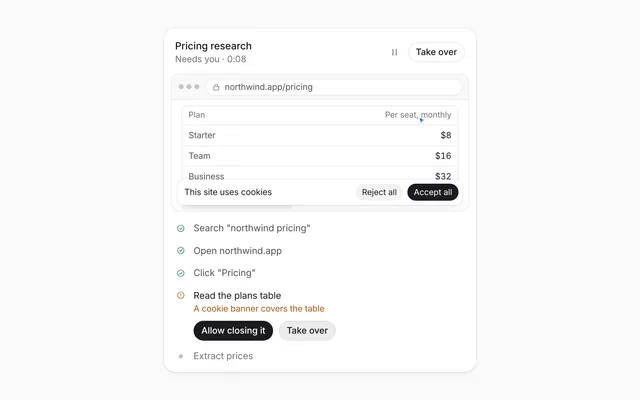
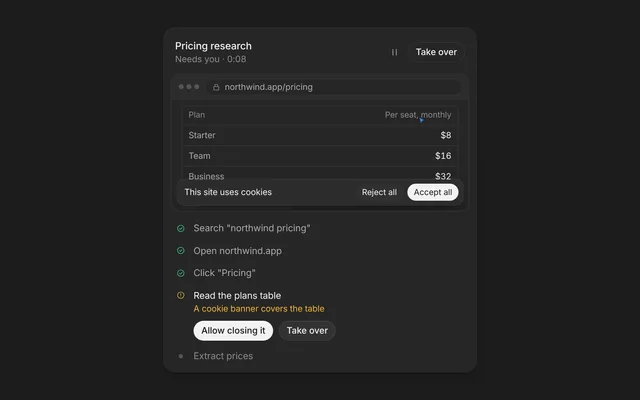
Status pill is a single line that tells people what the agent is doing right now, such as thinking, reading files or waiting for approval. It fades between states and resizes to fit the new text, and it can hold a button for the moment the agent needs a person.
- When people need a glanceable signal of the agent's current step, in a header, a chat footer or over a canvas.
- When the agent pauses for approval and you want a Review button right where people are already looking.
- When a task reports small counts like "2 of 4" that tick over without restarting the line.
- When you want a slim progress track under the status in a wider bar.
- Six states:
idle,thinking,reading,working,waitinganddone, each with its own glyph and colour. - The label shimmers while the state is thinking, reading or working.
- A new
state,label,fileoractionfades the old line out before the new one comes in. Changing onlymetaorprogressupdates at once. fileadds a chip with a type badge, like TSX or PDF.actionadds a button that calls youronClick.variant="bar"makes it taller with aprogresstrack (0 to 100) along the bottom. Switching variants morphs in steps so text and shape never move together.- The width is measured from the content, so the pill always hugs its text.
- The pill is an
aria-live="polite"region, so each new status is read out. - The state glyphs are marked
aria-hidden, so screen readers hear the label text, not the animation. - With reduced motion turned on, the fade and the pill-to-bar morph happen at once, and the shimmer is removed.
Usage
Import it and drive it from your own state.
Import
import { StatusPill } from '@/components/designme/status-pill/StatusPill';Example
The demo above as a React component, 35 lines you can copy.
'use client';
// The animated preview from designme.dev, rebuilt from the React component: an example of driving it from your own state.
import { useRef, useState } from 'react';
import { StatusPill, type StatusPillProps } from './StatusPill';
import { Seg } from '../lib/motion';
import { Demo } from '../lib/Demo';
import { useScript, useTakeover } from '../lib/useScript';

/* ---------- Status pill: an agent run from thinking to done, waiting for Review on the way ---------- */
export default function StatusPillDemo() {
  const [variant, setVariant] = useState<'pill' | 'bar'>('pill');
  const [p, setP] = useState<StatusPillProps>({ state: 'idle', label: 'Ready for a task' });
  const ref = useRef<HTMLDivElement>(null), mine = useTakeover(ref);
  useScript(async ({ wait }) => {
    for (;;) {
      await wait(1100);
      setP({ state: 'thinking', label: 'Thinking', progress: 8 }); await wait(1800);
      setP({ state: 'reading', label: 'Reading Figma frames', meta: '1 of 4', progress: 22 }); await wait(400);
      for (let i = 2; i <= 4; i++) { await wait(650); setP({ state: 'reading', label: 'Reading Figma frames', meta: `${i} of 4`, progress: 22 + i * 8 }); }
      await wait(700);
      setP({ state: 'working', label: 'Editing', file: { name: 'PricingCard.tsx', type: 'tsx' }, progress: 64 }); await wait(2000);
      // waits for Review, and carries on by itself after a while so the loop never stalls; once you have taken over, it waits for you
      await new Promise<void>(res => { setP({ state: 'waiting', label: 'Waiting for your approval', action: { label: 'Review', onClick: res }, progress: 72 }); wait(8000).then(() => { if (!mine()) res(); }); });
      setP({ state: 'working', label: 'Applying 4 changes', progress: 88 }); await wait(1600);
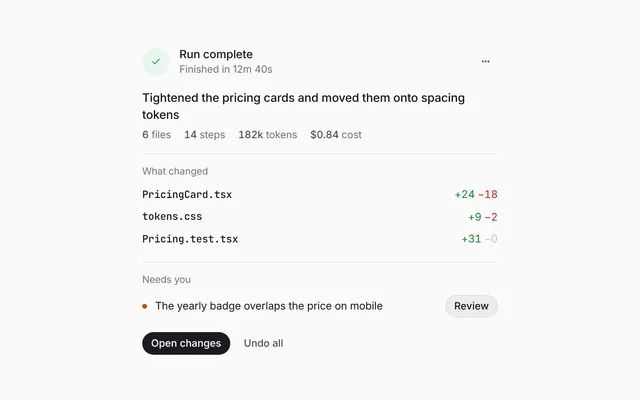
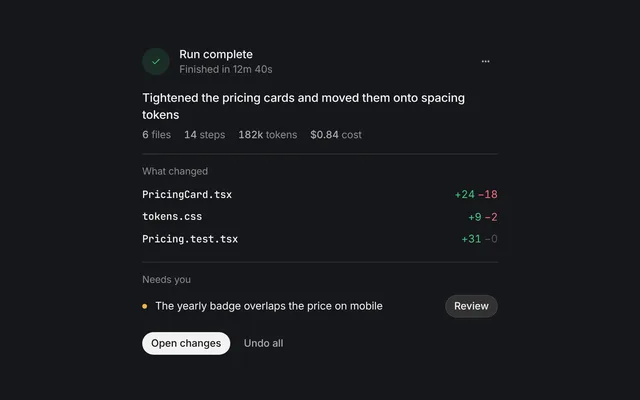
      setP({ state: 'done', label: 'Done', meta: '4 files changed · 18s', progress: 100 }); await wait(3200);
      setP({ state: 'idle', label: 'Ready for a task', progress: 0 });
    }
  });
  return (
    <Demo ref={ref} switcher={<Seg label="Variant" value={variant} onChange={setVariant} options={[{ value: 'pill', label: 'Pill' }, { value: 'bar', label: 'Bar' }]} />}>
      <StatusPill {...p} variant={variant} />
    </Demo>
  );
}
Props
Everything StatusPill takes.
| Prop | Type | What it does |
|---|---|---|
state | StatusPillState | Picks the glyph and colour. thinking, reading and working shimmer while they run |
labelrequired | string | What the agent is doing, in a few words |
meta | string | Quiet detail after the label, like "2 of 4". Changing only this does not restart the pill |
file | { name: string; type?: string } | A file chip after the label, like { name: 'PricingCard.tsx', type: 'tsx' } |
action | { label: string; onClick: () => void } | A button at the end, for when the agent needs the person |
progress | number | 0 to 100, drawn as a track along the bottom of the bar variant |
variant | 'pill' | 'bar' | pill hugs its content, bar is taller and leaves room for the progress track |
className | string |
Code
The full source, as the CLI installs it.
StatusPill.tsxReact · 102 lines
'use client';
import { useEffect, useRef, useState } from 'react';
import { cx } from '../lib/cx';
import { useIsoLayoutEffect, useReducedMotion } from '../lib/hooks';
import { Icon } from '../lib/icons';
import { Dot, Radar, Spin, Think } from '../lib/motion';
import '../designme.css';
import './status-pill.css';

export type StatusPillState = 'idle' | 'thinking' | 'reading' | 'working' | 'waiting' | 'done';

export interface StatusPillProps {
  /** Picks the glyph and colour. thinking, reading and working shimmer while they run */
  state?: StatusPillState;
  /** What the agent is doing, in a few words */
  label: string;
  /** Quiet detail after the label, like "2 of 4". Changing only this does not restart the pill */
  meta?: string;
  /** A file chip after the label, like { name: 'PricingCard.tsx', type: 'tsx' } */
  file?: { name: string; type?: string };
  /** A button at the end, for when the agent needs the person */
  action?: { label: string; onClick: () => void };
  /** 0 to 100, drawn as a track along the bottom of the bar variant */
  progress?: number;
  /** pill hugs its content, bar is taller and leaves room for the progress track */
  variant?: 'pill' | 'bar';
  className?: string;
}

const LIVE: StatusPillState[] = ['thinking', 'reading', 'working'];
const FT: Record<string, string> = { tsx: 'dm-re', jsx: 'dm-re', csv: 'dm-csv', pdf: 'dm-pdf', fig: 'dm-fg' };

function Glyph({ state }: { state: StatusPillState }) {
  if (state === 'thinking') return <span className="dm-g" style={{ color: 'var(--dm-fg)' }}><Think /></span>;
  if (state === 'reading') return <span className="dm-g" style={{ color: 'var(--dm-fg)' }}><Radar /></span>;
  if (state === 'working') return <span className="dm-g" style={{ color: 'var(--dm-fg)' }}><Spin /></span>;
  if (state === 'waiting') return <span className="dm-g" style={{ color: 'var(--dm-warn)' }}><Dot /></span>;
  if (state === 'done') return <span className="dm-g" style={{ color: 'var(--dm-ok)' }}><Icon name="ok" /></span>;
  return <span className="dm-g"><Dot color="var(--dm-faint)" /></span>;
}

/** One live line for what the agent is doing right now. It fades between states and resizes to fit them. */
export function StatusPill(props: StatusPillProps) {
  const { variant = 'pill', progress = 0, className } = props;
  const reduce = useReducedMotion();
  // a new state, label, file or action fades the old line out before the new one comes in;
  // changes to meta, progress or the action's handler show straight away
  const keyOf = (p: StatusPillProps) => [p.state ?? 'idle', p.label, p.file?.name ?? '', p.action?.label ?? ''].join('\u0000');
  const key = keyOf(props);
  const [prev, setPrev] = useState(props);
  const latest = useRef(props);
  useEffect(() => { latest.current = props; });
  const prevKey = keyOf(prev), fading = key !== prevKey;
  const view = fading ? prev : props, state = view.state ?? 'idle';
  useEffect(() => {
    if (!fading) return;
    const t = setTimeout(() => setPrev(latest.current), reduce ? 0 : 180);
    return () => clearTimeout(t);
  }, [key, prevKey, reduce]);

  // switching between pill and bar morphs in three beats, so the words and the shape never move at once: the line fades
  // out with its track, the shape changes while it's empty, then the new layout fades in with the track under it
  const [shape, setShape] = useState(variant);
  const [morphing, setMorphing] = useState(false);
  const shapeRef = useRef(variant);
  useEffect(() => {
    if (variant === shapeRef.current) return;
    if (reduce){ shapeRef.current = variant; setShape(variant); return; }
    setMorphing(true);
    const a = setTimeout(() => { shapeRef.current = variant; setShape(variant); }, 170);
    const b = setTimeout(() => setMorphing(false), 430);
    return () => { clearTimeout(a); clearTimeout(b); };
  }, [variant, reduce]);

  // the pill always hugs its content; the bar keeps a little extra room for its track
  const box = useRef<HTMLDivElement>(null);
  const [width, setWidth] = useState<number>();
  useIsoLayoutEffect(() => {
    const el = box.current; if (!el) return;
    const fit = () => { el.style.width = 'max-content'; const w = el.scrollWidth; el.style.width = ''; setWidth(shape === 'bar' ? Math.max(w + 24, 300) : w); };
    fit();
    document.fonts?.ready.then(fit);
  }, [prevKey, shape, view.meta]);

  return (
    <div data-dm="" className={cx('dm-spl', shape === 'bar' && 'dm-bar', morphing && 'dm-mo', className)}>
      <div className="dm-spl-pill" style={{ width: width ?? (shape === 'bar' ? 300 : 'max-content') }} aria-live="polite">
        <div ref={box} className={cx('dm-spl-in', (fading || morphing) && 'dm-out')}>
          <Glyph state={state} />
          <span className={LIVE.includes(state) ? 'dm-shim' : state === 'idle' ? 'dm-fg2' : undefined}>{view.label}</span>
          {view.file && <span className="dm-fchip" style={{ height: 24 }}>{view.file.type && <span className={cx('dm-ft', FT[view.file.type])}>{view.file.type.toUpperCase()}</span>}{view.file.name}</span>}
          {view.meta && <span className="dm-m">{view.meta}</span>}
          {view.action
            ? <button type="button" className="dm-pill dm-primary dm-sm" onClick={() => props.action?.onClick()}>{view.action.label}</button>
            : <span className="dm-end" />}
        </div>
        <div className="dm-spl-track"><div className="dm-spl-fill" style={{ width: Math.max(0, Math.min(100, progress)) + '%' }} /></div>
      </div>
    </div>
  );
}
status-pill.cssReact · 20 lines
/* Generated from designme.dev by scripts/sync.mjs. Edit the site, then sync. */
/* ---------- Status pill ---------- */
.dm-spl-stage{min-height:44px;justify-content:center}
.dm-spl-pill{background:var(--dm-surface);border-radius:var(--dm-r-pill);box-shadow:var(--dm-shadow);height:40px;display:flex;align-items:center;overflow:hidden;transition:width .6s var(--dm-ease),border-radius .5s var(--dm-ease),height .5s var(--dm-ease)}
.dm-spl-in{display:flex;align-items:center;gap:9px;padding:0 6px 0 14px;height:100%;white-space:nowrap;font-size:13.5px;transition:opacity .32s var(--dm-ease),filter .32s var(--dm-ease)}
.dm-spl-in.dm-out{opacity:0;filter:blur(4px);transition-duration:.16s}
.dm-spl-in .dm-g{display:grid;place-items:center;width:16px;color:var(--dm-fg2)}
.dm-spl-in .dm-m{color:var(--dm-muted);font-variant-numeric:tabular-nums}
.dm-spl-in .dm-end{width:0}
.dm-spl-in .dm-pill{height:28px;margin-left:var(--dm-s-1)}
.dm-spl.dm-bar .dm-spl-pill{border-radius:var(--dm-r-card);height:62px;align-items:flex-start}
.dm-spl.dm-bar .dm-spl-in{height:46px;width:100%;padding:0 var(--dm-s-4)}
.dm-spl.dm-bar .dm-spl-in .dm-m,.dm-spl.dm-bar .dm-spl-in .dm-pill{margin-left:auto}
.dm-spl.dm-bar .dm-spl-in .dm-end{display:none}
.dm-spl-track{position:absolute;left:16px;right:16px;bottom:13px;height:3px;border-radius:2px;background:var(--dm-line);overflow:hidden;opacity:0;transition:opacity .16s}
.dm-spl.dm-bar .dm-spl-track{opacity:1;transition:opacity .4s var(--dm-ease) .1s}
.dm-spl.dm-mo .dm-spl-track{opacity:0;transition:opacity .16s}
.dm-spl-fill{height:100%;width:0;border-radius:inherit;background:var(--dm-accent-mark,var(--dm-accent));transition:width .8s var(--dm-ease)}
.dm-spl-pill{position:relative}
status-pill.htmlHTML · 11 lines
<div class="card" data-c="status-pill">
  <div class="stage-in">
    <div class="spl dm">
      <div class="spl-stage dm-main">
        <div class="spl-pill" aria-live="polite"><div class="spl-in"></div></div>
      </div>
      <div class="demo"><div class="seg2" role="group" aria-label="Variant"><button aria-pressed="true" data-v="pill">Pill</button><button aria-pressed="false" data-v="bar">Bar</button></div></div>
    </div>
  </div>
</div>
status-pill.cssHTML · 19 lines
/* ---------- Status pill ---------- */
.spl-stage{min-height:44px;justify-content:center}
.spl-pill{background:var(--surface);border-radius:var(--r-pill);box-shadow:var(--shadow);height:40px;display:flex;align-items:center;overflow:hidden;transition:width .6s var(--ease),border-radius .5s var(--ease),height .5s var(--ease)}
.spl-in{display:flex;align-items:center;gap:9px;padding:0 6px 0 14px;height:100%;white-space:nowrap;font-size:13.5px;transition:opacity .32s var(--ease),filter .32s var(--ease)}
.spl-in.out{opacity:0;filter:blur(4px);transition-duration:.16s}
.spl-in .g{display:grid;place-items:center;width:16px;color:var(--fg2)}
.spl-in .m{color:var(--muted);font-variant-numeric:tabular-nums}
.spl-in .end{width:0}
.spl-in .pill{height:28px;margin-left:var(--s-1)}
.spl.bar .spl-pill{border-radius:var(--r-card);height:62px;align-items:flex-start}
.spl.bar .spl-in{height:46px;width:100%;padding:0 var(--s-4)}
.spl.bar .spl-in .m,.spl.bar .spl-in .pill{margin-left:auto}
.spl.bar .spl-in .end{display:none}
.spl-track{position:absolute;left:16px;right:16px;bottom:13px;height:3px;border-radius:2px;background:var(--line);overflow:hidden;opacity:0;transition:opacity .16s}
.spl.bar .spl-track{opacity:1;transition:opacity .4s var(--ease) .1s}
.spl.mo .spl-track{opacity:0;transition:opacity .16s}
.spl-fill{height:100%;width:0;border-radius:inherit;background:var(--accent-mark,var(--accent));transition:width .8s var(--ease)}
.spl-pill{position:relative}
status-pill.jsHTML · 47 lines
DM.def('status-pill', (r, c) => {
  const pill = $('.spl-pill', r), box = $('.spl-in', r), root = $('.spl', r);
  pill.insertAdjacentHTML('beforeend', '<div class="spl-track"><div class="spl-fill"></div></div>');
  const fill = $('.spl-fill', r);
  // the switch morphs in three beats, so the words and the shape never move at once: the line fades out with its track,
  // the pill changes shape while it's empty, then the new layout fades in with the track under it
  let morph = 0;
  seg($('.seg2', r), v => {
    const bar = v === 'bar', id = ++morph; if (root.classList.contains('bar') === bar) return;
    pill.style.width = pill.offsetWidth + 'px'; box.classList.add('out'); root.classList.add('mo');
    c.later(REDUCE ? 0 : 170, () => { if (id !== morph) return; root.classList.toggle('bar', bar); fit(); });
    c.later(REDUCE ? 0 : 430, () => { if (id !== morph) return; morph = 0; box.classList.remove('out'); root.classList.remove('mo'); });
  });
  /* both variants hug their content; the bar keeps a little extra room for its track */
  function fit(){
    box.style.width = 'max-content'; const w = box.scrollWidth; box.style.width = '';
    pill.style.width = (root.classList.contains('bar') ? Math.max(w + 24, 300) : w) + 'px';
  }
  function set(htmlStr, pct){
    pill.style.width = pill.offsetWidth + 'px';
    box.classList.add('out');
    // mid-switch, the morph brings the line back once the shape has settled
    c.later(180, () => { box.innerHTML = htmlStr; if (!morph) box.classList.remove('out'); fit(); });
    if (pct !== undefined) fill.style.width = pct + '%';
  }
  const think = '<span class="think on"><i></i><i></i><i></i><i></i></span>';
  box.innerHTML = '<span class="g"><span class="dot" style="color:var(--faint)"></span></span><span class="fg2">Ready for a task</span><span class="end"></span>';
  requestAnimationFrame(fit);
  const idle = '<span class="g"><span class="dot" style="color:var(--faint)"></span></span><span class="fg2">Ready for a task</span><span class="end"></span>';
  c.run(async () => { for (;;){
    await c.wait(1100);
    set(`<span class="g" style="color:var(--fg)">${think}</span><span class="shim">Thinking</span><span class="end"></span>`, 8); await c.wait(1800);
    set(`<span class="g" style="color:var(--fg)"><span class="radar"></span></span><span class="shim">Reading Figma frames</span><span class="m n">1 of 4</span><span class="end"></span>`, 22);
    await c.wait(400);
    // the count ticks over in place, under a steady line
    for (let i = 2; i <= 4; i++){ await c.wait(650); const n = $('.n', box); if (n) n.textContent = i + ' of 4'; fill.style.width = (22 + i * 8) + '%'; }
    await c.wait(700);
    set(`<span class="g" style="color:var(--fg)"><span class="spin"></span></span><span class="shim">Editing</span><span class="fchip" style="height:24px"><span class="ft re">TSX</span>PricingCard.tsx</span><span class="end"></span>`, 64); await c.wait(2000);
    set(`<span class="g" style="color:var(--warn)"><span class="dot"></span></span><span>Waiting for your approval</span><button class="pill primary sm">Review</button>`, 72);
    /* waits for Review, and carries on by itself after a while so the loop never stalls; once you have taken over, it waits for you */
    await new Promise(res => { c.later(220, () => { const b = $('.pill', box); if (b) b.onclick = res; }); c.auto(8000, res); });
    set(`<span class="g" style="color:var(--fg)"><span class="spin"></span></span><span class="shim">Applying 4 changes</span><span class="end"></span>`, 88); await c.wait(1600);
    set(`<span class="g" style="color:var(--ok)">${I('ok')}</span><span>Done</span><span class="m">4 files changed · 18s</span><span class="end"></span>`, 100);
    await c.wait(3200); set(idle, 0);
  } });
});
Questions
What people ask about it.
- How do I update a counter like "2 of 4" without the pill flashing?
- Put the count in
metaand keepstateandlabelthe same. Only changes to state, label, file or the action label trigger the fade. - Can the agent wait for approval before it continues?
- Yes. Set
state="waiting"with anactionsuch as{ label: 'Review', onClick }, and resume the agent from that handler. The demo does exactly this. - Why doesn't my progress show up?
- The progress track belongs to the bar variant. Pass
variant="bar"together withprogressfrom 0 to 100; values outside that range are clamped.
More in Agent status
Show what the agent is doing, how far along it is, and what it is working with.