ConversationFeedback sheet
Built by DesignMe, free to use under the MIT licence.
Expert design and dev support for startups and enterprises.
Book a callFeedback sheet
Rate an answer and tell the agent what missed. Free and MIT licensed, as HTML or a typed React component, in two styles with light and dark mode.
Install
Add it to your project with the CLI.
HTML, CSS and JavaScript
npx designme add feedback-sheetReact
npx designme add feedback-sheet --reactThe CLI copies the source into your project, so you own it and can change anything. The HTML version lands in ./designme with the shared core and a demo.html. The React version lands in src/components/designme and needs React 19; it works in Next.js, Vite and Astro.
About
What it is for and what it does.
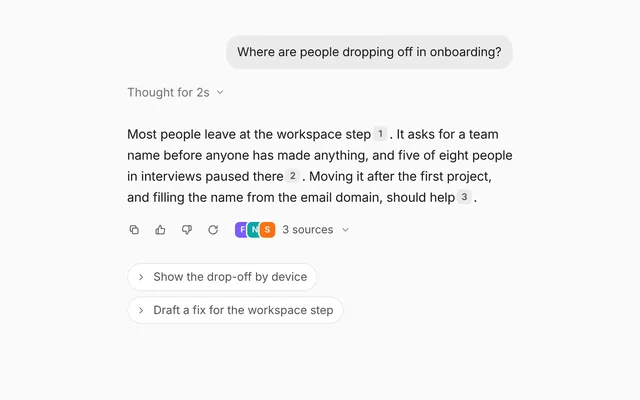
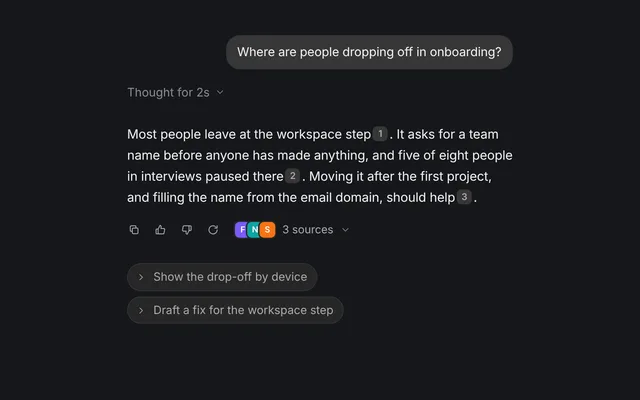
Feedback sheet puts thumbs up and thumbs down under an agent's answer. A thumbs down opens a short sheet where the person picks what went wrong from quick reasons, adds a note, and sends it, so the agent can do better next time.
- When you want ratings on agent answers and the reasons behind the bad ones.
- When feedback should be stored per project, like a memory of what the agent should avoid.
- When a rating should cost one click and the longer form should only appear when something went wrong.
- Thumbs up marks the answer as good and shows "Thanks, noted". Thumbs down opens the sheet and moves the cursor to the comment box once it has opened.
- The sheet shows a
questionheading, toggleablereasonschips, a comment box and anoteabout who sees the feedback. - Send stays disabled until a reason is picked or something is written.
onSubmitreceives{ reasons, comment }, and if it returns a promise the button shows a spinner until it settles. - If
onSubmitthrows, the sheet stays open so the person can try again. On success it closes and a thank-you line appears, which you can change withthanks. - Cancel closes the sheet and clears the rating.
- Rating, open state, picked reasons, comment and sent state can each be controlled or left to the component.
bare={false}gives it a card of its own.
- The thumbs are labelled "Good answer" and "Bad answer" and use
aria-pressed. - Each reason chip is a toggle button with
aria-pressed. - The Send button sets
aria-busywhile sending, and the thank-you line is arole="status"region. - While closed, the sheet is
inertandaria-hidden.
Usage
Import it and drive it from your own state.
Import
import { FeedbackSheet } from '@/components/designme/feedback-sheet/FeedbackSheet';Example
The demo above as a React component, 44 lines you can copy.
'use client';
// The animated preview from designme.dev, rebuilt from the React component: an example of driving it from your own state.
import { useRef, useState } from 'react';
import { useStory, useWait } from '../lib/useScript';
import { FeedbackSheet, type Feedback, type FeedbackRating } from './FeedbackSheet';

/* ---------- Feedback sheet: thumbs under an answer; thumbs down opens a short sheet. It plays a thumbs down by itself,
   and clicking, focusing or typing inside it takes over ---------- */
const NOTE = 'Keep our 8px spacing scale';

export default function FeedbackSheetDemo() {
  const [rating, setRating] = useState<FeedbackRating>(null);
  const [open, setOpen] = useState(false);
  const [selected, setSelected] = useState<string[]>([]);
  const [comment, setComment] = useState('');
  const [sending, setSending] = useState(false);
  const [sent, setSent] = useState<Feedback | null>(null);
  const ref = useRef<HTMLDivElement>(null), later = useWait();

  useStory(ref, async ({ wait, taken }) => {
    // taking over while it types takes its note back
    let writing = false;
    taken(() => { if (writing) setComment(''); });
    await wait(1500); setRating('down'); setOpen(true);
    await wait(1000); setSelected(['Ignored my tokens']);
    await wait(700); writing = true;
    for (let i = 1; i <= NOTE.length; i++) { setComment(NOTE.slice(0, i)); await wait(34 + Math.random() * 40); }
    await wait(650); writing = false; setSending(true);
    // once sent, it goes through whatever happens next
    await later(800); setSending(false); setOpen(false);
    await later(300); setSent({ reasons: ['Ignored my tokens'], comment: NOTE });
  });

  return (
    <div ref={ref} style={{ width: '100%' }}>
      <FeedbackSheet rating={rating} onRatingChange={setRating} open={open} onOpenChange={setOpen} selected={selected} onSelectedChange={setSelected}
        comment={comment} onCommentChange={setComment} sending={sending || undefined} sent={sent} onSentChange={setSent}
        onSubmit={() => new Promise(res => setTimeout(res, 800))}>
        I tightened the hero spacing to 24px and swapped the CTA to the accent blue. The card grid now wraps at 720px.
      </FeedbackSheet>
    </div>
  );
}
Props
Everything FeedbackSheet takes.
| Prop | Type | What it does |
|---|---|---|
children | ReactNode | The answer being rated, shown above the thumbs |
rating | FeedbackRating | Whether the answer was rated good or bad. Leave it out to let the thumbs set it |
defaultRating | FeedbackRating | |
onRatingChange | (rating: FeedbackRating) => void | |
open | boolean | Whether the reasons sheet is open. Leave it out and thumbs down opens it |
defaultOpen | boolean | |
onOpenChange | (open: boolean) => void | |
selected | string[] | The reasons picked. Leave it out to let the chips keep it |
defaultSelected | string[] | |
onSelectedChange | (selected: string[]) => void | |
comment | string | What is written in the box. Leave it out to let the box keep it |
defaultComment | string | |
onCommentChange | (comment: string) => void | |
sending | boolean | Shows the spinner on Send, for a scripted demo. A promise from onSubmit shows it by itself |
sent | Feedback | null | What was sent, which shows the thank-you line. Leave it out and Send sets it |
onSentChange | (sent: Feedback | null) => void | |
question | string | The heading of the sheet that opens on thumbs down |
reasons | string[] | Quick reasons to pick from |
placeholder | string | |
note | string | A quiet note beside the buttons, like who sees the feedback |
onSubmit | (feedback: Feedback) => void | Promise<void> | Called with what the person picked and wrote. Return a promise to show a spinner until it settles |
thanks | (feedback: Feedback) => ReactNode | What to say once it is sent. Defaults to a line about what the agent will do next time |
bare | boolean | Sits flat under a message in a chat thread (the default, as on designme.dev). Set false to give it a card of its own |
className | string |
Code
The full source, as the CLI installs it.
FeedbackSheet.tsxReact · 119 lines
'use client';
import { useEffect, useRef, useState, type ReactNode } from 'react';
import { cx } from '../lib/cx';
import { useControllable } from '../lib/hooks';
import { Icon } from '../lib/icons';
import { Fold, Spin, Swap, Tip } from '../lib/motion';
import '../designme.css';
import './feedback-sheet.css';

export type FeedbackRating = 'up' | 'down' | null;
export interface Feedback { reasons: string[]; comment: string }

export interface FeedbackSheetProps {
  /** The answer being rated, shown above the thumbs */
  children?: ReactNode;
  /** Whether the answer was rated good or bad. Leave it out to let the thumbs set it */
  rating?: FeedbackRating;
  defaultRating?: FeedbackRating;
  onRatingChange?: (rating: FeedbackRating) => void;
  /** Whether the reasons sheet is open. Leave it out and thumbs down opens it */
  open?: boolean;
  defaultOpen?: boolean;
  onOpenChange?: (open: boolean) => void;
  /** The reasons picked. Leave it out to let the chips keep it */
  selected?: string[];
  defaultSelected?: string[];
  onSelectedChange?: (selected: string[]) => void;
  /** What is written in the box. Leave it out to let the box keep it */
  comment?: string;
  defaultComment?: string;
  onCommentChange?: (comment: string) => void;
  /** Shows the spinner on Send, for a scripted demo. A promise from onSubmit shows it by itself */
  sending?: boolean;
  /** What was sent, which shows the thank-you line. Leave it out and Send sets it */
  sent?: Feedback | null;
  onSentChange?: (sent: Feedback | null) => void;
  /** The heading of the sheet that opens on thumbs down */
  question?: string;
  /** Quick reasons to pick from */
  reasons?: string[];
  placeholder?: string;
  /** A quiet note beside the buttons, like who sees the feedback */
  note?: string;
  /** Called with what the person picked and wrote. Return a promise to show a spinner until it settles */
  onSubmit?: (feedback: Feedback) => void | Promise<void>;
  /** What to say once it is sent. Defaults to a line about what the agent will do next time */
  thanks?: (feedback: Feedback) => ReactNode;
  /** Sits flat under a message in a chat thread (the default, as on designme.dev). Set false to give it a card of its own */
  bare?: boolean;
  className?: string;
}

const REASONS = ['Wrong spacing', 'Ignored my tokens', 'Too many changes', 'Broke the layout'];
const THANKS = (f: Feedback) => `Thanks. The agent will ${f.reasons.length ? 'avoid this' : 'use this'} next time in this project.`;

/** Rate an answer, and say what missed when it was wrong. */
export function FeedbackSheet({ children, rating, defaultRating = null, onRatingChange, open: openProp, defaultOpen = false, onOpenChange,
  selected, defaultSelected = [], onSelectedChange, comment: commentProp, defaultComment = '', onCommentChange, sending: sendingProp, sent: sentProp, onSentChange, question = 'What went wrong?', reasons = REASONS, placeholder = 'Anything else the agent should know', note = 'Shared with the agent for this project', onSubmit, thanks = THANKS, bare = true, className }: FeedbackSheetProps) {
  const [rate, setRate] = useControllable<FeedbackRating>(rating, defaultRating, onRatingChange);
  const [open, setOpen] = useControllable(openProp, defaultOpen, onOpenChange);
  const [picked, setPicked] = useControllable(selected, defaultSelected, onSelectedChange);
  const [comment, setComment] = useControllable(commentProp, defaultComment, onCommentChange);
  const [busy, setBusy] = useState(false);
  const sending = sendingProp ?? busy;
  const [sent, setSent] = useControllable<Feedback | null>(sentProp, null, onSentChange);
  const status = sent ? 'Feedback sent' : rate === 'up' ? 'Thanks, noted' : '';
  const box = useRef<HTMLTextAreaElement>(null);
  const timers = useRef<ReturnType<typeof setTimeout>[]>([]);
  const later = (ms: number, fn: () => void) => { timers.current.push(setTimeout(fn, ms)); };
  useEffect(() => () => timers.current.forEach(clearTimeout), []);

  const up = () => { const on = rate !== 'up'; setRate(on ? 'up' : null); setOpen(false); };
  const down = () => {
    const on = rate !== 'down'; setRate(on ? 'down' : null); setOpen(on);
    // the sheet opens first, then the cursor goes to the box
    if (on) later(350, () => box.current?.focus({ preventScroll: true }));
  };
  const send = async () => {
    if (sending) return;
    const f = { reasons: picked, comment: comment.trim() };
    setBusy(true);
    // if sending fails the sheet stays open so the person can try again
    try { await onSubmit?.(f); } catch (e) { setBusy(false); throw e; }
    setBusy(false); setOpen(false);
    later(300, () => setSent(f));
  };

  return (
    <div data-dm="" className={cx('dm-fbx', !bare && 'dm-panel', className)} style={bare ? undefined : { padding: 16 }}>
      {children && <div className="dm-msg">{children}</div>}
      <div className="dm-fbx-bar">
        <Tip label="Good answer"><button type="button" className={cx('dm-ib dm-fbx-up', rate === 'up' && 'dm-on')} aria-label="Good answer" aria-pressed={rate === 'up'} onClick={up}><Icon name="up-thumb" /></button></Tip>
        <Tip label="Bad answer"><button type="button" className={cx('dm-ib dm-fbx-dn', rate === 'down' && 'dm-on')} aria-label="Bad answer" aria-pressed={rate === 'down'} onClick={down}><Icon name="down-thumb" /></button></Tip>
        <Swap className="dm-fbx-st dm-muted">{status}</Swap>
      </div>
      <Fold open={open} className="dm-fbx-box">
        <div className="dm-fbx-in dm-panel">
          <div className="dm-fbx-q">{question}</div>
          {reasons.length > 0 && (
            <div className="dm-fbx-ch">
              {reasons.map(r => {
                const on = picked.includes(r);
                return <button key={r} type="button" className={cx('dm-chip dm-sm', on && 'dm-on')} aria-pressed={on} onClick={() => setPicked(on ? picked.filter(x => x !== r) : [...picked, r])}>{r}</button>;
              })}
            </div>
          )}
          <textarea ref={box} className="dm-fbx-ta" rows={2} placeholder={placeholder} value={comment} onChange={e => setComment(e.target.value)} />
          <div className="dm-fbx-f">
            <span className="dm-muted dm-fbx-n">{note}</span>
            <button type="button" className="dm-pill dm-ghost dm-sm dm-fbx-x" onClick={() => { setOpen(false); setRate(null); }}>Cancel</button>
            <button type="button" className="dm-pill dm-primary dm-sm dm-fbx-go" disabled={!(picked.length || comment.trim())} aria-busy={sending} onClick={send}>{sending ? <Spin /> : 'Send'}</button>
          </div>
        </div>
      </Fold>
      {sent && <div className="dm-fbx-thx dm-enter" role="status"><Icon name="ok" /><span>{thanks(sent)}</span></div>}
    </div>
  );
}
feedback-sheet.cssReact · 22 lines
/* Generated from designme.dev by scripts/sync.mjs. Edit the site, then sync. */
/* ---------- Feedback sheet ---------- */
.dm-fbx{display:flex;flex-direction:column;gap:var(--dm-s-2)}
.dm-fbx-bar{display:flex;align-items:center;gap:2px;margin-left:-6px}
.dm-fbx-bar .dm-ib svg{transition:transform .45s var(--dm-ease)}
.dm-fbx-bar .dm-ib.dm-on svg{transform:scale(1.12) rotate(-8deg)}
.dm-fbx-dn.dm-on{background:var(--dm-bad-bg);color:var(--dm-bad)}
.dm-fbx-st{font-size:12.5px;margin-left:6px}
.dm-fbx-box>div{margin-inline:-16px;padding-inline:var(--dm-s-4)}
.dm-fbx-in{padding:var(--dm-s-4);display:flex;flex-direction:column;gap:10px;margin:var(--dm-s-1) 0 18px}
.dm-fbx-q{font-size:13.5px;font-weight:500}
.dm-fbx-ch{display:flex;flex-wrap:wrap;gap:6px}
.dm-fbx-ch .dm-chip.dm-on{background:var(--dm-sel);color:var(--dm-accent-fg,var(--dm-accent));box-shadow:none}
.dm-fbx-ta{display:block;width:100%;resize:none;border:0;outline:0;border-radius:var(--dm-r-field);background:var(--dm-surface);box-shadow:inset 0 0 0 1px color-mix(in srgb,var(--dm-field-line) 50%,transparent);padding:10px var(--dm-s-3);font:inherit;font-size:13.5px;line-height:1.5;color:var(--dm-fg);transition:box-shadow var(--dm-t-fast)}
@supports (corner-shape:squircle){.dm-fbx-ta{corner-shape:squircle;border-radius:var(--dm-r-field-sq)}}
.dm-fbx-ta:focus{box-shadow:inset 0 0 0 1px color-mix(in srgb,var(--dm-field-line-strong) 50%,transparent)}
.dm-fbx-ta::placeholder{color:var(--dm-muted)}
.dm-fbx-f{display:flex;align-items:center;gap:6px}
.dm-fbx-n{font-size:12px;flex:1;min-width:0}
.dm-fbx-thx{display:flex;align-items:center;gap:var(--dm-s-2);font-size:13px;padding:10px var(--dm-s-3);border-radius:var(--dm-r-in);background:var(--dm-ok-bg);color:var(--dm-ok)}
@media (max-width:480px){.dm-fbx-n{display:none}}
feedback-sheet.htmlHTML · 19 lines
<div class="card bare" data-c="feedback-sheet">
  <div class="stage-in">
    <div class="fbx">
      <p class="msg">I tightened the hero spacing to 24px and swapped the CTA to the accent blue. The card grid now wraps at 720px.</p>
      <div class="fbx-bar">
        <button class="ib fbx-up" aria-label="Good answer" data-tip="Good answer"><svg class="i s"><use href="#i-up-thumb"/></svg></button>
        <button class="ib fbx-dn" aria-label="Bad answer" data-tip="Bad answer"><svg class="i s"><use href="#i-down-thumb"/></svg></button>
        <span class="fbx-st muted"></span>
      </div>
      <div class="fold shut fbx-box"><div><div class="fbx-in panel keep">
        <div class="fbx-q">What went wrong?</div>
        <div class="fbx-ch"><button class="chip sm">Wrong spacing</button><button class="chip sm">Ignored my tokens</button><button class="chip sm">Too many changes</button><button class="chip sm">Broke the layout</button></div>
        <textarea class="fbx-ta" rows="2" placeholder="Anything else the agent should know"></textarea>
        <div class="fbx-f"><span class="muted fbx-n">Shared with the agent for this project</span><button class="pill ghost sm fbx-x">Cancel</button><button class="pill primary sm fbx-go" disabled>Send</button></div>
      </div></div></div>
    </div>
  </div>
</div>
feedback-sheet.cssHTML · 21 lines
/* ---------- Feedback sheet ---------- */
.fbx{display:flex;flex-direction:column;gap:var(--s-2)}
.fbx-bar{display:flex;align-items:center;gap:2px;margin-left:-6px}
.fbx-bar .ib svg{transition:transform .45s var(--ease)}
.fbx-bar .ib.on svg{transform:scale(1.12) rotate(-8deg)}
.fbx-dn.on{background:var(--bad-bg);color:var(--bad)}
.fbx-st{font-size:12.5px;margin-left:6px}
.fbx-box>div{margin-inline:-16px;padding-inline:var(--s-4)}
.fbx-in{padding:var(--s-4);display:flex;flex-direction:column;gap:10px;margin:var(--s-1) 0 18px}
.fbx-q{font-size:13.5px;font-weight:500}
.fbx-ch{display:flex;flex-wrap:wrap;gap:6px}
.fbx-ch .chip.on{background:var(--sel);color:var(--accent-fg,var(--accent));box-shadow:none}
.fbx-ta{display:block;width:100%;resize:none;border:0;outline:0;border-radius:var(--r-field);background:var(--surface);box-shadow:inset 0 0 0 1px color-mix(in srgb,var(--field-line) 50%,transparent);padding:10px var(--s-3);font:inherit;font-size:13.5px;line-height:1.5;color:var(--fg);transition:box-shadow var(--t-fast)}
@supports (corner-shape:squircle){.fbx-ta{corner-shape:squircle;border-radius:var(--r-field-sq)}}
.fbx-ta:focus{box-shadow:inset 0 0 0 1px color-mix(in srgb,var(--field-line-strong) 50%,transparent)}
.fbx-ta::placeholder{color:var(--muted)}
.fbx-f{display:flex;align-items:center;gap:6px}
.fbx-n{font-size:12px;flex:1;min-width:0}
.fbx-thx{display:flex;align-items:center;gap:var(--s-2);font-size:13px;padding:10px var(--s-3);border-radius:var(--r-in);background:var(--ok-bg);color:var(--ok)}
@media (max-width:480px){.fbx-n{display:none}}
feedback-sheet.jsHTML · 29 lines
DM.def('feedback-sheet', (r, c) => {
  r.innerHTML = r.innerHTML.replace('{up}', I('up-thumb')).replace('{dn}', I('down-thumb'));
  const up = $('.fbx-up', r), dn = $('.fbx-dn', r), box = $('.fbx-box', r), st = $('.fbx-st', r), go = $('.fbx-go', r), ta = $('.fbx-ta', r), chips = $$('.fbx-ch .chip', r);
  const ready = () => go.disabled = !(chips.some(x => x.classList.contains('on')) || ta.value.trim());
  chips.forEach(ch => ch.onclick = () => { ch.classList.toggle('on'); ready(); });
  ta.oninput = ready;
  up.onclick = () => { const on = !up.classList.contains('on'); up.classList.toggle('on', on); dn.classList.remove('on'); box.classList.add('shut'); swap(st, on ? 'Thanks, noted' : ''); };
  // the demo opens the sheet without taking the focus from wherever you are on the page
  const down = focus => { const on = !dn.classList.contains('on'); dn.classList.toggle('on', on); up.classList.remove('on'); box.classList.toggle('shut', !on); swap(st, ''); if (on && focus) c.later(350, () => ta.focus({ preventScroll:true })); };
  dn.onclick = e => down(e.isTrusted);
  $('.fbx-x', r).onclick = () => { box.classList.add('shut'); dn.classList.remove('on'); };
  go.onclick = () => c.run(async () => {
    go.innerHTML = '<span class="spin"></span>'; await c.wait(800);
    box.classList.add('shut'); await c.wait(300);
    const n = chips.filter(x => x.classList.contains('on')).length;
    const thx = html(`<div class="fbx-thx">${I('ok')}<span>Thanks. The agent will ${n ? 'avoid this' : 'use this'} next time in this project.</span></div>`);
    r.firstElementChild.appendChild(thx); enter(thx); swap(st, 'Feedback sent');
  });
  /* once it has entered, it rates the answer down and fills in the sheet by itself. Clicking, focusing or typing in it
     takes over, and what it had typed goes */
  c.run(async () => {
    await c.step(1500); down(false);
    await c.step(1000); chips[1].click();
    await c.step(700);
    await c.type(ta, 'Keep our 8px spacing scale', { ms:() => 34 + Math.random() * 40, each:ready, keep:true });
    await c.step(650); go.click();
  });
});
Questions
What people ask about it.
- How do I save the feedback to my backend?
- Pass an async
onSubmit. The component shows a spinner while the promise is pending and closes the sheet only when it resolves. If it rejects, the sheet stays open. - Can I use my own reasons?
- Yes. Pass
reasonsas a list of strings. Pass an empty list to hide the chips and keep only the comment box. - Does thumbs up open the sheet too?
- No. Thumbs up closes the sheet if it was open and shows a short thanks. Only thumbs down opens it, unless you control
openyourself.
More in Conversation
Everything for asking, answering and replying, by text or by voice.