Sources and outputSource stack
Built by DesignMe, free to use under the MIT licence.
Expert design and dev support for startups and enterprises.
Book a callSource stack
Everything the agent read, folded into one quiet pill. Free and MIT licensed, as HTML or a typed React component, in two styles with light and dark mode.
Install
Add it to your project with the CLI.
HTML, CSS and JavaScript
npx designme add source-stackReact
npx designme add source-stack --reactThe CLI copies the source into your project, so you own it and can change anything. The HTML version lands in ./designme with the shared core and a demo.html. The React version lands in src/components/designme and needs React 19; it works in Next.js, Vite and Astro.
About
What it is for and what it does.
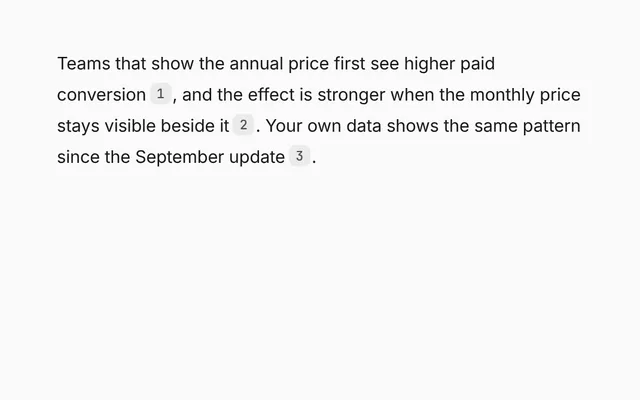
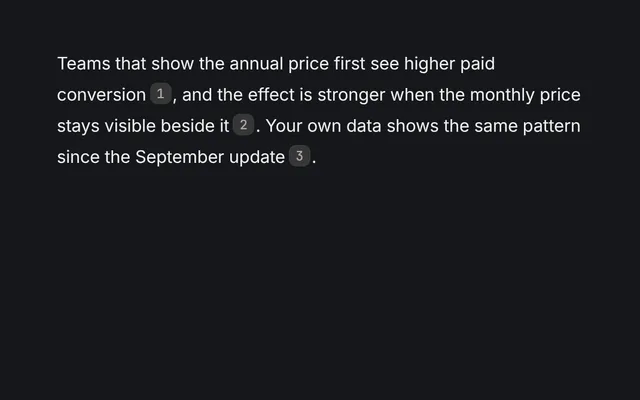
Source stack sits under an agent's answer and folds every source it read into one small pill with a few favicons and a count. Open the pill to see the full list, filter it by kind, and see how much each source counted toward the answer.
- When an agent reads many sources and listing them all would push the answer out of view.
- When sources come from different places, like the web, files and Figma, and people want to narrow them down.
- When you want to show how relevant each source was without a long explanation.
- When people should be able to jump to any source from the list.
- The pill shows the marks of the first four sources and a count like "8 sources". Clicking it opens and closes the list.
- Filter chips pick sources by
kind. The defaults are All, Web, Files and Figma, andfiltersreplaces them. - Each row shows a coloured favicon
mark, thetitle, thehostand a small bar forrelevancefrom 0 to 1, with the percentage in a tooltip. - Sources with
onOpenget an open button on their row. - The answer itself can go in
children, shown above the pill. - Both the open state and the filter can be controlled with
open,filterand their change handlers.
- The pill is a button with
aria-expanded. - Filter chips are buttons with
aria-pressedshowing which one is active. - Each relevance bar has
role="meter"witharia-label="Relevance"and its value from 0 to 100. - The open button has
aria-label="Open source", and the closed list isinertandaria-hidden.
Usage
Import it and drive it from your own state.
Import
import { SourceStack } from '@/components/designme/source-stack/SourceStack';Example
The demo above as a React component, 32 lines you can copy.
'use client';
// The animated preview from designme.dev, rebuilt from the React component: the sources open a moment after the answer appears.
import { useRef, useState } from 'react';
import { SourceStack, type StackSource } from './SourceStack';
import { useStory } from '../lib/useScript';

const open = () => {};
const SOURCES: StackSource[] = [
  { kind: 'web', title: 'Baymard: pricing page UX', host: 'baymard.com', relevance: .92, mark: 'B', color: 'var(--dm-pb)', onOpen: open },
  { kind: 'web', title: 'Annual vs monthly anchoring study', host: 'cxl.com', relevance: .88, mark: 'C', color: '#d9480f', onOpen: open },
  { kind: 'file', title: 'Q3 conversion export.csv', host: 'Drive', relevance: .84, mark: 'CSV', color: 'var(--dm-pm)', onOpen: open },
  { kind: 'figma', title: 'Pricing v4, frame 2', host: 'Figma', relevance: .8, mark: 'F', color: 'var(--dm-pl)', onOpen: open },
  { kind: 'web', title: 'Stripe billing docs', host: 'stripe.com', relevance: .66, mark: 'S', color: '#635bff', onOpen: open },
  { kind: 'file', title: 'Pricing research notes', host: 'Notion', relevance: .61, mark: 'N', color: 'var(--dm-fg2)', onOpen: open },
  { kind: 'figma', title: 'Checkout flow', host: 'Figma', relevance: .52, mark: 'F', color: 'var(--dm-pl)', onOpen: open },
  { kind: 'web', title: 'NN/g on price framing', host: 'nngroup.com', relevance: .48, mark: 'N', color: 'var(--dm-fg2)', onOpen: open }
];

export default function SourceStackDemo() {
  const [isOpen, setOpen] = useState(false);
  const ref = useRef<HTMLDivElement>(null);
  // the sources open on their own a moment after it appears, unless you take over first
  useStory(ref, async ({ wait }) => { await wait(1100); setOpen(true); });
  return (
    <div ref={ref} style={{ width: '100%' }}>
      <SourceStack sources={SOURCES} open={isOpen} onOpenChange={setOpen}>
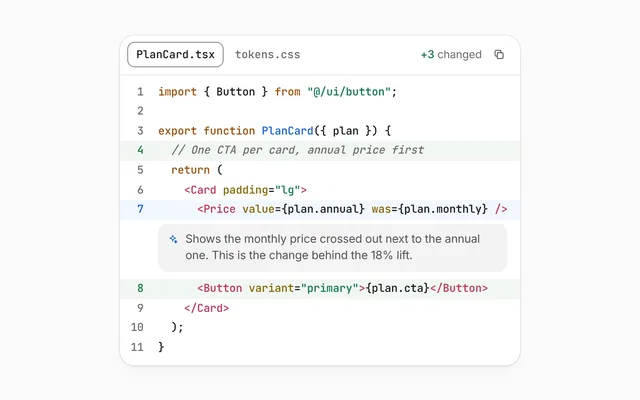
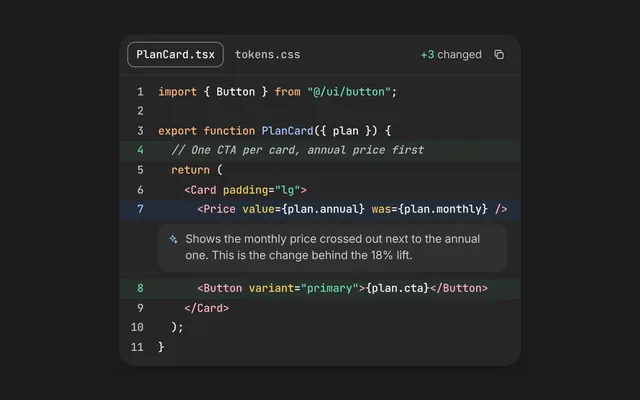
        Annual plans convert about 18% better when the monthly price is shown crossed out next to them.
      </SourceStack>
    </div>
  );
}
Props
Everything SourceStack takes.
| Prop | Type | What it does |
|---|---|---|
children | ReactNode | The answer the sources back up, shown above the pill |
sourcesrequired | StackSource[] | |
filters | SourceFilter[] | The chips above the list. Defaults to All, Web, Files and Figma |
filter | string | The chosen filter. Leave it out to let the chips switch it |
defaultFilter | string | |
onFilterChange | (filter: string) => void | |
open | boolean | Whether the list is open. Leave it out to let the pill toggle it |
defaultOpen | boolean | |
onOpenChange | (open: boolean) => void | |
className | string |
Code
The full source, as the CLI installs it.
SourceStack.tsxReact · 92 lines
'use client';
import { useState, type ReactNode } from 'react';
import { cx } from '../lib/cx';
import { useControllable } from '../lib/hooks';
import { Icon } from '../lib/icons';
import { enter, Fold, Tip } from '../lib/motion';
import '../designme.css';
import './source-stack.css';

export interface StackSource {
  /** What kind of source it is. The filter chips pick by this, like 'web', 'file' or 'figma' */
  kind: string;
  title: string;
  /** Where it came from, like "baymard.com" or "Drive" */
  host: string;
  /** 0 to 1, drawn as a small bar */
  relevance: number;
  /** One to three letters in the favicon square, like "B" or "CSV" */
  mark: string;
  /** The favicon colour, any CSS colour, like '#635bff' or 'var(--dm-pl)' */
  color: string;
  /** Adds an open button that shows on hover */
  onOpen?: () => void;
}

export interface SourceFilter {
  /** 'all', or a source kind */
  value: string;
  label: string;
}

export interface SourceStackProps {
  /** The answer the sources back up, shown above the pill */
  children?: ReactNode;
  sources: StackSource[];
  /** The chips above the list. Defaults to All, Web, Files and Figma */
  filters?: SourceFilter[];
  /** The chosen filter. Leave it out to let the chips switch it */
  filter?: string;
  defaultFilter?: string;
  onFilterChange?: (filter: string) => void;
  /** Whether the list is open. Leave it out to let the pill toggle it */
  open?: boolean;
  defaultOpen?: boolean;
  onOpenChange?: (open: boolean) => void;
  className?: string;
}

const FILTERS: SourceFilter[] = [{ value: 'all', label: 'All' }, { value: 'web', label: 'Web' }, { value: 'file', label: 'Files' }, { value: 'figma', label: 'Figma' }];

/** An answer with its sources stacked in a pill. Open it to see each source, filter them, and how much each one counted. */
export function SourceStack({ children, sources, filters = FILTERS, filter, defaultFilter = 'all', onFilterChange, open, defaultOpen = false, onOpenChange, className }: SourceStackProps) {
  const [isOpen, setOpen] = useControllable(open, defaultOpen, onOpenChange);
  const [f, setF] = useControllable(filter, defaultFilter, onFilterChange);
  // the list staggers in again each time it opens
  const [opened, setOpened] = useState(0);
  const [wasOpen, setWasOpen] = useState(isOpen);
  if (isOpen !== wasOpen) { setWasOpen(isOpen); if (isOpen) setOpened(n => n + 1); }
  const items = sources.filter(s => f === 'all' || s.kind === f);

  return (
    <div data-dm="" className={cx('dm-ssx', className)}>
      {children !== undefined && <p className="dm-msg">{children}</p>}
      <button type="button" className="dm-ssx-pill" aria-expanded={isOpen} onClick={() => setOpen(!isOpen)}>
        <span className="dm-ssx-ics">{sources.slice(0, 4).map((s, i) => <span key={i} style={{ background: s.color }}>{s.mark[0]}</span>)}</span>
        <span className="dm-ssx-l">{sources.length} {sources.length === 1 ? 'source' : 'sources'}</span>
        <Icon name="chev-d" size="xs" />
      </button>
      <Fold open={isOpen} className="dm-ssx-box">
        <div className="dm-ssx-in">
          <div className="dm-ssx-fl">
            {filters.map(x => <button key={x.value} type="button" className={cx('dm-chip dm-sm', x.value === f && 'dm-on')} aria-pressed={x.value === f} onClick={() => setF(x.value)}>{x.label}</button>)}
          </div>
          <div className="dm-ssx-list" key={f + ':' + opened}>
            {items.map((s, i) => {
              const e = enter(i * 40), pct = Math.round(Math.max(0, Math.min(1, s.relevance)) * 100);
              return (
                <div key={s.title + i} className={cx('dm-ssx-s', e.className)} style={e.style}>
                  <span className="dm-fv" style={{ background: `color-mix(in srgb,${s.color} 14%,transparent)`, color: s.color }}>{s.mark}</span>
                  <span className="dm-t">{s.title}<span className="dm-h"> · {s.host}</span></span>
                  <Tip label={`Relevance ${pct}%`}><span className="dm-rel" role="meter" aria-label="Relevance" aria-valuemin={0} aria-valuemax={100} aria-valuenow={pct}><i style={{ width: pct + '%' }} /></span></Tip>
                  {s.onOpen && <Tip label="Open"><button type="button" className="dm-ib" aria-label="Open source" onClick={s.onOpen}><Icon name="ext" size="xs" /></button></Tip>}
                </div>
              );
            })}
          </div>
        </div>
      </Fold>
    </div>
  );
}
source-stack.cssReact · 30 lines
/* Generated from designme.dev by scripts/sync.mjs. Edit the site, then sync. */
/* ---------- Source stack ---------- */
.dm-ssx{display:flex;flex-direction:column;gap:10px;align-items:flex-start}
.dm-ssx-pill{display:inline-flex;align-items:center;gap:var(--dm-s-2);height:30px;padding:0 10px 0 5px;border-radius:var(--dm-r-pill);background:var(--dm-chip);font-size:12.5px;color:var(--dm-fg2);transition:background .25s,color .25s}
@media (hover:hover) and (pointer:fine){.dm-ssx-pill:hover{background:var(--dm-hover);color:var(--dm-fg)}}
.dm-ssx-pill>svg{transition:transform .4s var(--dm-ease)}
.dm-ssx-pill[aria-expanded="true"]>svg{transform:rotate(180deg)}
.dm-ssx-ics{display:flex}
.dm-ssx-ics span{width:20px;height:20px;border-radius:50%;display:grid;place-items:center;font-size:9px;font-weight:500;color:#fff;box-shadow:0 0 0 2px var(--dm-chip);margin-right:-6px;transition:margin .4s var(--dm-ease)}
@media (hover:hover) and (pointer:fine){.dm-ssx-pill:hover .dm-ssx-ics span{margin-right:-3px}}
.dm-ssx-ics span:last-child{margin-right:0}
.dm-ssx-box{width:100%}
.dm-ssx-in{padding:2px 0 var(--dm-s-1);display:flex;flex-direction:column;gap:var(--dm-s-2)}
.dm-ssx-fl{display:flex;gap:var(--dm-s-1);flex-wrap:wrap}
/* the filters are white chips with a dimmed grey edge; the picked one's edge is a step stronger */
.dm-ssx-fl .dm-chip{background:var(--dm-surface);box-shadow:inset 0 0 0 1px color-mix(in srgb,var(--dm-pick-line) 50%,transparent)}
@media (hover:hover) and (pointer:fine){.dm-ssx-fl .dm-chip:hover{background:var(--dm-surface);box-shadow:inset 0 0 0 1px color-mix(in srgb,var(--dm-faint) 50%,transparent)}}
.dm-ssx-list{display:flex;flex-direction:column;gap:2px;margin-inline:-6px}
.dm-ssx-s{display:flex;align-items:center;gap:10px;padding:7px 6px;border-radius:10px;font-size:13px;transition:background .25s}
@media (hover:hover) and (pointer:fine){.dm-ssx-s:hover{background:var(--dm-row)}}
.dm-ssx-s .dm-fv{width:22px;height:22px;border-radius:7px;display:grid;place-items:center;font-size:9.5px;font-weight:500;flex:none}
.dm-ssx-s .dm-t{flex:1;min-width:0;overflow:hidden;text-overflow:ellipsis;white-space:nowrap}
.dm-ssx-s .dm-h{font-size:12px;color:var(--dm-muted)}
.dm-ssx-s .dm-rel{width:36px;height:4px;border-radius:2px;background:var(--dm-line);overflow:hidden;flex:none}
.dm-ssx-s .dm-rel i{display:block;height:100%;background:var(--dm-accent-mark,var(--dm-accent));border-radius:2px;transform-origin:left;animation:dm-ssrel .8s var(--dm-ease) both}
@keyframes dm-ssrel{from{transform:scaleX(0)}}
.dm-ssx-s .dm-ib{width:24px;height:24px;opacity:0;transition:opacity .2s}
@media (hover:hover) and (pointer:fine){.dm-ssx-s:hover .dm-ib{opacity:1}}
.dm-ssx-s .dm-ib:focus-visible{opacity:1}
source-stack.htmlHTML · 13 lines
<div class="card bare" data-c="source-stack">
  <div class="stage-in">
    <div class="ssx">
      <p class="msg">Annual plans convert about 18% better when the monthly price is shown crossed out next to them.</p>
      <button class="ssx-pill" aria-expanded="false"><span class="ssx-ics"></span><span class="ssx-l">8 sources</span><svg class="i xs"><use href="#i-chev-d"/></svg></button>
      <div class="fold shut ssx-box"><div><div class="ssx-in">
        <div class="ssx-fl"><button class="chip sm on" data-f="all">All</button><button class="chip sm" data-f="web">Web</button><button class="chip sm" data-f="file">Files</button><button class="chip sm" data-f="figma">Figma</button></div>
        <div class="ssx-list"></div>
      </div></div></div>
    </div>
  </div>
</div>
source-stack.cssHTML · 29 lines
/* ---------- Source stack ---------- */
.ssx{display:flex;flex-direction:column;gap:10px;align-items:flex-start}
.ssx-pill{display:inline-flex;align-items:center;gap:var(--s-2);height:30px;padding:0 10px 0 5px;border-radius:var(--r-pill);background:var(--chip);font-size:12.5px;color:var(--fg2);transition:background .25s,color .25s}
@media (hover:hover) and (pointer:fine){.ssx-pill:hover{background:var(--hover);color:var(--fg)}}
.ssx-pill>svg{transition:transform .4s var(--ease)}
.ssx-pill[aria-expanded="true"]>svg{transform:rotate(180deg)}
.ssx-ics{display:flex}
.ssx-ics span{width:20px;height:20px;border-radius:50%;display:grid;place-items:center;font-size:9px;font-weight:500;color:#fff;box-shadow:0 0 0 2px var(--chip);margin-right:-6px;transition:margin .4s var(--ease)}
@media (hover:hover) and (pointer:fine){.ssx-pill:hover .ssx-ics span{margin-right:-3px}}
.ssx-ics span:last-child{margin-right:0}
.ssx-box{width:100%}
.ssx-in{padding:2px 0 var(--s-1);display:flex;flex-direction:column;gap:var(--s-2)}
.ssx-fl{display:flex;gap:var(--s-1);flex-wrap:wrap}
/* the filters are white chips with a dimmed grey edge; the picked one's edge is a step stronger */
.ssx-fl .chip{background:var(--surface);box-shadow:inset 0 0 0 1px color-mix(in srgb,var(--pick-line) 50%,transparent)}
@media (hover:hover) and (pointer:fine){.ssx-fl .chip:hover{background:var(--surface);box-shadow:inset 0 0 0 1px color-mix(in srgb,var(--faint) 50%,transparent)}}
.ssx-list{display:flex;flex-direction:column;gap:2px;margin-inline:-6px}
.ssx-s{display:flex;align-items:center;gap:10px;padding:7px 6px;border-radius:10px;font-size:13px;transition:background .25s}
@media (hover:hover) and (pointer:fine){.ssx-s:hover{background:var(--row)}}
.ssx-s .fv{width:22px;height:22px;border-radius:7px;display:grid;place-items:center;font-size:9.5px;font-weight:500;flex:none}
.ssx-s .t{flex:1;min-width:0;overflow:hidden;text-overflow:ellipsis;white-space:nowrap}
.ssx-s .h{font-size:12px;color:var(--muted)}
.ssx-s .rel{width:36px;height:4px;border-radius:2px;background:var(--line);overflow:hidden;flex:none}
.ssx-s .rel i{display:block;height:100%;background:var(--accent-mark,var(--accent));border-radius:2px;transform-origin:left;animation:ssrel .8s var(--ease) both}
@keyframes ssrel{from{transform:scaleX(0)}}
.ssx-s .ib{width:24px;height:24px;opacity:0;transition:opacity .2s}
@media (hover:hover) and (pointer:fine){.ssx-s:hover .ib{opacity:1}}
.ssx-s .ib:focus-visible{opacity:1}
source-stack.jsHTML · 25 lines
DM.def('source-stack', (r, c) => {
  r.innerHTML = r.innerHTML.replace('{chev}', I('chev-d','xs'));
  const S = [
    ['web','Baymard: pricing page UX','baymard.com',.92,'B','var(--pb)'],
    ['web','Annual vs monthly anchoring study','cxl.com',.88,'C','var(--pp)'],
    ['file','Q3 conversion export.csv','Drive',.84,'CSV','var(--pm)'],
    ['figma','Pricing v4, frame 2','Figma',.8,'F','var(--pl)'],
    ['web','Stripe billing docs','stripe.com',.66,'S','var(--pl)'],
    ['file','Pricing research notes','Notion',.61,'N','var(--fg2)'],
    ['figma','Checkout flow','Figma',.52,'F','var(--pl)'],
    ['web','NN/g on price framing','nngroup.com',.48,'N','var(--fg2)']
  ];
  const pill = $('.ssx-pill', r), box = $('.ssx-box', r), list = $('.ssx-list', r);
  $('.ssx-ics', r).innerHTML = S.slice(0, 4).map(s => `<span style="background:${s[5]}">${s[4][0]}</span>`).join('');
  function paint(f){
    const items = S.filter(s => f === 'all' || s[0] === f);
    list.innerHTML = items.map(s => `<div class="ssx-s"><span class="fv" style="background:color-mix(in srgb,${s[5]} 14%,transparent);color:${s[5]}">${s[4]}</span><span class="t">${s[1]}<span class="h"> · ${s[2]}</span></span><span class="rel" data-tip="Relevance ${Math.round(s[3] * 100)}%"><i style="width:${s[3] * 100}%"></i></span><button class="ib" aria-label="Open source" data-tip="Open">${I('ext','xs')}</button></div>`).join('');
    stagger($$('.ssx-s', list), 40);
  }
  pill.onclick = () => { const open = box.classList.toggle('shut') === false; pill.setAttribute('aria-expanded', open); if (open) paint($('.ssx-fl .on', r).dataset.f); };
  $$('.ssx-fl .chip', r).forEach(ch => ch.onclick = () => { $$('.ssx-fl .chip', r).forEach(x => x.classList.toggle('on', x === ch)); paint(ch.dataset.f); });
  // the preview opens the sources once on its own, unless you take over first
  c.auto(1100, () => { if (pill.getAttribute('aria-expanded') === 'false') pill.click(); });
});
Questions
What people ask about it.
- How do I add my own source kinds?
- Set
kindon each source to any string and pass matchingfilters, like{ value: 'slack', label: 'Slack' }. Keep a filter with valueallif you want a show-everything chip. - Can I open the list as soon as the answer arrives?
- Yes. Pass
defaultOpen, or control it withopenandonOpenChange. The demo opens it a moment after the answer appears. - What scale does relevance use?
- A number from 0 to 1. It is clamped to that range and shown as a bar and a percentage.
More in Sources and output
What the agent read, what it produced and where each answer came from.