ConversationResponse versions
Built by DesignMe, free to use under the MIT licence.
Expert design and dev support for startups and enterprises.
Book a callResponse versions
Regenerate an answer and flip between versions. Free and MIT licensed, as HTML or a typed React component, in two styles with light and dark mode.
Install
Add it to your project with the CLI.
HTML, CSS and JavaScript
npx designme add response-versionsReact
npx designme add response-versions --reactThe CLI copies the source into your project, so you own it and can change anything. The HTML version lands in ./designme with the shared core and a demo.html. The React version lands in src/components/designme and needs React 19; it works in Next.js, Vite and Astro.
About
What it is for and what it does.
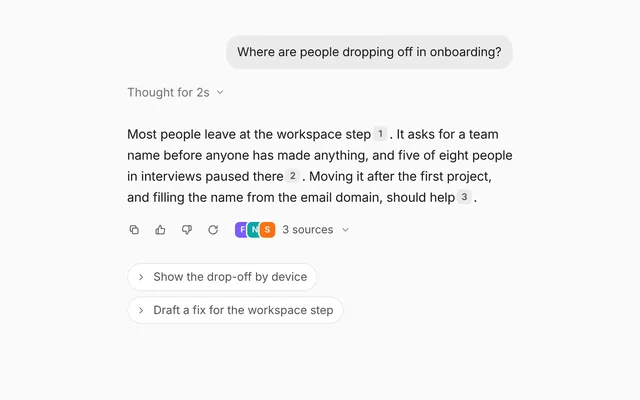
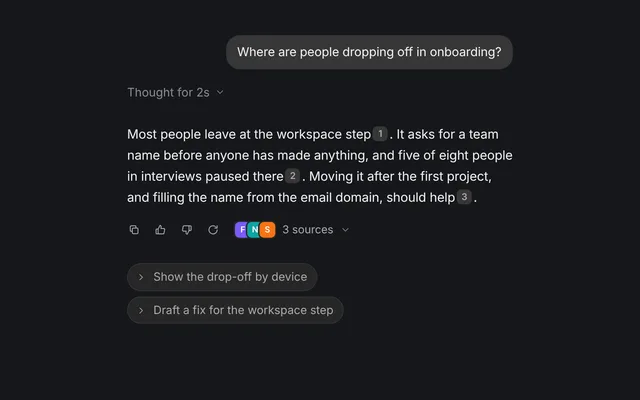
Response versions shows an agent's answer with a small bar under it to page through earlier versions, regenerate it and copy it. Each regenerated answer is kept as a new version, so the person can compare it with the ones before and keep the one they like.
- When people regenerate answers and want to go back to an earlier one instead of losing it.
- When you want a new version to stream in where the old one was, with a counter like 2 / 3.
- When an answer sits in a chat thread and needs copy and regenerate controls right under it.
versionsholds every version, oldest first. Previous and next arrows page through them with a counter between, and the current one can be controlled withversionandonVersionChange.- Switching versions fades the old text out, then the new one comes in word by word.
- While
streamingis true, words fade in as they arrive, the arrows are disabled and regenerate does nothing. onRegenerateadds a Regenerate button that spins when pressed. You add the new version and show it.- Copy puts the shown version on the clipboard, confirms with a check and calls
onCopywith the text. statusshows quiet text beside the buttons, like "Writing a new version", and shimmers while streaming.promptadds the person's message as a bubble above, andbare={false}gives the answer its own card.
- The answer text is an
aria-live="polite"region. - The arrows are labelled "Previous version" and "Next version", and Regenerate and Copy have
aria-labels too. - With
prefers-reduced-motion: reduce, switching versions skips the fade-out delay.
Usage
Import it and drive it from your own state.
Import
import { ResponseVersions } from '@/components/designme/response-versions/ResponseVersions';Example
The demo above as a React component, 50 lines you can copy.
'use client';
// The animated preview from designme.dev, rebuilt from the React component: an example of driving it from your own state.
import { useRef, useState } from 'react';
import { ResponseVersions } from './ResponseVersions';
import { useScript, useTakeover, type Script } from '../lib/useScript';

/* ---------- Response versions: the first answer streams in, then one regenerate plays by itself; the arrows page between them ---------- */
const POOL = [
  'Pricing that grows with your team. Start free, upgrade when the work gets serious.',
  'One plan per stage of your team. No seat math, no surprises on the invoice.',
  'Design faster with an agent on every plan. Pay for what you ship, not for seats.',
  'Simple pricing for teams who ship. Free to start, fair as you grow.'
];
export default function ResponseVersionsDemo() {
  const [versions, setVersions] = useState<string[]>(['']);
  const [version, setVersion] = useState(0);
  const [streaming, setStreaming] = useState(true);
  const [status, setStatus] = useState('');
  const script = useRef<Script>(null);

  // writes a version word by word, the way an answer streams in
  const stream = async ({ wait }: Script, at: number, text: string) => {
    await wait(260);
    let out = '';
    for (const w of text.split(' ')) { out += (out ? ' ' : '') + w; const now = out; setVersions(v => v.map((x, i) => i === at ? now : x)); await wait(45); }
  };
  const ref = useRef<HTMLDivElement>(null), mine = useTakeover(ref), count = useRef(1);
  useScript(async s => {
    script.current = s;
    await s.wait(300); await stream(s, 0, POOL[0]); setStreaming(false);
    // then one regenerate plays by itself, so the version count and arrows show what they do, unless you have taken over
    await s.wait(1900); if (!mine() && count.current === 1) await regenerate(true);
  });
  const regenerate = async (auto = false) => {
    const s = script.current; if (!s || (streaming && !auto)) return;
    const at = count.current++;
    setStreaming(true); setStatus('Writing a new version');
    setVersions(v => [...v, '']); setVersion(at);
    await stream(s, at, POOL[at % POOL.length]);
    setStreaming(false); setStatus('');
  };

  return (
    <div ref={ref} style={{ width: '100%' }}>
      <ResponseVersions prompt="Write a headline for the pricing page" versions={versions} version={version} onVersionChange={setVersion}
        streaming={streaming} status={status} onRegenerate={() => regenerate()} />
    </div>
  );
}
Props
Everything ResponseVersions takes.
| Prop | Type | What it does |
|---|---|---|
prompt | ReactNode | The person's message the answer replies to, shown as a bubble above it |
versionsrequired | string[] | Every version of the answer so far, oldest first |
version | number | Which version is showing. Leave it out to let the arrows page through them |
defaultVersion | number | |
onVersionChange | (index: number) => void | |
streaming | boolean | The version showing is still being written. New words fade in as they arrive and paging waits |
status | string | Quiet text beside the buttons, like "Writing a new version". It shimmers while streaming |
onRegenerate | () => void | Called by the regenerate button. Add a version and show it to answer it |
onCopy | (text: string) => void | Called with the text after it is copied to the clipboard |
bare | boolean | Sits flat in a chat thread (the default, as on designme.dev). Set false to give it a card of its own |
className | string |
Code
The full source, as the CLI installs it.
ResponseVersions.tsxReact · 82 lines
'use client';
import { useEffect, useState, type ReactNode } from 'react';
import { cx } from '../lib/cx';
import { useControllable, useCopied, useReducedMotion } from '../lib/hooks';
import { Icon } from '../lib/icons';
import { Swap, Tip } from '../lib/motion';
import '../designme.css';
import './response-versions.css';

export interface ResponseVersionsProps {
  /** The person's message the answer replies to, shown as a bubble above it */
  prompt?: ReactNode;
  /** Every version of the answer so far, oldest first */
  versions: string[];
  /** Which version is showing. Leave it out to let the arrows page through them */
  version?: number;
  defaultVersion?: number;
  onVersionChange?: (index: number) => void;
  /** The version showing is still being written. New words fade in as they arrive and paging waits */
  streaming?: boolean;
  /** Quiet text beside the buttons, like "Writing a new version". It shimmers while streaming */
  status?: string;
  /** Called by the regenerate button. Add a version and show it to answer it */
  onRegenerate?: () => void;
  /** Called with the text after it is copied to the clipboard */
  onCopy?: (text: string) => void;
  /** Sits flat in a chat thread (the default, as on designme.dev). Set false to give it a card of its own */
  bare?: boolean;
  className?: string;
}

/** An answer with its earlier versions a click away, plus regenerate and copy. */
export function ResponseVersions({ prompt, versions, version, defaultVersion = 0, onVersionChange, streaming = false, status = '', onRegenerate, onCopy, bare = true, className }: ResponseVersionsProps) {
  const [cur, setCur] = useControllable(version, defaultVersion, onVersionChange);
  const reduce = useReducedMotion();
  const last = Math.max(0, versions.length - 1), at = Math.min(Math.max(cur, 0), last);

  // a different version fades the old text out first; then a finished one comes in all at once, word by word,
  // and one still being written shows its words as they arrive
  const [shown, setShown] = useState(at);
  const [out, setOut] = useState(false);
  const [jump, setJump] = useState(false);
  useEffect(() => {
    if (at === shown) return;
    setOut(true);
    const t = setTimeout(() => { setShown(at); setJump(!streaming); setOut(false); }, reduce ? 0 : 240);
    return () => clearTimeout(t);
  }, [at, shown, streaming, reduce]);
  const text = versions[shown] ?? '';
  const words = text.split(' ').filter(Boolean);

  const [spin, setSpin] = useState(false);
  const regenerate = () => {
    if (streaming) return;
    setSpin(true); setTimeout(() => setSpin(false), 700);
    onRegenerate?.();
  };
  const [copied, copyText] = useCopied();
  const copy = () => { const t = versions[at] ?? ''; copyText(t); onCopy?.(t); };

  return (
    <div data-dm="" className={cx('dm-rvx', !bare && 'dm-panel', className)} style={bare ? undefined : { padding: 16 }}>
      {prompt && <div className="dm-bub">{prompt}</div>}
      <div className="dm-rvx-a">
        <p className={cx('dm-msg dm-rvx-t', out && 'dm-out')} aria-live="polite">
          {words.map((w, k) => <span key={shown + ':' + k} className="dm-w" style={jump ? { animationDelay: k * 12 + 'ms' } : undefined}>{w} </span>)}
        </p>
        <div className="dm-rvx-bar">
          <div className="dm-rvx-pg">
            <Tip label="Previous"><button type="button" className="dm-ib" aria-label="Previous version" disabled={at === 0 || streaming} onClick={() => setCur(at - 1)}><Icon name="chev-l" /></button></Tip>
            <span className="dm-rvx-n dm-num">{at + 1} / {Math.max(versions.length, 1)}</span>
            <Tip label="Next"><button type="button" className="dm-ib" aria-label="Next version" disabled={at === last || streaming} onClick={() => setCur(at + 1)}><Icon name="chev-r" /></button></Tip>
          </div>
          {onRegenerate && <Tip label="Regenerate" kbd="⌘R"><button type="button" className={cx('dm-ib dm-rvx-re', spin && 'dm-go')} aria-label="Regenerate" onClick={regenerate}><Icon name="refresh" /></button></Tip>}
          <Tip label={copied ? 'Copied to clipboard' : 'Copy'} open={copied || undefined}><button type="button" className={cx('dm-ib', copied && 'dm-copied')} aria-label="Copy" onClick={copy}><Icon name={copied ? 'check' : 'copy'} /></button></Tip>
          <Swap className={cx('dm-rvx-st dm-muted', streaming && status && 'dm-shim')}>{status}</Swap>
        </div>
      </div>
    </div>
  );
}
response-versions.cssReact · 18 lines
/* Generated from designme.dev by scripts/sync.mjs. Edit the site, then sync. */
/* ---------- Response versions ---------- */
.dm-rvx{display:flex;flex-direction:column;gap:14px}
.dm-rvx-a{display:flex;flex-direction:column;gap:var(--dm-s-2);padding:0 2px}
.dm-rvx-t{min-height:72px}
.dm-rvx-t .dm-w{animation:dm-rvw .45s var(--dm-ease) both}
@keyframes dm-rvw{from{opacity:0;filter:blur(4px)}to{opacity:1;filter:none}}
.dm-rvx-t.dm-out{animation:dm-rvo .3s var(--dm-ease) both}
@keyframes dm-rvo{to{opacity:0;filter:blur(4px);transform:translateY(-2px)}}
.dm-rvx-bar{display:flex;align-items:center;gap:2px;margin-left:-6px}
.dm-rvx-pg{display:flex;align-items:center;gap:0}
.dm-rvx-pg .dm-ib{width:26px;height:26px}
.dm-rvx-pg .dm-ib[disabled]{opacity:1;cursor:not-allowed;background:none;color:var(--dm-dis)}
.dm-rvx-n{font-size:12px;color:var(--dm-muted);min-width:34px;text-align:center}
.dm-rvx-re svg{transition:transform .7s var(--dm-ease)}
.dm-rvx-re.dm-go svg{transform:rotate(360deg)}
.dm-rvx-st{font-size:12px;margin-left:6px}
response-versions.htmlHTML · 17 lines
<div class="card bare" data-c="response-versions">
  <div class="stage-in">
    <div class="rvx">
      <div class="bub">Write a headline for the pricing page</div>
      <div class="rvx-a">
        <p class="msg rvx-t"></p>
        <div class="rvx-bar">
          <div class="rvx-pg"><button class="ib rvx-prev" aria-label="Previous version" data-tip="Previous"><svg class="i s"><use href="#i-chev-l"/></svg></button><span class="rvx-n num">1 / 1</span><button class="ib rvx-next" aria-label="Next version" data-tip="Next"><svg class="i s"><use href="#i-chev-r"/></svg></button></div>
          <button class="ib rvx-re" aria-label="Regenerate" data-tip="Regenerate" data-tip-k="⌘R"><svg class="i s"><use href="#i-refresh"/></svg></button>
          <button class="ib rvx-cp" aria-label="Copy" data-tip="Copy"><svg class="i s"><use href="#i-copy"/></svg></button>
          <span class="rvx-st muted"></span>
        </div>
      </div>
    </div>
  </div>
</div>
response-versions.cssHTML · 17 lines
/* ---------- Response versions ---------- */
.rvx{display:flex;flex-direction:column;gap:14px}
.rvx-a{display:flex;flex-direction:column;gap:var(--s-2);padding:0 2px}
.rvx-t{min-height:72px}
.rvx-t .w{animation:rvw .45s var(--ease) both}
@keyframes rvw{from{opacity:0;filter:blur(4px)}to{opacity:1;filter:none}}
.rvx-t.out{animation:rvo .3s var(--ease) both}
@keyframes rvo{to{opacity:0;filter:blur(4px);transform:translateY(-2px)}}
.rvx-bar{display:flex;align-items:center;gap:2px;margin-left:-6px}
.rvx-pg{display:flex;align-items:center;gap:0}
.rvx-pg .ib{width:26px;height:26px}
.rvx-pg .ib[disabled]{opacity:1;cursor:not-allowed;background:none;color:var(--dis)}
.rvx-n{font-size:12px;color:var(--muted);min-width:34px;text-align:center}
.rvx-re svg{transition:transform .7s var(--ease)}
.rvx-re.go svg{transform:rotate(360deg)}
.rvx-st{font-size:12px;margin-left:6px}
response-versions.jsHTML · 29 lines
DM.def('response-versions', (r, c) => {
  r.innerHTML = r.innerHTML.replace('{l}', I('chev-l')).replace('{rr}', I('chev-r')).replace('{re}', I('refresh')).replace('{cp}', I('copy'));
  const pool = [
    'Pricing that grows with your team. Start free, upgrade when the work gets serious.',
    'One plan per stage of your team. No seat math, no surprises on the invoice.',
    'Design faster with an agent on every plan. Pay for what you ship, not for seats.',
    'Simple pricing for teams who ship. Free to start, fair as you grow.'
  ];
  const vers = [pool[0]]; let cur = 0, busy = false;
  const t = $('.rvx-t', r), n = $('.rvx-n', r), pv = $('.rvx-prev', r), nx = $('.rvx-next', r), re = $('.rvx-re', r), st = $('.rvx-st', r);
  const nav = () => { n.textContent = (cur + 1) + ' / ' + vers.length; pv.disabled = cur === 0 || busy; nx.disabled = cur === vers.length - 1 || busy; };
  async function stream(s){
    t.classList.add('out'); await c.wait(260); t.classList.remove('out'); t.innerHTML = '';
    for (const w of s.split(' ')){ t.insertAdjacentHTML('beforeend', `<span class="w">${w} </span>`); await c.wait(45); }
  }
  async function show(i){ cur = i; nav(); t.classList.add('out'); await c.wait(240); t.classList.remove('out'); t.innerHTML = vers[i].split(' ').map((w, k) => `<span class="w" style="animation-delay:${k * 12}ms">${w} </span>`).join(''); }
  pv.onclick = () => c.run(() => show(cur - 1));
  nx.onclick = () => c.run(() => show(cur + 1));
  re.onclick = () => { if (busy) return; busy = true; re.classList.add('go'); c.later(700, () => re.classList.remove('go'));
    c.run(async () => { swap(st, 'Writing a new version'); st.classList.add('shim');
      const s = pool[vers.length % pool.length]; vers.push(s); cur = vers.length - 1; nav();
      await stream(s); busy = false; nav(); st.classList.remove('shim'); swap(st, ''); }); };
  const cp = $('.rvx-cp', r);
  cp.onclick = () => copied(cp, vers[cur]);
  c.run(async () => { busy = true; nav(); await c.wait(300); await stream(vers[0]); busy = false; nav();
    // then one regenerate plays by itself, so the version count and arrows show what they do, unless you have taken over
    await c.step(1900); if (vers.length === 1) re.click(); });
});
Questions
What people ask about it.
- How do I stream a regenerated answer into a new version?
- In
onRegenerate, append an empty string toversions, setversionto its index andstreamingto true, then update that string as tokens arrive. Setstreamingback to false when it is done. - Why are the arrows greyed out?
- They are disabled while
streamingis true, and at the first or last version. That keeps people from paging away from an answer that is still being written. - Can the answer contain formatting like lists or code?
- No. Each version is a plain string, split into words for the fade-in, so markup is shown as text.
More in Conversation
Everything for asking, answering and replying, by text or by voice.