Sources and outputCode viewer
Built by DesignMe, free to use under the MIT licence.
Expert design and dev support for startups and enterprises.
Book a callCode viewer
Code the agent wrote, with line notes you can ask about. Free and MIT licensed, as HTML or a typed React component, in two styles with light and dark mode.
Install
Add it to your project with the CLI.
HTML, CSS and JavaScript
npx designme add code-viewerReact
npx designme add code-viewer --reactThe CLI copies the source into your project, so you own it and can change anything. The HTML version lands in ./designme with the shared core and a demo.html. The React version lands in src/components/designme and needs React 19; it works in Next.js, Vite and Astro.
About
What it is for and what it does.
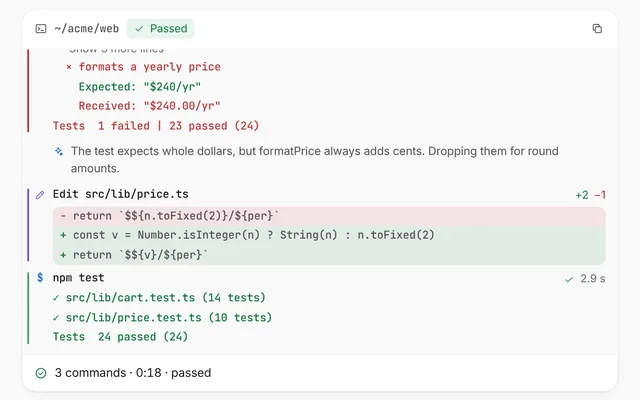
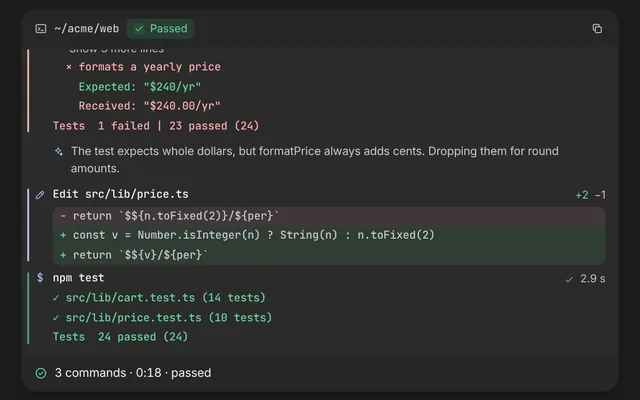
Code viewer shows the files an agent wrote or changed, with the changed lines marked. Click any line and a note opens under it with the agent's explanation of that line.
- When people want to understand why the agent wrote a line before they accept the change.
- When an agent edits more than one file and you want tabs to move between them.
- When you want changed lines highlighted without showing a full diff.
- When readers need a quick way to copy the generated file.
- Each file appears as a tab. The header counts how many lines in the open file changed.
- Lines can be plain strings or pieces tagged for highlighting: keyword, string, function, comment, tag and attribute.
- Lines marked
changedget a green number and a soft wash. - Clicking a line opens a note that says "Reading the line" for
delayms, then crossfades to the line'snote. Lines with no note showunchangedNote. - The copy button copies the open file as plain text, shows "Copied to clipboard" and calls
onCopy. - The open file and open line can be controlled with
file,lineand their change handlers, so the agent can point at a line itself.
- The file tabs sit in a
tablist, and each tab is atabwitharia-selected. - Each code line is focusable with
role="button"andaria-expanded. Enter or Space opens and closes its note. - The note is an
aria-live="polite"region, so the explanation is announced when it appears. - The copy button has
aria-label="Copy file", and with reduced motion the note opens without its height animation.
Usage
Import it and drive it from your own state.
Import
import { CodeViewer } from '@/components/designme/code-viewer/CodeViewer';Example
The demo above as a React component, 42 lines you can copy.
'use client';
// The animated preview from designme.dev, rebuilt from the React component: an example of driving it from your own state.
import { useRef, useState } from 'react';
import { CodeViewer, type CodeFile, type CodePiece, type CodeToken } from './CodeViewer';
import { useStory } from '../lib/useScript';

/** Turns "<k>return</k> (" into highlight pieces, so the code below reads like code */
const hl = (src: string): CodePiece[] => src.split(/(<(?:k|s|f|cm|tg|at)>.*?<\/(?:k|s|f|cm|tg|at)>)/).filter(Boolean)
  .map(p => { const m = p.match(/^<(\w+)>(.*)<\/\1>$/); return m ? [m[1] as CodeToken, m[2]] : p; });

/* ---------- Code viewer: a changed file, and after a moment the agent explains one of its lines ---------- */
const FILES: CodeFile[] = [
  { name: 'PlanCard.tsx', lines: [
    { code: hl('<k>import</k> { Button } <k>from</k> <s>"@/ui/button"</s>;') },
    { code: '' },
    { code: hl('<k>export function</k> <f>PlanCard</f>({ plan }) {') },
    { code: hl('  <cm>// One CTA per card, annual price first</cm>'), changed: true, note: 'The agent removed the second link here. The design review said two CTAs split attention.' },
    { code: hl('  <k>return</k> (') },
    { code: hl('    <tg><Card</tg> <at>padding</at>=<s>"lg"</s><tg>></tg>') },
    { code: hl('      <tg><Price</tg> <at>value</at>={plan.annual} <at>was</at>={plan.monthly} <tg>/></tg>'), changed: true, note: 'Shows the monthly price crossed out next to the annual one. This is the change behind the 18% lift.' },
    { code: hl('      <tg><Button</tg> <at>variant</at>=<s>"primary"</s><tg>></tg>{plan.cta}<tg></Button></tg>'), changed: true, note: 'Swapped the custom button for the shared one, so it picks up the library tokens.' },
    { code: hl('    <tg></Card></tg>') },
    { code: '  );' },
    { code: '}' }
  ] },
  { name: 'tokens.css', lines: [
    { code: hl('<f>:root</f> {') },
    { code: hl('  --text-muted: <s>#5b6472</s>;'), changed: true, note: 'Was #c9cfd8. Contrast on white goes from 2.1 to 5.9, which passes AA.' },
    { code: hl('  --radius-card: <s>16px</s>;') },
    { code: hl('  --space-card: <s>24px</s>;'), changed: true, note: 'Matched to the 4px grid. Was 18px.' },
    { code: '}' }
  ] }
];

export default function CodeViewerDemo() {
  const [line, setLine] = useState<number | null>(null);
  const ref = useRef<HTMLDivElement>(null);
  // the preview asks about one line on its own, unless you take over first
  useStory(ref, async ({ wait }) => { await wait(1200); setLine(l => l ?? 6); });
  return <div ref={ref} style={{ width: '100%' }}><CodeViewer files={FILES} line={line} onLineChange={setLine} /></div>;
}
Props
Everything CodeViewer takes.
| Prop | Type | What it does |
|---|---|---|
filesrequired | CodeFile[] | |
file | string | The open file, by name. Leave it out to let the tabs switch it |
defaultFile | string | |
onFileChange | (name: string) => void | |
line | number | null | The line whose note is open (0 is the first line), or null. Leave it out to let a click on a line open it |
defaultLine | number | null | |
onLineChange | (line: number | null) => void | |
delay | number | How long a note says "Reading the line" before it answers, in ms |
unchangedNote | string | The note for a line the agent didn't change and has nothing to say about |
onCopy | (text: string) => void | Called with the file's text when it is copied |
className | string |
Code
The full source, as the CLI installs it.
CodeViewer.tsxReact · 119 lines
'use client';
import { useEffect, useRef, useState, type KeyboardEvent } from 'react';
import { cx } from '../lib/cx';
import { useControllable, useCopied, useIsoLayoutEffect, useReducedMotion } from '../lib/hooks';
import { Icon } from '../lib/icons';
import { enter, Tip } from '../lib/motion';
import '../designme.css';
import './code-viewer.css';

/** k keyword, s string, f function, cm comment, tg tag, at attribute */
export type CodeToken = 'k' | 's' | 'f' | 'cm' | 'tg' | 'at';
/** Plain text, or [token, text] for a highlighted piece */
export type CodePiece = string | [CodeToken, string];

export interface CodeLine {
  /** The line as plain text, or as pieces to highlight */
  code: string | CodePiece[];
  /** The agent changed this line: its number turns green and the line gets a wash */
  changed?: boolean;
  /** What the agent says about the line when you click it */
  note?: string;
}

export interface CodeFile {
  /** Shown on the tab, like "PlanCard.tsx" */
  name: string;
  lines: CodeLine[];
}

export interface CodeViewerProps {
  files: CodeFile[];
  /** The open file, by name. Leave it out to let the tabs switch it */
  file?: string;
  defaultFile?: string;
  onFileChange?: (name: string) => void;
  /** The line whose note is open (0 is the first line), or null. Leave it out to let a click on a line open it */
  line?: number | null;
  defaultLine?: number | null;
  onLineChange?: (line: number | null) => void;
  /** How long a note says "Reading the line" before it answers, in ms */
  delay?: number;
  /** The note for a line the agent didn't change and has nothing to say about */
  unchangedNote?: string;
  /** Called with the file's text when it is copied */
  onCopy?: (text: string) => void;
  className?: string;
}

const TOKEN: Record<CodeToken, string> = { k: 'dm-k', s: 'dm-s', f: 'dm-f', cm: 'dm-cm', tg: 'dm-tg', at: 'dm-at' };
const text = (code: CodeLine['code']) => typeof code === 'string' ? code : code.map(p => typeof p === 'string' ? p : p[1]).join('');

/** The note under a clicked line: it reads for a moment, then crossfades to what the agent says */
function Note({ note, delay }: { note: string; delay: number }) {
  const reduce = useReducedMotion();
  const [phase, setPhase] = useState<'reading' | 'out' | 'said'>('reading');
  useEffect(() => {
    const a = setTimeout(() => setPhase('out'), delay);
    const b = setTimeout(() => setPhase('said'), delay + (reduce ? 0 : 170));
    return () => { clearTimeout(a); clearTimeout(b); };
  }, [delay, reduce]);
  // it opens its own height, so the code under it moves down smoothly instead of jumping
  const box = useRef<HTMLDivElement>(null);
  useIsoLayoutEffect(() => {
    const n = box.current; if (!n || reduce || !n.animate) return;
    const cs = getComputedStyle(n), ease = cs.getPropertyValue('--dm-ease').trim() || 'ease';
    n.animate([{ height: '0px', marginTop: '0px', marginBottom: '0px', paddingTop: '0px', paddingBottom: '0px', opacity: 0, overflow: 'hidden' },
      { height: cs.height, marginTop: cs.marginTop, marginBottom: cs.marginBottom, paddingTop: cs.paddingTop, paddingBottom: cs.paddingBottom, opacity: 1, overflow: 'hidden' }], { duration: 420, easing: ease });
  }, []);
  return (
    <div ref={box} className="dm-cvx-note" aria-live="polite">
      <Icon name="spark" size="xs" />
      <span className={cx('dm-sw', phase === 'out' && 'dm-out')}>{phase === 'said' ? note : <span className="dm-shim">Reading the line</span>}</span>
    </div>
  );
}

/** A file the agent changed, with its changed lines marked. Click a line and the agent explains it. */
export function CodeViewer({ files, file, defaultFile, onFileChange, line, defaultLine = null, onLineChange, delay = 600, unchangedNote = 'Unchanged. The agent kept this line as it was.', onCopy, className }: CodeViewerProps) {
  const [name, setName] = useControllable(file, defaultFile ?? files[0]?.name ?? '', onFileChange);
  const [open, setOpen] = useControllable(line, defaultLine, onLineChange);
  const [copied, copy] = useCopied();
  const cur = files.find(f => f.name === name) ?? files[0];
  const changed = cur?.lines.filter(l => l.changed).length ?? 0;

  const pick = (n: string) => { if (n === name) return; setName(n); setOpen(null); };
  const ask = (k: number) => setOpen(open === k ? null : k);
  const key = (e: KeyboardEvent, k: number) => { if (e.key === 'Enter' || e.key === ' ') { e.preventDefault(); ask(k); } };
  const copyFile = () => { const t = cur.lines.map(l => text(l.code)).join('\n'); copy(t); onCopy?.(t); };

  return (
    <div data-dm="" className={cx('dm-cvx dm-panel', className)}>
      <div className="dm-cvx-h">
        <div className="dm-cvx-tabs" role="tablist">
          {files.map(f => <button key={f.name} type="button" role="tab" aria-selected={f === cur} className={cx('dm-cvx-tab', f === cur && 'dm-on')} onClick={() => pick(f.name)}>{f.name}</button>)}
        </div>
        <span className="dm-cvx-meta dm-num"><b>+{changed}</b> changed</span>
        <Tip label={copied ? 'Copied to clipboard' : 'Copy'} open={copied}>
          <button type="button" className={cx('dm-ib', copied && 'dm-copied')} aria-label="Copy file" onClick={copyFile}><Icon name={copied ? 'check' : 'copy'} /></button>
        </Tip>
      </div>
      <div className="dm-cvx-body">
        <pre className="dm-cvx-code">
          {cur?.lines.map((l, k) => {
            const e = enter(k * 18), on = open === k;
            return [
              <div key={cur.name + k} className={cx('dm-cvx-l', l.changed && 'dm-new', on && 'dm-on', e.className)} style={e.style}
                role="button" tabIndex={0} aria-expanded={on} onClick={() => ask(k)} onKeyDown={ev => key(ev, k)}>
                <span className="dm-n">{k + 1}</span>
                <span className="dm-c">{typeof l.code === 'string' ? l.code || ' ' : l.code.length ? l.code.map((p, j) => typeof p === 'string' ? p : <span key={j} className={TOKEN[p[0]]}>{p[1]}</span>) : ' '}</span>
              </div>,
              on && <Note key={cur.name + k + 'n'} note={l.note ?? unchangedNote} delay={delay} />
            ];
          })}
        </pre>
      </div>
    </div>
  );
}
code-viewer.cssReact · 29 lines
/* Generated from designme.dev by scripts/sync.mjs. Edit the site, then sync. */
/* ---------- Code viewer ---------- */
.dm-cvx{overflow:hidden;display:flex;flex-direction:column}
.dm-cvx-h{display:flex;align-items:center;gap:2px;height:44px;padding:0 var(--dm-s-2);border-bottom:1px solid color-mix(in srgb,var(--dm-line) 50%,transparent)}
.dm-cvx-tabs{display:flex;gap:2px;flex:1;min-width:0;overflow-x:auto}
.dm-cvx-tab{display:flex;align-items:center;height:28px;padding:0 10px;border-radius:var(--dm-r-sm);font-size:12px;font-family:var(--dm-mono);color:var(--dm-muted);transition:color .2s,background .2s;white-space:nowrap}
@media (hover:hover) and (pointer:fine){.dm-cvx-tab:hover{color:var(--dm-fg)}}
/* the tabs scroll sideways, which would cut an outside ring: theirs is drawn inside */
.dm-cvx-tab:focus-visible{outline-offset:-2px}
.dm-cvx-tab.dm-on{background:var(--dm-surface);color:var(--dm-fg);box-shadow:inset 0 0 0 1px color-mix(in srgb,var(--dm-pick-on) 50%,transparent)}
.dm-cvx-meta{margin-left:auto;padding-right:2px;font-size:12px;color:var(--dm-muted);white-space:nowrap}
.dm-cvx-meta b{font-weight:500;color:var(--dm-ok)}
.dm-cvx-body{overflow-x:auto;min-height:232px}
.dm-cvx-code{margin:0;padding:var(--dm-s-2) 0;font-family:var(--dm-mono);font-size:12px;line-height:1.8}
.dm-cvx-l{display:flex;padding-right:14px;cursor:pointer;transition:background .2s}
@media (hover:hover) and (pointer:fine){.dm-cvx-l:hover{background:var(--dm-row)}}
/* a line that takes the focus fills the scrolling code, which would cut an outside ring: its ring is drawn inside */
.dm-cvx-l:focus-visible{outline-offset:-2px}
.dm-cvx-l.dm-new{background:color-mix(in srgb,var(--dm-ok) 6%,transparent)}
.dm-cvx-l.dm-on{background:var(--dm-sel)}
@media (hover:hover) and (pointer:fine){.dm-cvx-l.dm-on:hover{background:var(--dm-sel)}}
.dm-cvx-l .dm-n{width:42px;text-align:right;padding-right:var(--dm-s-4);color:var(--dm-muted);user-select:none;flex:none;transition:color .2s}
.dm-cvx-l.dm-new .dm-n{color:var(--dm-ok)}
.dm-cvx-l.dm-on .dm-n{color:var(--dm-accent-fg,var(--dm-accent))}
.dm-cvx-l .dm-c{white-space:pre}
.dm-cvx-code .dm-k{color:var(--dm-pp)}.dm-cvx-code .dm-s{color:var(--dm-pm)}.dm-cvx-code .dm-f{color:var(--dm-pb)}.dm-cvx-code .dm-cm{color:var(--dm-muted);font-style:italic}.dm-cvx-code .dm-tg{color:var(--dm-pr)}.dm-cvx-code .dm-at{color:var(--dm-py)}
.dm-cvx-note{margin:var(--dm-s-1) 14px var(--dm-s-2) 42px;padding:var(--dm-s-2) 10px;border-radius:10px;background:var(--dm-chip);font-family:var(--dm-sans);font-size:12.5px;line-height:1.5;white-space:normal;color:var(--dm-fg2);display:flex;gap:var(--dm-s-2)}
.dm-cvx-note>svg{color:var(--dm-accent-fg,var(--dm-accent));flex:none;margin-top:3px}
code-viewer.htmlHTML · 9 lines
<div class="card" data-c="code-viewer">
  <div class="stage-in">
    <div class="cvx panel" data-reveal="flat">
      <div class="cvx-h"><div class="cvx-tabs" role="tablist"></div><span class="cvx-meta num"></span><button class="ib cvx-cp" aria-label="Copy file" data-tip="Copy"><svg class="i s"><use href="#i-copy"/></svg></button></div>
      <div class="cvx-body"><pre class="cvx-code"></pre></div>
    </div>
  </div>
</div>
code-viewer.cssHTML · 28 lines
/* ---------- Code viewer ---------- */
.cvx{overflow:hidden;display:flex;flex-direction:column}
.cvx-h{display:flex;align-items:center;gap:2px;height:44px;padding:0 var(--s-2);border-bottom:1px solid color-mix(in srgb,var(--line) 50%,transparent)}
.cvx-tabs{display:flex;gap:2px;flex:1;min-width:0;overflow-x:auto}
.cvx-tab{display:flex;align-items:center;height:28px;padding:0 10px;border-radius:var(--r-sm);font-size:12px;font-family:var(--mono);color:var(--muted);transition:color .2s,background .2s;white-space:nowrap}
@media (hover:hover) and (pointer:fine){.cvx-tab:hover{color:var(--fg)}}
/* the tabs scroll sideways, which would cut an outside ring: theirs is drawn inside */
.cvx-tab:focus-visible{outline-offset:-2px}
.cvx-tab.on{background:var(--surface);color:var(--fg);box-shadow:inset 0 0 0 1px color-mix(in srgb,var(--pick-on) 50%,transparent)}
.cvx-meta{margin-left:auto;padding-right:2px;font-size:12px;color:var(--muted);white-space:nowrap}
.cvx-meta b{font-weight:500;color:var(--ok)}
.cvx-body{overflow-x:auto;min-height:232px}
.cvx-code{margin:0;padding:var(--s-2) 0;font-family:var(--mono);font-size:12px;line-height:1.8}
.cvx-l{display:flex;padding-right:14px;cursor:pointer;transition:background .2s}
@media (hover:hover) and (pointer:fine){.cvx-l:hover{background:var(--row)}}
/* a line that takes the focus fills the scrolling code, which would cut an outside ring: its ring is drawn inside */
.cvx-l:focus-visible{outline-offset:-2px}
.cvx-l.new{background:color-mix(in srgb,var(--ok) 6%,transparent)}
.cvx-l.on{background:var(--sel)}
@media (hover:hover) and (pointer:fine){.cvx-l.on:hover{background:var(--sel)}}
.cvx-l .n{width:42px;text-align:right;padding-right:var(--s-4);color:var(--muted);user-select:none;flex:none;transition:color .2s}
.cvx-l.new .n{color:var(--ok)}
.cvx-l.on .n{color:var(--accent-fg,var(--accent))}
.cvx-l .c{white-space:pre}
.cvx-code .k{color:var(--pp)}.cvx-code .s{color:var(--pm)}.cvx-code .f{color:var(--pb)}.cvx-code .cm{color:var(--muted);font-style:italic}.cvx-code .tg{color:var(--pr)}.cvx-code .at{color:var(--py)}
.cvx-note{margin:var(--s-1) 14px var(--s-2) 42px;padding:var(--s-2) 10px;border-radius:10px;background:var(--chip);font-family:var(--sans);font-size:12.5px;line-height:1.5;white-space:normal;color:var(--fg2);display:flex;gap:var(--s-2)}
.cvx-note>svg{color:var(--accent-fg,var(--accent));flex:none;margin-top:3px}
code-viewer.jsHTML · 55 lines
DM.def('code-viewer', (r, c) => {
r.innerHTML = r.innerHTML.replace('{copy}', I('copy'));
const F = [
{ n:'PlanCard.tsx', t:'re', src:[
['<k>import</k> { Button } <k>from</k> <s>"@/ui/button"</s>;',0],
['',0],
['<k>export function</k> <f>PlanCard</f>({ plan }) {',0],
[' <cm>// One CTA per card, annual price first</cm>',1,'The agent removed the second link here. The design review said two CTAs split attention.'],
[' <k>return</k> (',0],
[' <tg><Card</tg> <at>padding</at>=<s>"lg"</s><tg>></tg>',0],
[' <tg><Price</tg> <at>value</at>={plan.annual} <at>was</at>={plan.monthly} <tg>/></tg>',1,'Shows the monthly price crossed out next to the annual one. This is the change behind the 18% lift.'],
[' <tg><Button</tg> <at>variant</at>=<s>"primary"</s><tg>></tg>{plan.cta}<tg></Button></tg>',1,'Swapped the custom button for the shared one, so it picks up the library tokens.'],
[' <tg></Card></tg>',0],
[' );',0],
['}',0]
]},
{ n:'tokens.css', t:'', src:[
['<f>:root</f> {',0],
[' --text-muted: <s>#5b6472</s>;',1,'Was #c9cfd8. Contrast on white goes from 2.1 to 5.9, which passes AA.'],
[' --radius-card: <s>16px</s>;',0],
[' --space-card: <s>24px</s>;',1,'Matched to the 4px grid. Was 18px.'],
['}',0]
]}
];
const tabs = $('.cvx-tabs', r), code = $('.cvx-code', r), meta = $('.cvx-meta', r);
tabs.innerHTML = F.map((f, i) => `<button class="cvx-tab" role="tab" data-i="${i}">${f.n}</button>`).join('');
const hl = s => s.replace(/<(k|s|f|cm|tg|at)>/g, '<span class="$1">').replace(/<\/(k|s|f|cm|tg|at)>/g, '</span>');
let cur = 0;
function show(i){
cur = i; $$('.cvx-tab', tabs).forEach((t, j) => { t.classList.toggle('on', j === i); t.setAttribute('aria-selected', j === i); });
code.innerHTML = F[i].src.map((l, k) => `<div class="cvx-l${l[1] ? ' new' : ''}" data-k="${k}"><span class="n">${k + 1}</span><span class="c">${hl(l[0]) || ' '}</span></div>`).join('');
stagger($$('.cvx-l', code), 18); meta.innerHTML = `<b>+${F[i].src.filter(l => l[1]).length}</b> changed`;
$$('.cvx-l', code).forEach(el => el.onclick = () => ask(el));
}
// a note opens and closes its own height, so the code around it moves smoothly
const fold = (n, open) => { const cs = getComputedStyle(n), ease = getComputedStyle(r).getPropertyValue('--ease').trim() || 'ease';
const full = { height:cs.height, marginTop:cs.marginTop, marginBottom:cs.marginBottom, paddingTop:cs.paddingTop, paddingBottom:cs.paddingBottom, opacity:1, overflow:'hidden' };
const none = { height:'0px', marginTop:'0px', marginBottom:'0px', paddingTop:'0px', paddingBottom:'0px', opacity:0, overflow:'hidden' };
return n.animate(open ? [none, full] : [full, none], { duration:REDUCE ? 1 : 420, easing:ease }); };
function ask(el){
const k = +el.dataset.k, l = F[cur].src[k], open = el.classList.contains('on');
$$('.cvx-note:not(.going)', code).forEach(n => { n.classList.add('going'); fold(n, false).onfinish = () => n.remove(); }); $$('.cvx-l', code).forEach(x => x.classList.remove('on'));
if (open) return;
el.classList.add('on');
const note = html(`<div class="cvx-note">${I('spark','xs')}<span><span class="shim">Reading the line</span></span></div>`); el.after(note); fold(note, true);
c.later(600, () => swap($('span', note), l[2] || 'Unchanged. The agent kept this line as it was.'));
}
$$('.cvx-tab', tabs).forEach(t => t.onclick = () => show(+t.dataset.i));
const cp = $('.cvx-cp', r);
cp.onclick = () => { const txt = F[cur].src.map(l => l[0].replace(/<[^>]+>/g, '').replace(/</g,'<').replace(/>/g,'>')).join('\n'); copied(cp, txt); };
show(0);
// the preview asks about one line on its own, unless you take over first
c.auto(1200, () => { if (!$('.cvx-note', code)) ask($$('.cvx-l', code)[6]); });
});
Questions
What people ask about it.
- Does it highlight syntax automatically?
- No. It renders the tokens you give it. Pass
codeas an array of plain strings and[token, text]pairs, usingk,s,f,cm,tgorat. - Can the agent open a note on a line by itself?
- Yes. Control
linewith the index of the line, starting at 0, and update it fromonLineChange. The demo opens line 7's note this way after a short wait. - What does the "Reading the line" pause do?
- It shows for
delaymilliseconds, 600 by default, before the note text appears. Setdelayto 0 if you want the note to show right away.
More in Sources and output
What the agent read, what it produced and where each answer came from.