Review and approveDraft review
Built by DesignMe, free to use under the MIT licence.
Expert design and dev support for startups and enterprises.
Book a callDraft review
An email the agent drafted, to check and edit before it sends. Free and MIT licensed, as HTML or a typed React component, in two styles with light and dark mode.
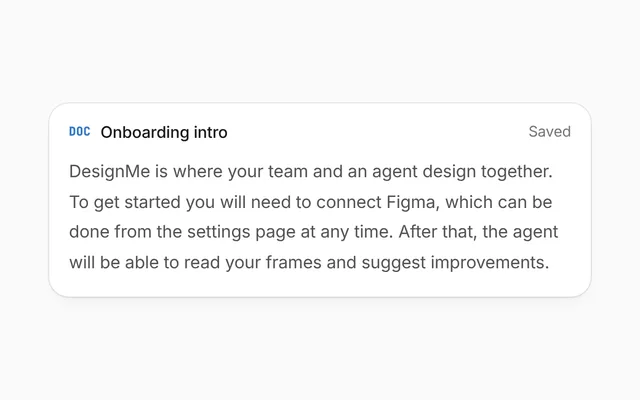
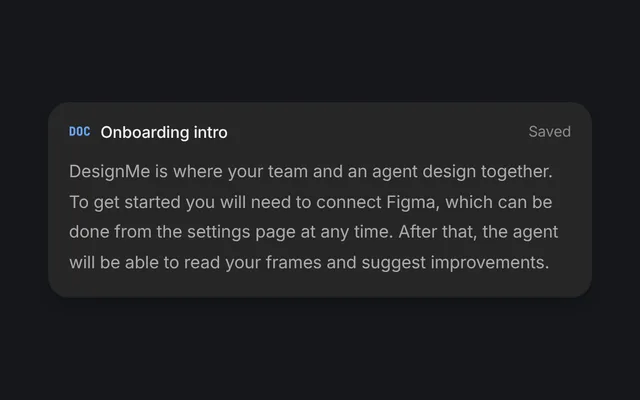
Here's what changed on the pricing page: one button per plan, the yearly price first, and the FAQ under the comparison table. The full list is in the attached summary.
Ready for your sign-off when you are.
You mention an attachment, but nothing is attached.
Install
Add it to your project with the CLI.
HTML, CSS and JavaScript
npx designme add draft-reviewReact
npx designme add draft-review --reactThe CLI copies the source into your project, so you own it and can change anything. The HTML version lands in ./designme with the shared core and a demo.html. The React version lands in src/components/designme and needs React 19; it works in Next.js, Vite and Astro.
About
What it is for and what it does.
Draft review lays out an email the agent wrote the way the email will go: who it is to, the subject, the message and what is attached. People can edit it, then send it now, schedule it from a dropdown beside Send, or discard it. A warning can stop it before it goes, like a message that mentions an attachment when nothing is attached, and after sending there is a short window to undo.
- When the agent writes on someone's behalf and nothing should leave without them seeing it.
- When people want to change a word or two before it goes, not write it again.
- When some messages are better sent later, like at the start of the reader's day.
- When a check can catch a mistake before sending, and a sent message can still be taken back for a few seconds.
toshows each recipient as a chip with an avatar.subjectsits in a plain input, andbodystays editable; read edits fromonBodyChange.attachmentsshow as file chips, with a spinner in place of the size while one isloading.warningfolds open above the buttons with its own actions, like Send anyway and Attach the summary.- The dropdown beside Send picks when it goes.
sendOptionsreplace the defaults (now, tomorrow at 09:00, Monday at 09:00), and any pick butnowturns the button into Schedule. phasemoves fromdrafttosending, thenundo,sent,scheduledordiscarded. The tag in the header follows it, and the fields dim while it is out of your hands.- In the
undophase a green row counts downundoLeftwith an Undo button. A scheduled message can be cancelled and a discarded draft brought back, all throughonUndo.
- The subject is a labelled input and the message is a multi-line textbox labelled "Message".
- The dropdown button is labelled "When to send" and says whether its menu is open. Each time is a menu item that marks the picked one with
aria-checked, and Escape closes the menu. - From the keyboard, Enter, Space or the down arrow opens a menu with the focus on its picked item, or its first (the up arrow, on its last); the arrow keys move through it and wrap, Home and End jump to the ends, Tab closes it and moves on, and closing it gives the focus back to its button.
- Once it is sent, scheduled or discarded, the fields are inert, so they can't be edited or reached with Tab until it is undone.
Usage
Import it and drive it from your own state.
Import
import { DraftReview } from '@/components/designme/draft-review/DraftReview';Example
The demo above as a React component, 64 lines you can copy.
'use client';
// The animated preview from designme.dev, rebuilt from the React component: an example of driving it from your own state.
import { useRef, useState } from 'react';
import { DraftReview, type DraftAttachment, type DraftPhase, type SendOption } from './DraftReview';
import { useStory, useWait } from '../lib/useScript';

/* ---------- Draft review: send, get stopped by the missing attachment, attach it, send, and let the undo window pass ---------- */
const BODY = "Hi Maya,\n\nHere's what changed on the pricing page: one button per plan, the yearly price first, and the FAQ under the comparison table. The full list is in the attached summary.\n\nReady for your sign-off when you are.";
const WHEN: SendOption[] = [
  { key: 'now', label: 'Send now' },
  { key: 'tomorrow', label: 'Tomorrow at 09:00', detail: "The start of Maya's day" },
  { key: 'monday', label: 'Monday at 09:00', detail: 'The start of next week' }
];

export default function DraftReviewDemo() {
  const ref = useRef<HTMLDivElement>(null);
  const wait = useWait();
  const run = useRef(0);
  const [subject, setSubject] = useState('Pricing v4: what changed');
  const [body, setBody] = useState(BODY);
  const [files, setFiles] = useState<DraftAttachment[]>([]);
  const [warn, setWarn] = useState(false);
  const [phase, setPhase] = useState<DraftPhase>('draft');
  const [left, setLeft] = useState(5);
  const [option, setOption] = useState('now');
  const attached = files.some(f => !f.loading);

  // the message talks about an attachment that isn't there: say so before it goes
  const send = async (o: SendOption, force = false) => {
    if (!force && !attached && /attach/i.test(body)) { setWarn(true); return; }
    setWarn(false); const id = ++run.current;
    setPhase('sending'); await wait(900); if (id !== run.current) return;
    if (o.key !== 'now') { setPhase('scheduled'); return; }
    // a few seconds to take it back before it really goes
    setPhase('undo');
    for (let k = 5; k > 0; k--) { setLeft(k); await wait(1000); if (id !== run.current) return; }
    setPhase('sent');
  };
  const attach = async () => {
    setWarn(false); if (files.length) return;
    setFiles([{ name: 'Pricing v4 summary.pdf', loading: true }]);
    await wait(1200); setFiles([{ name: 'Pricing v4 summary.pdf', size: '240 KB' }]);
  };

  // the preview's story, on the same beats as the site's
  useStory(ref, async ({ wait, press }) => {
    await wait(4200); press('.dm-drf-go');
    await wait(3100); press('.dm-drf-w .dm-primary');
    await wait(2800); press('.dm-drf-go');
  });

  return (
    <div ref={ref} style={{ width: '100%' }}>
      <DraftReview subtitle="After the pricing review with Maya" to={[{ name: 'Maya Kim', initials: 'MK' }]} subject={subject} onSubjectChange={setSubject}
        body={BODY} onBodyChange={setBody} attachments={files} phase={phase} undoLeft={left}
        sendOptions={WHEN} sendOption={option} onSendOptionChange={setOption} onSend={o => void send(o)}
        warning={warn ? { text: 'You mention an attachment, but nothing is attached.', actions: [
          { label: 'Send anyway', onClick: () => void send(WHEN.find(w => w.key === option)!, true) },
          { label: 'Attach the summary', onClick: () => void attach(), primary: true }] } : undefined}
        onDiscard={() => { setWarn(false); setPhase('discarded'); }} onUndo={() => { run.current++; setPhase('draft'); }} />
    </div>
  );
}
Props
Everything DraftReview takes.
| Prop | Type | What it does |
|---|---|---|
title | string | |
subtitle | string | The line under the title, like "After the pricing review with Maya" |
torequired | DraftRecipient[] | |
subjectrequired | string | |
onSubjectChange | (subject: string) => void | |
bodyrequired | string | The message as the agent wrote it. Paragraphs are split by blank lines. It stays editable; read edits from onBodyChange |
onBodyChange | (body: string) => void | |
attachments | DraftAttachment[] | |
warning | { text: ReactNode; actions: { label: string; onClick: () => void; primary?: boolean }[] } | A problem to settle before it sends, like an attachment the message mentions but nothing attached |
phase | DraftPhase | |
sendOptions | SendOption[] | When to send, picked from the menu beside the button |
sendOption | string | |
defaultSendOption | string | |
onSendOptionChange | (key: string) => void | |
onSend | (option: SendOption) => void | |
onDiscard | () => void | |
onUndo | () => void | Takes it back: undoes a send in its undo window, cancels a scheduled one, or brings back a discarded draft |
undoLeft | number | Seconds left to undo, shown while the phase is undo |
labels | { send?: string; schedule?: string; sending?: string; scheduling?: string; discard?: string; notSent?: string; sent?: string; scheduled?: string; delivered?: string; discarded?: string; nothingSent?: string; undo?: string; cancel?: string } | |
className | string |
Code
The full source, as the CLI installs it.
DraftReview.tsxReact · 154 lines
'use client';
import { useRef, type ReactNode } from 'react';
import { cx } from '../lib/cx';
import { useControllable } from '../lib/hooks';
import { Icon } from '../lib/icons';
import { Avatar, Fold, Spin, Swap } from '../lib/motion';
import { usePopover } from '../lib/popover';
import '../designme.css';
import './draft-review.css';

export interface DraftRecipient {
  name: string;
  initials?: string;
  /** The avatar's colour, like 'var(--dm-av-l)' */
  color?: string;
}

export interface DraftAttachment {
  name: string;
  /** Shown beside the name, like "240 KB" */
  size?: string;
  /** Still uploading: a spinner in place of the size */
  loading?: boolean;
}

export interface SendOption {
  /** `now` sends straight away; any other key schedules it */
  key: string;
  /** Like "Tomorrow at 09:00" */
  label: string;
  /** The quiet line under it in the menu */
  detail?: string;
}

/** draft (being checked), sending, undo (sent, with a window to take it back), sent, scheduled or discarded */
export type DraftPhase = 'draft' | 'sending' | 'undo' | 'sent' | 'scheduled' | 'discarded';

export interface DraftReviewProps {
  title?: string;
  /** The line under the title, like "After the pricing review with Maya" */
  subtitle?: string;
  to: DraftRecipient[];
  subject: string;
  onSubjectChange?: (subject: string) => void;
  /** The message as the agent wrote it. Paragraphs are split by blank lines. It stays editable; read edits from onBodyChange */
  body: string;
  onBodyChange?: (body: string) => void;
  attachments?: DraftAttachment[];
  /** A problem to settle before it sends, like an attachment the message mentions but nothing attached */
  warning?: { text: ReactNode; actions: { label: string; onClick: () => void; primary?: boolean }[] };
  phase?: DraftPhase;
  /** When to send, picked from the menu beside the button */
  sendOptions?: SendOption[];
  sendOption?: string;
  defaultSendOption?: string;
  onSendOptionChange?: (key: string) => void;
  onSend?: (option: SendOption) => void;
  onDiscard?: () => void;
  /** Takes it back: undoes a send in its undo window, cancels a scheduled one, or brings back a discarded draft */
  onUndo?: () => void;
  /** Seconds left to undo, shown while the phase is undo */
  undoLeft?: number;
  labels?: { send?: string; schedule?: string; sending?: string; scheduling?: string; discard?: string; notSent?: string; sent?: string; scheduled?: string; delivered?: string; discarded?: string; nothingSent?: string; undo?: string; cancel?: string };
  className?: string;
}

const WHEN: SendOption[] = [
  { key: 'now', label: 'Send now' },
  { key: 'tomorrow', label: 'Tomorrow at 09:00', detail: 'The start of their day' },
  { key: 'monday', label: 'Monday at 09:00', detail: 'The start of next week' }
];

/** An email the agent drafted, laid out like the email it is, to check and edit before it goes: send now or later, or
    discard it. A warning can stop it before it sends, and after sending there is a short window to undo. */
export function DraftReview({
  title = 'Draft from the agent', subtitle, to, subject, onSubjectChange, body, onBodyChange, attachments = [], warning, phase = 'draft',
  sendOptions = WHEN, sendOption, defaultSendOption, onSendOptionChange, onSend, onDiscard, onUndo, undoLeft = 5, labels = {}, className
}: DraftReviewProps) {
  const [pick, setPick] = useControllable(sendOption, defaultSendOption ?? sendOptions[0].key, onSendOptionChange);
  const menu = usePopover({ align: 'end' });
  const chosen = sendOptions.find(o => o.key === pick) ?? sendOptions[0];
  const later = chosen.key !== 'now';
  const L = { send: 'Send', schedule: 'Schedule', sending: 'Sending', scheduling: 'Scheduling', discard: 'Discard', notSent: 'Not sent', sent: 'Sent', scheduled: 'Scheduled', delivered: 'Delivered just now', discarded: 'Draft discarded', nothingSent: 'Nothing was sent', undo: 'Undo', cancel: 'Cancel', ...labels };
  const names = to.map(p => p.name).join(', ');
  // the body is written once and left to the browser while it is edited, so the caret stays where it is
  const first = useRef(body);
  const busy = phase === 'sending', done = phase !== 'draft' && phase !== 'sending';
  const tag = phase === 'sent' ? ['dm-ok', L.sent] : phase === 'scheduled' ? ['dm-b', L.scheduled] : ['', L.notSent];
  const row = phase === 'undo' ? { icon: 'ok' as const, cls: '', t: `${L.sent} to ${names}`, sub: `You can undo for ${undoLeft}s`, btn: L.undo }
    : phase === 'sent' ? { icon: 'ok' as const, cls: '', t: `${L.sent} to ${names}`, sub: L.delivered }
    : phase === 'scheduled' ? { icon: 'clock' as const, cls: 'dm-later', t: `${L.scheduled} for ${chosen.label.replace(/^\w/, c => c.toLowerCase())}`, sub: `To ${names}`, btn: L.cancel }
    : phase === 'discarded' ? { icon: 'trash' as const, cls: 'dm-bin', t: L.discarded, sub: L.nothingSent, btn: L.undo } : null;

  return (
    <div data-dm="" className={className} style={{ width: '100%' }}>
      <div className={cx('dm-drf dm-panel', done && 'dm-sent')}>
        <div className="dm-drf-h">
          <span className="dm-drf-ag"><Icon name="spark" /></span>
          <div className="dm-drf-ht"><b>{title}</b>{subtitle && <span className="dm-muted">{subtitle}</span>}</div>
          <span className={cx('dm-tag dm-drf-tag', tag[0])}><Swap>{tag[1]}</Swap></span>
        </div>
        <div className="dm-drf-fs" inert={done}>
          <div className="dm-drf-r"><span className="dm-drf-l">To</span>
            {to.map(p => <span key={p.name} className="dm-drf-p"><Avatar initials={p.initials ?? p.name.split(' ').map(w => w[0]).join('').slice(0, 2)} color={p.color ?? 'var(--dm-av-l)'} />{p.name}</span>)}
          </div>
          <label className="dm-drf-r"><span className="dm-drf-l">Subject</span><input className="dm-drf-s" value={subject} onChange={e => onSubjectChange?.(e.target.value)} readOnly={!onSubjectChange} aria-label="Subject" /></label>
        </div>
        <div className="dm-drf-b" contentEditable={!done} suppressContentEditableWarning role="textbox" aria-multiline="true" aria-label="Message" spellCheck={false}
          style={{ whiteSpace: 'pre-wrap' }} inert={done} onInput={e => onBodyChange?.((e.target as HTMLElement).innerText)}>{first.current}</div>
        <div className="dm-drf-att" inert={done}>
          {attachments.map(a => (
            <span key={a.name} className="dm-drf-file dm-enter"><Icon name="file" size="xs" /><span>{a.name}</span>
              <span className="dm-muted dm-drf-fz">{a.loading ? <Spin /> : a.size}</span></span>
          ))}
        </div>
        <Fold open={!!warning && phase === 'draft'} className="dm-drf-wf">
          <div className="dm-drf-w">
            <p><Icon name="alert" size="xs" /><span>{warning?.text}</span></p>
            <div className="dm-drf-wa">
              {warning?.actions.map(a => <button key={a.label} type="button" className={cx('dm-pill dm-sm', a.primary ? 'dm-primary' : 'dm-ghost')} onClick={a.onClick}>{a.label}</button>)}
            </div>
          </div>
        </Fold>
        {row ? (
          <div className={cx('dm-drf-done dm-enter', row.cls)}>
            <Icon name={row.icon} size={row.icon === 'trash' ? 'xs' : undefined} />
            <span className="dm-t">{row.t}<span className="dm-muted dm-drf-sub">{row.sub}</span></span>
            {row.btn && <button type="button" className="dm-pill dm-sm" onClick={onUndo}>{row.btn}</button>}
          </div>
        ) : (
          <div className="dm-drf-f">
            <button type="button" className="dm-pill dm-ghost dm-sm dm-drf-x" disabled={busy} onClick={onDiscard}><Icon name="trash" size="xs" />{L.discard}</button>
            <span className="dm-sp" />
            <Swap className="dm-muted dm-drf-when">{later ? chosen.label : ''}</Swap>
            <div className="dm-drf-mg">
              <button type="button" className="dm-pill dm-primary dm-sm dm-drf-go" disabled={busy} onClick={() => onSend?.(chosen)}>
                {busy ? <><Spin />{later ? L.scheduling : L.sending}</> : <><Icon name={later ? 'clock' : 'send'} size="xs" />{later ? L.schedule : L.send}</>}
              </button>
              <button type="button" className="dm-pill dm-primary dm-sm dm-drf-dd" aria-label="When to send" disabled={busy} {...menu.trigger}><Icon name="chev-d" size="xs" /></button>
            </div>
            <div {...menu.pop} className={cx(menu.pop.className, 'dm-drf-pop')} role="menu" aria-label="When to send">
              {sendOptions.map(o => (
                <button type="button" key={o.key} className="dm-mi" role="menuitemradio" aria-checked={o.key === chosen.key} onClick={() => { setPick(o.key); menu.closeSoon(); }}>
                  <span>{o.label}{o.detail && <span className="dm-d">{o.detail}</span>}</span><span className="dm-ck"><Icon name="check" size="xs" /></span>
                </button>
              ))}
            </div>
          </div>
        )}
      </div>
    </div>
  );
}
draft-review.cssReact · 53 lines
/* Generated from designme.dev by scripts/sync.mjs. Edit the site, then sync. */
/* ---------- Draft review ---------- */
/* what the agent wrote, laid out like the email it is: who it goes to, the subject, the message and what is attached,
   then send now or later, or discard. Before sending it checks for an attachment the message mentions, and after
   sending there is a short window to undo */
.dm-drf{position:relative;width:100%;max-width:440px;margin:0 auto;padding:var(--dm-s-4);display:flex;flex-direction:column;gap:var(--dm-s-3)}
.dm-drf-h{display:flex;align-items:center;gap:var(--dm-s-3)}
.dm-drf-ag{width:32px;height:32px;border-radius:9px;background:var(--dm-chip);color:var(--dm-fg2);display:grid;place-items:center;flex:none}
.dm-drf-ht{flex:1;min-width:0;display:flex;flex-direction:column}
.dm-drf-ht b{font-weight:500;font-size:14px}
.dm-drf-ht span{font-size:13px}
.dm-drf-fs{display:flex;flex-direction:column;border-top:1px solid color-mix(in srgb,var(--dm-line) 50%,transparent)}
.dm-drf-r{display:flex;align-items:center;gap:10px;min-height:40px;border-bottom:1px solid color-mix(in srgb,var(--dm-line) 50%,transparent);font-size:13.5px}
.dm-drf-l{width:52px;flex:none;color:var(--dm-muted);font-size:13px}
.dm-drf-p{display:inline-flex;align-items:center;gap:6px;height:26px;padding:0 10px 0 3px;border-radius:var(--dm-r-pill);background:var(--dm-chip);font-size:13px}
.dm-drf-p .dm-av{width:20px;height:20px;font-size:9px}
.dm-drf-s{flex:1;min-width:0;height:38px;padding:0;border:0;background:none;outline:0;font:inherit;font-size:13.5px;color:var(--dm-fg)}
.dm-drf-r:has(.dm-drf-s:focus){border-bottom-color:color-mix(in srgb,var(--dm-field-line-strong) 50%,transparent)}
.dm-drf-b{font-size:14px;line-height:1.6;color:var(--dm-fg);outline:0;border-radius:6px}
.dm-drf-b:focus{box-shadow:0 0 0 6px var(--dm-surface),0 0 0 7px color-mix(in srgb,var(--dm-field-line-strong) 50%,transparent)}
.dm-drf-att{display:flex;flex-wrap:wrap;gap:6px}
.dm-drf-att:empty{display:none}
.dm-drf-file{display:inline-flex;align-items:center;gap:var(--dm-s-2);height:30px;padding:0 10px;border-radius:var(--dm-r-sm);background:var(--dm-chip);font-size:13px}
.dm-drf-file>svg{color:var(--dm-fg2)}
.dm-drf-file .dm-muted{font-size:12px;display:inline-flex;align-items:center}
.dm-drf-file .dm-spin{width:10px;height:10px}
/* the shut warning is hidden once it has folded away, so nothing measures the clipped part as if it were drawn */
.dm-drf-wf.dm-shut>div{visibility:hidden;transition:visibility 0s var(--dm-t)}
.dm-drf-w{padding:10px var(--dm-s-3);border-radius:var(--dm-r-in);background:var(--dm-warn-bg);display:flex;flex-direction:column;gap:10px}
.dm-drf-w p{margin:0;display:flex;gap:var(--dm-s-2);font-size:13px;line-height:1.45;color:var(--dm-fg)}
.dm-drf-w p svg{color:var(--dm-warn);flex:none;margin-top:3px}
.dm-drf-wa{display:flex;justify-content:flex-end;flex-wrap:wrap;gap:6px}
.dm-drf-w .dm-pill.dm-ghost{background:var(--dm-surface);color:var(--dm-fg);box-shadow:var(--dm-shadow)}
/* a hairline sets the buttons apart from the message, as in a mail composer */
.dm-drf-f{display:flex;align-items:center;gap:var(--dm-s-2);padding-top:var(--dm-s-3);border-top:1px solid color-mix(in srgb,var(--dm-line) 50%,transparent)}
.dm-drf-f .dm-sp{flex:1}
.dm-drf-when{font-size:13px}
.dm-drf-mg{display:flex;gap:1px;flex:none}
.dm-drf-go{border-radius:var(--dm-r-pill) 0 0 var(--dm-r-pill);padding-right:var(--dm-s-3)}
.dm-drf-dd{border-radius:0 var(--dm-r-pill) var(--dm-r-pill) 0;padding:0 9px}
.dm-drf-pop{min-width:220px}
.dm-drf.dm-sent .dm-drf-fs,.dm-drf.dm-sent .dm-drf-b,.dm-drf.dm-sent .dm-drf-att{opacity:.55;transition:opacity .32s}
.dm-drf-done{display:flex;align-items:center;gap:var(--dm-s-3);padding:10px 10px 10px var(--dm-s-3);border-radius:var(--dm-r-in);background:var(--dm-ok-bg);font-size:13.5px}
.dm-drf-done.dm-bin{background:var(--dm-chip)}
.dm-drf-done.dm-later{background:var(--dm-pb-bg)}
.dm-drf-done>svg{color:var(--dm-ok);flex:none}
.dm-drf-done.dm-bin>svg,.dm-drf-done.dm-later>svg{color:var(--dm-fg2)}
.dm-drf-done .dm-t{flex:1;min-width:0;display:flex;flex-direction:column}
.dm-drf-done .dm-t span{font-size:13px}
.dm-drf-done .dm-t .dm-muted{color:var(--dm-fg2)}
.dm-drf-done .dm-pill{background:var(--dm-surface);color:var(--dm-fg);box-shadow:var(--dm-shadow)}
@media (hover:hover) and (pointer:fine){.dm-drf-done .dm-pill:hover{box-shadow:var(--dm-shadow-pop)}}
draft-review.htmlHTML · 24 lines
<div class="card" data-c="draft-review">
  <div class="stage-in">
    <div class="drf panel">
      <div class="drf-h"><span class="drf-ag"><svg class="i s"><use href="#i-spark"/></svg></span><div class="drf-ht"><b>Draft from the agent</b><span class="muted">After the pricing review with Maya</span></div><span class="tag drf-tag">Not sent</span></div>
      <div class="drf-fs">
        <div class="drf-r"><span class="drf-l">To</span><span class="drf-p"><span class="av" style="background:var(--av-l);color:var(--av-l-ink)">MK</span>Maya Kim</span></div>
        <label class="drf-r"><span class="drf-l">Subject</span><input class="drf-s" value="Pricing v4: what changed" aria-label="Subject"></label>
      </div>
      <div class="drf-b" contenteditable="true" role="textbox" aria-multiline="true" aria-label="Message" spellcheck="false">Hi Maya,<br><br>Here's what changed on the pricing page: one button per plan, the yearly price first, and the FAQ under the comparison table. The full list is in the attached summary.<br><br>Ready for your sign-off when you are.</div>
      <div class="drf-att"></div>
      <div class="fold shut drf-wf"><div><div class="drf-w"><p><svg class="i xs"><use href="#i-alert"/></svg><span>You mention an attachment, but nothing is attached.</span></p><div class="drf-wa"><button class="pill ghost sm drf-any">Send anyway</button><button class="pill primary sm drf-at"><svg class="i xs"><use href="#i-clip"/></svg>Attach the summary</button></div></div></div></div>
      <div class="drf-f">
        <button class="pill ghost sm drf-x"><svg class="i xs"><use href="#i-trash"/></svg>Discard</button><span class="sp"></span><span class="muted drf-when"></span>
        <div class="drf-mg"><button class="pill primary sm drf-go"><svg class="i xs"><use href="#i-send"/></svg>Send</button><button class="pill primary sm drf-dd" aria-label="When to send" aria-haspopup="menu" aria-expanded="false" data-pop=".drf-pop" data-pop-align="end"><svg class="i xs"><use href="#i-chev-d"/></svg></button></div>
      </div>
      <div class="pop drf-pop" role="menu" aria-label="When to send">
        <button class="mi" role="menuitemradio" aria-checked="true" data-close data-w="now"><span>Send now</span><span class="ck"><svg class="i xs"><use href="#i-check"/></svg></span></button>
        <button class="mi" role="menuitemradio" aria-checked="false" data-close data-w="Tomorrow at 09:00"><span>Tomorrow at 09:00<span class="d">The start of Maya's day</span></span><span class="ck"><svg class="i xs"><use href="#i-check"/></svg></span></button>
        <button class="mi" role="menuitemradio" aria-checked="false" data-close data-w="Monday at 09:00"><span>Monday at 09:00<span class="d">The start of next week</span></span><span class="ck"><svg class="i xs"><use href="#i-check"/></svg></span></button>
      </div>
    </div>
  </div>
</div>
draft-review.cssHTML · 52 lines
/* ---------- Draft review ---------- */
/* what the agent wrote, laid out like the email it is: who it goes to, the subject, the message and what is attached,
   then send now or later, or discard. Before sending it checks for an attachment the message mentions, and after
   sending there is a short window to undo */
.drf{position:relative;width:100%;max-width:440px;margin:0 auto;padding:var(--s-4);display:flex;flex-direction:column;gap:var(--s-3)}
.drf-h{display:flex;align-items:center;gap:var(--s-3)}
.drf-ag{width:32px;height:32px;border-radius:9px;background:var(--chip);color:var(--fg2);display:grid;place-items:center;flex:none}
.drf-ht{flex:1;min-width:0;display:flex;flex-direction:column}
.drf-ht b{font-weight:500;font-size:14px}
.drf-ht span{font-size:13px}
.drf-fs{display:flex;flex-direction:column;border-top:1px solid color-mix(in srgb,var(--line) 50%,transparent)}
.drf-r{display:flex;align-items:center;gap:10px;min-height:40px;border-bottom:1px solid color-mix(in srgb,var(--line) 50%,transparent);font-size:13.5px}
.drf-l{width:52px;flex:none;color:var(--muted);font-size:13px}
.drf-p{display:inline-flex;align-items:center;gap:6px;height:26px;padding:0 10px 0 3px;border-radius:var(--r-pill);background:var(--chip);font-size:13px}
.drf-p .av{width:20px;height:20px;font-size:9px}
.drf-s{flex:1;min-width:0;height:38px;padding:0;border:0;background:none;outline:0;font:inherit;font-size:13.5px;color:var(--fg)}
.drf-r:has(.drf-s:focus){border-bottom-color:color-mix(in srgb,var(--field-line-strong) 50%,transparent)}
.drf-b{font-size:14px;line-height:1.6;color:var(--fg);outline:0;border-radius:6px}
.drf-b:focus{box-shadow:0 0 0 6px var(--surface),0 0 0 7px color-mix(in srgb,var(--field-line-strong) 50%,transparent)}
.drf-att{display:flex;flex-wrap:wrap;gap:6px}
.drf-att:empty{display:none}
.drf-file{display:inline-flex;align-items:center;gap:var(--s-2);height:30px;padding:0 10px;border-radius:var(--r-sm);background:var(--chip);font-size:13px}
.drf-file>svg{color:var(--fg2)}
.drf-file .muted{font-size:12px;display:inline-flex;align-items:center}
.drf-file .spin{width:10px;height:10px}
/* the shut warning is hidden once it has folded away, so nothing measures the clipped part as if it were drawn */
.drf-wf.shut>div{visibility:hidden;transition:visibility 0s var(--t)}
.drf-w{padding:10px var(--s-3);border-radius:var(--r-in);background:var(--warn-bg);display:flex;flex-direction:column;gap:10px}
.drf-w p{margin:0;display:flex;gap:var(--s-2);font-size:13px;line-height:1.45;color:var(--fg)}
.drf-w p svg{color:var(--warn);flex:none;margin-top:3px}
.drf-wa{display:flex;justify-content:flex-end;flex-wrap:wrap;gap:6px}
.drf-w .pill.ghost{background:var(--surface);color:var(--fg);box-shadow:var(--shadow)}
/* a hairline sets the buttons apart from the message, as in a mail composer */
.drf-f{display:flex;align-items:center;gap:var(--s-2);padding-top:var(--s-3);border-top:1px solid color-mix(in srgb,var(--line) 50%,transparent)}
.drf-f .sp{flex:1}
.drf-when{font-size:13px}
.drf-mg{display:flex;gap:1px;flex:none}
.drf-go{border-radius:var(--r-pill) 0 0 var(--r-pill);padding-right:var(--s-3)}
.drf-dd{border-radius:0 var(--r-pill) var(--r-pill) 0;padding:0 9px}
.drf-pop{min-width:220px}
.drf.sent .drf-fs,.drf.sent .drf-b,.drf.sent .drf-att{opacity:.55;transition:opacity .32s}
.drf-done{display:flex;align-items:center;gap:var(--s-3);padding:10px 10px 10px var(--s-3);border-radius:var(--r-in);background:var(--ok-bg);font-size:13.5px}
.drf-done.bin{background:var(--chip)}
.drf-done.later{background:var(--pb-bg)}
.drf-done>svg{color:var(--ok);flex:none}
.drf-done.bin>svg,.drf-done.later>svg{color:var(--fg2)}
.drf-done .t{flex:1;min-width:0;display:flex;flex-direction:column}
.drf-done .t span{font-size:13px}
.drf-done .t .muted{color:var(--fg2)}
.drf-done .pill{background:var(--surface);color:var(--fg);box-shadow:var(--shadow)}
@media (hover:hover) and (pointer:fine){.drf-done .pill:hover{box-shadow:var(--shadow-pop)}}
draft-review.jsHTML · 59 lines
DM.def('draft-review', (r, c) => {
  const IC = { spark:I('spark'), warn:I('alert','xs'), clip:I('clip','xs'), send:I('send','xs'), chev:I('chev-d','xs'), chk:I('check','xs'), trash:I('trash','xs'), av:AV('MK','var(--av-l)') };
  r.innerHTML = r.innerHTML.replace(/\{(\w+)\}/g, (m, k) => IC[k] || m);
  const root = $('.drf', r), go = $('.drf-go', r), dd = $('.drf-dd', r), att = $('.drf-att', r), wf = $('.drf-wf', r), when = $('.drf-when', r), f = $('.drf-f', r), tag = $('.drf-tag', r), body = $('.drf-b', r), fields = [$('.drf-fs', r), body, att];
  const items = $$('.drf-pop .mi', r);
  let at = 'now', file = false, done = null, run = 0;
  const label = () => (at === 'now' ? I('send','xs') + 'Send' : I('clock','xs') + 'Schedule');
  // when to send: now, or a set time from the menu beside the button
  items.forEach(m => m.addEventListener('click', () => { at = m.dataset.w; items.forEach(x => x.setAttribute('aria-checked', x === m)); go.innerHTML = label(); swap(when, at === 'now' ? '' : at); }));
  const warn = on => { wf.classList.toggle('shut', !on); wf.inert = !on; };
  warn(false);
  // the result of sending, scheduling or discarding takes the footer's place, with a white button to take it back
  function row(ic, t, sub, btn, fn, cls){
    f.hidden = true; root.classList.add('sent'); fields.forEach(e => e.inert = true); body.contentEditable = 'false';
    done = html(`<div class="drf-done ${cls || ''}">${ic}<span class="t">${t}<span class="muted drf-sub">${sub}</span></span>${btn ? `<button class="pill sm">${btn}</button>` : ''}</div>`);
    root.appendChild(done); enter(done); if (btn) $('button', done).onclick = fn; return done;
  }
  function back(){
    run++; if (done){ done.remove(); done = null; }
    f.hidden = false; root.classList.remove('sent'); fields.forEach(e => e.inert = false); body.contentEditable = 'true';
    go.disabled = dd.disabled = false; go.innerHTML = label(); swap(tag, 'Not sent'); tag.className = 'tag drf-tag';
  }
  function send(force){
    // the message talks about an attachment that isn't there: say so before it goes
    if (!force && !file && /attach/i.test(body.textContent)){ warn(true); return; }
    warn(false);
    const id = ++run;
    c.run(async () => {
      go.disabled = dd.disabled = true; go.innerHTML = `<span class="spin"></span>${at === 'now' ? 'Sending' : 'Scheduling'}`;
      await c.wait(900); if (id !== run) return;
      if (at !== 'now'){ row(I('clock'), `Scheduled for ${at.replace(/^\w/, ch => ch.toLowerCase())}`, 'To Maya Kim', 'Cancel', back, 'later'); swap(tag, 'Scheduled'); tag.className = 'tag b drf-tag'; return; }
      // a few seconds to take it back before it really goes
      const d = row(I('ok'), 'Sent to Maya Kim', 'You can undo for 5s', 'Undo', back), sub = $('.drf-sub', d);
      for (let k = 5; k > 0; k--){ sub.textContent = `You can undo for ${k}s`; await c.wait(1000); if (id !== run) return; }
      $('button', d).remove(); swap(sub, 'Delivered just now'); swap(tag, 'Sent'); tag.className = 'tag ok drf-tag';
    });
  }
  go.onclick = () => send(false);
  $('.drf-any', r).onclick = () => send(true);
  $('.drf-at', r).onclick = () => c.run(async () => {
    if (file) return; warn(false);
    const chip = html(`<span class="drf-file">${I('file','xs')}<span>Pricing v4 summary.pdf</span><span class="muted drf-fz"><span class="spin"></span></span></span>`);
    att.appendChild(chip); enter(chip);
    await c.wait(1200); $('.drf-fz', chip).textContent = '240 KB'; file = true;
  });
  $('.drf-x', r).onclick = () => { warn(false); row(I('trash','xs'), 'Draft discarded', 'Nothing was sent', 'Undo', back, 'bin'); };
  // the preview's story: send, get stopped by the missing attachment, attach it, send, and let the undo window pass
  c.story(async s => {
    await s.beat(3);
    await s.point(body, false); await s.beat(3);
    await s.tap(go); s.away();
    await s.until(() => !wf.classList.contains('shut')); await s.beat(5);
    await s.tap($('.drf-at', r)); s.away();
    await s.until(() => file); await s.beat(2);
    await s.tap(go); s.away();
    await s.until(() => done && !$('button', done));
  });
});
Questions
What people ask about it.
- Does it send the email?
- No. It calls
onSendwith the picked option and shows thephaseyou pass. Your code sends or schedules the message, runs the undo window and moves the phase along. - Does it check for missing attachments by itself?
- No. The preview checks whether the message mentions an attachment when nothing is attached, and passes a
warning. Pass your own warning for any check you run before sending. - Can I use it for messages that aren't email?
- Yes. Change the
titleandlabels, and pass the recipients and send options you need. With noattachmentsand nowarning, neither shows.
More in Review and approve
Moments where a person checks, steers or signs off on the agent's work.