Agent statusRun queue
Built by DesignMe, free to use under the MIT licence.
Expert design and dev support for startups and enterprises.
Book a callRun queue
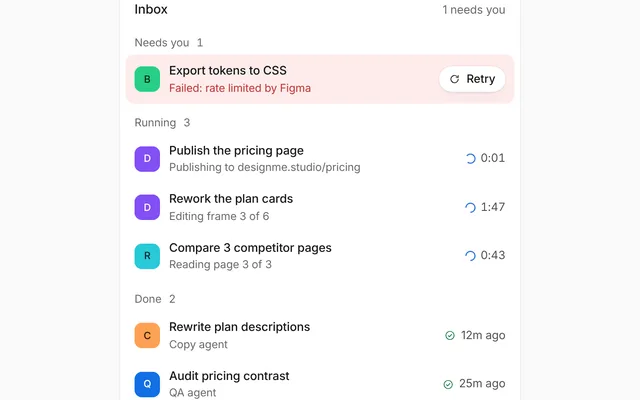
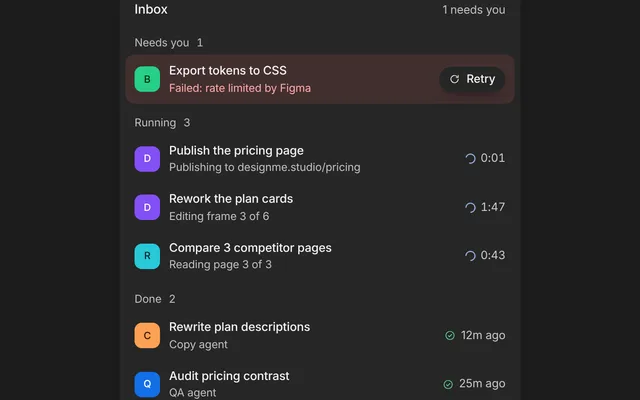
Grouped tasks with live progress, retries and a compact view. Free and MIT licensed, as HTML or a typed React component, in two styles with light and dark mode.
Install
Add it to your project with the CLI.
HTML, CSS and JavaScript
npx designme add run-queueReact
npx designme add run-queue --reactThe CLI copies the source into your project, so you own it and can change anything. The HTML version lands in ./designme with the shared core and a demo.html. The React version lands in src/components/designme and needs React 19; it works in Next.js, Vite and Astro.
About
What it is for and what it does.
Run queue lists the tasks an agent has lined up, each with its own steps, a status and a thin progress bar that fills as steps finish. A count at the top says how many tasks are done, a switch folds the steps away for a compact view, and a failed step can offer a Retry button.
- When your agent works through several tasks in a row and people want to see what is done, running and still waiting.
- When a step can fail and people should be able to retry just that step.
- When the queue can get long and people want a compact view with only the task rows.
- Each task in
groupshas atitle, astate(queued, running, failed or done) and itssteps. Its progress bar shows the share of steps that are done. - The words at the end of a task row default to Queued, Running, "1 step failed" or Done, and
metareplaces them, for example with "Retrying". - Done steps show their
meta, like "3/3" or "4 articles", or "Done" if it is left out. - With
onRetry, a failed step shows a Retry button that calls it with the task and step indexes. - A Detailed / Compact switch folds the steps away or shows them. Control it with
densityandonDensityChange. - The top line counts finished tasks, like "1 of 3 done". The list sits flat by default, and
bare={false}puts it on a card.
- The density switch is a
role="group"labelled "Density", and the current option hasaria-pressed="true". - In the compact view, the folded steps are
inertandaria-hidden, so their Retry buttons leave the tab order.
Usage
Import it and drive it from your own state.
Import
import { RunQueue } from '@/components/designme/run-queue/RunQueue';Example
The demo above as a React component, 42 lines you can copy.
'use client';
// The animated preview from designme.dev, rebuilt from the React component: an example of driving it from your own state.
import { useRef, useState } from 'react';
import { RunQueue, type RunGroup } from './RunQueue';
import { useScript, useTakeover } from '../lib/useScript';

/* ---------- Run queue: three tasks run in turn; one step fails and waits for Retry, and retries by itself after a moment ---------- */
const TASKS: { title: string; steps: [string, string, boolean?][] }[] = [
  { title: 'Research three competitors', steps: [['Read their pricing pages', '3/3'], ['Compared plans and limits', '5 gaps']] },
  { title: 'Draft the launch email', steps: [['Pulled the new features', 'Done'], ['Wrote two subject lines', 'Done'], ['Sent a test to the team', 'Done', true]] },
  { title: 'Update the help centre', steps: [['Billing questions', '4 articles'], ['Inviting your team', '2 articles']] }
];

export default function RunQueueDemo() {
  const [groups, setGroups] = useState<RunGroup[]>(() => TASKS.map(t => ({ title: t.title, state: 'queued', steps: t.steps.map(([label, meta]) => ({ label, meta, state: 'queued' })) })));
  const retry = useRef<() => void>(undefined);
  const ref = useRef<HTMLDivElement>(null), mine = useTakeover(ref);
  const edit = (gi: number, g: Partial<RunGroup>, si?: number, s?: Partial<RunGroup['steps'][number]>) =>
    setGroups(all => all.map((x, k) => k !== gi ? x : { ...x, ...g, steps: x.steps.map((y, j) => (j === si ? { ...y, ...s } : y)) }));
  useScript(async ({ wait }) => {
    await wait(600);
    for (let gi = 0; gi < TASKS.length; gi++) {
      edit(gi, { state: 'running' });
      for (let si = 0, retried = false; si < TASKS[gi].steps.length; si++) {
        edit(gi, {}, si, { state: 'running' });
        await wait(900);
        if (TASKS[gi].steps[si][2] && !retried) {
          edit(gi, { state: 'failed' }, si, { state: 'failed' });
          // waits for Retry, and carries on by itself after a moment so the run never stalls, until you take over
          await new Promise<void>(res => { retry.current = res; wait(2800).then(() => { if (!mine()) res(); }); });
          retried = true; si--;
          edit(gi, { state: 'running', meta: 'Retrying' });
          continue;
        }
        edit(gi, {}, si, { state: 'done' });
      }
      edit(gi, { state: 'done', meta: undefined });
    }
  });
  return <div ref={ref} style={{ width: '100%' }}><RunQueue groups={groups} onRetry={() => retry.current?.()} /></div>;
}
Props
Everything RunQueue takes.
| Prop | Type | What it does |
|---|---|---|
groupsrequired | RunGroup[] | |
density | RunQueueDensity | detailed lists every step under its task, compact folds them away. Leave it out to let the switch change it |
defaultDensity | RunQueueDensity | |
onDensityChange | (density: RunQueueDensity) => void | |
onRetry | (group: number, step: number) => void | Called by the Retry button on a failed step. Without it, failed steps show no button |
bare | boolean | Sits flat in a chat thread (the default, as on designme.dev). Set false to put the list on a card |
className | string |
Code
The full source, as the CLI installs it.
RunQueue.tsxReact · 101 lines
'use client';
import { cx } from '../lib/cx';
import { useControllable } from '../lib/hooks';
import { Icon } from '../lib/icons';
import { Dot, Fold, Seg, Swap } from '../lib/motion';
import '../designme.css';
import './run-queue.css';

export type RunState = 'queued' | 'running' | 'failed' | 'done';

export interface RunStep {
  label: string;
  state: RunState;
  /** Quiet detail at the end once the step is done, like "3/3" or "4 articles". Defaults to "Done" */
  meta?: string;
}

export interface RunGroup {
  /** One task in the queue, like "Draft the launch email" */
  title: string;
  state: RunState;
  steps: RunStep[];
  /** Overrides the words at the end of the row, like "Retrying". Defaults to Queued, Running, "1 step failed" or Done */
  meta?: string;
}

export type RunQueueDensity = 'detailed' | 'compact';

export interface RunQueueProps {
  groups: RunGroup[];
  /** detailed lists every step under its task, compact folds them away. Leave it out to let the switch change it */
  density?: RunQueueDensity;
  defaultDensity?: RunQueueDensity;
  onDensityChange?: (density: RunQueueDensity) => void;
  /** Called by the Retry button on a failed step. Without it, failed steps show no button */
  onRetry?: (group: number, step: number) => void;
  /** Sits flat in a chat thread (the default, as on designme.dev). Set false to put the list on a card */
  bare?: boolean;
  className?: string;
}

const groupMeta = (g: RunGroup) => {
  if (g.meta) return g.meta;
  if (g.state === 'failed') { const n = g.steps.filter(s => s.state === 'failed').length || 1; return `${n} step${n > 1 ? 's' : ''} failed`; }
  return g.state === 'running' ? 'Running' : g.state === 'done' ? 'Done' : 'Queued';
};

function GroupGlyph({ state }: { state: RunState }) {
  if (state === 'running') return <span className="dm-spin" style={{ color: 'var(--dm-fg)' }} />;
  if (state === 'failed') return <span style={{ color: 'var(--dm-bad)' }}><Icon name="alert" size="xs" /></span>;
  if (state === 'done') return <span style={{ color: 'var(--dm-ok)' }}><Icon name="check" size="xs" /></span>;
  return <Dot color="var(--dm-faint)" />;
}

function StepGlyph({ state }: { state: RunState }) {
  if (state === 'running') return <span className="dm-spin" style={{ width: 10, height: 10 }} />;
  if (state === 'failed') return <span style={{ color: 'var(--dm-bad)' }}><Icon name="x" size="xs" /></span>;
  if (state === 'done') return <span style={{ color: 'var(--dm-ok)' }}><Icon name="check" size="xs" /></span>;
  return <span className="dm-dot" style={{ color: 'var(--dm-faint)', width: 5, height: 5 }} />;
}

/** A queue of agent tasks, each with its own steps, a progress line and a retry for the step that failed. */
export function RunQueue({ groups, density, defaultDensity = 'detailed', onDensityChange, onRetry, bare = true, className }: RunQueueProps) {
  const [dens, setDens] = useControllable(density, defaultDensity, onDensityChange);
  const done = groups.filter(g => g.state === 'done').length;
  return (
    <div data-dm="" className={cx('dm-rq', className)}>
      <div className="dm-rq-top">
        <Seg label="Density" value={dens} onChange={setDens} options={[{ value: 'detailed', label: 'Detailed' }, { value: 'compact', label: 'Compact' }]} />
        <Swap className="dm-rq-all dm-muted dm-num">{`${done} of ${groups.length} done`}</Swap>
      </div>
      <div className={cx('dm-rq-list', !bare && 'dm-panel')} style={bare ? { paddingInline: 0 } : undefined}>
        {groups.map((g, gi) => {
          const finished = g.steps.filter(s => s.state === 'done').length;
          return (
            <div key={gi} className="dm-rq-g">
              <div className="dm-rq-gh">
                <span className="dm-g"><GroupGlyph state={g.state} /></span>
                <span>{g.title}</span>
                <Swap className="dm-m">{groupMeta(g)}</Swap>
              </div>
              <div className="dm-rq-bar"><i style={{ width: (g.steps.length ? finished / g.steps.length * 100 : 0) + '%' }} /></div>
              <Fold open={dens === 'detailed'}>
                {g.steps.map((s, si) => (
                  <div key={si} className={cx('dm-rq-sub', s.state === 'queued' && 'dm-wait')}>
                    <span className="dm-g"><StepGlyph state={s.state} /></span>
                    <span>{s.label}</span>
                    {s.state === 'failed' && onRetry
                      ? <span className="dm-m"><button type="button" className="dm-rq-retry" onClick={() => onRetry(gi, si)}>Retry</button></span>
                      : <Swap className="dm-m">{s.state === 'done' ? s.meta ?? 'Done' : ''}</Swap>}
                  </div>
                ))}
              </Fold>
            </div>
          );
        })}
      </div>
    </div>
  );
}
run-queue.cssReact · 20 lines
/* Generated from designme.dev by scripts/sync.mjs. Edit the site, then sync. */
/* ---------- Run queue ---------- */
.dm-rq{display:flex;flex-direction:column;gap:var(--dm-s-3)}
.dm-rq-top{display:flex;align-items:center;justify-content:space-between;font-size:12.5px}
.dm-rq-list{padding:6px}
.dm-rq-g{padding:var(--dm-s-1) 0;border-radius:var(--dm-r-in)}
.dm-rq-g+.dm-rq-g{border-top:1px solid color-mix(in srgb,var(--dm-line) 50%,transparent);border-radius:0}
.dm-rq-gh{display:flex;align-items:center;gap:10px;padding:var(--dm-s-2) 10px;font-weight:500}
.dm-rq-gh .dm-g{width:18px;height:18px;display:grid;place-items:center;flex:none}
.dm-rq-gh .dm-m{margin-left:auto;font-weight:400;font-size:12.5px;color:var(--dm-muted)}
.dm-rq-bar{height:2px;margin:-2px 10px var(--dm-s-1) 38px;border-radius:2px;background:var(--dm-line);overflow:hidden}
.dm-rq-bar i{display:block;height:100%;width:0;background:var(--dm-accent-mark,var(--dm-accent));transition:width .8s var(--dm-ease)}
.dm-rq-sub{display:flex;align-items:center;gap:10px;padding:5px 10px 5px 38px;font-size:13px;color:var(--dm-fg2)}
.dm-rq-sub .dm-g{width:14px;display:grid;place-items:center;flex:none}
.dm-rq-sub .dm-m{margin-left:auto;font-size:12px;color:var(--dm-muted)}
.dm-rq-sub.dm-wait{color:var(--dm-muted)}
.dm-rq-retry{height:22px;padding:0 9px;border-radius:var(--dm-r-pill);background:var(--dm-chip);font-size:11.5px;color:var(--dm-fg);transition:background .2s}
.dm-rq-retry.dm-on{background:var(--dm-hover)}
@media (hover:hover) and (pointer:fine){.dm-rq-retry:hover{background:var(--dm-hover)}}
run-queue.htmlHTML · 9 lines
<div class="card bare" data-c="run-queue">
  <div class="stage-in">
    <div class="rq">
      <div class="rq-top"><div class="seg2" role="group" aria-label="Density"><button aria-pressed="true" data-v="full">Detailed</button><button aria-pressed="false" data-v="compact">Compact</button></div><span class="rq-all muted num">0 of 3 done</span></div>
      <div class="rq-list panel"></div>
    </div>
  </div>
</div>
run-queue.cssHTML · 19 lines
/* ---------- Run queue ---------- */
.rq{display:flex;flex-direction:column;gap:var(--s-3)}
.rq-top{display:flex;align-items:center;justify-content:space-between;font-size:12.5px}
.rq-list{padding:6px}
.rq-g{padding:var(--s-1) 0;border-radius:var(--r-in)}
.rq-g+.rq-g{border-top:1px solid color-mix(in srgb,var(--line) 50%,transparent);border-radius:0}
.rq-gh{display:flex;align-items:center;gap:10px;padding:var(--s-2) 10px;font-weight:500}
.rq-gh .g{width:18px;height:18px;display:grid;place-items:center;flex:none}
.rq-gh .m{margin-left:auto;font-weight:400;font-size:12.5px;color:var(--muted)}
.rq-bar{height:2px;margin:-2px 10px var(--s-1) 38px;border-radius:2px;background:var(--line);overflow:hidden}
.rq-bar i{display:block;height:100%;width:0;background:var(--accent-mark,var(--accent));transition:width .8s var(--ease)}
.rq-sub{display:flex;align-items:center;gap:10px;padding:5px 10px 5px 38px;font-size:13px;color:var(--fg2)}
.rq-sub .g{width:14px;display:grid;place-items:center;flex:none}
.rq-sub .m{margin-left:auto;font-size:12px;color:var(--muted)}
.rq-sub.wait{color:var(--muted)}
.rq-retry{height:22px;padding:0 9px;border-radius:var(--r-pill);background:var(--chip);font-size:11.5px;color:var(--fg);transition:background .2s}
.rq-retry.on{background:var(--hover)}
@media (hover:hover) and (pointer:fine){.rq-retry:hover{background:var(--hover)}}
run-queue.jsHTML · 37 lines
DM.def('run-queue', (r, c) => {
  const G = [
    { t:'Research three competitors', subs:[['Read their pricing pages','3/3'],['Compared plans and limits','5 gaps']] },
    { t:'Draft the launch email', subs:[['Pulled the new features','Done'],['Wrote two subject lines','Done'],['Sent a test to the team','', 'fail']] },
    { t:'Update the help centre', subs:[['Billing questions','4 articles'],['Inviting your team','2 articles']] }
  ];
  const list = $('.rq-list', r), all = $('.rq-all', r);
  let compact = false, doneCount = 0;
  G.forEach((g, gi) => {
    const el = html(`<div class="rq-g"><div class="rq-gh"><span class="g"><span class="dot" style="color:var(--faint)"></span></span><span>${g.t}</span><span class="m">Queued</span></div><div class="rq-bar"><i></i></div><div class="fold"><div>${g.subs.map(s => `<div class="rq-sub wait"><span class="g"><span class="dot" style="color:var(--faint);width:5px;height:5px"></span></span><span>${s[0]}</span><span class="m"></span></div>`).join('')}</div></div></div>`);
    g.el = el; list.appendChild(el);
  });
  seg($('.seg2', r), v => { compact = v === 'compact'; G.forEach(g => $('.fold', g.el).classList.toggle('shut', compact)); });
  const setG = (g, glyph, m) => { $('.rq-gh .g', g.el).innerHTML = glyph; swap($('.rq-gh .m', g.el), m); };
  const ok = `<span style="color:var(--ok)">${I('check','xs')}</span>`;
  async function runGroup(g){
    setG(g, '<span class="spin" style="color:var(--fg)"></span>', 'Running');
    const subs = $$('.rq-sub', g.el), bar = $('.rq-bar i', g.el);
    for (let i = 0; i < subs.length; i++){
      const s = subs[i]; s.classList.remove('wait'); $('.g', s).innerHTML = '<span class="spin" style="width:10px;height:10px"></span>';
      await c.wait(900);
      if (g.subs[i][2] === 'fail' && !g.retried){
        $('.g', s).innerHTML = `<span style="color:var(--bad)">${I('x','xs')}</span>`;
        $('.m', s).innerHTML = '<button class="rq-retry">Retry</button>';
        setG(g, `<span style="color:var(--bad)">${I('alert','xs')}</span>`, '1 step failed');
        // waits for Retry, and presses it by itself after a moment so the run never stalls, until you take over
        await new Promise(res => { const b = $('.rq-retry', s); b.onclick = res; c.auto(2600, () => { if (b.isConnected){ b.classList.add('on'); c.auto(220, res); } }); });
        g.retried = true; i--; $('.m', s).textContent = ''; setG(g, '<span class="spin" style="color:var(--fg)"></span>', 'Retrying'); continue;
      }
      bar.style.width = ((i + 1) / subs.length * 100) + '%';
      $('.g', s).innerHTML = ok; swap($('.m', s), g.subs[i][1] || 'Done');
    }
    setG(g, ok, 'Done'); doneCount++; swap(all, doneCount + ' of 3 done');
  }
  c.run(async () => { await c.wait(600); for (const g of G) await runGroup(g); });
});
Questions
What people ask about it.
- How do I let people retry a failed step?
- Pass
onRetry. It is called with the task index and the step index, and you rerun the step and set itsstateback to 'running'. WithoutonRetry, failed steps show no button. - Does the task's state follow its steps automatically?
- No. You set each task's
stateand each step'sstateyourself. The component only works out the progress bar from the done steps and the "N of M done" count from the done tasks. - Can I start in the compact view?
- Yes. Set
defaultDensity="compact", or controldensityfrom your own state.
More in Agent status
Show what the agent is doing, how far along it is, and what it is working with.