WorkspaceStep inspector
Built by DesignMe, free to use under the MIT licence.
Expert design and dev support for startups and enterprises, from Astro sites to React apps and AI products.
Book a callStep inspector
The settings of one step in an agent workflow, in sections that fold. Free and MIT licensed, as HTML, a typed React component or an Astro component, in two styles with light and dark mode.
Install
Add it to your project with the CLI.
HTML, CSS and JS
npx designme add step-inspectorReact
npx designme add step-inspector --reactAstro
npx designme add step-inspector --astroshadcn, React
npx shadcn@latest add https://designme.dev/r/shadcn/step-inspector.json shadcn, Astro
npx shadcn@latest add https://designme.dev/r/shadcn/astro/step-inspector.json The CLI copies the source into your project, so you own it and can change anything. Where each version lands, what it needs and the shadcn theme bridge: Installation.
About
What it is for and what it does.
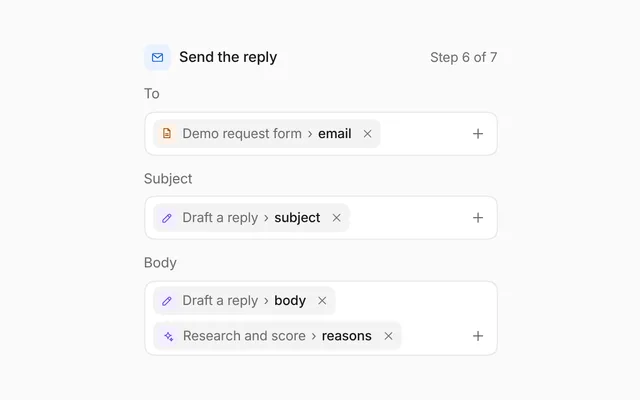
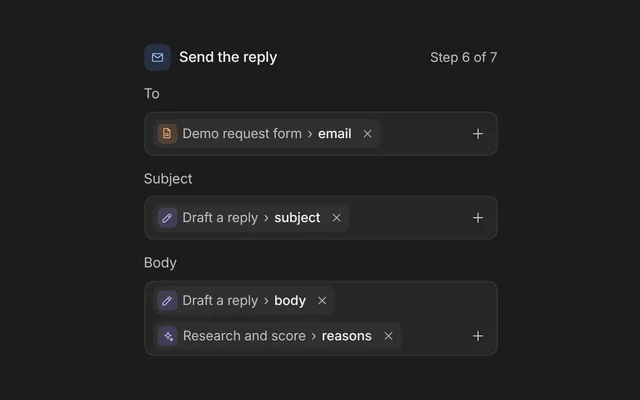
Step inspector is the settings panel for one step of an agent workflow. Its head shows the step's kind as a coloured tile, its name, which you can edit in place, where it sits in the workflow, and Test and More. Under it, sections fold open and shut: what the step does, the data it reads from earlier steps, what it hands on and what happens if it fails. Data mapped from an earlier step shows as a token, the step and then its field, and data that no earlier step gives is flagged in red.
- Beside a workflow canvas, for the step someone has picked, in an automation builder or an agent workflow editor.
- When steps of different kinds need different settings: a model and instructions for an AI step, a rule for a branch, the people who approve for an approval.
- When a step reads data from earlier steps and people need to see where each value comes from, and which ones are broken.
- When people set retries and time limits for steps that call models, tools or other apps.
- The tile says the kind of step in colour, the same everywhere a step shows: the trigger orange, AI steps violet, tools teal, app steps and outputs blue, a branch yellow, a wait pink and an approval green. Every line and edge stays grey.
- The name is a quiet field: click it, type, and Enter or a click elsewhere keeps it; Escape (HTML) puts the old name back. More opens Rename and Turn off, and a step that is off shows an Off tag after its name.
- Test runs the step on its own. Its play icon turns while it runs, and the line under the name says how it went, in green when it worked, then goes back to the kind and position.
- Sections fold from their heads: Setup (or Takes Yes when, Who approves), Inputs, Output and If it fails (or If nobody answers). Output and If it fails start shut. Inputs says how many fields are mapped, or how many are missing, in red.
- An AI step has its model, its instructions and its tools. The instructions are text with mapped fields inline as tokens; Insert data opens the fields of the earlier steps, grouped by step, each with its type in colour and a sample, and puts the one you pick where the cursor was. Tools are chips with a remove button, and + adds one from a menu.
- Inputs map each name to a field of an earlier step. A token's button opens the same fields to change it. A field from a step that is no longer before this one turns red, with a line that says where it went wrong; picking a field fixes it.
- Output lists what the step hands on, each field with its type as a coloured chip (text blue, numbers green, lists orange, objects pink, yes or no yellow, dates teal) and a sample value.
- If it fails holds a retries stepper from 0 to 5, the wait between tries (2s each or doubling), a time limit and what happens if it still fails. Each choice is a field-like button with its menu.
- A branch has its rule (a mapped value, a comparison and a number) and where the Yes and No paths go. An approval has the people who approve as chips with their initials, where they are asked, what they see and what happens if nobody answers in time.
- On designme.dev the switch under the demo shows three steps, an AI step, a branch and an approval. The HTML install ships the switch, the three steps and their sample data; change the data in its script. In React, pass the step and the steps before it, and
onChangegets the whole step back after every change.
- Each section head is a button with
aria-expandedandaria-controls; a shut section is hidden, so Tab passes over it. - Test, More, the remove buttons and the add buttons are labelled ("Test this step", "Remove Company lookup", "Add a person") and show tooltips. Choices say their name and value, like "Model: Sonnet 5.5".
- A token's button is labelled with the field and where it comes from, and a flagged one adds that no earlier step gives it.
- The menus are menus: the arrows move through them and wrap, Enter picks, and Escape closes them and gives the focus back to their button. The picked option is
aria-checked. - The instructions are a multi-line
textboxlabelled Instructions. Enter starts a new line; the tokens in it can't be typed into. - The retries count is a polite live region, and the stepper's buttons turn
aria-disabledat 0 and 5. A polite live region (HTML) says what each change did, like "email now reads Demo request form › email". - With reduced motion the sections and tokens appear without their entrance, and Test's icon holds still.
Usage
Import it in React and drive it from your own state, or place it in an Astro page.
React
import { StepInspector } from '@/components/designme/step-inspector/StepInspector';React example
The demo above as a React component, 61 lines you can copy.
'use client';
// The animated preview from designme.dev, rebuilt from the React component: an example of driving it from your own state.
import { useRef, useState } from 'react';
import { StepInspector, type StepConfig, type StepPerson, type StepSource, type StepTool } from './StepInspector';
import { Seg } from '../lib/motion';
import { Demo } from '../lib/Demo';
import { useStory } from '../lib/useScript';

/* ---------- Step inspector: a field goes into the instructions, the input that reads a step that is gone is fixed, the step
   gets a second retry, then a branch's rule and an approval with a person added ---------- */
const FORM: StepSource = { id: 'form', title: 'Demo request form', kind: 'trigger', icon: 'file-text', fields: [{ name: 'name', type: 'text', sample: 'Priya Shah' }, { name: 'email', type: 'text', sample: '[email protected]' }, { name: 'company', type: 'text', sample: 'Corvid Analytics' }, { name: 'seats', type: 'number', sample: '240' }] };
const LOOKUP: StepSource = { id: 'lookup', title: 'Company lookup', kind: 'tool', icon: 'globe', fields: [{ name: 'employees', type: 'number', sample: '420' }, { name: 'industry', type: 'text', sample: 'Analytics software' }, { name: 'funding', type: 'text', sample: 'Series B' }] };
const RESEARCH: StepSource = { id: 'research', title: 'Research and score', kind: 'ai', icon: 'spark', fields: [{ name: 'score', type: 'number', sample: '84' }, { name: 'tier', type: 'text', sample: 'Enterprise' }, { name: 'reasons', type: 'list', sample: '3 reasons' }, { name: 'company', type: 'object', sample: '{ 5 fields }' }] };
const REPLY: StepSource = { id: 'reply', title: 'Draft a reply', kind: 'ai', icon: 'edit', fields: [{ name: 'subject', type: 'text', sample: 'Your demo with Fernhill' }, { name: 'body', type: 'text', sample: 'Hi Priya, thanks for writing' }] };
const PEOPLE: StepPerson[] = [{ id: 'MK', name: 'Maya Kim', initials: 'MK', color: 'var(--dm-av-l)' }, { id: 'TR', name: 'Theo Reed', initials: 'TR', color: 'var(--dm-av-t)' }, { id: 'AN', name: 'Ana Novak', initials: 'AN', color: 'var(--dm-av-p)' }, { id: 'JB', name: 'Jonah Brooks', initials: 'JB', color: 'var(--dm-av-m)' }];
const TOOLS: StepTool[] = [{ id: 'lookup', title: 'Company lookup', icon: 'globe' }, { id: 'search', title: 'Web search', icon: 'search' }, { id: 'crm', title: 'CRM lookup', icon: 'db' }];

type Kind = 'ai' | 'branch' | 'approval';
const START: Record<Kind, StepConfig> = {
  ai: { title: 'Research and score', kind: 'ai', position: 'step 2 of 7', model: 'Sonnet 5.5', tools: [TOOLS[0]],
    instructions: ['Look up ', { ref: 'form.company' }, ' and the person who wrote in. Score how well they fit our plans from 0 to 100, with three reasons.\nTheir team is ', { ref: 'lookup.employees' }, ' people.'],
    // Contact is no longer in the workflow, so this input is flagged
    inputs: [{ name: 'company', ref: 'form.company' }, { name: 'seats', ref: 'form.seats' }, { name: 'email', ref: 'contact.email' }],
    outputs: RESEARCH.fields, retries: 1, backoff: 'fixed', timeLimit: '60 seconds', onFail: 'Stop the run' },
  branch: { title: 'Good fit?', kind: 'branch', position: 'step 3 of 7', rule: { ref: 'research.score', op: 'is at least', value: 70 },
    yes: { title: 'Draft a reply', kind: 'ai', icon: 'edit' }, no: { title: 'Add to nurture list', kind: 'app', icon: 'users' }, outputs: [{ name: 'path', type: 'text', sample: 'Yes' }] },
  approval: { title: 'Rep approves', kind: 'approval', position: 'step 5 of 7', approvers: PEOPLE.slice(0, 2), askIn: 'Slack message', shows: 'reply.body', expire: '24 hours', then: 'Stop the run',
    outputs: [{ name: 'decision', type: 'text', sample: 'Approved' }, { name: 'by', type: 'text', sample: 'Maya Kim' }] }
};
const SOURCES: Record<Kind, StepSource[]> = { ai: [FORM, LOOKUP], branch: [FORM, LOOKUP, RESEARCH], approval: [FORM, LOOKUP, RESEARCH, REPLY] };

export default function StepInspectorDemo() {
  const ref = useRef<HTMLDivElement>(null);
  const [kind, setKind] = useState<Kind>('ai');
  const [steps, setSteps] = useState(START);
  const [testing, setTesting] = useState(false);
  const [status, setStatus] = useState<string>();
  const step = steps[kind];
  const test = () => { setTesting(true); setStatus('Testing with sample data'); setTimeout(() => { setTesting(false); setStatus('Worked in 1.4s, with sample data'); setTimeout(() => setStatus(undefined), 3200); }, 1400); };

  useStory(ref, async ({ wait, press }) => {
    await wait(1500); press('.dm-sti-ih .dm-pill');
    await wait(800); press('.dm-sti-dp.dm-open [data-ref="lookup.industry"]');
    await wait(1200); press('.dm-sti-tokb[aria-label^="email"]');
    await wait(800); press('.dm-sti-dp.dm-open [data-ref="form.email"]');
    await wait(1200); press('.dm-sti-sec:nth-last-child(1) .dm-sti-sh');
    await wait(700); press('.dm-sti-num [aria-label="More retries"]');
    await wait(1400); setKind('branch');
    await wait(2400); setKind('approval');
    await wait(1000); press('.dm-sti-add[aria-label="Add a person"]');
    await wait(700); press('.dm-sti-pk.dm-open [data-person="JB"]');
  });

  return (
    <Demo ref={ref} switcher={<Seg label="Step" value={kind} onChange={setKind} options={[{ value: 'ai', label: 'AI step' }, { value: 'branch', label: 'Branch' }, { value: 'approval', label: 'Approval' }]} />}>
      <StepInspector key={kind} step={step} sources={SOURCES[kind]} onChange={s => setSteps(x => ({ ...x, [kind]: s }))}
        onTest={test} testing={testing} status={status} statusOk={!!status && !testing} toolOptions={TOOLS} people={PEOPLE} />
    </Demo>
  );
}
Astro
In a page in src/pages. It plays the demo above; change its step-inspector.js to show your own data. Attributes like class go on its root element.
---
import StepInspector from '../components/designme/step-inspector/StepInspector.astro';
---
<StepInspector />
<StepInspector data-style="soft" class="my-class" />Props
Everything StepInspector takes.
| Prop | Type | What it does |
|---|---|---|
steprequired | StepConfig | |
sourcesrequired | StepSource[] | The steps before this one, in order: only their fields can be mapped |
onChange | (step: StepConfig) => void | Every change to the step, as the whole new step |
onTest | () => void | Adds Test, which runs the step on its own |
testing | boolean | While the test runs: Test spins and `status` replaces the kind line |
status | string | A line in place of the kind and position, like "Worked in 1.4s" |
statusOk | boolean | Whether `status` is good news, in green |
choices | Partial<Record<StepChoice, { value: string; detail?: string }[]>> | The options of each choice, in place of the built-in ones |
toolOptions | StepTool[] | The tools an AI step can be given |
people | StepPerson[] | The people who can approve |
open | StepSection[] | The sections that are open. Leave it out to let the heads fold them; Output and If it fails start shut |
defaultOpen | StepSection[] | |
onOpenChange | (open: StepSection[]) => void | |
actions | ReactNode | Extra buttons in the head, after Test and More, like a close button |
className | string |
Code
The full source, as the CLI installs it.
StepInspector.tsxReact · 369 lines
'use client';
import { useEffect, useRef, useState, type ReactNode } from 'react';
import { createPortal } from 'react-dom';
import { cx } from '../lib/cx';
import { useControllable } from '../lib/hooks';
import { Icon, type IconName } from '../lib/icons';
import { Avatar, Fold, Seg, Swap, Tip } from '../lib/motion';
import { usePopover } from '../lib/popover';
import '../designme.css';
import './step-inspector.css';

/** The kinds of step, each with its colour: the trigger orange, AI steps violet, tools teal, app steps and outputs blue, a
    branch yellow, a wait pink, an approval green */
export type StepInspectorKind = 'trigger' | 'ai' | 'tool' | 'app' | 'output' | 'branch' | 'wait' | 'approval';
/** The types of data a step hands on, each with its colour: text blue, numbers green, lists orange, objects pink, yes or no
    yellow, dates teal */
export type StepFieldType = 'text' | 'number' | 'list' | 'object' | 'bool' | 'date';
export interface StepField {
  name: string;
  type: StepFieldType;
  /** A sample value, like "Priya Shah" */
  sample?: string;
}
/** An earlier step, whose fields this step can read as `"<id>.<field>"` */
export interface StepSource {
  id: string;
  title: string;
  kind: StepInspectorKind;
  icon?: IconName;
  fields: StepField[];
}
/** Instructions are text and mapped fields: `['Look up ', { ref: 'form.company' }, ' and score them.']` */
export type StepInstructionPart = string | { ref: string };
export interface StepTool { id: string; title: string; icon?: IconName }
export interface StepPerson { id: string; name: string; initials: string; color: string }
export interface StepLink { title: string; kind: StepInspectorKind; icon?: IconName }

/** One step's settings. Which ones show depends on `kind` */
export interface StepConfig {
  title: string;
  kind: StepInspectorKind;
  icon?: IconName;
  /** Where it sits, shown after the kind, like "step 2 of 7" */
  position?: string;
  /** AI steps: the model, the instructions and the tools it may call */
  model?: string;
  instructions?: StepInstructionPart[];
  tools?: StepTool[];
  /** The data the step reads, each a name and the `"<source>.<field>"` it is mapped from */
  inputs?: { name: string; ref: string }[];
  /** What the step hands on */
  outputs?: StepField[];
  /** AI, tool, app and output steps: what happens if it fails */
  retries?: number;
  backoff?: 'fixed' | 'doubling';
  timeLimit?: string;
  onFail?: string;
  /** A branch: Yes when the value at `ref` compares to `value`, and where each path goes */
  rule?: { ref: string; op: string; value: number };
  yes?: StepLink;
  no?: StepLink;
  /** An approval: who can approve, where they are asked, what they see, and what happens if nobody answers */
  approvers?: StepPerson[];
  askIn?: string;
  shows?: string;
  expire?: string;
  then?: string;
  /** A step that is turned off: runs skip it */
  off?: boolean;
}
export type StepChoice = 'model' | 'op' | 'askIn' | 'expire' | 'then' | 'timeLimit' | 'onFail';
const LABEL: Record<StepChoice, string> = { model: 'Model', op: 'Comparison', askIn: 'Ask in', expire: 'Nobody answers in', then: 'Then', timeLimit: 'Time limit', onFail: 'If it still fails' };
const CHOICES: Record<StepChoice, { value: string; detail?: string }[]> = {
  model: [{ value: 'Sonnet 5.5', detail: 'Balanced, the default' }, { value: 'Opus 5.5', detail: 'Deepest reasoning, slower' }, { value: 'Haiku 5.5', detail: 'Fastest and cheapest' }],
  op: [{ value: 'is at least' }, { value: 'is below' }, { value: 'is exactly' }],
  askIn: [{ value: 'Slack message' }, { value: 'Email' }, { value: 'In the app' }],
  expire: [{ value: '4 hours' }, { value: '24 hours' }, { value: '3 days' }],
  then: [{ value: 'Stop the run' }, { value: 'Send it anyway' }, { value: 'Ask someone else' }],
  timeLimit: [{ value: '15 seconds' }, { value: '30 seconds' }, { value: '60 seconds' }],
  onFail: [{ value: 'Stop the run' }, { value: 'Skip this step' }, { value: 'Carry on with empty data' }]
};
const KIND: Record<StepInspectorKind, string> = { trigger: 'Trigger', ai: 'AI step', tool: 'Tool', app: 'App step', output: 'Output', branch: 'Branch', wait: 'Wait', approval: 'Approval' };
const KIND_ICON: Record<StepInspectorKind, IconName> = { trigger: 'bolt', ai: 'spark', tool: 'globe', app: 'send', output: 'hash', branch: 'branch', wait: 'clock', approval: 'user' };
const TYPE_TONE: Record<StepFieldType, string> = { text: 'dm-b', number: 'dm-m', list: 'dm-p', object: 'dm-k', bool: 'dm-y', date: 'dm-t' };
export type StepSection = 'setup' | 'in' | 'out' | 'fail' | 'exp';

export interface StepInspectorProps {
  step: StepConfig;
  /** The steps before this one, in order: only their fields can be mapped */
  sources: StepSource[];
  /** Every change to the step, as the whole new step */
  onChange?: (step: StepConfig) => void;
  /** Adds Test, which runs the step on its own */
  onTest?: () => void;
  /** While the test runs: Test spins and `status` replaces the kind line */
  testing?: boolean;
  /** A line in place of the kind and position, like "Worked in 1.4s" */
  status?: string;
  /** Whether `status` is good news, in green */
  statusOk?: boolean;
  /** The options of each choice, in place of the built-in ones */
  choices?: Partial<Record<StepChoice, { value: string; detail?: string }[]>>;
  /** The tools an AI step can be given */
  toolOptions?: StepTool[];
  /** The people who can approve */
  people?: StepPerson[];
  /** The sections that are open. Leave it out to let the heads fold them; Output and If it fails start shut */
  open?: StepSection[];
  defaultOpen?: StepSection[];
  onOpenChange?: (open: StepSection[]) => void;
  /** Extra buttons in the head, after Test and More, like a close button */
  actions?: ReactNode;
  className?: string;
}

const cap = (s: string) => s.charAt(0).toUpperCase() + s.slice(1);

/** A mapped field: the earlier step's tile, the step and the field. A field no earlier step gives is red */
function Token({ refId, sources, editable }: { refId: string; sources: StepSource[]; editable?: boolean }) {
  const [s, f] = refId.split('.'), src = sources.find(x => x.id === s);
  const ce = editable ? { contentEditable: false, 'data-ref': refId } : {};
  if (!src || !src.fields.some(x => x.name === f)) return <span className="dm-sti-tok dm-bad" {...ce}><Icon name="alert" size="xs" /><span className="dm-s">{cap(s)}</span><span className="dm-sep" aria-hidden="true">›</span><span className="dm-f">{f}</span></span>;
  return (
    <span className="dm-sti-tok" {...ce}>
      <span className="dm-sti-ti" data-k={src.kind} aria-hidden="true"><Icon name={src.icon ?? KIND_ICON[src.kind]} size="xs" /></span>
      <span className="dm-s">{src.title}</span><span className="dm-sep" aria-hidden="true">›</span><span className="dm-f">{f}</span>
    </span>
  );
}

const known = (ref: string, sources: StepSource[]) => { const [s, f] = ref.split('.'); return !!sources.find(x => x.id === s)?.fields.some(x => x.name === f); };
const nameOf = (ref: string, sources: StepSource[]) => { const [s, f] = ref.split('.'); return `${sources.find(x => x.id === s)?.title ?? cap(s)} › ${f}`; };

/** A choice: a field-like button and its menu, on the panel so a folding section can't clip it */
function Choice({ label, value, options, host, onPick }: { label: string; value: string; options: { value: string; detail?: string }[]; host: HTMLElement | null; onPick: (v: string) => void }) {
  const menu = usePopover();
  return (
    <>
      <button type="button" {...menu.trigger} className="dm-sti-sel" aria-label={`${label}: ${value}`}><Swap>{value}</Swap><Icon name="chev-d" size="xs" /></button>
      {host && createPortal(
        <div {...menu.pop} className={cx(menu.pop.className, 'dm-sti-pk')} role="menu" aria-label={label}>
          <div className="dm-ph" role="none">{label}</div>
          {options.map(o => (
            <button type="button" key={o.value} className="dm-mi" role="menuitemradio" aria-checked={o.value === value} tabIndex={-1} onClick={() => { if (o.value !== value) onPick(o.value); menu.closeSoon(); }}>
              <span>{o.value}{o.detail && <span className="dm-d">{o.detail}</span>}</span><span className="dm-ck"><Icon name="check" size="xs" /></span>
            </button>
          ))}
        </div>, host)}
    </>
  );
}

/** The fields of the earlier steps, grouped by step, each with its type and a sample; picking one maps it */
function DataMenu({ trigger, label, current, sources, host, onPick }: { trigger: (t: ReturnType<typeof usePopover>['trigger']) => ReactNode; label: string; current?: string; sources: StepSource[]; host: HTMLElement | null; onPick: (ref: string) => void }) {
  const menu = usePopover();
  return (
    <>
      {trigger(menu.trigger)}
      {host && createPortal(
        <div {...menu.pop} className={cx(menu.pop.className, 'dm-sti-dp')} role="menu" aria-label={label}>
          {sources.map(src => (
            <div key={src.id} role="group" aria-label={src.title}>
              <div className="dm-ph" role="none"><span className="dm-sti-ti" data-k={src.kind} aria-hidden="true"><Icon name={src.icon ?? KIND_ICON[src.kind]} size="xs" /></span>{src.title}</div>
              {src.fields.map(f => {
                const ref = src.id + '.' + f.name;
                return (
                  <button type="button" key={ref} className="dm-mi" role="menuitemradio" aria-checked={ref === current} tabIndex={-1} data-ref={ref} onClick={() => { onPick(ref); menu.closeSoon(); }}>
                    <span>{f.name}</span><span className={cx('dm-tag', TYPE_TONE[f.type])}>{f.type}</span><span className="dm-r">{f.sample}</span>
                  </button>
                );
              })}
            </div>
          ))}
        </div>, host)}
    </>
  );
}

/* the instructions box holds text and tokens. It is written once from `parts`, then the browser edits it; what it says is read
   back into parts on every change, and a change from outside (a new step) writes it again. Tokens are copied from a hidden
   stock rendered by React, so they look exactly like the others */
const readParts = (el: HTMLElement): StepInstructionPart[] => {
  const out: StepInstructionPart[] = [];
  el.childNodes.forEach(n => {
    if (n.nodeType === 3) { const t = n.textContent ?? ''; if (typeof out[out.length - 1] === 'string') out[out.length - 1] += t; else out.push(t); }
    else if (n instanceof HTMLElement && n.dataset.ref) out.push({ ref: n.dataset.ref });
    else if (n.nodeName === 'BR') out.push('\n');
    else out.push('\n' + (n.textContent ?? ''));
  });
  return out;
};
const sameParts = (a: StepInstructionPart[], b: StepInstructionPart[]) => JSON.stringify(a) === JSON.stringify(b);

function Instructions({ parts, sources, host, onChange, id }: { parts: StepInstructionPart[]; sources: StepSource[]; host: HTMLElement | null; onChange: (p: StepInstructionPart[]) => void; id: string }) {
  const box = useRef<HTMLDivElement>(null), stock = useRef<HTMLSpanElement>(null), last = useRef<StepInstructionPart[] | null>(null), caret = useRef<Range | null>(null);
  const refs = [...new Set([...sources.flatMap(s => s.fields.map(f => s.id + '.' + f.name)), ...parts.flatMap(p => typeof p === 'string' ? [] : [p.ref])])];
  const tokenNode = (ref: string) => (stock.current?.querySelector(`[data-ref="${CSS.escape(ref)}"]`)?.cloneNode(true) ?? document.createTextNode(`{{${ref}}}`)) as Node;
  useEffect(() => {
    const el = box.current; if (!el || (last.current && sameParts(last.current, parts))) return;
    el.replaceChildren(...parts.map(p => typeof p === 'string' ? document.createTextNode(p) : tokenNode(p.ref)));
    last.current = parts;
  });
  useEffect(() => {
    const save = () => { const s = getSelection(); if (s && s.rangeCount && box.current?.contains(s.anchorNode)) caret.current = s.getRangeAt(0).cloneRange(); };
    document.addEventListener('selectionchange', save); return () => document.removeEventListener('selectionchange', save);
  }, []);
  const emit = () => { const el = box.current; if (!el) return; const p = readParts(el); last.current = p; onChange(p); };
  const insert = (ref: string) => {
    const el = box.current; if (!el) return;
    const t = tokenNode(ref) as HTMLElement, sp = document.createTextNode(' '); t.classList?.add('dm-new');
    const r = caret.current;
    if (r && el.contains(r.startContainer)) { r.collapse(false); r.insertNode(sp); r.insertNode(t); } else el.append(t, sp);
    emit();
  };
  return (
    <div className="dm-sti-insw">
      <div className="dm-sti-ih">
        <span className="dm-k" id={id}>Instructions</span>
        <DataMenu label="Data from earlier steps" sources={sources} host={host} onPick={insert}
          trigger={t => <button type="button" {...t} className="dm-pill dm-ghost dm-sm"><Icon name="plus" size="xs" />Insert data</button>} />
      </div>
      <div ref={box} className="dm-sti-ins" contentEditable suppressContentEditableWarning role="textbox" aria-multiline="true" aria-labelledby={id} spellCheck={false}
        onInput={emit}
        onKeyDown={e => {
          // Enter starts a new line as plain text, so the box never fills with markup
          if (e.key !== 'Enter') return; e.preventDefault();
          const s = getSelection(); if (!s || !s.rangeCount) return; const r = s.getRangeAt(0); r.deleteContents();
          const nl = document.createTextNode('\n'); r.insertNode(nl); r.setStartAfter(nl); r.collapse(true); s.removeAllRanges(); s.addRange(r); emit();
        }} />
      <span ref={stock} hidden>{refs.map(r => <Token key={r} refId={r} sources={sources} editable />)}</span>
    </div>
  );
}

/** The settings of one step in an agent workflow: its kind in colour, its name and where it sits, Test and More, then folding
    sections for what it does, the data it reads from earlier steps, what it hands on and what happens if it fails. */
export function StepInspector({ step, sources, onChange, onTest, testing, status, statusOk, choices, toolOptions = [], people = [], open, defaultOpen = ['setup', 'in', 'exp'], onOpenChange, actions, className }: StepInspectorProps) {
  const [shown, setShown] = useControllable(open, defaultOpen, onOpenChange);
  const [host, setHost] = useState<HTMLDivElement | null>(null);
  const [uid] = useState(() => 'sti' + Math.random().toString(36).slice(2, 7));
  const more = usePopover({ align: 'end' });
  const tool = usePopover(), who = usePopover();
  const set = (patch: Partial<StepConfig>) => onChange?.({ ...step, ...patch });
  const opts = (c: StepChoice) => choices?.[c] ?? CHOICES[c];
  const toggle = (k: StepSection) => setShown(shown.includes(k) ? shown.filter(x => x !== k) : [...shown, k]);
  const k = step.kind;
  const row = (label: string, v: ReactNode, top = false) => <div className={cx('dm-sti-row', top && 'dm-top')}><span className="dm-k">{label}</span><div className="dm-v">{v}</div></div>;
  const sec = (key: StepSection, title: string, body: ReactNode, meta?: ReactNode) => (
    <div className="dm-sti-sec" key={key}>
      <button type="button" className="dm-sti-sh" aria-expanded={shown.includes(key)} aria-controls={`${uid}-${key}`} onClick={() => toggle(key)}><Icon name="chev-r" size="xs" /><span>{title}</span>{meta}</button>
      <Fold open={shown.includes(key)}><div className="dm-sti-rows" id={`${uid}-${key}`}>{body}</div></Fold>
    </div>
  );
  const choice = (c: StepChoice, value: string | undefined, pick: (v: string) => void) => <Choice label={LABEL[c]} value={value ?? opts(c)[0].value} options={opts(c)} host={host} onPick={pick} />;
  const tokB = (label: string, ref: string, pick: (r: string) => void) => (
    <DataMenu label={`${label}: pick data`} current={ref} sources={sources} host={host} onPick={pick}
      trigger={t => <button type="button" {...t} className="dm-sti-tokb" aria-label={`${label}: ${nameOf(ref, sources)}${known(ref, sources) ? '' : ', which no earlier step gives'}. Change it`}><Token refId={ref} sources={sources} /></button>} />
  );
  const note = (ref: string) => known(ref, sources) ? null : <p className="dm-sti-note">{cap(ref.split('.')[0])} isn't an earlier step any more. Pick where {ref.split('.')[1]} comes from.</p>;
  const outs = step.outputs ?? [];
  const missing = (step.inputs ?? []).filter(x => !known(x.ref, sources)).length;
  const fails = ['ai', 'tool', 'app', 'output'].includes(k);
  const link = (l?: StepLink) => l ? <span className="dm-sti-link"><span className="dm-sti-ti" data-k={l.kind} aria-hidden="true"><Icon name={l.icon ?? KIND_ICON[l.kind]} size="xs" /></span><span>{l.title}</span></span> : <span className="dm-muted">Ends the run</span>;
  const retries = step.retries ?? 0;

  return (
    <div data-dm="" ref={setHost} data-k={k} className={cx('dm-sti dm-panel', className)}>
      <div className="dm-sti-h">
        <span className="dm-sti-ti" data-k={k} aria-hidden="true"><Icon name={step.icon ?? KIND_ICON[k]} /></span>
        <span className="dm-sti-tx">
          <span className="dm-sti-nr">
            <input className="dm-sti-n" value={step.title} aria-label="Step name" maxLength={40} spellCheck={false} autoComplete="off"
              onChange={e => set({ title: e.target.value })} onBlur={e => { if (!e.target.value.trim()) set({ title: KIND[k] }); }}
              onKeyDown={e => { if (e.key === 'Enter') e.currentTarget.blur(); }} />
            {step.off && <span className="dm-tag dm-sti-off">Off</span>}
          </span>
          <Swap className={cx('dm-sti-kd', statusOk && 'dm-ok')}>{status ?? `${KIND[k]}${step.position ? ', ' + step.position : ''}`}</Swap>
        </span>
        {onTest && <Tip label="Test this step"><button type="button" className={cx('dm-ib dm-sti-test', testing && 'dm-busy')} aria-label="Test this step" onClick={() => { if (!testing) onTest(); }}><Icon name={testing ? 'refresh' : 'play'} /></button></Tip>}
        <Tip label="More" off={more.open}><button type="button" {...more.trigger} className="dm-ib" aria-label="Step actions"><Icon name="more" /></button></Tip>
        {actions}
        <div {...more.pop} className={cx(more.pop.className, 'dm-sti-mm')} role="menu" aria-label="Step actions">
          <button type="button" className="dm-mi" role="menuitem" tabIndex={-1} onClick={() => { more.closeSoon(); setTimeout(() => { const i = host?.querySelector<HTMLInputElement>('.dm-sti-n'); i?.focus(); i?.select(); }, 140); }}><Icon name="edit" /><span>Rename</span></button>
          <button type="button" className="dm-mi" role="menuitem" tabIndex={-1} onClick={() => { set({ off: !step.off }); more.closeSoon(); }}><Icon name={step.off ? 'play' : 'pause'} /><span>{step.off ? 'Turn on' : 'Turn off'}</span></button>
        </div>
      </div>

      <div className="dm-sti-body">
        {k === 'ai' && sec('setup', 'Setup', <>
          {row(LABEL.model, choice('model', step.model, v => set({ model: v })))}
          <Instructions id={`${uid}-il`} parts={step.instructions ?? []} sources={sources} host={host} onChange={p => set({ instructions: p })} />
          {row('Tools', (
            <span className="dm-sti-chips">
              {(step.tools ?? []).map(t => (
                <span className="dm-sti-chip" key={t.id}>
                  <span className="dm-sti-ti" data-k="tool" aria-hidden="true"><Icon name={t.icon ?? 'globe'} size="xs" /></span><span>{t.title}</span>
                  <Tip label="Remove"><button type="button" className="dm-sti-cx" aria-label={`Remove ${t.title}`} onClick={() => set({ tools: (step.tools ?? []).filter(x => x.id !== t.id) })}><Icon name="x" size="xs" /></button></Tip>
                </span>
              ))}
              {toolOptions.length > 0 && <Tip label="Add a tool" off={tool.open}><button type="button" {...tool.trigger} className="dm-sti-add" aria-label="Add a tool"><Icon name="plus" size="xs" /></button></Tip>}
            </span>
          ), true)}
        </>)}
        {k === 'branch' && step.rule && sec('setup', 'Takes Yes when', <>
          <div className="dm-sti-rule">
            {tokB('Value', step.rule.ref, r => set({ rule: { ...step.rule!, ref: r } }))}
            {choice('op', step.rule.op, v => set({ rule: { ...step.rule!, op: v } }))}
            <input className="dm-sti-in" type="number" inputMode="numeric" min={0} max={100} value={step.rule.value} aria-label="Threshold" onChange={e => set({ rule: { ...step.rule!, value: Math.max(0, Math.min(100, +e.target.value || 0)) } })} />
          </div>
          {row('Yes', link(step.yes))}{row('No', link(step.no))}
        </>)}
        {k === 'approval' && sec('setup', 'Who approves', <>
          {row('People', (
            <span className="dm-sti-chips">
              {(step.approvers ?? []).map(p => (
                <span className="dm-sti-chip" key={p.id}>
                  <Avatar initials={p.initials} color={p.color} /><span>{p.name}</span>
                  <Tip label="Remove"><button type="button" className="dm-sti-cx" aria-label={`Remove ${p.name}`} onClick={() => { if ((step.approvers ?? []).length > 1) set({ approvers: (step.approvers ?? []).filter(x => x.id !== p.id) }); }}><Icon name="x" size="xs" /></button></Tip>
                </span>
              ))}
              {people.length > 0 && <Tip label="Add a person" off={who.open}><button type="button" {...who.trigger} className="dm-sti-add" aria-label="Add a person"><Icon name="plus" size="xs" /></button></Tip>}
            </span>
          ), true)}
          {row(LABEL.askIn, choice('askIn', step.askIn, v => set({ askIn: v })))}
          {step.shows && row('They see', tokB('They see', step.shows, r => set({ shows: r })))}
        </>)}
        {(step.inputs?.length ?? 0) > 0 && sec('in', 'Inputs', (step.inputs ?? []).map((x, i) => (
          <div key={x.name}>
            {row(x.name, tokB(x.name, x.ref, r => set({ inputs: (step.inputs ?? []).map((y, j) => j === i ? { ...y, ref: r } : y) })))}
            {note(x.ref)}
          </div>
        )), missing ? <span className="dm-tag dm-bad">{missing} missing</span> : <span className="dm-n">{step.inputs!.length} mapped</span>)}
        {k === 'approval' && sec('exp', 'If nobody answers', <>{row(LABEL.expire, choice('expire', step.expire, v => set({ expire: v })))}{row(LABEL.then, choice('then', step.then, v => set({ then: v })))}</>)}
        {sec('out', 'Output', outs.length ? outs.map(o => <div className="dm-sti-out" key={o.name}><span>{o.name}</span><span className={cx('dm-tag', TYPE_TONE[o.type])}>{o.type}</span><span className="dm-ex">{o.sample}</span></div>) : <p className="dm-sti-p">Nothing. The run carries on as it was.</p>,
          <span className="dm-n">{outs.length} {outs.length === 1 ? 'field' : 'fields'}</span>)}
        {fails && sec('fail', 'If it fails', <>
          {row('Retries', (
            <span className="dm-sti-num" role="group" aria-label="Retries">
              <Tip label="Fewer"><button type="button" className="dm-ib" aria-label="Fewer retries" aria-disabled={retries <= 0 || undefined} onClick={() => { if (retries > 0) set({ retries: retries - 1 }); }}><Icon name="minus" size="xs" /></button></Tip>
              <span className="dm-num" aria-live="polite">{retries}</span>
              <Tip label="More"><button type="button" className="dm-ib" aria-label="More retries" aria-disabled={retries >= 5 || undefined} onClick={() => { if (retries < 5) set({ retries: retries + 1 }); }}><Icon name="plus" size="xs" /></button></Tip>
            </span>
          ))}
          {row('Wait between', <Seg className="dm-sti-seg" label="Wait between tries" value={step.backoff ?? 'fixed'} onChange={v => set({ backoff: v })} options={[{ value: 'fixed', label: '2s each' }, { value: 'doubling', label: 'Doubling' }]} />)}
          {row(LABEL.timeLimit, choice('timeLimit', step.timeLimit, v => set({ timeLimit: v })))}
          {row(LABEL.onFail, choice('onFail', step.onFail, v => set({ onFail: v })))}
        </>)}
      </div>

      <div {...tool.pop} className={cx(tool.pop.className, 'dm-sti-pk')} role="menu" aria-label="Add a tool">
        <div className="dm-ph" role="none">Give {step.title} a tool</div>
        {toolOptions.map(t => {
          const has = (step.tools ?? []).some(x => x.id === t.id);
          return <button type="button" key={t.id} className="dm-mi" role="menuitem" tabIndex={-1} aria-disabled={has || undefined} onClick={() => { if (has) return; set({ tools: [...(step.tools ?? []), t] }); tool.closeSoon(); }}><span className="dm-sti-ti" data-k="tool" aria-hidden="true"><Icon name={t.icon ?? 'globe'} size="xs" /></span><span>{t.title}</span></button>;
        })}
      </div>
      <div {...who.pop} className={cx(who.pop.className, 'dm-sti-pk')} role="menu" aria-label="Who approves">
        <div className="dm-ph" role="none">Who approves</div>
        {people.map(p => {
          const on = (step.approvers ?? []).some(x => x.id === p.id);
          return <button type="button" key={p.id} className="dm-mi" role="menuitemcheckbox" aria-checked={on} tabIndex={-1} data-person={p.id} onClick={() => {
            const list = step.approvers ?? []; if (on && list.length < 2) return;
            set({ approvers: on ? list.filter(x => x.id !== p.id) : [...list, p] }); who.closeSoon(); }}><Avatar initials={p.initials} color={p.color} /><span>{p.name}</span><span className="dm-ck"><Icon name="check" size="xs" /></span></button>;
        })}
      </div>
    </div>
  );
}
step-inspector.cssReact · 122 lines
/* Generated from designme.dev by scripts/sync.mjs. Edit the site, then sync. */
/* ---------- Step inspector ---------- */
/* the settings of one step in an agent workflow. Its tile says its kind in colour (the trigger orange, AI steps violet,
   tools teal, app steps and outputs blue, a branch yellow, a wait pink, an approval green), then its name, where it sits
   and Test and More. Under it, sections that fold: what the step does, the data it reads, what it hands on and what happens
   if it fails. Data mapped from an earlier step is a token, the step and then its field; data that no earlier step gives is
   a red token with a line saying why. Data types are coloured chips; every line and edge is grey */
.dm-sti{width:100%;max-width:360px;margin-inline:auto;padding:var(--dm-s-3) var(--dm-s-4) var(--dm-s-1);display:flex;flex-direction:column;text-align:left}
.dm-sti-ti{width:18px;height:18px;flex:none;display:grid;place-items:center;border-radius:calc(5px * var(--dm-rk));background:var(--dm-sti-kb,var(--dm-chip));color:var(--dm-sti-kf,var(--dm-fg2))}
.dm-sti-ti .dm-i{width:11px;height:11px}
.dm-sti-ti[data-k="trigger"]{--dm-sti-kb:var(--dm-pp-bg);--dm-sti-kf:var(--dm-pp)}
.dm-sti-ti[data-k="ai"]{--dm-sti-kb:var(--dm-pl-bg);--dm-sti-kf:var(--dm-pl)}
.dm-sti-ti[data-k="tool"]{--dm-sti-kb:var(--dm-pt-bg);--dm-sti-kf:var(--dm-pt)}
.dm-sti-ti:is([data-k="app"],[data-k="output"]){--dm-sti-kb:var(--dm-pb-bg);--dm-sti-kf:var(--dm-pb)}
.dm-sti-ti[data-k="branch"]{--dm-sti-kb:var(--dm-py-bg);--dm-sti-kf:var(--dm-py)}
.dm-sti-ti[data-k="wait"]{--dm-sti-kb:var(--dm-pk-bg);--dm-sti-kf:var(--dm-pk)}
.dm-sti-ti[data-k="approval"]{--dm-sti-kb:var(--dm-pm-bg);--dm-sti-kf:var(--dm-pm)}
.dm-sti-h{display:flex;align-items:center;gap:10px;padding:2px 0 var(--dm-s-3);border-bottom:1px solid color-mix(in srgb,var(--dm-line) 50%,transparent)}
.dm-sti-h>.dm-sti-ti{width:32px;height:32px;border-radius:calc(9px * var(--dm-rk))}
.dm-sti-h>.dm-sti-ti .dm-i{width:14px;height:14px}
.dm-sti-tx{flex:1;min-width:0;display:flex;flex-direction:column;gap:1px}
.dm-sti-nr{display:flex;align-items:center;gap:6px;min-width:0}
.dm-sti-n{flex:1;min-width:0;width:100%;height:24px;padding:0 6px;margin-left:-6px;border:0;outline:0;border-radius:var(--dm-r-xs);background:none;font:inherit;font-size:14px;font-weight:500;color:var(--dm-fg);text-overflow:ellipsis;box-shadow:inset 0 0 0 1px transparent;transition:box-shadow var(--dm-t-fast)}
@media (hover:hover) and (pointer:fine){.dm-sti-n:hover{box-shadow:inset 0 0 0 1px color-mix(in srgb,var(--dm-field-line) 50%,transparent)}}
.dm-sti-n:focus{box-shadow:inset 0 0 0 1px color-mix(in srgb,var(--dm-field-line-strong) 50%,transparent)}
.dm-sti-kd{display:block;min-width:0;font-size:12px;color:var(--dm-muted);white-space:nowrap;overflow:hidden;text-overflow:ellipsis}
.dm-sti-kd.dm-ok{color:var(--dm-ok)}
.dm-sti-h .dm-ib{width:28px;height:28px;flex:none;color:var(--dm-muted)}
@media (hover:hover) and (pointer:fine){.dm-sti-h .dm-ib:hover{color:var(--dm-fg)}}
.dm-sti-test.dm-busy .dm-i{animation:dm-rot 1s linear infinite}
/* a section: its head folds it, and says what needs a look */
.dm-sti-sec{border-bottom:1px solid color-mix(in srgb,var(--dm-line) 50%,transparent)}
.dm-sti-sec:last-child{border-bottom:0}
.dm-sti-sh{display:flex;align-items:center;gap:6px;width:100%;min-height:40px;font-size:12.5px;font-weight:500;color:var(--dm-fg);text-align:left}
.dm-sti-sh>.dm-i{color:var(--dm-muted);transform:rotate(90deg);transition:transform var(--dm-t) var(--dm-ease)}
.dm-sti-sh[aria-expanded="false"]>.dm-i{transform:none}
.dm-sti-sh .dm-n{margin-left:auto;font-size:12px;font-weight:400;color:var(--dm-muted)}
.dm-sti-sh .dm-tag{margin-left:auto}
.dm-sti-rows{display:flex;flex-direction:column;gap:2px;padding:0 0 var(--dm-s-3)}
.dm-sti-row{display:grid;grid-template-columns:92px minmax(0,1fr);align-items:center;gap:var(--dm-s-2);min-height:34px}
.dm-sti-row.dm-top{align-items:start}
.dm-sti-row.dm-top>.dm-k{padding-top:7px}
.dm-sti-row>.dm-k{min-width:0;font-size:12.5px;color:var(--dm-muted);white-space:nowrap;overflow:hidden;text-overflow:ellipsis}
.dm-sti-row>.dm-v{min-width:0;display:flex;align-items:center;flex-wrap:wrap;gap:6px}
/* a choice: a field-like trigger that opens a menu */
.dm-sti-sel{display:inline-flex;align-items:center;gap:6px;max-width:100%;min-width:0;height:30px;padding:0 var(--dm-s-2) 0 10px;border-radius:var(--dm-r-field);background:var(--dm-surface);box-shadow:inset 0 0 0 1px color-mix(in srgb,var(--dm-field-line) 50%,transparent);font-size:13px;color:var(--dm-fg);text-align:left;transition:box-shadow var(--dm-t-fast),background var(--dm-t-fast)}
@supports (corner-shape:squircle){.dm-sti-sel{corner-shape:squircle;border-radius:var(--dm-r-field-sq)}}
.dm-sti-sel>span{min-width:0;white-space:nowrap;overflow:hidden;text-overflow:ellipsis}
.dm-sti-sel>.dm-i{color:var(--dm-muted)}
@media (hover:hover) and (pointer:fine){.dm-sti-sel:hover{background:var(--dm-row)}}
.dm-sti-sel[aria-expanded="true"]{box-shadow:inset 0 0 0 1px color-mix(in srgb,var(--dm-field-line-strong) 50%,transparent)}
/* a mapped field: the step's tile, the step and the field */
.dm-sti-tok{display:inline-flex;align-items:center;gap:5px;max-width:100%;min-width:0;height:24px;padding:0 var(--dm-s-2) 0 3px;border-radius:var(--dm-r-sm);background:var(--dm-chip);font-size:12px;line-height:24px;color:var(--dm-fg);white-space:nowrap;vertical-align:middle;user-select:none}
.dm-sti-tok .dm-s{min-width:0;max-width:112px;color:var(--dm-muted);overflow:hidden;text-overflow:ellipsis}
.dm-sti-tok .dm-sep{color:var(--dm-muted)}
.dm-sti-tok .dm-f{flex:none;max-width:100%;font-weight:500;overflow:hidden;text-overflow:ellipsis}
.dm-sti-tok.dm-bad{padding-left:6px;background:var(--dm-bad-bg);color:var(--dm-bad)}
.dm-sti-tok.dm-bad .dm-s,.dm-sti-tok.dm-bad .dm-sep{color:inherit}
.dm-sti-tok.dm-none{padding-left:var(--dm-s-2);background:none;box-shadow:inset 0 0 0 1px color-mix(in srgb,var(--dm-line) 60%,transparent);color:var(--dm-muted)}
.dm-sti-tokb{display:inline-flex;max-width:100%;min-width:0;border-radius:var(--dm-r-sm);transition:box-shadow var(--dm-t-fast)}
.dm-sti-tokb .dm-sti-tok{transition:box-shadow var(--dm-t-fast)}
@media (hover:hover) and (pointer:fine){.dm-sti-tokb:hover .dm-sti-tok{box-shadow:inset 0 0 0 1px color-mix(in srgb,var(--dm-field-line) 60%,transparent)}}
.dm-sti-tokb[aria-expanded="true"] .dm-sti-tok{box-shadow:inset 0 0 0 1px color-mix(in srgb,var(--dm-field-line-strong) 50%,transparent)}
.dm-sti-note{grid-column:2;margin:-2px 0 2px;font-size:12px;line-height:1.4;color:var(--dm-bad)}
/* the instructions: text with mapped fields inline */
.dm-sti-ih{display:flex;align-items:center;justify-content:space-between;min-height:30px}
.dm-sti-ih .dm-k{font-size:12.5px;color:var(--dm-muted)}
.dm-sti-ih .dm-pill{margin-right:-8px;color:var(--dm-fg2)}
.dm-sti-ins{display:block;min-height:96px;padding:var(--dm-s-2) 10px;border-radius:var(--dm-r-box);background:var(--dm-surface);box-shadow:inset 0 0 0 1px color-mix(in srgb,var(--dm-field-line) 50%,transparent);font-size:13px;line-height:26px;color:var(--dm-fg);white-space:pre-wrap;overflow-wrap:anywhere;outline:0;cursor:text;transition:box-shadow var(--dm-t-fast)}
@supports (corner-shape:squircle){.dm-sti-ins{corner-shape:squircle;border-radius:var(--dm-r-box-sq)}}
.dm-sti-ins:focus{box-shadow:inset 0 0 0 1px color-mix(in srgb,var(--dm-field-line-strong) 50%,transparent)}
.dm-sti-ins .dm-sti-tok{margin:0 1px;cursor:default}
.dm-sti-ins .dm-sti-tok.dm-new{animation:dm-popin .5s var(--dm-ease) backwards}
.dm-sti-insw{display:flex;flex-direction:column;gap:6px;padding:0 0 var(--dm-s-2)}
/* tools and people as chips, each with its remove */
.dm-sti-chips{display:flex;flex-wrap:wrap;align-items:center;gap:6px;padding:5px 0}
.dm-sti-chip{display:inline-flex;align-items:center;gap:5px;height:26px;max-width:100%;padding:0 3px 0 4px;border-radius:var(--dm-r-sm);background:var(--dm-chip);font-size:12.5px;color:var(--dm-fg)}
.dm-sti-chip>span:not(.dm-sti-ti):not(.dm-av){min-width:0;white-space:nowrap;overflow:hidden;text-overflow:ellipsis}
.dm-sti-chip .dm-av{width:18px;height:18px;font-size:8.5px}
.dm-sti-chip.dm-new{animation:dm-popin .5s var(--dm-ease) backwards}
.dm-sti-cx{width:20px;height:20px;flex:none;display:grid;place-items:center;border-radius:calc(5px * var(--dm-rk));color:var(--dm-muted);transition:background var(--dm-t-fast),color var(--dm-t-fast)}
@media (hover:hover) and (pointer:fine){.dm-sti-cx:hover{background:var(--dm-surface);color:var(--dm-fg)}}
.dm-sti-add{width:26px;height:26px;flex:none;display:grid;place-items:center;border-radius:var(--dm-r-sm);color:var(--dm-muted);box-shadow:inset 0 0 0 1px color-mix(in srgb,var(--dm-line) 60%,transparent);transition:background var(--dm-t-fast),color var(--dm-t-fast)}
.dm-sti-add[aria-expanded="true"]{background:var(--dm-row);color:var(--dm-fg)}
@media (hover:hover) and (pointer:fine){.dm-sti-add:hover{background:var(--dm-row);color:var(--dm-fg)}}
/* what the step hands on: each field with its type in colour */
.dm-sti-out{display:grid;grid-template-columns:auto auto minmax(0,1fr);align-items:center;gap:var(--dm-s-2);min-height:30px;font-size:13px}
.dm-sti-out .dm-ex{min-width:0;text-align:right;font-size:12px;color:var(--dm-muted);white-space:nowrap;overflow:hidden;text-overflow:ellipsis}
.dm-sti-out .dm-tag,.dm-sti-dp .dm-tag{font-weight:500}
/* a stepper, a two-way switch and a number */
.dm-sti-num{display:inline-flex;align-items:center;gap:2px;height:30px;padding:0 3px;border-radius:var(--dm-r-field);box-shadow:inset 0 0 0 1px color-mix(in srgb,var(--dm-field-line) 50%,transparent)}
@supports (corner-shape:squircle){.dm-sti-num{corner-shape:squircle;border-radius:var(--dm-r-field-sq)}}
.dm-sti-num .dm-ib{width:24px;height:24px}
.dm-sti-num .dm-ib[aria-disabled="true"]{color:var(--dm-dis);background:none;cursor:not-allowed}
.dm-sti-num .dm-num{min-width:22px;text-align:center;font-size:13px}
.dm-sti-seg.dm-seg2 button{height:24px;padding:0 10px;font-size:12px}
.dm-sti-rule{display:flex;flex-wrap:wrap;align-items:center;gap:6px;padding:var(--dm-s-1) 0 var(--dm-s-2)}
.dm-sti-in{width:64px;height:30px;padding:0 var(--dm-s-2);border:0;outline:0;border-radius:var(--dm-r-field);background:var(--dm-surface);box-shadow:inset 0 0 0 1px color-mix(in srgb,var(--dm-field-line) 50%,transparent);font:inherit;font-size:13px;font-variant-numeric:tabular-nums;color:var(--dm-fg);transition:box-shadow var(--dm-t-fast)}
@supports (corner-shape:squircle){.dm-sti-in{corner-shape:squircle;border-radius:var(--dm-r-field-sq)}}
.dm-sti-in:focus{box-shadow:inset 0 0 0 1px color-mix(in srgb,var(--dm-field-line-strong) 50%,transparent)}
/* where a branch's paths go */
.dm-sti-link{display:inline-flex;align-items:center;gap:var(--dm-s-2);min-width:0;max-width:100%;height:28px;font-size:13px;color:var(--dm-fg);white-space:nowrap}
.dm-sti-link>span:last-child{min-width:0;overflow:hidden;text-overflow:ellipsis}
:where([data-dm]) button.dm-sti-link{padding:0 var(--dm-s-2);margin-left:-8px;border-radius:var(--dm-r-sm);transition:background var(--dm-t-fast)}
@media (hover:hover) and (pointer:fine){:where([data-dm]) button.dm-sti-link:hover{background:var(--dm-row)}}
.dm-sti-p{margin:0;padding:2px 0 var(--dm-s-2);font-size:12.5px;color:var(--dm-muted)}
/* the menus: a field list grouped by step, and the choices */
.dm-sti-pk,.dm-sti-dp{min-width:208px;max-width:288px}
.dm-sti-dp{width:288px;max-height:300px;overflow-y:auto;scrollbar-width:thin}
.dm-sti-dp .dm-ph{display:flex;align-items:center;gap:var(--dm-s-2)}
.dm-sti-dp .dm-mi{display:grid;grid-template-columns:auto auto minmax(0,1fr);gap:var(--dm-s-2);padding-left:34px}
.dm-sti-dp .dm-mi .dm-r{min-width:0;margin-left:0;text-align:right;white-space:nowrap;overflow:hidden;text-overflow:ellipsis}
.dm-sti-pk .dm-mi .dm-av{width:20px;height:20px;font-size:9px}
.dm-sti-off{flex:none}
.dm-sti-live{position:absolute;width:1px;height:1px;margin:-1px;padding:0;overflow:hidden;clip-path:inset(50%);white-space:nowrap}
.dm-sti-body{position:relative}
.dm-sti-body.dm-in>*{animation:dm-enter var(--dm-t) var(--dm-ease) backwards}
.dm-sti-body.dm-in>:nth-child(2){animation-delay:40ms}.dm-sti-body.dm-in>:nth-child(3){animation-delay:80ms}.dm-sti-body.dm-in>:nth-child(4){animation-delay:120ms}
@media (prefers-reduced-motion:reduce){.dm-sti-body.dm-in>*,.dm-sti-ins .dm-sti-tok.dm-new,.dm-sti-chip.dm-new,.dm-sti-test.dm-busy .dm-i{animation:none!important}}
:root:not([data-style="soft"]) .dm-sti-ti:not(:where([data-style="soft"],[data-style="soft"] *)){box-shadow:inset 0 0 0 1px color-mix(in srgb,var(--dm-sti-kf,var(--dm-rail)) 30%,transparent)}
:root:not([data-style="soft"]) .dm-sti-tok:not(.dm-bad):not(.dm-none):not(:where([data-style="soft"],[data-style="soft"] *)),:root:not([data-style="soft"]) .dm-sti-chip:not(:where([data-style="soft"],[data-style="soft"] *)){background:var(--dm-surface);box-shadow:inset 0 0 0 1px color-mix(in srgb,var(--dm-rail) 60%,transparent)}
StepInspector.astroAstro · 43 lines
---
// Generated from designme.dev by scripts/sync.mjs. Edit the site, then sync.
// Step inspector: The settings of one step in an agent workflow, in sections that fold.
// The markup, CSS and script are designme.dev's own, run by the shared core in ../core, which mounts the component when it scrolls
// into view and plays its demo. To show your own data, change step-inspector.js. The markup is kept exactly as it is (is:raw).
import type { HTMLAttributes } from 'astro/types';
import '../core/designme.css';
import './step-inspector.css';

export interface Props extends HTMLAttributes<'div'> {
  /** "soft" draws it in the Soft style. Leave it out for Blueprint, or for the style set on <html> (data-style="soft") */
  'data-style'?: 'soft';
}
const { class: className, ...rest } = Astro.props;
---
<div class:list={['card', className]} data-c="step-inspector" {...rest}>
  <div class="stage-in"><Fragment is:raw>
<div class="sti-dm dm"><div class="dm-main">
  <div class="sti panel" data-k="ai">
    <div class="sti-h">
      <span class="sti-ti" data-k="ai" aria-hidden="true"><svg class="i s"><use href="#i-spark"/></svg></span>
      <span class="sti-tx"><span class="sti-nr"><input class="sti-n" value="Research and score" aria-label="Step name" maxlength="40" spellcheck="false" autocomplete="off"></span><span class="sti-kd">AI step, step 2 of 7</span></span>
      <button class="ib sti-test" aria-label="Test this step" data-tip="Test this step"><svg class="i s"><use href="#i-play"/></svg></button>
      <button class="ib sti-more" data-pop=".sti-mm" data-pop-align="end" aria-haspopup="menu" aria-expanded="false" aria-label="Step actions" data-tip="More"><svg class="i s"><use href="#i-more"/></svg></button>
    </div>
    <div class="sti-body"></div>
    <div class="pop sti-pk" role="menu" aria-label="Options"></div>
    <div class="pop sti-dp" role="menu" aria-label="Data from earlier steps"></div>
    <div class="pop sti-mm" role="menu" aria-label="Step actions">
      <button class="mi" role="menuitem" tabindex="-1" data-a="rename" data-close><svg class="i s"><use href="#i-edit"/></svg><span>Rename</span></button>
      <button class="mi" role="menuitem" tabindex="-1" data-a="off" data-close><svg class="i s"><use href="#i-pause"/></svg><span>Turn off</span></button>
    </div>
    <p class="sti-live" aria-live="polite"></p>
  </div>
  </div>
  <div class="demo"><div class="seg2" role="group" aria-label="Step"><button aria-pressed="true" data-v="ai">AI step</button><button aria-pressed="false" data-v="branch">Branch</button><button aria-pressed="false" data-v="approval">Approval</button></div></div>
</div>
  </Fragment></div>
</div>
<script>
  import './step-inspector.js';
</script>
step-inspector.htmlHTML · 25 lines
<div class="card" data-c="step-inspector">
  <div class="stage-in">
    <div class="sti-dm dm"><div class="dm-main">
      <div class="sti panel" data-k="ai">
        <div class="sti-h">
          <span class="sti-ti" data-k="ai" aria-hidden="true"><svg class="i s"><use href="#i-spark"/></svg></span>
          <span class="sti-tx"><span class="sti-nr"><input class="sti-n" value="Research and score" aria-label="Step name" maxlength="40" spellcheck="false" autocomplete="off"></span><span class="sti-kd">AI step, step 2 of 7</span></span>
          <button class="ib sti-test" aria-label="Test this step" data-tip="Test this step"><svg class="i s"><use href="#i-play"/></svg></button>
          <button class="ib sti-more" data-pop=".sti-mm" data-pop-align="end" aria-haspopup="menu" aria-expanded="false" aria-label="Step actions" data-tip="More"><svg class="i s"><use href="#i-more"/></svg></button>
        </div>
        <div class="sti-body"></div>
        <div class="pop sti-pk" role="menu" aria-label="Options"></div>
        <div class="pop sti-dp" role="menu" aria-label="Data from earlier steps"></div>
        <div class="pop sti-mm" role="menu" aria-label="Step actions">
          <button class="mi" role="menuitem" tabindex="-1" data-a="rename" data-close><svg class="i s"><use href="#i-edit"/></svg><span>Rename</span></button>
          <button class="mi" role="menuitem" tabindex="-1" data-a="off" data-close><svg class="i s"><use href="#i-pause"/></svg><span>Turn off</span></button>
        </div>
        <p class="sti-live" aria-live="polite"></p>
      </div>
      </div>
      <div class="demo"><div class="seg2" role="group" aria-label="Step"><button aria-pressed="true" data-v="ai">AI step</button><button aria-pressed="false" data-v="branch">Branch</button><button aria-pressed="false" data-v="approval">Approval</button></div></div>
    </div>
  </div>
</div>
step-inspector.cssHTML · 121 lines
/* ---------- Step inspector ---------- */
/* the settings of one step in an agent workflow. Its tile says its kind in colour (the trigger orange, AI steps violet,
   tools teal, app steps and outputs blue, a branch yellow, a wait pink, an approval green), then its name, where it sits
   and Test and More. Under it, sections that fold: what the step does, the data it reads, what it hands on and what happens
   if it fails. Data mapped from an earlier step is a token, the step and then its field; data that no earlier step gives is
   a red token with a line saying why. Data types are coloured chips; every line and edge is grey */
.sti{width:100%;max-width:360px;margin-inline:auto;padding:var(--dm-s-3) var(--dm-s-4) var(--dm-s-1);display:flex;flex-direction:column;text-align:left}
.sti-ti{width:18px;height:18px;flex:none;display:grid;place-items:center;border-radius:calc(5px * var(--dm-rk));background:var(--dm-sti-kb,var(--dm-chip));color:var(--dm-sti-kf,var(--dm-fg2))}
.sti-ti .i{width:11px;height:11px}
.sti-ti[data-k="trigger"]{--dm-sti-kb:var(--dm-pp-bg);--dm-sti-kf:var(--dm-pp)}
.sti-ti[data-k="ai"]{--dm-sti-kb:var(--dm-pl-bg);--dm-sti-kf:var(--dm-pl)}
.sti-ti[data-k="tool"]{--dm-sti-kb:var(--dm-pt-bg);--dm-sti-kf:var(--dm-pt)}
.sti-ti:is([data-k="app"],[data-k="output"]){--dm-sti-kb:var(--dm-pb-bg);--dm-sti-kf:var(--dm-pb)}
.sti-ti[data-k="branch"]{--dm-sti-kb:var(--dm-py-bg);--dm-sti-kf:var(--dm-py)}
.sti-ti[data-k="wait"]{--dm-sti-kb:var(--dm-pk-bg);--dm-sti-kf:var(--dm-pk)}
.sti-ti[data-k="approval"]{--dm-sti-kb:var(--dm-pm-bg);--dm-sti-kf:var(--dm-pm)}
.sti-h{display:flex;align-items:center;gap:10px;padding:2px 0 var(--dm-s-3);border-bottom:1px solid color-mix(in srgb,var(--dm-line) 50%,transparent)}
.sti-h>.sti-ti{width:32px;height:32px;border-radius:calc(9px * var(--dm-rk))}
.sti-h>.sti-ti .i{width:14px;height:14px}
.sti-tx{flex:1;min-width:0;display:flex;flex-direction:column;gap:1px}
.sti-nr{display:flex;align-items:center;gap:6px;min-width:0}
.sti-n{flex:1;min-width:0;width:100%;height:24px;padding:0 6px;margin-left:-6px;border:0;outline:0;border-radius:var(--dm-r-xs);background:none;font:inherit;font-size:14px;font-weight:500;color:var(--dm-fg);text-overflow:ellipsis;box-shadow:inset 0 0 0 1px transparent;transition:box-shadow var(--dm-t-fast)}
@media (hover:hover) and (pointer:fine){.sti-n:hover{box-shadow:inset 0 0 0 1px color-mix(in srgb,var(--dm-field-line) 50%,transparent)}}
.sti-n:focus{box-shadow:inset 0 0 0 1px color-mix(in srgb,var(--dm-field-line-strong) 50%,transparent)}
.sti-kd{display:block;min-width:0;font-size:12px;color:var(--dm-muted);white-space:nowrap;overflow:hidden;text-overflow:ellipsis}
.sti-kd.ok{color:var(--dm-ok)}
.sti-h .ib{width:28px;height:28px;flex:none;color:var(--dm-muted)}
@media (hover:hover) and (pointer:fine){.sti-h .ib:hover{color:var(--dm-fg)}}
.sti-test.busy .i{animation:rot 1s linear infinite}
/* a section: its head folds it, and says what needs a look */
.sti-sec{border-bottom:1px solid color-mix(in srgb,var(--dm-line) 50%,transparent)}
.sti-sec:last-child{border-bottom:0}
.sti-sh{display:flex;align-items:center;gap:6px;width:100%;min-height:40px;font-size:12.5px;font-weight:500;color:var(--dm-fg);text-align:left}
.sti-sh>.i{color:var(--dm-muted);transform:rotate(90deg);transition:transform var(--dm-t) var(--dm-ease)}
.sti-sh[aria-expanded="false"]>.i{transform:none}
.sti-sh .n{margin-left:auto;font-size:12px;font-weight:400;color:var(--dm-muted)}
.sti-sh .tag{margin-left:auto}
.sti-rows{display:flex;flex-direction:column;gap:2px;padding:0 0 var(--dm-s-3)}
.sti-row{display:grid;grid-template-columns:92px minmax(0,1fr);align-items:center;gap:var(--dm-s-2);min-height:34px}
.sti-row.top{align-items:start}
.sti-row.top>.k{padding-top:7px}
.sti-row>.k{min-width:0;font-size:12.5px;color:var(--dm-muted);white-space:nowrap;overflow:hidden;text-overflow:ellipsis}
.sti-row>.v{min-width:0;display:flex;align-items:center;flex-wrap:wrap;gap:6px}
/* a choice: a field-like trigger that opens a menu */
.sti-sel{display:inline-flex;align-items:center;gap:6px;max-width:100%;min-width:0;height:30px;padding:0 var(--dm-s-2) 0 10px;border-radius:var(--dm-r-field);background:var(--dm-surface);box-shadow:inset 0 0 0 1px color-mix(in srgb,var(--dm-field-line) 50%,transparent);font-size:13px;color:var(--dm-fg);text-align:left;transition:box-shadow var(--dm-t-fast),background var(--dm-t-fast)}
@supports (corner-shape:squircle){.sti-sel{corner-shape:squircle;border-radius:var(--dm-r-field-sq)}}
.sti-sel>span{min-width:0;white-space:nowrap;overflow:hidden;text-overflow:ellipsis}
.sti-sel>.i{color:var(--dm-muted)}
@media (hover:hover) and (pointer:fine){.sti-sel:hover{background:var(--dm-row)}}
.sti-sel[aria-expanded="true"]{box-shadow:inset 0 0 0 1px color-mix(in srgb,var(--dm-field-line-strong) 50%,transparent)}
/* a mapped field: the step's tile, the step and the field */
.sti-tok{display:inline-flex;align-items:center;gap:5px;max-width:100%;min-width:0;height:24px;padding:0 var(--dm-s-2) 0 3px;border-radius:var(--dm-r-sm);background:var(--dm-chip);font-size:12px;line-height:24px;color:var(--dm-fg);white-space:nowrap;vertical-align:middle;user-select:none}
.sti-tok .s{min-width:0;max-width:112px;color:var(--dm-muted);overflow:hidden;text-overflow:ellipsis}
.sti-tok .sep{color:var(--dm-muted)}
.sti-tok .f{flex:none;max-width:100%;font-weight:500;overflow:hidden;text-overflow:ellipsis}
.sti-tok.bad{padding-left:6px;background:var(--dm-bad-bg);color:var(--dm-bad)}
.sti-tok.bad .s,.sti-tok.bad .sep{color:inherit}
.sti-tok.none{padding-left:var(--dm-s-2);background:none;box-shadow:inset 0 0 0 1px color-mix(in srgb,var(--dm-line) 60%,transparent);color:var(--dm-muted)}
.sti-tokb{display:inline-flex;max-width:100%;min-width:0;border-radius:var(--dm-r-sm);transition:box-shadow var(--dm-t-fast)}
.sti-tokb .sti-tok{transition:box-shadow var(--dm-t-fast)}
@media (hover:hover) and (pointer:fine){.sti-tokb:hover .sti-tok{box-shadow:inset 0 0 0 1px color-mix(in srgb,var(--dm-field-line) 60%,transparent)}}
.sti-tokb[aria-expanded="true"] .sti-tok{box-shadow:inset 0 0 0 1px color-mix(in srgb,var(--dm-field-line-strong) 50%,transparent)}
.sti-note{grid-column:2;margin:-2px 0 2px;font-size:12px;line-height:1.4;color:var(--dm-bad)}
/* the instructions: text with mapped fields inline */
.sti-ih{display:flex;align-items:center;justify-content:space-between;min-height:30px}
.sti-ih .k{font-size:12.5px;color:var(--dm-muted)}
.sti-ih .pill{margin-right:-8px;color:var(--dm-fg2)}
.sti-ins{display:block;min-height:96px;padding:var(--dm-s-2) 10px;border-radius:var(--dm-r-box);background:var(--dm-surface);box-shadow:inset 0 0 0 1px color-mix(in srgb,var(--dm-field-line) 50%,transparent);font-size:13px;line-height:26px;color:var(--dm-fg);white-space:pre-wrap;overflow-wrap:anywhere;outline:0;cursor:text;transition:box-shadow var(--dm-t-fast)}
@supports (corner-shape:squircle){.sti-ins{corner-shape:squircle;border-radius:var(--dm-r-box-sq)}}
.sti-ins:focus{box-shadow:inset 0 0 0 1px color-mix(in srgb,var(--dm-field-line-strong) 50%,transparent)}
.sti-ins .sti-tok{margin:0 1px;cursor:default}
.sti-ins .sti-tok.new{animation:popin .5s var(--dm-ease) backwards}
.sti-insw{display:flex;flex-direction:column;gap:6px;padding:0 0 var(--dm-s-2)}
/* tools and people as chips, each with its remove */
.sti-chips{display:flex;flex-wrap:wrap;align-items:center;gap:6px;padding:5px 0}
.sti-chip{display:inline-flex;align-items:center;gap:5px;height:26px;max-width:100%;padding:0 3px 0 4px;border-radius:var(--dm-r-sm);background:var(--dm-chip);font-size:12.5px;color:var(--dm-fg)}
.sti-chip>span:not(.sti-ti):not(.av){min-width:0;white-space:nowrap;overflow:hidden;text-overflow:ellipsis}
.sti-chip .av{width:18px;height:18px;font-size:8.5px}
.sti-chip.new{animation:popin .5s var(--dm-ease) backwards}
.sti-cx{width:20px;height:20px;flex:none;display:grid;place-items:center;border-radius:calc(5px * var(--dm-rk));color:var(--dm-muted);transition:background var(--dm-t-fast),color var(--dm-t-fast)}
@media (hover:hover) and (pointer:fine){.sti-cx:hover{background:var(--dm-surface);color:var(--dm-fg)}}
.sti-add{width:26px;height:26px;flex:none;display:grid;place-items:center;border-radius:var(--dm-r-sm);color:var(--dm-muted);box-shadow:inset 0 0 0 1px color-mix(in srgb,var(--dm-line) 60%,transparent);transition:background var(--dm-t-fast),color var(--dm-t-fast)}
.sti-add[aria-expanded="true"]{background:var(--dm-row);color:var(--dm-fg)}
@media (hover:hover) and (pointer:fine){.sti-add:hover{background:var(--dm-row);color:var(--dm-fg)}}
/* what the step hands on: each field with its type in colour */
.sti-out{display:grid;grid-template-columns:auto auto minmax(0,1fr);align-items:center;gap:var(--dm-s-2);min-height:30px;font-size:13px}
.sti-out .ex{min-width:0;text-align:right;font-size:12px;color:var(--dm-muted);white-space:nowrap;overflow:hidden;text-overflow:ellipsis}
.sti-out .tag,.sti-dp .tag{font-weight:500}
/* a stepper, a two-way switch and a number */
.sti-num{display:inline-flex;align-items:center;gap:2px;height:30px;padding:0 3px;border-radius:var(--dm-r-field);box-shadow:inset 0 0 0 1px color-mix(in srgb,var(--dm-field-line) 50%,transparent)}
@supports (corner-shape:squircle){.sti-num{corner-shape:squircle;border-radius:var(--dm-r-field-sq)}}
.sti-num .ib{width:24px;height:24px}
.sti-num .ib[aria-disabled="true"]{color:var(--dm-dis);background:none;cursor:not-allowed}
.sti-num .num{min-width:22px;text-align:center;font-size:13px}
.sti-seg.seg2 button{height:24px;padding:0 10px;font-size:12px}
.sti-rule{display:flex;flex-wrap:wrap;align-items:center;gap:6px;padding:var(--dm-s-1) 0 var(--dm-s-2)}
.sti-in{width:64px;height:30px;padding:0 var(--dm-s-2);border:0;outline:0;border-radius:var(--dm-r-field);background:var(--dm-surface);box-shadow:inset 0 0 0 1px color-mix(in srgb,var(--dm-field-line) 50%,transparent);font:inherit;font-size:13px;font-variant-numeric:tabular-nums;color:var(--dm-fg);transition:box-shadow var(--dm-t-fast)}
@supports (corner-shape:squircle){.sti-in{corner-shape:squircle;border-radius:var(--dm-r-field-sq)}}
.sti-in:focus{box-shadow:inset 0 0 0 1px color-mix(in srgb,var(--dm-field-line-strong) 50%,transparent)}
/* where a branch's paths go */
.sti-link{display:inline-flex;align-items:center;gap:var(--dm-s-2);min-width:0;max-width:100%;height:28px;font-size:13px;color:var(--dm-fg);white-space:nowrap}
.sti-link>span:last-child{min-width:0;overflow:hidden;text-overflow:ellipsis}
:where([data-c]) button.sti-link{padding:0 var(--dm-s-2);margin-left:-8px;border-radius:var(--dm-r-sm);transition:background var(--dm-t-fast)}
@media (hover:hover) and (pointer:fine){:where([data-c]) button.sti-link:hover{background:var(--dm-row)}}
.sti-p{margin:0;padding:2px 0 var(--dm-s-2);font-size:12.5px;color:var(--dm-muted)}
/* the menus: a field list grouped by step, and the choices */
.sti-pk,.sti-dp{min-width:208px;max-width:288px}
.sti-dp{width:288px;max-height:300px;overflow-y:auto;scrollbar-width:thin}
.sti-dp .ph{display:flex;align-items:center;gap:var(--dm-s-2)}
.sti-dp .mi{display:grid;grid-template-columns:auto auto minmax(0,1fr);gap:var(--dm-s-2);padding-left:34px}
.sti-dp .mi .r{min-width:0;margin-left:0;text-align:right;white-space:nowrap;overflow:hidden;text-overflow:ellipsis}
.sti-pk .mi .av{width:20px;height:20px;font-size:9px}
.sti-off{flex:none}
.sti-live{position:absolute;width:1px;height:1px;margin:-1px;padding:0;overflow:hidden;clip-path:inset(50%);white-space:nowrap}
.sti-body{position:relative}
.sti-body.in>*{animation:enter var(--dm-t) var(--dm-ease) backwards}
.sti-body.in>:nth-child(2){animation-delay:40ms}.sti-body.in>:nth-child(3){animation-delay:80ms}.sti-body.in>:nth-child(4){animation-delay:120ms}
@media (prefers-reduced-motion:reduce){.sti-body.in>*,.sti-ins .sti-tok.new,.sti-chip.new,.sti-test.busy .i{animation:none!important}}
:root:not([data-style="soft"]) .sti-ti:not(:where([data-style="soft"],[data-style="soft"] *)){box-shadow:inset 0 0 0 1px color-mix(in srgb,var(--dm-sti-kf,var(--dm-rail)) 30%,transparent)}
:root:not([data-style="soft"]) .sti-tok:not(.bad):not(.none):not(:where([data-style="soft"],[data-style="soft"] *)),:root:not([data-style="soft"]) .sti-chip:not(:where([data-style="soft"],[data-style="soft"] *)){background:var(--dm-surface);box-shadow:inset 0 0 0 1px color-mix(in srgb,var(--dm-rail) 60%,transparent)}
step-inspector.jsHTML · 191 lines
DM.def('step-inspector', (r, c) => {
r.innerHTML = r.innerHTML.replace(/\{([\w-]+)(?:\.(xs))?\}/g, (m, k, z) => I(k, z || 's'));
const uid = 'sti' + Math.random().toString(36).slice(2, 7);
const body = $('.sti-body', r), nameIn = $('.sti-n', r), kd = $('.sti-kd', r), tile = $('.sti-h>.sti-ti', r), live = $('.sti-live', r);
const pk = $('.sti-pk', r), dp = $('.sti-dp', r), mm = $('.sti-mm', r), testB = $('.sti-test', r), nr = $('.sti-nr', r);
const KIND = { trigger:'Trigger', ai:'AI step', tool:'Tool', app:'App step', output:'Output', branch:'Branch', wait:'Wait', approval:'Approval' };
// each data type has its colour: text blue, numbers green, lists orange, objects pink, yes or no yellow, dates teal
const TY = { text:'b', number:'m', list:'p', object:'k', bool:'y', date:'t' };
// the workflow around the step: what each step hands on, as [field, type, sample]
const SRC = {
form:{ t:'Demo request form', k:'trigger', ic:'file-text', out:[['name', 'text', 'Priya Shah'], ['email', 'text', '[email protected]'], ['company', 'text', 'Corvid Analytics'], ['seats', 'number', '240']] },
lookup:{ t:'Company lookup', k:'tool', ic:'globe', out:[['employees', 'number', '420'], ['industry', 'text', 'Analytics software'], ['funding', 'text', 'Series B']] },
research:{ t:'Research and score', k:'ai', ic:'spark', out:[['score', 'number', '84'], ['tier', 'text', 'Enterprise'], ['reasons', 'list', '3 reasons'], ['company', 'object', '{ 5 fields }']] },
reply:{ t:'Draft a reply', k:'ai', ic:'edit', out:[['subject', 'text', 'Your demo with Fernhill'], ['body', 'text', 'Hi Priya, thanks for writing']] },
nurture:{ t:'Add to nurture list', k:'app', ic:'users', out:[] }
};
const PEOPLE = { MK:['Maya Kim', 'l'], TR:['Theo Reed', 't'], AN:['Ana Novak', 'p'], JB:['Jonah Brooks', 'm'] };
const TOOLS = [['lookup', 'Company lookup', 'globe'], ['search', 'Web search', 'search'], ['crm', 'CRM lookup', 'db']];
const OPTS = { model:[['Sonnet 5.5', 'Balanced, the default'], ['Opus 5.5', 'Deepest reasoning, slower'], ['Haiku 5.5', 'Fastest and cheapest']], op:[['is at least'], ['is below'], ['is exactly']],
via:[['Slack message'], ['Email'], ['In the app']], expire:[['4 hours'], ['24 hours'], ['3 days']], then:[['Stop the run'], ['Send it anyway'], ['Ask someone else']],
limit:[['15 seconds'], ['30 seconds'], ['60 seconds']], onfail:[['Stop the run'], ['Skip this step'], ['Carry on with empty data']] };
const LABEL = { model:'Model', op:'Comparison', via:'Ask in', expire:'Nobody answers in', then:'Then', limit:'Time limit', onfail:'If it still fails' };
// the three steps the demo switches between, each with only the settings its kind has. The AI step reads an email from a
// step called Contact, which is no longer in the workflow, so that input is flagged
const STEP = {
ai:{ n:'Research and score', ic:'spark', at:2, up:['form', 'lookup'], model:'Sonnet 5.5', tools:['lookup'],
ins:['Look up ', 'form.company', ' and the person who wrote in. Score how well they fit our plans from 0 to 100, with three reasons.\nTheir team is ', 'lookup.employees', ' people.'],
in:[['company', 'form.company'], ['seats', 'form.seats'], ['email', 'contact.email']], out:SRC.research.out, retries:1, backoff:'fixed', limit:'60 seconds', onfail:'Stop the run' },
branch:{ n:'Good fit?', ic:'branch', at:3, up:['form', 'lookup', 'research'], rule:{ v:'research.score', op:'is at least', n:70 }, yes:'reply', no:'nurture', out:[['path', 'text', 'Yes']] },
approval:{ n:'Rep approves', ic:'user', at:5, up:['form', 'lookup', 'research', 'reply'], who:['MK', 'TR'], via:'Slack message', sees:'reply.body', expire:'24 hours', then:'Stop the run', out:[['decision', 'text', 'Approved'], ['by', 'text', 'Maya Kim']] }
};
const shut = new Set(['out', 'fail']);
let k = 'ai', S = STEP.ai, target = null, caret = null, off = false;
const say = t => { live.textContent = ''; c.later(40, () => { live.textContent = t; }); };
const cap = s => s.charAt(0).toUpperCase() + s.slice(1);
const known = ref => { const [s] = ref.split('.'); return !!SRC[s] && S.up.includes(s); };
const nameOf = ref => { const [s, f] = ref.split('.'); return (SRC[s] ? SRC[s].t : cap(s)) + ' › ' + f; };
// a mapped field: the step's tile, the step and the field; one no earlier step gives is red
const tok = (ref, attrs = '') => { const [s, f] = ref.split('.'), src = SRC[s];
if (!known(ref)) return `<span class="sti-tok bad"${attrs}>${I('alert', 'xs')}<span class="s">${src ? src.t : cap(s)}</span><span class="sep" aria-hidden="true">›</span><span class="f">${f}</span></span>`;
return `<span class="sti-tok"${attrs}><span class="sti-ti" data-k="${src.k}" aria-hidden="true">${I(src.ic, 'xs')}</span><span class="s">${src.t}</span><span class="sep" aria-hidden="true">›</span><span class="f">${f}</span></span>`; };
const ty = t => `<span class="tag ${TY[t]}">${t}</span>`;
const sec = (id, t, inner, meta = '') => `<div class="sti-sec" data-sec="${id}"><button class="sti-sh" aria-expanded="${!shut.has(id)}" aria-controls="${uid}-${id}" data-sec="${id}">${I('chev-r', 'xs')}<span>${t}</span>${meta}</button><div class="fold${shut.has(id) ? ' shut' : ''}" id="${uid}-${id}"><div><div class="sti-rows">${inner}</div></div></div></div>`;
const row = (label, v, cls = '') => `<div class="sti-row${cls}"><span class="k">${label}</span><div class="v">${v}</div></div>`;
const sel = (f, v) => `<button class="sti-sel" data-f="${f}" data-pop=".sti-pk" aria-haspopup="menu" aria-expanded="false" aria-label="${LABEL[f]}: ${v}"><span>${v}</span>${I('chev-d', 'xs')}</button>`;
const tokB = (f, ref, label) => `<button class="sti-tokb" data-f="${f}" data-pop=".sti-dp" aria-haspopup="menu" aria-expanded="false" aria-label="${label}: ${nameOf(ref)}${known(ref) ? '' : ', which no earlier step gives'}. Change it">${tok(ref)}</button>`;
const note = ref => known(ref) ? '' : `<p class="sti-note">${cap(ref.split('.')[0])} isn't an earlier step any more. Pick where ${ref.split('.')[1]} comes from.</p>`;
const insHTML = () => S.ins.map(p => typeof p === 'string' && !/^\w+\.\w+$/.test(p) ? p.replace(/&/g, '&').replace(/</g, '<') : tok(p, ` contenteditable="false" data-ref="${p}"`)).join('');
const chip = (ic, k, t, x, attr) => `<span class="sti-chip">${k === 'av' ? AV(ic, `var(--dm-av-${PEOPLE[attr][1]})`).replace('<span class="av"', '<span class="av" aria-hidden="true"') : `<span class="sti-ti" data-k="${k}" aria-hidden="true">${I(ic, 'xs')}</span>`}<span>${t}</span><button class="sti-cx" data-x="${attr}" aria-label="Remove ${t}" data-tip="Remove">${I('x', 'xs')}</button></span>`;
const missing = () => (S.in || []).filter(([, v]) => !known(v)).length;
const inMeta = () => missing() ? `<span class="tag bad">${missing()} missing</span>` : `<span class="n">${S.in.length} mapped</span>`;
const outs = () => sec('out', 'Output', S.out.map(([f, t, ex]) => `<div class="sti-out"><span>${f}</span>${ty(t)}<span class="ex">${ex}</span></div>`).join(''), `<span class="n">${S.out.length} ${S.out.length === 1 ? 'field' : 'fields'}</span>`);
const num = (f, v, lo, hi, label) => `<span class="sti-num" role="group" aria-label="${label}"><button class="ib" data-f="${f}" data-d="-1" aria-label="Fewer ${label.toLowerCase()}" data-tip="Fewer"${v <= lo ? ' aria-disabled="true"' : ''}>${I('minus', 'xs')}</button><span class="num" aria-live="polite">${v}</span><button class="ib" data-f="${f}" data-d="1" aria-label="More ${label.toLowerCase()}" data-tip="More"${v >= hi ? ' aria-disabled="true"' : ''}>${I('plus', 'xs')}</button></span>`;
const link = id => `<span class="sti-link"><span class="sti-ti" data-k="${SRC[id].k}" aria-hidden="true">${I(SRC[id].ic, 'xs')}</span><span>${SRC[id].t}</span></span>`;
function render(fresh){
const T = { ai:'spark', branch:'branch', approval:'user' }[k];
tile.dataset.k = k; tile.innerHTML = I(T, 's'); r.querySelector('.sti').dataset.k = k;
nameIn.value = S.n; kd.classList.remove('ok'); kd.textContent = `${KIND[k]}, step ${S.at} of 7`;
let h = '';
if (k === 'ai'){
h += sec('setup', 'Setup', row(LABEL.model, sel('model', S.model))
+ `<div class="sti-insw"><div class="sti-ih"><span class="k" id="${uid}-il">Instructions</span><button class="pill ghost sm sti-insert" data-f="ins" data-pop=".sti-dp" aria-haspopup="menu" aria-expanded="false">${I('plus', 'xs')}Insert data</button></div>`
+ `<div class="sti-ins" contenteditable="true" role="textbox" aria-multiline="true" aria-labelledby="${uid}-il" spellcheck="false">${insHTML()}</div></div>`
+ row('Tools', `<span class="sti-chips">${S.tools.map(t => { const x = TOOLS.find(y => y[0] === t); return chip(x[2], 'tool', x[1], null, t); }).join('')}<button class="sti-add" data-f="tool" data-pop=".sti-pk" aria-haspopup="menu" aria-expanded="false" aria-label="Add a tool" data-tip="Add a tool">${I('plus', 'xs')}</button></span>`, ' top'));
h += sec('in', 'Inputs', S.in.map(([f, v]) => row(f, tokB('in.' + f, v, f)) + note(v)).join(''), inMeta());
h += outs();
h += sec('fail', 'If it fails', row('Retries', num('retries', S.retries, 0, 5, 'Retries'))
+ row('Wait between', `<div class="seg2 sti-seg" role="group" aria-label="Wait between tries" data-f="backoff"><button aria-pressed="${S.backoff === 'fixed'}" data-v="fixed">2s each</button><button aria-pressed="${S.backoff === 'doubling'}" data-v="doubling">Doubling</button></div>`)
+ row(LABEL.limit, sel('limit', S.limit)) + row(LABEL.onfail, sel('onfail', S.onfail)));
}
if (k === 'branch'){
h += sec('setup', 'Takes Yes when', `<div class="sti-rule">${tokB('rule', S.rule.v, 'Value')}${sel('op', S.rule.op)}<input class="sti-in" type="number" inputmode="numeric" min="0" max="100" value="${S.rule.n}" aria-label="Threshold"></div>`
+ row('Yes', link(S.yes)) + row('No', link(S.no)));
h += outs();
}
if (k === 'approval'){
h += sec('setup', 'Who approves', row('People', `<span class="sti-chips">${S.who.map(w => chip(w, 'av', PEOPLE[w][0], null, w)).join('')}<button class="sti-add" data-f="who" data-pop=".sti-pk" aria-haspopup="menu" aria-expanded="false" aria-label="Add a person" data-tip="Add a person">${I('plus', 'xs')}</button></span>`, ' top')
+ row(LABEL.via, sel('via', S.via)) + row('They see', tokB('sees', S.sees, 'They see')));
h += sec('exp', 'If nobody answers', row(LABEL.expire, sel('expire', S.expire)) + row(LABEL.then, sel('then', S.then)));
h += outs();
}
body.innerHTML = h; caret = null;
$$('.sti-seg', body).forEach(g => seg(g, v => { S.backoff = v; say(v === 'doubling' ? 'Waits double between tries' : 'Waits 2 seconds between tries'); }));
if (fresh && !REDUCE){ body.classList.remove('in'); void body.offsetWidth; body.classList.add('in'); }
}
// the switch under the demo picks the kind of step; a pick that isn't the demo's own is the visitor taking over
let byDemo = false;
const kseg = $('.demo .seg2', r);
seg(kseg, v => { if (!byDemo) c.mine = true; if (v === k) return; closePops(); k = v; S = STEP[v]; off = false; paintOff(); render(true); });
const kindTo = v => { byDemo = true; const b = $(`button[data-v="${v}"]`, kseg); if (b) b.click(); byDemo = false; };
// the menus are written as they open: a choice's options, the tools, the people, and the data from earlier steps
const ck = `<span class="ck">${I('check', 'xs')}</span>`;
function fillPk(b){
const f = b.dataset.f; target = b;
if (f === 'tool'){ pk.setAttribute('aria-label', 'Add a tool'); pk.innerHTML = `<div class="ph" role="none">Give ${S.n} a tool</div>` + TOOLS.map(([id, t, ic]) => `<button class="mi" role="menuitem" tabindex="-1" data-tool="${id}" data-close${S.tools.includes(id) ? ' aria-disabled="true"' : ''}><span class="sti-ti" data-k="tool" aria-hidden="true">${I(ic, 'xs')}</span><span>${t}</span></button>`).join(''); return; }
if (f === 'who'){ pk.setAttribute('aria-label', 'Who approves'); pk.innerHTML = `<div class="ph" role="none">Who approves</div>` + Object.keys(PEOPLE).map(w => `<button class="mi" role="menuitemcheckbox" aria-checked="${S.who.includes(w)}" tabindex="-1" data-w="${w}" data-close>${AV(w, `var(--dm-av-${PEOPLE[w][1]})`)}<span>${PEOPLE[w][0]}</span>${ck}</button>`).join(''); return; }
const cur = f === 'op' ? S.rule.op : S[f];
pk.setAttribute('aria-label', LABEL[f]);
pk.innerHTML = `<div class="ph" role="none">${LABEL[f]}</div>` + OPTS[f].map(([v, d]) => `<button class="mi" role="menuitemradio" aria-checked="${v === cur}" tabindex="-1" data-v="${v}" data-close><span>${v}${d ? `<span class="d">${d}</span>` : ''}</span>${ck}</button>`).join('');
}
function fillDp(b){
target = b; const f = b.dataset.f, cur = f === 'ins' ? null : f === 'rule' ? S.rule.v : f === 'sees' ? S.sees : (S.in.find(x => 'in.' + x[0] === f) || [])[1];
dp.innerHTML = S.up.map(s => { const src = SRC[s]; return `<div role="group" aria-label="${src.t}"><div class="ph" role="none"><span class="sti-ti" data-k="${src.k}" aria-hidden="true">${I(src.ic, 'xs')}</span>${src.t}</div>`
+ src.out.map(([fd, t, ex]) => `<button class="mi" role="menuitemradio" aria-checked="${s + '.' + fd === cur}" tabindex="-1" data-ref="${s}.${fd}" data-close><span>${fd}</span>${ty(t)}<span class="r">${ex}</span></button>`).join('') + '</div>'; }).join('');
}
// what the instructions say, read back from the box: its text, and its tokens as references
const readIns = el => { const out = []; el.childNodes.forEach(n => { if (n.nodeType === 3) out.push(n.textContent); else if (n.dataset && n.dataset.ref) out.push(n.dataset.ref); else if (n.nodeName === 'BR') out.push('\n'); else out.push('\n' + n.textContent); }); return out; };
function insertTok(ref){
const box = $('.sti-ins', body); if (!box) return;
const t = html(tok(ref, ` contenteditable="false" data-ref="${ref}"`)); t.classList.add('new');
const sp = document.createTextNode(' ');
if (caret && box.contains(caret.startContainer)){ caret.collapse(false); caret.insertNode(sp); caret.insertNode(t); }
else { if (box.lastChild && box.lastChild.nodeType === 3 && !/\s$/.test(box.lastChild.textContent)) box.appendChild(document.createTextNode(' ')); box.append(t, sp); }
S.ins = readIns(box);
}
function map(f, ref){
if (f === 'ins'){ insertTok(ref); say(`Inserted ${nameOf(ref)} into the instructions`); return; }
if (f === 'rule') S.rule.v = ref; else if (f === 'sees') S.sees = ref; else { const x = S.in.find(y => 'in.' + y[0] === f); if (x) x[1] = ref; }
const b = $(`.sti-tokb[data-f="${f}"]`, body); if (!b) return;
const label = f === 'rule' ? 'Value' : f === 'sees' ? 'They see' : f.slice(3);
b.outerHTML = tokB(f, ref, label);
const nb = $(`.sti-tokb[data-f="${f}"]`, body), n = nb.closest('.sti-row').nextElementSibling;
if (n && n.classList.contains('sti-note')) n.remove();
if (!known(ref)) nb.closest('.sti-row').insertAdjacentHTML('afterend', note(ref));
enter($('.sti-tok', nb));
const m = $('.sti-sec[data-sec="in"] .sti-sh', body); if (m){ $$('.tag, .n', m).forEach(x => x.remove()); m.insertAdjacentHTML('beforeend', inMeta()); }
say(`${label} now reads ${nameOf(ref)}`);
}
c.on(document, 'selectionchange', () => { const s = getSelection(), box = $('.sti-ins', body); if (s.rangeCount && box && box.contains(s.anchorNode)) caret = s.getRangeAt(0).cloneRange(); });
c.on(body, 'input', e => { if (e.target.matches('.sti-ins')) S.ins = readIns(e.target); if (e.target.matches('.sti-in')) S.rule.n = Math.max(0, Math.min(100, +e.target.value || 0)); });
// Enter starts a new line in the instructions as plain text, so the box never fills with markup
c.on(body, 'keydown', e => { if (e.key !== 'Enter' || !e.target.matches('.sti-ins')) return; e.preventDefault(); const s = getSelection(); if (!s.rangeCount) return; const rg = s.getRangeAt(0); rg.deleteContents(); const nl = document.createTextNode('\n'); rg.insertNode(nl); rg.setStartAfter(nl); rg.collapse(true); s.removeAllRanges(); s.addRange(rg); S.ins = readIns(e.target); });
c.on(r, 'click', e => {
const b = e.target.closest('button'); if (!b || !r.contains(b)) return;
if (b.matches('[data-pop=".sti-pk"]')) return fillPk(b);
if (b.matches('[data-pop=".sti-dp"]')) return fillDp(b);
if (b.dataset.sec){ const f = b.nextElementSibling, open = f.classList.toggle('shut') === false; b.setAttribute('aria-expanded', String(open)); open ? shut.delete(b.dataset.sec) : shut.add(b.dataset.sec); return; }
if (b.dataset.d){ if (b.getAttribute('aria-disabled') === 'true') return; const v = Math.max(0, Math.min(5, S.retries + +b.dataset.d)); S.retries = v; const g = b.closest('.sti-num'); $('.num', g).textContent = v;
$$('.ib', g).forEach(x => { const lo = +x.dataset.d < 0 ? v <= 0 : v >= 5; lo ? x.setAttribute('aria-disabled', 'true') : x.removeAttribute('aria-disabled'); }); return; }
if (b.matches('.sti-cx')){ const x = b.dataset.x;
if (k === 'ai'){ S.tools = S.tools.filter(t => t !== x); say(`Removed ${TOOLS.find(t => t[0] === x)[1]}`); }
else { if (S.who.length < 2){ say('Someone has to approve. Add another person first'); return; } S.who = S.who.filter(w => w !== x); say(`Removed ${PEOPLE[x][0]}`); }
const ch = b.closest('.sti-chip'), add = ch.parentElement.querySelector('.sti-add'); ch.remove(); if (e.isTrusted && add) add.focus({ preventScroll:true }); return; }
if (b.closest('.sti-pk') && b.matches('.mi')){
if (b.getAttribute('aria-disabled') === 'true') return;
const f = target && target.dataset.f;
if (b.dataset.tool){ S.tools.push(b.dataset.tool); const x = TOOLS.find(t => t[0] === b.dataset.tool), add = $('.sti-add[data-f="tool"]', body); add.insertAdjacentHTML('beforebegin', chip(x[2], 'tool', x[1], null, x[0])); enter(add.previousElementSibling); say(`${S.n} can use ${x[1]}`); return; }
if (b.dataset.w){ const w = b.dataset.w, add = $('.sti-add[data-f="who"]', body);
if (S.who.includes(w)){ if (S.who.length < 2) return say('Someone has to approve'); S.who = S.who.filter(x => x !== w); const ch = $(`.sti-cx[data-x="${w}"]`, body); if (ch) ch.closest('.sti-chip').remove(); say(`Removed ${PEOPLE[w][0]}`); return; }
S.who.push(w); add.insertAdjacentHTML('beforebegin', chip(w, 'av', PEOPLE[w][0], null, w)); enter(add.previousElementSibling); say(`${PEOPLE[w][0]} can approve`); return; }
const v = b.dataset.v; if (f === 'op') S.rule.op = v; else S[f] = v;
if (target && target.isConnected){ $('span', target).textContent = v; target.setAttribute('aria-label', `${LABEL[f]}: ${v}`); }
say(`${LABEL[f]}: ${v}`); return;
}
if (b.closest('.sti-dp') && b.dataset.ref){ if (target) map(target.dataset.f, b.dataset.ref); return; }
if (b.closest('.sti-mm')){ if (b.dataset.a === 'rename') setTimeout(() => { nameIn.focus(); nameIn.select(); }, 140); if (b.dataset.a === 'off'){ off = !off; paintOff(); say(off ? `${S.n} is off. Runs skip it` : `${S.n} is on`); } return; }
});
function paintOff(){ const t = $('.sti-off', nr); if (off && !t) nr.insertAdjacentHTML('beforeend', '<span class="tag sti-off">Off</span>'); if (!off && t) t.remove();
const m = $('[data-a="off"]', mm); m.innerHTML = `${I(off ? 'play' : 'pause', 's')}<span>${off ? 'Turn on' : 'Turn off'}</span>`; }
// the name saves as it is typed; Escape puts back the name it had when the field took the focus
let was = S.n;
c.on(nameIn, 'focus', () => { was = S.n; });
c.on(nameIn, 'input', () => { S.n = nameIn.value; });
c.on(nameIn, 'keydown', e => { if (e.key === 'Enter'){ e.preventDefault(); nameIn.blur(); } if (e.key === 'Escape'){ nameIn.value = S.n = was; nameIn.blur(); } });
c.on(nameIn, 'blur', () => { if (!nameIn.value.trim()){ nameIn.value = S.n = KIND[k]; } });
// Test runs the step on its own with sample data, and says how it went
let testing = 0;
c.on(testB, 'click', () => {
if (testing) return; const id = ++testing; testB.classList.add('busy'); testB.innerHTML = I('refresh', 's'); swap(kd, 'Testing with sample data'); kd.classList.remove('ok');
c.later(1400, () => { if (testing !== id) return; testing = 0; testB.classList.remove('busy'); testB.innerHTML = I('play', 's'); kd.classList.add('ok'); swap(kd, 'Worked in 1.4s, with sample data'); say(`${S.n} worked in 1.4 seconds`);
c.later(3200, () => { if (!testing){ kd.classList.remove('ok'); swap(kd, `${KIND[k]}, step ${S.at} of 7`); } }); });
});
render(false);
// the preview's story: insert a field into the instructions, fix the input that points at a step that is gone, give the
// step a second retry, then look at a branch's rule and add a person to an approval
c.story(async s => {
await s.beat(3);
await s.tap($('.sti-insert', r)); await s.beat(1.6);
await s.tap($('.sti-dp .mi[data-ref="lookup.industry"]', r)); await s.beat(2.4);
await s.tap($('.sti-tokb[data-f="in.email"]', r)); await s.beat(1.6);
await s.tap($('.sti-dp .mi[data-ref="form.email"]', r)); await s.beat(2.4);
await s.tap($('.sti-sh[data-sec="fail"]', r)); await s.beat(1.4);
await s.tap($('.sti-num [data-d="1"]', r)); await s.beat(2.4);
s.away(); kindTo('branch'); await s.beat(2.4);
await s.point($('.sti-in', r), false); await s.beat(2.4);
s.away(); kindTo('approval'); await s.beat(2);
await s.tap($('.sti-add[data-f="who"]', r)); await s.beat(1.4);
await s.tap($('.sti-pk .mi[data-w="JB"]', r)); await s.beat(2.4);
});
});
Questions
What people ask about it.
- How do I add a kind of step it doesn't show?
- Every kind has its colour and icon already. In React, a step of kind
tool,apporoutputshows Inputs, Output and If it fails;triggerandwaitshow their Output. Add your own rows in the HTML version's script, which writes each kind's sections. - How does it know which data is missing?
- It checks each mapped field against the steps you pass as earlier steps. A field whose step or name isn't among them is flagged. Pass only the steps that run before this one.
- Does Test run anything?
- No. In React it calls
onTest; settestingwhile your test runs andstatusto say how it went. The HTML demo pretends to run it for 1.4 seconds.
More in Workspace
Navigation, search, settings, models and automations around the agent.